 Philip Sloth


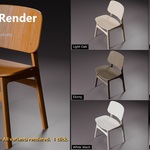
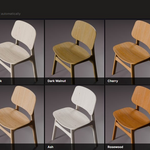
Batch Render Every Product Color Variant — Automatically
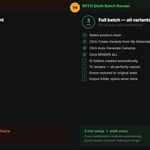
Stop manually changing materials, pressing F12, renaming files, and repeating the process 30 times. Sloth Batch Render automates the entire product variant rendering pipeline in Blender.
Define your color variants once. Set your camera angles once. Click Render All — and walk away. Every combination renders automatically with clean, organized filenames.
🎨 Variant System
- Color Picker Variants — Create a variant directly from a color picker with no pre-made materials needed. Choose a surface type (Glossy Plastic, Brushed Metal, Matte, Chrome, Gold, Rubber, Fabric, Ceramic, Wood) and the material is created automatically.
- Scan Existing Materials — Already have materials on your mesh? One click scans all slots and pre-fills variants. Perfect for imported FBX, OBJ, and GLB assets.
- One Variant Per Color — Recommended for simple products. Reads all materials from the object and creates one variant per material automatically.
- Multi-Slot Variant Setup — For complex products (shoes, bags, furniture) where multiple material slots change together per variant. Select which slots change and how many variants to create.
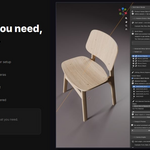
- Edit Colors Live — Edit the color, roughness, and metallic of any variant directly from the panel without opening the Shader Editor.
- Duplicate, Reorder, Enable/Disable — Full control over your variant list.
📷 Camera System
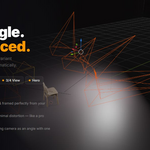
- Auto-Generate Cameras — Select your product mesh and cameras are automatically placed at standard product photography angles: Front, Back, Left, Right, 3/4, Hero (45°), Top-Down. Cameras are perfectly framed and distanced based on your object's bounding box.
- Configurable Focal Length — Default 85mm (flattering product lens). Adjustable in the generation dialog.
- Camera Cycle — Step through camera angles with ◀ / ▶ buttons. Sets the active camera so you can press Numpad 0 to check framing before rendering.
- Any Camera Works — Add your own manually placed cameras as named angles alongside auto-generated ones.
💡 Auto Product Lighting
- One-click 3-point product photography lighting rig automatically sized to your product.
- 4 presets: Studio (clean white), Dramatic (dark luxury), Soft (even shadowless), Product Hero (advertising look).
- Key, Fill, and Rim lights placed and aimed automatically — no manual positioning needed.
👁️ Viewport Preview
- Cycle through variants live in the viewport with ◀ Prev / Next ▶ buttons before committing to a full batch render.
- Materials update instantly so you see exactly what each render will look like.
- Restore Original Materials button returns the scene to its original state at any time.
- Scene is always fully restored automatically before rendering starts.
⚙️ Output & Naming
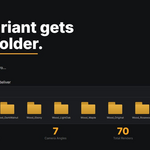
- Custom output folder with automatic fallback to system temp folder.
-
Filename template — customize naming with
{variant},{angle},{scene}tokens. Live preview shows example filenames before rendering. - Outputs:
Red_Front.png,Red_Side.png,Blue_Front.png— every combination, every angle, perfectly named. - Skip existing files option for resuming interrupted batches.
🚀 Batch Render Engine
- Fully respects your Blender render settings — engine, samples, resolution, format, denoising, compositing. Set them in Render Properties as normal. Sloth Batch Render never overrides your settings.
- Renders silently in the background — no disruptive windows.
- Progress shown in the N-panel with current variant and angle name.
- Pre-flight validation before starting — checks for camera, writable output folder, and valid variant setup.
- Scene fully restored after every batch — materials, active camera, and filepath all returned to original state.
- Output folder opens automatically when the batch is complete.
✅ Compatibility
- Blender 4.0 — 5.0+
- Cycles, EEVEE, Workbench — any render engine
- Windows, macOS, Linux
- Single-object and multi-object products
- Imported meshes (FBX, OBJ, GLB)
- UV-mapped and procedural materials