 yakivsan



Description
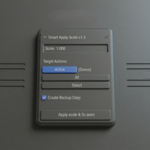
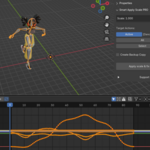
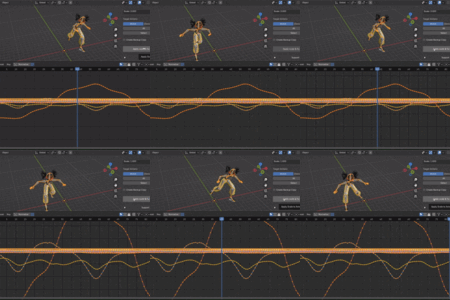
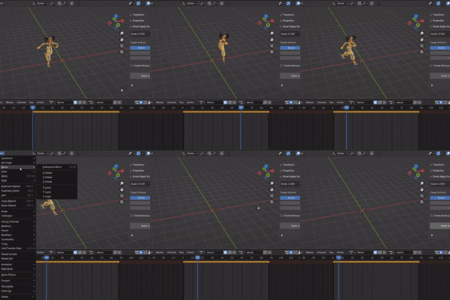
Smart Apply Scale PRO applies scale to armature objects and automatically corrects animation keyframes to preserve the visual result. This solves the common problem where applying scale breaks animations.
Features (PRO Version)
✅ Active Action Mode: Process the currently active animation
✅ All Actions Mode: Process all compatible actions in the file automatically
✅ Manual Selection Mode: Choose specific actions from a list with checkboxes
✅ Uniform Scale Check: Prevents non-uniform scale issues
✅ Backup System: Automatically creates backup copies of actions
Installation
Download the addon folder
In Blender 2.80+: Edit > Preferences > Get Extensions > Install from Disk
Select the addon folder or ZIP file
Enable the addon in preferences
Usage
Basic Usage (Active Mode)
Select an armature object that has scale you want to apply
Open 3D Viewport > Sidebar (N) > Item tab
Choose "Active" mode to process only the current action
Click "Apply scale & fix anim"
Note: The armature must have uniform scale (X=Y=Z) for the addon to work.
Advanced Usage (All Actions Mode)
Select your armature
Choose "All" mode
The addon will automatically find and process all compatible actions in the file
Click "Apply scale & fix anim"
Manual Selection Mode
Select your armature
Choose "Select" mode
Click the refresh button (circular arrows) to scan for actions
Check/uncheck actions you want to process
Use "Select All" / "Deselect All" buttons for quick selection
Click "Apply scale & fix anim"
Backup Option
Enable "Create Backup Copy" to automatically create backup copies of all actions before modifying them
Backup actions will have "_BACKUP" suffix added to their names
Backups are marked as fake users so they won't be deleted
⚠️ Usage Requirements & Limitations
To ensure the addon works correctly and to prevent data loss, please follow these core rules:
🦴 Armature Objects Only:
The addon is designed exclusively for basic Armature objects. It does not work on Meshes, Curves, or Empties.
Important Note: If you are using highly complex custom Rigs (with intricate bone constraints, custom Python UI, or complex driver setups), the recalculation results may be unpredictable. Please use it on complex rigs at your own risk and always use the built-in backup feature!
📏 Uniform Scale Required:
The scale values of your armature must be proportional across all axes (e.g., X: 0.01, Y: 0.01, Z: 0.01). The addon does not support non-uniform scale, as it is mathematically impossible to apply cleanly without distorting the mesh.
🔑 No Scale Keyframes on Armature:
The Armature object itself must NOT have any animation keyframes on its Scale property. If the scale is animated over time, applying the scale will permanently break the visual result. (Note: The addon has a built-in safety check that will warn you and block execution if it detects scale keyframes).
🦴 Armature Objects Only:
The addon is designed exclusively for basic Armature objects. It does not work on Meshes, Curves, or Empties.
Important Note: If you are using highly complex custom Rigs (with intricate bone constraints, custom Python UI, or complex driver setups), the recalculation results may be unpredictable. Please use it on complex rigs at your own risk and always use the built-in backup feature!
📏 Uniform Scale Required:
The scale values of your armature must be proportional across all axes (e.g., X: 0.01, Y: 0.01, Z: 0.01). The addon does not support non-uniform scale, as it is mathematically impossible to apply cleanly without distorting the mesh.
🔑 No Scale Keyframes on Armature:
The Armature object itself must NOT have any animation keyframes on its Scale property. If the scale is animated over time, applying the scale will permanently break the visual result. (Note: The addon has a built-in safety check that will warn you and block execution if it detects scale keyframes).
Have questions about this product?
Login to message
| Blender Extension Compatible | Yes |
| Dev Fund Contributor | |
| Published | 5 months ago |
| Blender Version | 2.8 - 5.1 |
| Extension Type | Add-on |
| Render Engine Used | Blender-Internal |
| License | GPL |
Discover more products like this
gamedev animation fix-animation armature unity scale apply scale 3dgamedevelopment export to ue5 rigging addon Apply Armature