 Piano Man's Shop


Material Assigner
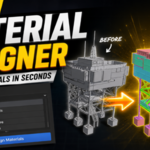
Assign, organise, and manage materials directly from a fast pie menu.
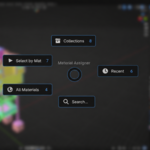
Material Assigner is a workflow-focused Blender add-on designed to make working with materials faster and more intuitive. Instead of constantly navigating through Blender's material properties, you can assign, search, generate, and select materials from a single customisable pie menu.
Whether you're building game assets, creating environment art, working on large scenes, or managing hundreds of materials, Material Assigner helps keep your workflow inside the viewport and your focus on creating.
Key Features
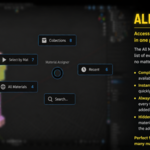
All Materials
Instantly access every material in your current Blender file.
- View all available materials in one place
- Assign materials with a single click
- Includes used and unused materials
- Automatically refreshes when opened
Perfect for projects with large material libraries.
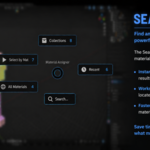
Material Search
Find materials in seconds.
- Search by name
- Filter large material libraries instantly
- Results update as you type
- Apply materials directly from search results
No more scrolling through long material lists.
Collection Materials
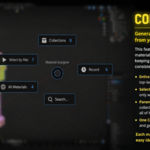
Automatically generate and assign materials from your collection hierarchy.
Material Assigner can create materials based on your Outliner structure:
Environment
├─ Props
├─ Ground
└─ Buildings
Becomes:
Environment_Props
Environment_Ground
Environment_Buildings
Generation options include:
- Entire Scene
- Selected Meshes Only
- Parent + Sub-Collections
- One Collection Only
Ideal for game development, environment art, modular workflows, and large production scenes.
Select By Material
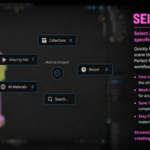
Quickly select all mesh objects using a specific material.
- Find every object using a material instantly
- Great for bulk edits
- Simplifies scene cleanup
- Speeds up material management
Especially useful when working with complex scenes and large asset libraries.
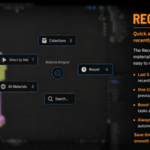
Recent Materials
Quick access to your most recently assigned materials.
- Stores up to 5 recent materials
- Reapply commonly used materials instantly
- Reduces repetitive searching
- Keeps your workflow moving
Perfect for look development and iterative workflows.
Customizable Shortcut
Open the Material Assigner pie menu with a customizable hotkey.
Default:
Ctrl + E
Configure:
- Ctrl
- Alt
- Shift
- Custom key combinations
Directly from the add-on preferences.
Designed For
- Environment Artists
- Game Developers
- Asset Creators
- Level Designers
- Hard Surface Artists
- Technical Artists
- Blender Power Users
Compatibility
- Blender 3.6+
- Tested on Blender 5.0
- Windows, Linux, and macOS
Why Material Assigner?
Material Assigner was built to solve a simple problem:
Assigning and managing materials shouldn't interrupt your workflow.
Instead of jumping between panels and menus, everything is available from one fast, viewport-focused pie menu.
Spend less time managing materials and more time creating.