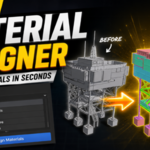
Material Assigner
 Piano Man's Shop


Documentation & Support
Getting started with Material Assigner is quick and straightforward.
The add-on includes comprehensive documentation covering the following:
Installation
- Installing the add-on in Blender
- Updating to newer versions
- Troubleshooting installation issues
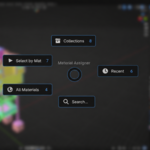
Pie Menu Workflow
- Opening the pie menu
- Customizing shortcuts
- Understanding each menu option
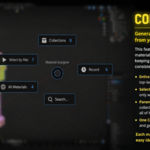
Collection Materials
- Generating materials from collections
- Working with parent and sub-collections
- Scene-wide material generation
- Collection naming conventions
Material Assignment
- Assigning materials from the All Materials menu
- Using Recent Materials
- Searching large material libraries
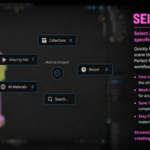
Selection Tools
- Selecting meshes by material
- Managing large scenes efficiently
Preferences
- Custom shortcut configuration
- Hidden material settings
- Add-on customization options
Troubleshooting
- Common installation issues
- Keymap conflicts
- Material generation questions
- Frequently asked questions
Included With Purchase
Material Assigner Add-on
User Documentation
Installation Guide
Workflow Examples
Future Updates
$5
Have questions about this product?
Login to message
| Published | 3 months ago |
| Blender Version | 3.6 - 5.0 |
| Extension Type | N/A |
| License | GPL |