Smart Pie Menus 2
 Trestle Trotter


Fixed bugs when restoring configuration files.
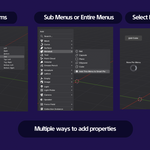
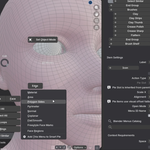
Added more operators to the right click context menu.
Patch
This is a patch that fixes the invocation of actions with initial settings.
For example primitives, some tools like loop cut, etc.
This settings will now display the settings menu correctly. In order to work, they must be re-added to the pie menus.
Thanks for your patience.
fixes when opening blend files and templates
Version 2.1.0 Release Notes
This update focused on stability and workflow improvements.
UI/UX
- Polished preferences UI and improved performance.
- New Icons for brush previews. (Don't use an icon when adding brushes to see the icon previews)
- Changed operator from blender to cube with a circle inside: to comply with blender logo policies.
- Added expand/hide buttons to preferences sections.
- Changed more context menus to buttons.
- New find functionality to find items inside pie menus.
Functionality
- Improved Brush premade action to show previews of brushes.
- New asset action: Assets can now be added to menus through the Edit UI Mode context menu option.
- Add Context Menu: Added icon selector next to label when adding new items.
- Improved Hotkey system. Now, multiple hotkeys can be set for a single pie menu.
- New menu context settings: Now you can choose the context visibility of the menu. (e.g., You want a panel that only appears on the 3d viewport, and another menu only on the shader editor. They can -have the same hotkey. Still testing this feature).
- New Import and Export settings. When you import you now have the ability to load the config as a preset, presets can be added through the "+" icon in the smart pie menus list.
- When exporting you can now select to export only the currently selected menus in the list.
Version 2.0 Release
Improved UI/UX
- Significantly changed the user experience.
- Added collections for pie menus.
- Favored a button based approach instead of dropdowns.
- Included new custom icons for coherence. (Edit UI mode, Direction Arrows, Row, Smart Pie Menus, etc.).
- Shortened Edit UI Mode "Add" context menu entry.
- Hotkeys appear next to menu entries for ease of use.
- Adding items with Edit UI mode shows number of items already in a pie slot.
Functionality
- Improved and expanded Item Context Workflow. (New context buttons and clearer selections for visibility toggles).
- Fixed bugs that used to corrupt menus when adding certain properties.
- Info editor context menu entry to copy action as operator when possible.
- New editor panel based on the previous items list. Now items can be edited per direction.
- Pie Menus list: items can now be moved up, down, inside or outside collections.
- Added separate Smart Pie Submenu action type.
Included .json config example files, alongside new tutorial offering a better guidance for all users.
-
$11.40 $19
The full flow editor edition upgrade. Free for users that have Smart Pie Menus 2 and Horizontal Tabs. This edition provides additional features: - Docks and Actions editor. - Enables combined workflows between docks and pie menus.
-
$5.40 $9
Have questions about this product?
Login to message
