What exactly does Smart Scene Organizer Pro do?
It is an automated pipeline assistant. Instead of spending hours manually renaming objects and sorting your Outliner, this add-on uses a Hybrid AI to analyze your geometry, figure out what the objects are (e.g., Sofa, Door, Tree), rename them correctly, and group them into neat Collections with just one click.
Does the AI just look at object names like other renaming add-ons?
No! While it smartly scans for keywords, its true power lies in the Geometric Decision Tree. It analyzes an object's bounding box, height from the ground (Z-base), polygon density, and even checks surrounding objects (Proximity Anchors) to accurately distinguish a Dining Chair from an Office Chair, or a Sofa from a Cabinet.
What if I work with custom assets (like Sci-Fi props or Fantasy nature) that the AI doesn't know?
You can teach it! Using the AI Training tab, you can easily create new profiles by inputting expected dimensions, poly-density, and keywords. This data is saved to a global database, meaning the AI will remember your custom objects across all your future Blender projects!
How does this add-on help Game Developers (Unreal Engine / Unity)?
The built-in Game-Ready Pipeline automates the tedious FBX export prep. With a single click, it syncs your Mesh Data names with Object names (crucial for game engines), automatically adds SM_ prefixes to static meshes, and M_ prefixes to materials.
Will "Auto-Organize" break my complex models made of multiple parts?
Absolutely not. The add-on features Deep Assembly Recognition. If you import a complex asset (like a car made of 50 separate meshes parented to an Empty), the AI calculates the bounding box of the entire group, treats it as one logical entity, and moves everything together without breaking your hierarchy.
Can it handle massive ArchViz scenes with thousands of objects?
Yes. The engine is highly optimized using Blender's Python API and local SQLite databases. It can analyze, rename, and organize heavy Kitbash or Architectural scenes in just a few seconds.
Is it compatible with Blender 5.0 and the new Asset Browser limits?
Yes! It is fully optimized for Blender 4.x and 5.0+. It features a built-in failsafe that safely bypasses Blender 5.0's "Read-Only" data restrictions for linked assets, preventing the crashes that happen with older renaming add-ons.
How does the ArchViz Cost Estimator work?
In the Materials DB tab, you can assign prices to materials based on square meters (m²) or cubic meters (m³). The add-on mathematically calculates the physical area or volume of the 3D objects using that material and generates a financial estimate. You can then export this as an Excel-friendly .CSV file for your clients.
What if the AI makes a mistake? Can I fix it manually?
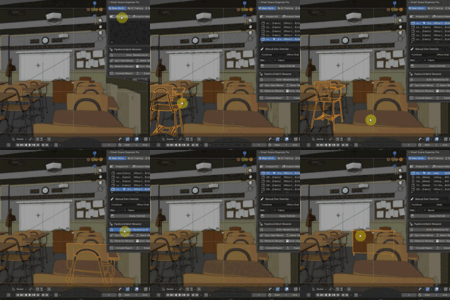
Of course. You always have full control. In the Main Workspace, simply select the object from the list, use the "Manual Override" panel to correct its Category or Material, and click "Apply".
Do I have to pay for future updates?
No! When you purchase Smart Scene Organizer Pro, you receive free lifetime updates, including new AI profiles, advanced features, and compatibility patches for future Blender releases.
 ZibadMend







 Included