Smart Segmention
 Milad_Kambari




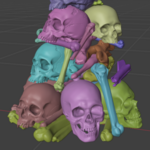
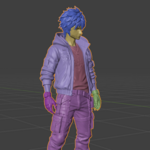
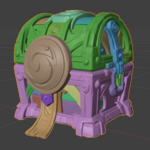
DOCUMENTATION
Smart Segmentation splits any 3D model into meaningful parts automatically, then
lets you correct the result by hand before you commit.
Everything is in the 3D Viewport sidebar. Press N and open the "Smart Segment" tab.
ANALYZE
Select a mesh and press Analyze Model. The addon measures how thick the model is
at every point and where the surface folds inward, and cuts along those signals
instead of an arbitrary grid. Runs once, takes a few seconds. Everything after
this is instant.
GRANULARITY
Parts How many parts to cut into. Drag it and the viewport updates live.
Auto Picks the count where the model naturally wants to divide.
BOUNDARY REFINEMENT
Slides every boundary onto the real crease in the full resolution mesh.
Stiffness How far a boundary may travel to reach a crease. Lower moves further.
0.6 default, 0.3 if boundaries refuse to move, 1.5 if they wander.
Band Width How many face rings around a boundary may move.
Live Updates as you drag. Switches off above 300,000 faces; the button
still works.
MERGE BRUSH, LASSO AND BOX
For anything the analysis got wrong.
1. Pick Target Part. Hover to preview, click to lock it in. This is where the
geometry you paint will go.
2. Choose Brush, Lasso or Box from the dropdown and press the button.
Drag assign faces to the target
Ctrl + Drag erase
Shift + Click pick a different target without leaving the tool
Shift + Wheel brush size (Brush only)
Ctrl + Z undo one stroke
Enter apply Esc discard
Only faces facing the camera are affected, so the back of the model is safe.
Brush edits survive changing the part count and re-running refinement.
MANUAL MERGE
For parts that should have been one piece.
Pick & Merge Click each part, Enter to fuse them, Esc to cancel.
Merge Selected Faces Select faces in Edit Mode, return to Object Mode, press it.
Merges are remembered by geometry, not by part number, so they survive every
later change.
SPLIT ONE PART ONLY
Adds detail to one part without re-cutting the whole model.
Pick Region To Split, then raise Parts. Every extra cut lands inside that part
and nothing else changes. Apply & Pick Next bakes it in and moves you on to the
next part. Applied splits stack up.
EXPLODE
Blows the parts apart so you can inspect the split from the inside, with a slider
for how far. Press again and everything returns exactly where it was. Works both
before splitting, as a preview, and after, on the real objects.
OUTPUT
Split Into Parts One object per part, open cuts capped automatically, placed in
their own collection.
Bake To Materials Keeps one object and assigns a distinct material per part.
Auto Refine On Split Runs refinement before splitting.
Cap Open Cuts Closes the boundary left on each part.
Min Part Faces Discards parts smaller than this.
TYPICAL WORKFLOW
Analyze, set Parts, let refinement clean the boundaries, fix leftovers with the
brush or lasso, merge anything that should be one piece, then Split Into Parts.
REQUIREMENTS
Blender 4.2 or newer. No external dependencies.
SUPPORT
Discord: https://discord.gg/EC8d7nPsYj
Milad Kambari - 3DRedbox Studio
Discover more products like this
splitter split mesh auto split separate split model mesh parts part segmentation object separation segmentation addon mesh segmentation split