 Milad_Kambari




MK Smart Segment
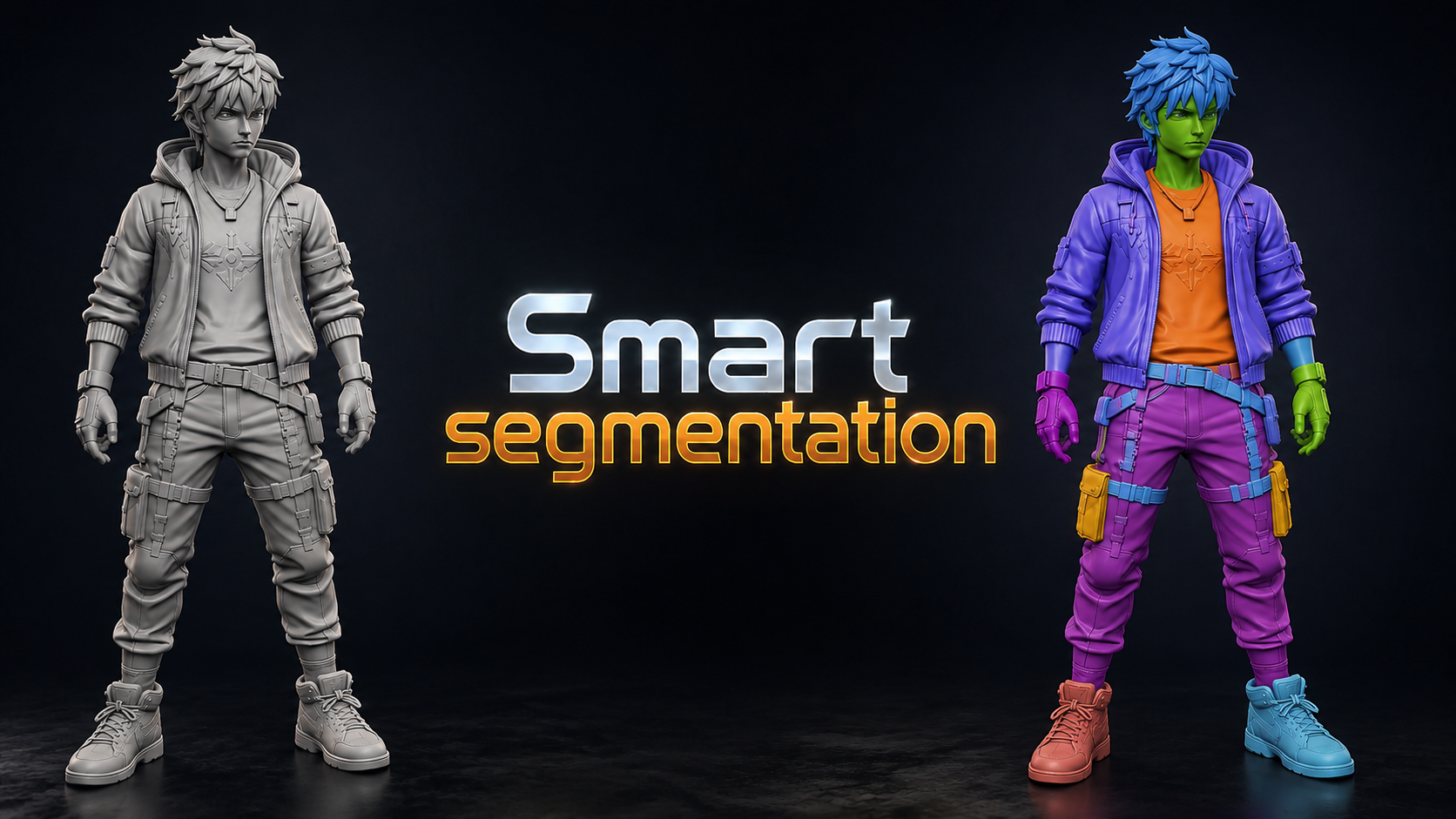
Automatically split any model into its natural parts — then refine the result exactly how you want with merge tools, brushes, and per-region control. Smart where it can be, manual where you want it.
| Auto Segmentation | Live Parts Slider | Manual Merge Tools |
01 | YOU DECIDE THE PART COUNT |
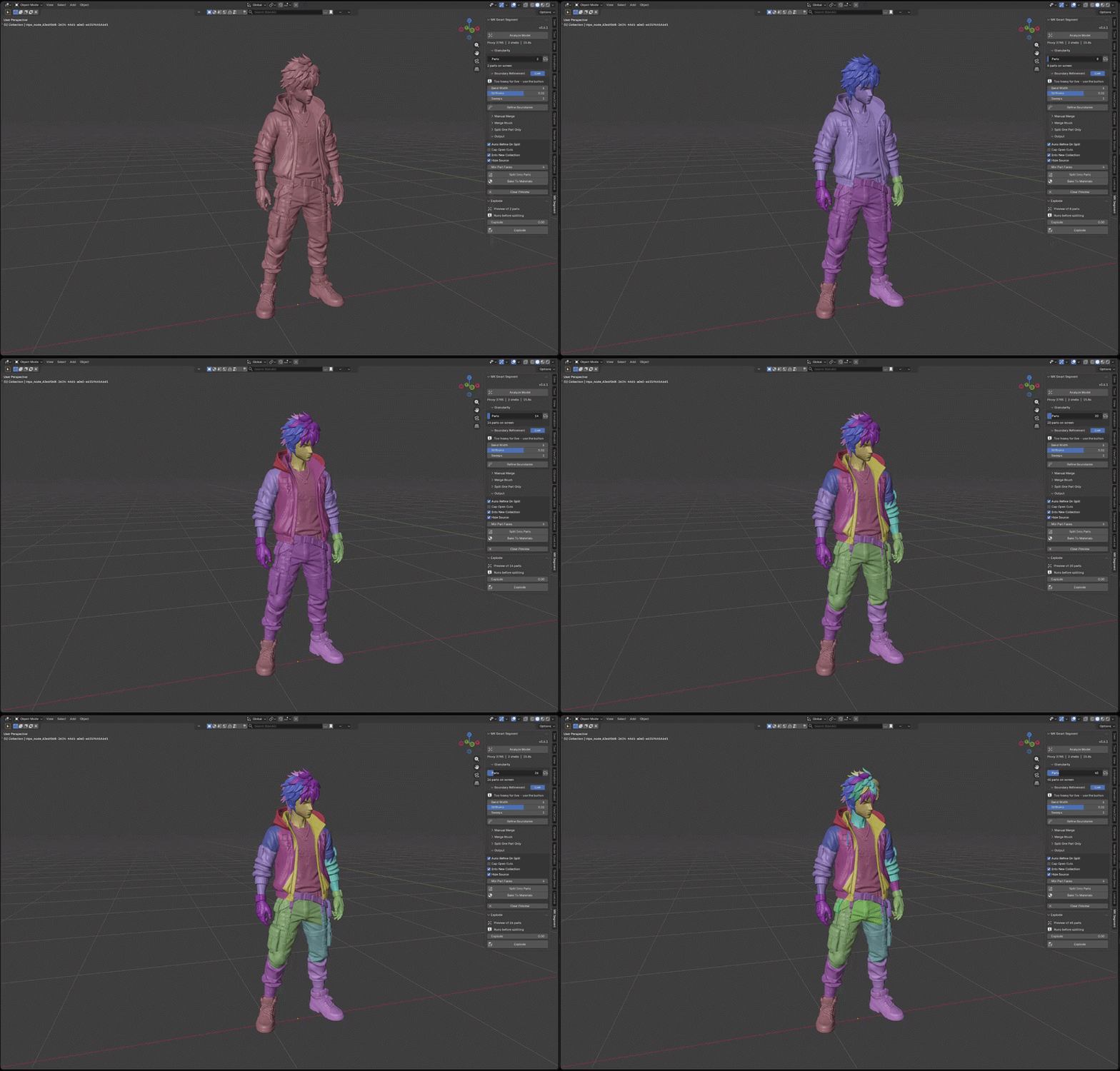
Slide to Exactly the Split You Want
Tell the addon how many parts your model should become and watch it happen live. Drag the Parts slider and the segmentation updates instantly — from a rough two-piece split to a fully broken-down model — always following the mesh's natural shape boundaries.
02 | MANUAL MERGE |
Combine Parts One by One
The auto result is a starting point, not a prison. With the Manual Merge tool you pick parts right in the viewport and fuse them together one by one — perfect for when two segments really belong to the same piece.

03 | BRUSH · LASSO · BOX |
Paint Exactly What Belongs Together
Three hand tools for surgical control: drag the Brush over faces, draw a Lasso loop around them, or sweep a Box across a region — and everything you touch merges into the part you chose. Hold Ctrl to erase, Ctrl+Z to undo a stroke, Shift+Click to switch the target part on the fly.

04 | PER-REGION CONTROL |
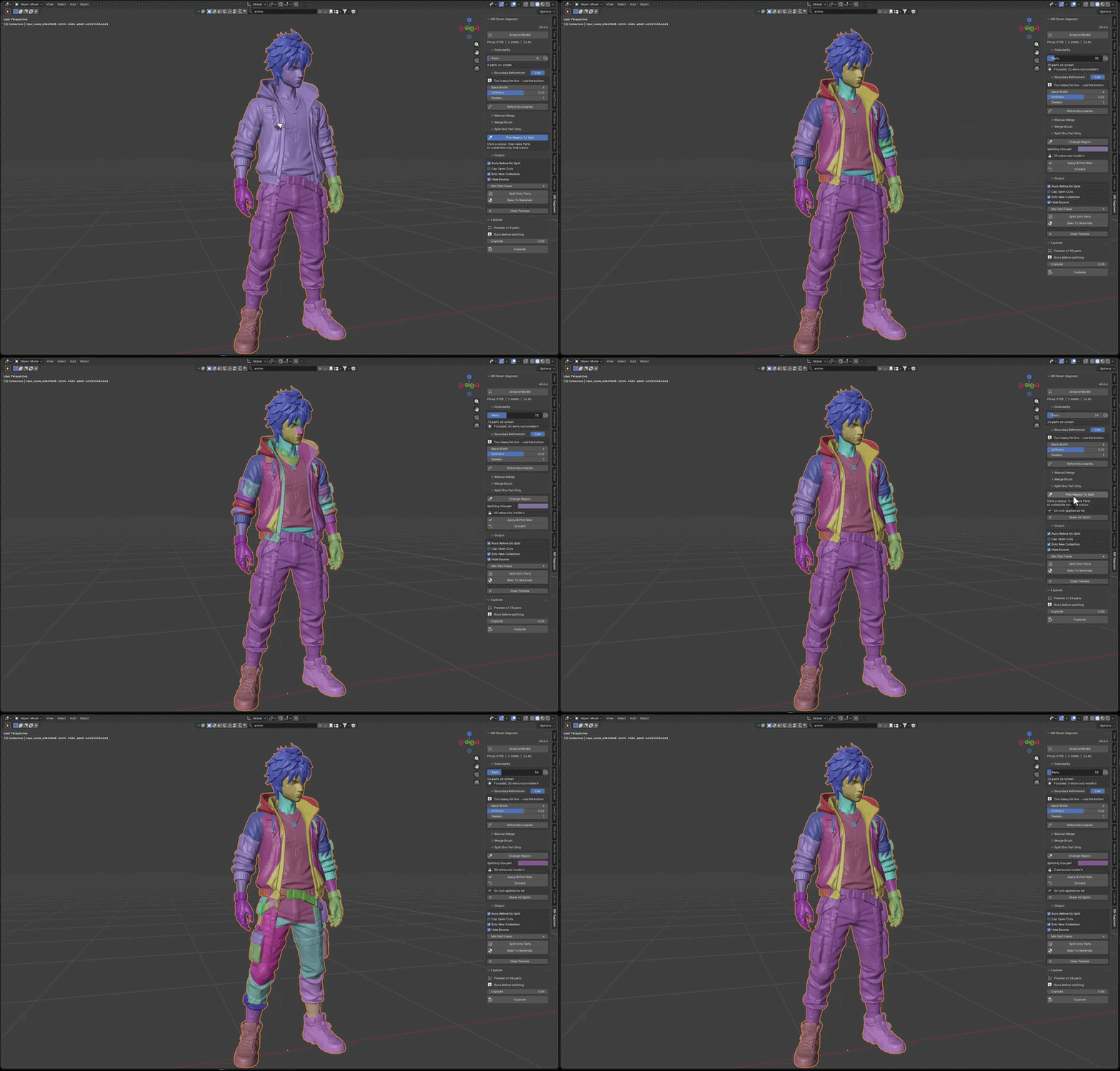
Split Each Region on Its Own Terms
Lock the rest of the model and focus on one region at a time — then set how many parts that specific area should split into, independently from everything else. Keep the body as one piece while breaking the arms into five, or detail just the head. Every region gets its own part count.
05 | MADE FOR AI-GENERATED MODELS |
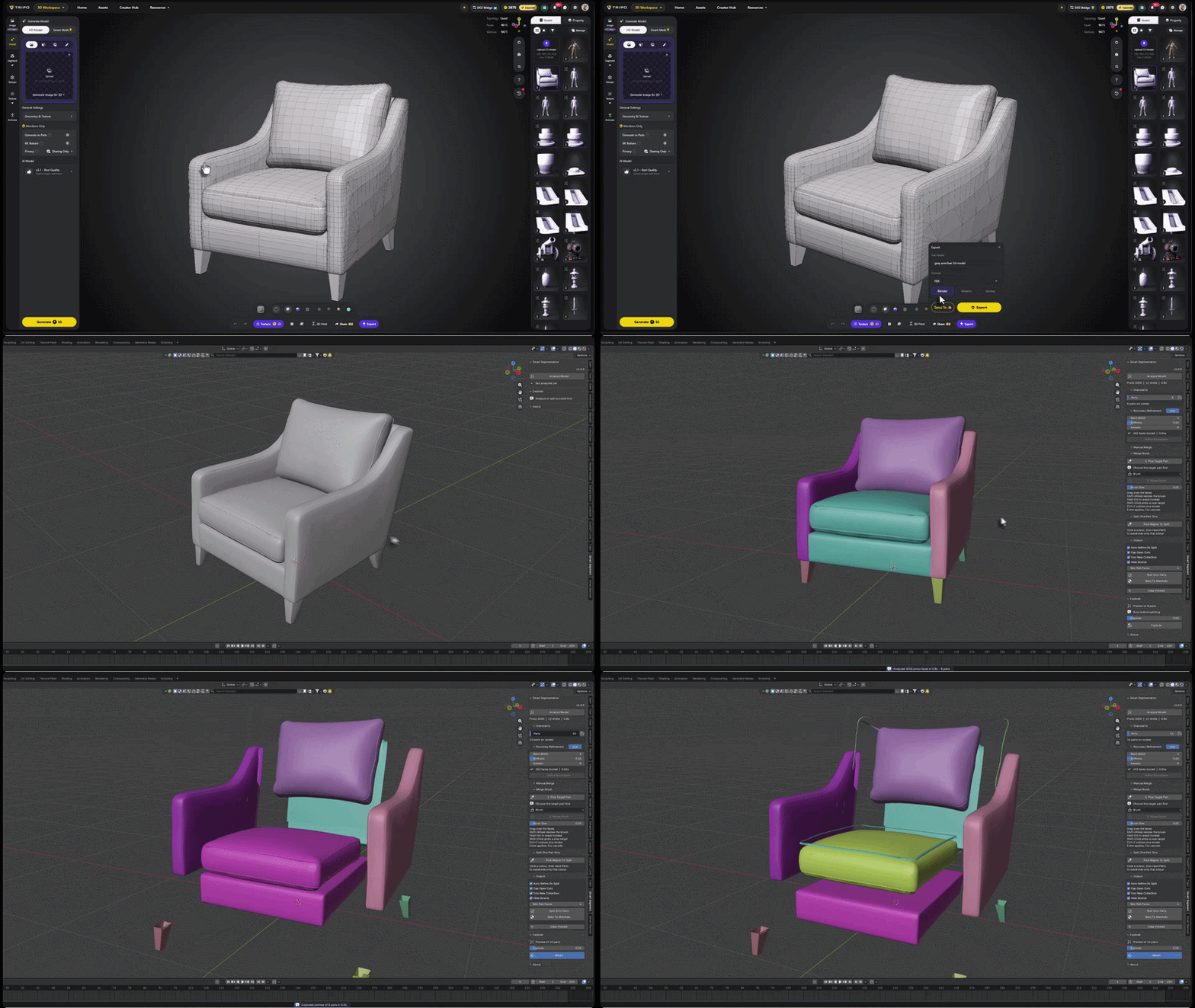
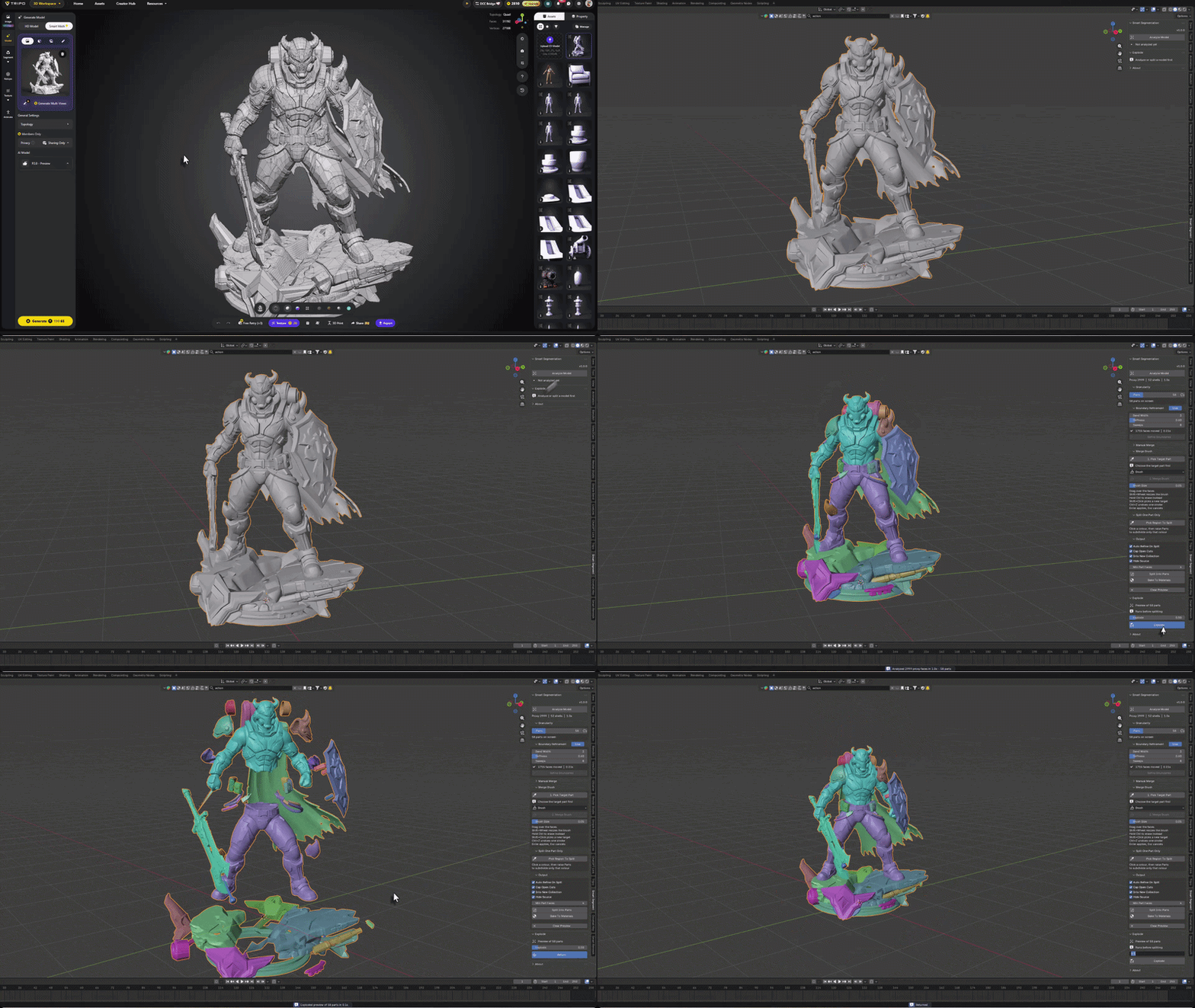
Split AI Outputs in a Few Clicks
Models exported from AI 3D generators arrive as one solid, fused blob — no parts, no structure. Drop them into Smart Segment and split them into their natural pieces with just a few clicks: the head, the jacket, the boots, every component becomes its own part, ready to edit, texture or print.
A complete walkthrough of every tool and workflow in the addon.
Everything Inside
Smart segmentation plus full manual control — in one panel.
| Shape-Aware Splitting Parts follow the model's natural boundaries — limbs, joints and features, not random chunks. | Live Parts Slider Scrub the part count and see the result instantly — no waiting, no recomputation. | Explode Preview Blow the parts apart before splitting to check every piece — then bring them back. |
| Three Merge Tools Brush, Lasso and Box with shared shortcuts — Ctrl to erase, Ctrl+Z to undo, Shift+Click to retarget. | Per-Region Part Count Focus a region, lock the rest, and give each area its own number of splits. | No Extra Dependencies Pure Python — nothing to install besides the addon itself. Works on any mesh. |
Perfect For
| 3D printing — break a model into printable parts along natural boundaries |
| AI-generated & scanned meshes — turn one solid blob into workable pieces |
| Texturing & rigging prep — separate a model into logical components fast |
More from Milad Kambari
 |  |  |
 |  |  |
 |  |  |