UV Unwrapping-Smart Uv Tool
 Anvil Interactive Solutions


How do I request a new feature or report a bug?
You can reach out directly via [[email protected]]. Please include a screenshot of your UV layout and a brief description of the issue so I can assist you faster.
I’m seeing overlapping UVs after running the tool. What should I do?
This usually occurs if the "Pack" margin is set too low for your specific resolution. Try increasing the padding value in the add-on settings panel. If the issue persists, please ensure you have applied your object transforms (Ctrl + A) before unwrapping.
Does the add-on support UDIM workflows?
Yes, Smart UV Tools fully supports UDIM layouts, allowing you to manage complex character or environment assets across multiple UV tiles efficiently.
How does this differ from Blender’s built-in "Smart UV Project"?
While built-in tools provide a basic starting point, Smart UV Tools provides [mention key differentiator, e.g., superior packing algorithms, intelligent seam placement based on curvature, or automated island orientation], resulting in less texture stretching and higher texel density.
What is the core purpose of Smart UV Tools?
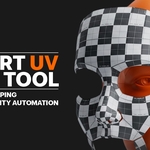
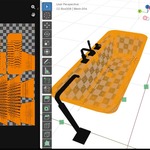
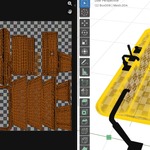
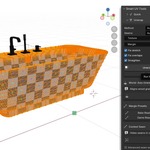
Smart UV Tools is designed to automate and accelerate the UV unwrapping and packing pipeline. It eliminates repetitive manual tasks, ensuring your UVs are optimized, consistently scaled, and seam-optimized for PBR workflows.
 Included
Includes 12 months of
- Support from Anvil Interactive Solutions
- Product updates
Extend this product’s Support Period +12 months: 50% of product price
Have questions before purchasing?
Login to message
Discover more products like this
uv unwrapping Texture Mapping seam-management Texel_Density 3D game asset uv export blender addons uv editing uv-tools Smart UV Project