 mashud008



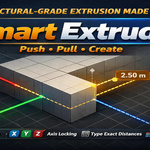

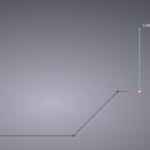
Smart Extrude replaces the guesswork of manual extrude + move with a
single modal tool. Select any vertices, edges, or faces, move your mouse
in the direction you want, and either eyeball it or type an exact number —
Smart Extrude always extrudes toward the cursor. Polar angle snapping,
X/Y/Z axis locking, MMB-drag axis picking (just like Blender's native
transform tools), normal locking, 90° ortho lock, and a Continuous Extrude
Mode for chaining multiple extrudes without restarting the tool make this
a fast, precise, CAD-style workflow inside Blender's mesh editing.
- X / Y / Z axis locking — press once for global, again for local axis, again to release back to free movement
- Middle-mouse-button axis picking — hold MMB to instantly lock the nearest axis, exactly like Blender's own Move/Rotate tools
- Normal lock (N) — lock directly to the selection's face/vertex normal
- 90° ortho lock (P) — force the movement onto a 90° grid
- Direction lock (Shift) — freeze the current direction and adjust distance only
- Global/Local reference frame toggle (Alt)
- Axis magnet — automatically snaps onto a nearby global axis or normal within a configurable angle threshold
- Unit-aware numeric input and display — typed numbers and on-screen distance labels respect your Scene Unit Settings (Metric or Imperial: mm, cm, m, km, in, ft, yd, and more)
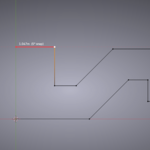
- Continuous Extrude Mode (C) — chain multiple extrudes with mouse-move and left-click, without leaving the tool; every Smart Extrude control stays active throughout
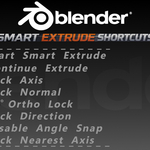
Keyboard Shortcuts Reference
| Key | Action |
|---|---|
| Alt + E | Start Smart Extrude |
| Mouse Move | Free direction + distance |
| X / Y / Z | Lock axis (press again for local, again for free) |
| MMB (hold) | Instantly lock nearest axis |
| N | Lock to face/vertex normal |
| P | Toggle 90° ortho lock |
| Shift (hold) | Lock current direction |
| Ctrl (hold) | Disable angle snap |
| Alt | Toggle Global / Local reference frame |
| 0–9, . | Type an exact distance |
| Backspace | Edit the typed distance |
| Enter / Space / LMB | Confirm the extrude |
| Esc / RMB | Cancel the extrude |
| C | Toggle Continuous Extrude Mode |
| Enter / Space (in Continuous Mode) | Apply current step and finish |
Discover more products like this
Auto Snap Lighting push-pull polar-snap aligned auto snapping Smart Extrude extrude