 kunemann



SmartUndo+
Ctrl+Z rewinds the whole scene, one step at a time. SmartUndo+ gives every object — its own undo history — so fixing one thing never costs you another.
No learning curve.
Fixing one thing shouldn’t undo another.
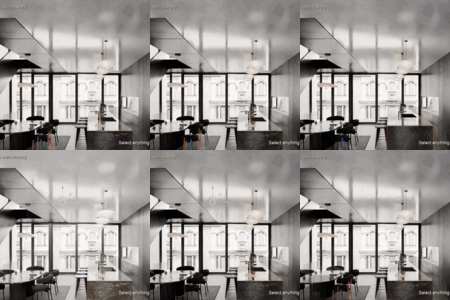
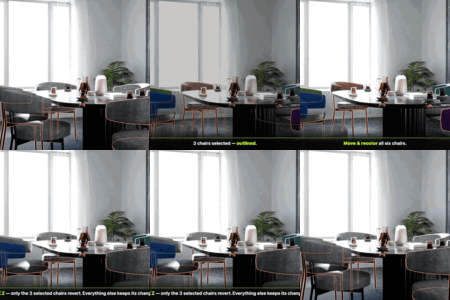
Blender's normal undo rewinds everything in the scene, one global step at a time. Make five small changes to one object while also fixing something else and undoing back to that object means undoing the other work too.
|
Without SmartUndo+
|
With SmartUndo+
|
Every object, every aspect.
Point at an object or a node tree and undo just that. Each aspect below keeps its own independent track.
↔
TransformMove, rotate, scale, visibility — split out and labelled per action. |
⚙
ModifiersAdd, remove, reorder or tweak a param — including nested physics settings. |
∞
ConstraintsAdd / remove / reorder undoable, targets and operands re-linked automatically. |
◆
Object data & shape keysLight energy/colour, camera DOF, curve bevel, shape-key values, pose bones. |
#
Custom propertiesYour own scalar and array ID-properties, tracked like any built-in value. |
▦
GeometryVertex positions, topology, UVs and vertex colours in edit, sculpt and paint modes. |
⏱
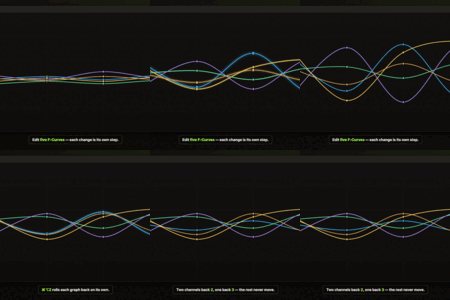
AnimationNewKeyframes are undoable per F-Curve channel — move, add or remove a key, retime a handle, change interpolation — so you can rewind just X Location without touching Y Location. Object channels, shape-key values and material animation, right in the Graph Editor and Dope Sheet. Scrubbing the timeline records nothing. |
||
See exactly what changed.
A clear step-by-step timeline per object, grouped by aspect — not just a single “step back”. Select the sofa, a light, a table, a plant — the panel always shows that one object's own history.
|
1
Track On/Off per objecttrack only what you're actively working on.
|
2
Grouped, independent tracksTransform, Modifiers, Geometry, node trees … each its own timeline.
|
3
Click any step to jumpstraight to that state, no repeated undoing.
|
4
Checkpointsnamed states you save on purpose, per object or whole scene.
|
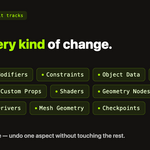
Every kind of change. Tracked per object.
Point at any object and its own history is right there — whatever you changed. A sofa's modifier and material colour, a light's energy and colour, a table's position and a custom property, a plant's constraint. Every one on its own track.
Save a state. Come back to it.
Apart from the automatic timeline, save named checkpoints on purpose — for a single object, or for the whole scene at once. Try a bold variation and if it doesn't work out, restore any checkpoint in one click. They're kept in the .blend when you save the file.
Quiet by design. Blazing fast.
Your whole history lives in RAM — the same place Blender keeps its own undo — so stepping or jumping to any state is instant, just like a normal Ctrl+Z. No disk, no waiting; it only writes to your .blend if you choose to save it. And it records a step just once, after a value settles — not on every tick — so it never slows down modeling, sculpting or animating, even on large, complex scenes. You won't notice it's there until you need it.
Selecting a character rig used to cost you frames. As of 1.35.1 the background scan fingerprints each animation channel and only snapshots the ones that actually moved — a 900-curve rig went from 190 ms a pass to 12. Adding more rigs no longer makes it worse. The panel’s RAM figure moved off the redraw path in the same release: editing with the panel open went from +499 ms a frame to +1.5.
As of 1.35.3 the same idea reaches the undo itself. Channels carry fingerprints, so a native undo re-syncs by comparing signatures instead of walking keyframes — a deep history steps back in a couple of lookups, not a full scan. Panel redraws stop re-reading thousands of channel names, the first poll of a big rig is sliced across ticks instead of one long stall, sculpt strokes reuse the previous step’s geometry buffers. Saving pre-warms in the background. Measured with a 900-curve rig and the panel open, each redraw is about half the work it was. Same histories — nothing is lost for speed.
As of 1.36.0 the biggest remaining costs are gone. Checkpoints on a 2000-object scene dropped from 4.1 s to 0.14 s, undo on a dense mesh is back to milliseconds — 270 to 6 ms in Edit mode on 100k vertices — and an F-curve undo with 10 000 keys went from 206 to 6 ms. Panel redraws are about 7× faster and saving a large history is twice as fast. Same histories — nothing is lost for speed.
|
Save history in .blend
47 steps across 6 objectssaved 6:42 PM
Restored on demand with “Load Saved History” after reopening.
|
Optional persistence
Close it today.
|
Five steps.
| 01 | Install the extension — drag the smartundo_plus folder (or its zip) onto Blender, or install from disk. |
| 02 | Point at an object in the 3D View, or a tree in the Shader / Geometry-Nodes / Compositor editor. |
| 03 | Press Ctrl+Alt+Z to undo just that object or tree — Ctrl+Alt+Shift+Z to redo. |
| 04 | Open the N-panel → SmartUndo+ tab to browse the full timeline and click any step to jump straight to it. |
| 05 | Optional: turn on Save History in .blend so it's still there tomorrow. |
Not a replacement. A second layer.
Worth being upfront about, so you know exactly what you're installing.
|
SmartUndo+ is not
|
SmartUndo+ is
|
Everything, packed.
| Extension | smartundo_plus — drag-and-drop install, or Preferences → Add-ons → Install from Disk |
| Shortcut | Ctrl+Alt+Z to undo, Ctrl+Alt+Shift+Z to redo — independent of Ctrl+Z |
| Tracks | Transform · Modifiers · Constraints · Object Data · Custom Properties · Shape Keys · Pose · Geometry · Animation (per F-Curve) · Shader / World / Geometry-Node / Compositor trees |
| History panel | N-panel, in the 3D View, every node editor and the Graph Editor / Dope Sheet |
| Undo steps | 25 per datablock by default — set a custom limit per object in the panel |
| Persistence | Optional — saved into the .blend on file save, loaded back on demand |
| Blender | 5.0 or newer |
| License | GPL-3.0-or-later |