 benedetto battipede


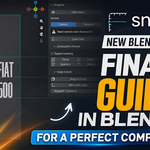
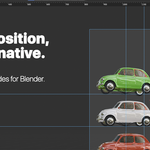
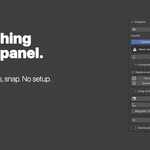
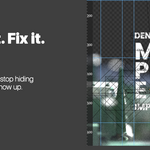
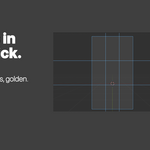
Blender has a 3D viewport. It has a camera frame. What it doesn't have is the layer in between — the rulers and guides every visual artist relies on to compose, frame, and align with intention.
Snapline adds that layer.
Drag a ruler from the top or left edge to drop a guide anywhere on screen. Anchor those guides to the camera frame so they stay locked to your composition no matter how you orbit the viewport. Apply a thirds, golden, center, or quarters preset with one click. Move objects with magnetic snap so they land exactly on the lines you care about.
It's the workflow you already know from Photoshop, After Effects, and every compositing tool — finally inside Blender.
Features
Drag-to-create rulers. Drag from the top or left ruler band to drop a vertical or horizontal guide. Drag an existing guide off-canvas to delete it. Cyan #19BFFF lines you can see against any viewport theme.
Camera-anchored or viewport-anchored. Camera mode (default) locks guides to the active camera frame so they follow your composition through any view change. Viewport mode locks them to the screen — Photoshop-style — for general layout work.
One-click composition presets. Rule of Thirds, Golden Ratio (φ), Center Cross, and Quarters. Replace existing guides or stack presets together for richer grids.
Magnetic snap on move. A dedicated transform operator that snaps the active object onto guides while you move it. Configurable tolerance. X/Y axis lock during the modal.
Snap to nearest guide. One-shot operator that aligns the active object's pivot to the nearest X+Y guide intersection. No drag, no fiddling.
Smart snap during ruler drag. Hold CTRL to snap guides to thirds, halves, quarters as you drag. Hold SHIFT for fine 5% steps.
Lock View. Freeze viewport orbit/pan/zoom while composing. Numpad teleports remain active so you can still jump between views.
Per-scene persistent guides. Guides save with your .blend file. Open the project tomorrow, your composition is exactly where you left it.
Render-safe by design. Built with the lessons learned from years of Blender addon development. No depsgraph writes. No render-time DNA modifications. Zero impact on your Cycles or EEVEE outputs.
Requirements
- Blender 5.0 or higher
- Works on Windows, macOS, and Linux
- No external dependencies, no internet connection required
What's included
-
snapline.py— the add-on (single file, fully self-contained) -
Snapline_Manual.pdf— full user manual with shortcuts, workflows, tips -
README.txt— quick-start instructions
Installation
- Download the ZIP from your Superhive library
- Open Blender → Edit → Preferences → Add-ons → Install from Disk
- Select
snapline.py(or the ZIP — both work - Enable the checkbox next to "Snapline"
- Press CTRL+ALT+R in the 3D viewport, or open the N-panel → View → Snapline
That's it. No license keys, no online activation, no node setup.
Default shortcuts
- CTRL+ALT+R — Toggle rulers
All shortcuts customizable via Edit → Preferences → Keymap → 3D View. On macOS, CTRL maps to ⌘.
Support
Questions, bug reports, feature requests — DM @benedetto_battipede on Instagram on in dm on Superhive. Updates and changelogs posted there.
Snapline. Drag rulers. Drop guides. Compose with precision.