 JMS Tools


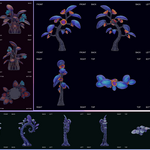
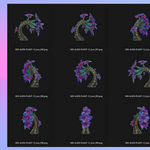
My object looks off-center in some views
This is expected behavior.
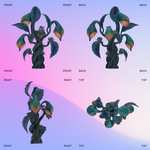
JMS Snapshot 6 Tools automatically centers the object using its real geometry bounds, not the object origin. This ensures consistent framing even if the origin is misplaced. No manual adjustment is required.
JMS Snapshot 6 Tools automatically centers the object using its real geometry bounds, not the object origin. This ensures consistent framing even if the origin is misplaced. No manual adjustment is required.
The object looks different between views
This is not a bug.
Each view is rendered from a different orthographic direction. Changes in shading or perceived shape are normal and reflect the actual geometry and surface normals.
Each view is rendered from a different orthographic direction. Changes in shading or perceived shape are normal and reflect the actual geometry and surface normals.
Parts of the object seem closer to the frame than expected
This happens when the object contains thin, hidden, or distant geometry that affects its bounding box. The addon prioritizes avoiding clipping rather than forcing a tight crop.
$10
Have questions about this product?
Login to message
| Blender Extension Compatible | Yes |
| Published | 8 months ago |
| Blender Version | 4.0 - 5.0 |
| Extension Type | Add-on |
| Render Engine Used | Eevee |
| License | GPL |
Discover more products like this
fake 3d game assets 3D workflow asset thumbnails blender addon orthographic render Asset Preview marketplace tools batch render blender tools snapshot tool turntable render