 RenderLab


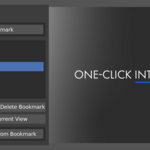
We sent a demo to a handful of Blender users. Here’s what they had to say -

You spend so much time simply navigating your viewport - you orbit, pan, and zoom until the angle is just right - yet the only way to maintain consistent angles is to clutter your scene with tons of temporary cameras.
With SnapView:
You capture the entire viewport state - position, rotation, lens, even the shading/overlays, as a named bookmark. Jump right back to it whenever you want. If you like the angle, spawn a camera from it in one-click.

Features
- One-Click Bookmarks - Save the exact 3D view you’re in, including overlays and shading
Instant Recall - Apply a saved bookmark and your view instantly snaps back
Instant Camera - One-click turns a saved bookmark into an active camera
Color Tags - Label bookmarks so you can group WIP’s, finals, close-ups, and wides at a glance
- Non-Destructive - SnapView doesn’t touch your models or materials, it only restores viewport/shading

Built For Speed
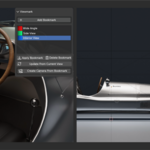
Lives in the 3D View > N-Panel as a clean, lightweight list
Inline rename and color tag your bookmarks right in the list
- Tiny footprint (~7 KB). It stays out of your way until you need it
Perfect For
Look-dev, product angles, character close-ups, environment checkpoints, iteration A/B shots, and any scene where you bounce between micro details and her frames. The use cases are endless!

How It Works
1. Navigate to a view you like
2. Click Add Bookmark (or press Ctrl+Alt+B) and give it a name
3. Jump back to it anytime with Apply (or Alt+B)
4. Ready to render? Click Create Camera From Bookmark
Hotkeys (3D View)
Ctrl+Alt+B - Add Bookmark
- Alt+B - Apply Active Bookmark
- Shift+Alt+B - Create Camera From Bookmark
Install
Download SnapView.zip
- In Blender go to Edit > Preferences > Add-ons > Install > SnapView.zip
- Check the box to activate the addon
- You will now see the SnapView tab in your UI