 NicoHartl
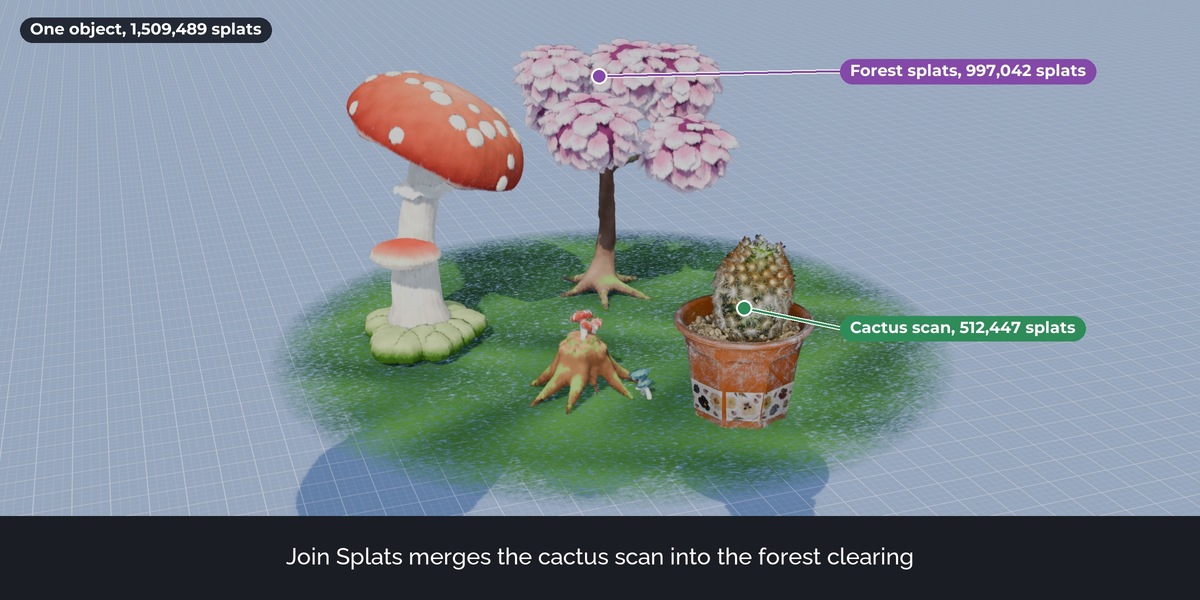
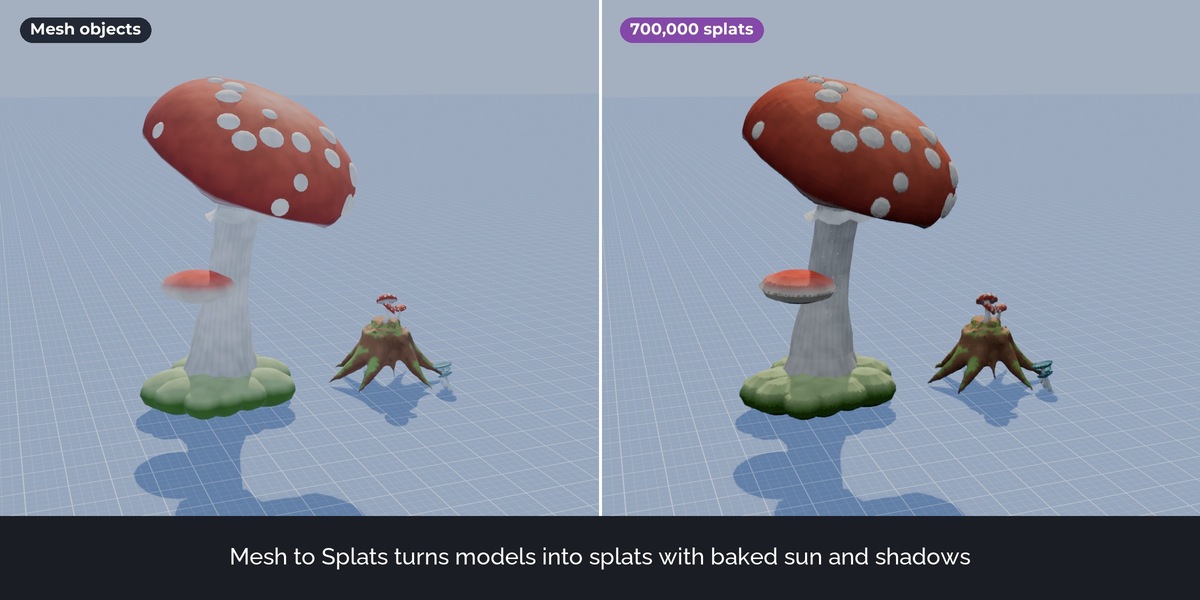
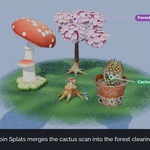
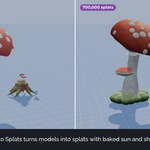
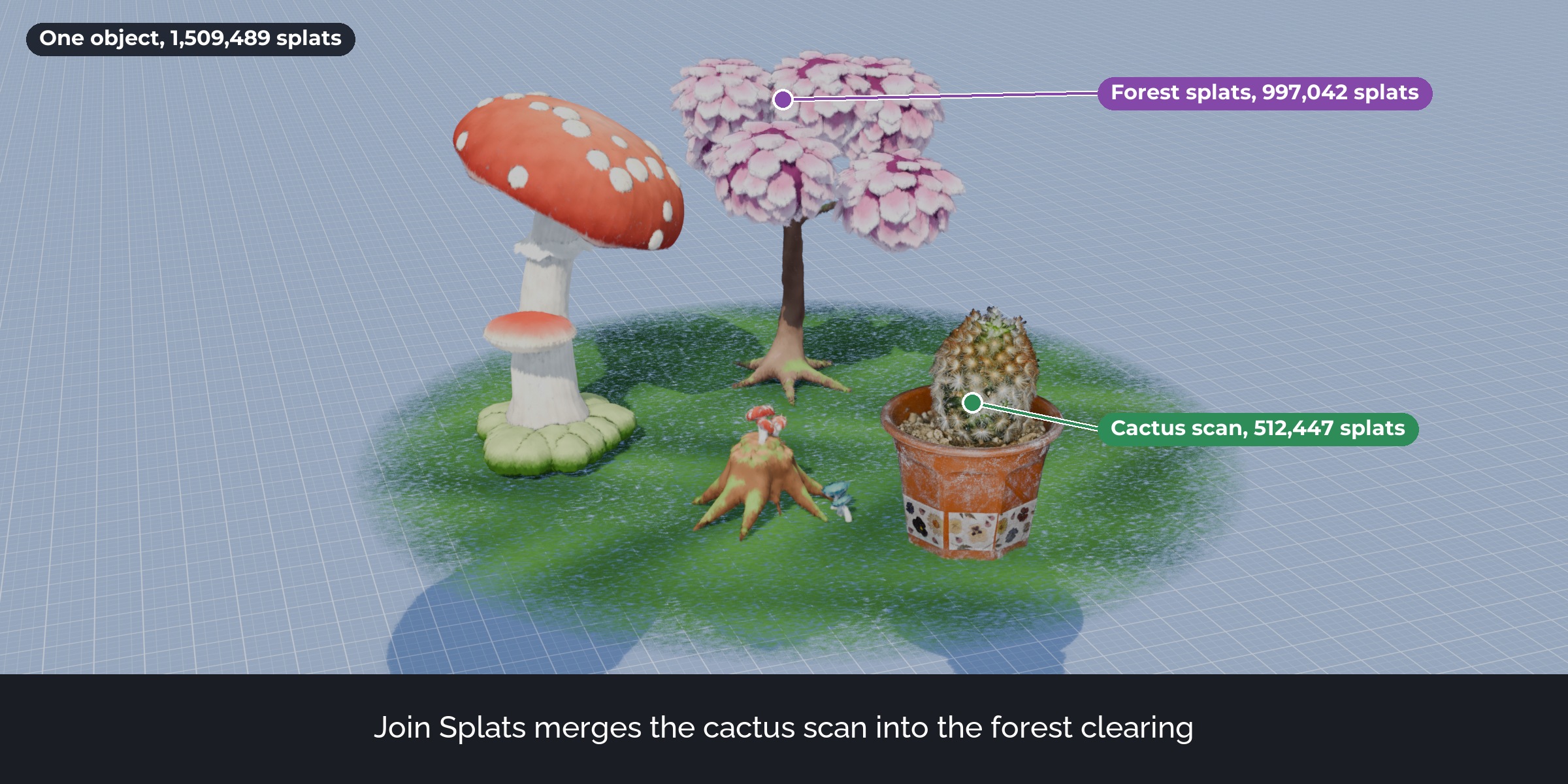
Two store pictures (Join and Mesh to Splats) show assets from the Stylized Enchanted Forest pack. That pack is sold separately and is not included.
Splat Prep is a toolbox for the Gaussian splats that Blender 5.3 imports. It covers the way from a raw capture to a clean splat file: import, level and size the scan, fix its transforms, remove junk, crop, grade the colours, make it lighter and export it for other tools.
The problem
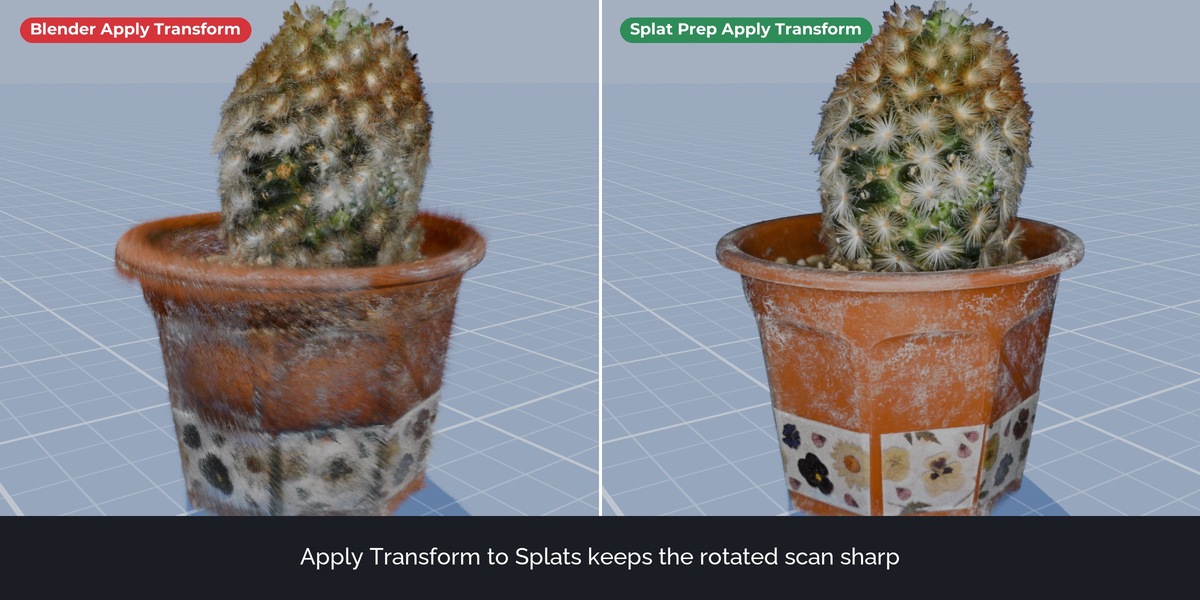
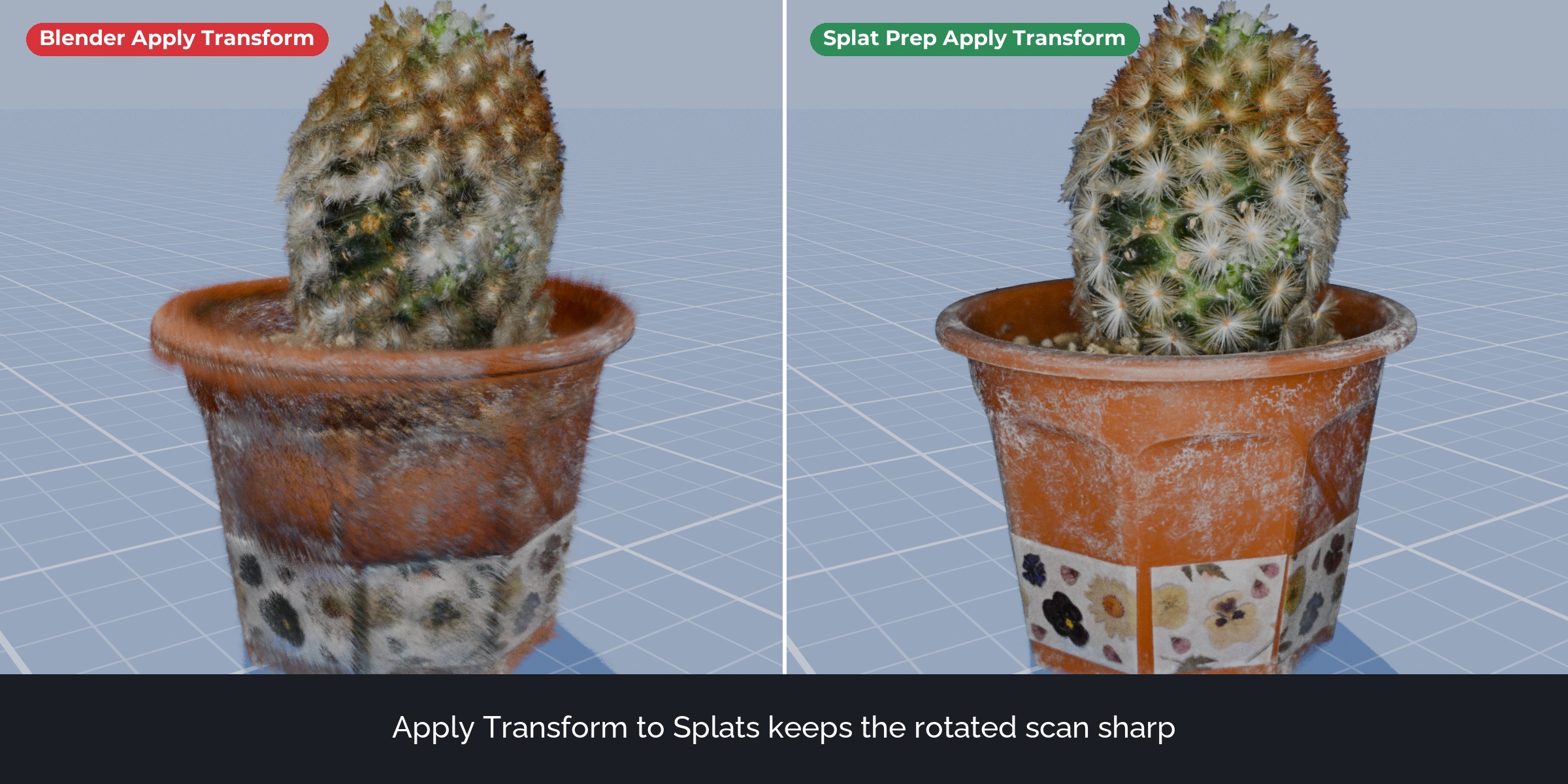
Blender 5.3 imports and renders splats, but its tools treat them like plain points. Apply Transform and Join move the splat centres and leave each splat's orientation, size and view-dependent colour behind, so a rotated scan smears. There is no export: the PLY exporter writes an empty file. Compressed PLY and .splat files do not open. Floaters have to be found by hand, and a scan that comes in tilted has to be levelled by eye.
What it does
Import and export
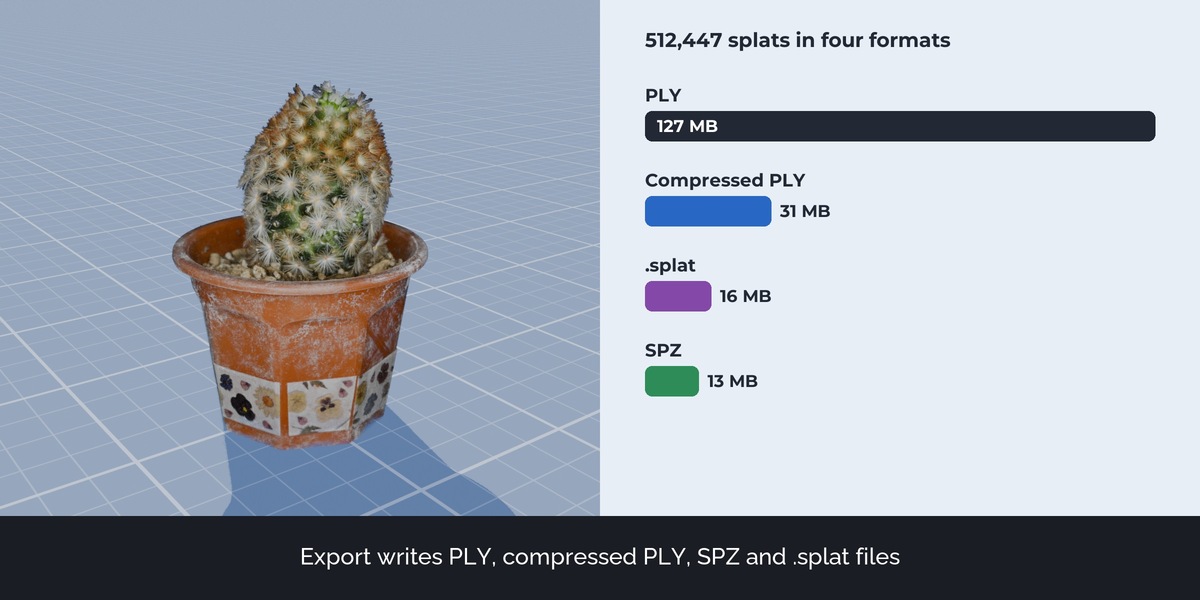
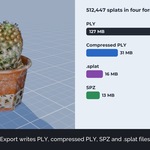
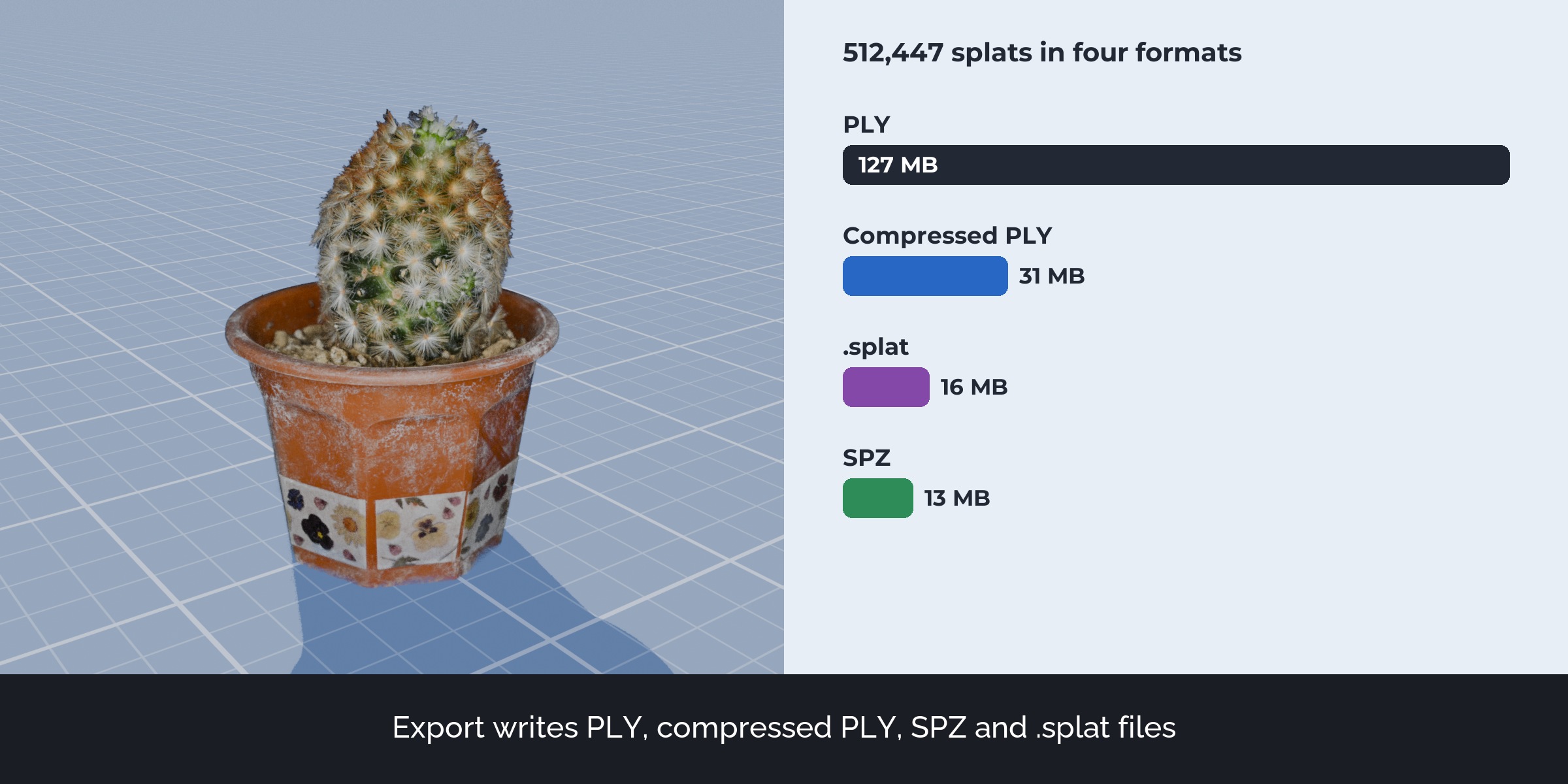
Import reads compressed PLY (SuperSplat, PlayCanvas) and .splat files. Export writes standard 3DGS PLY, compressed PLY, SPZ and .splat, in world space and with modifiers applied.
Apply Transform to Splats and Join Splats
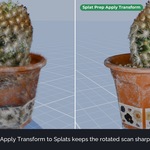
Apply Transform bakes location, rotation and scale into the splats. Each splat is turned and resized with the object, and its view-dependent colour (spherical harmonics up to degree 3) is rotated too. Mirrored and non-uniformly scaled objects work as well. Join merges several splat objects, each keeping its place and look.
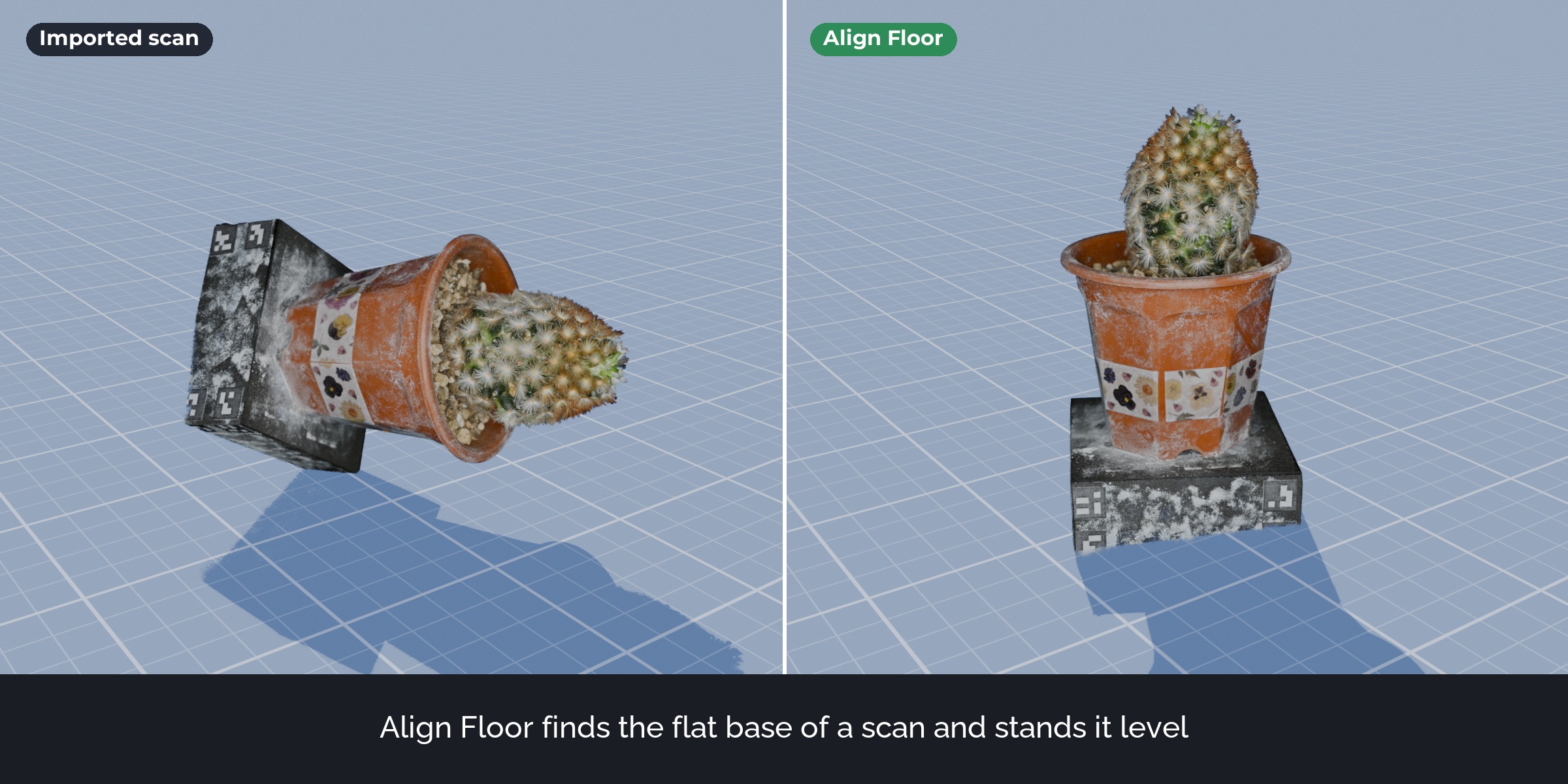
Align Floor, Origin to Base, Set Real Size
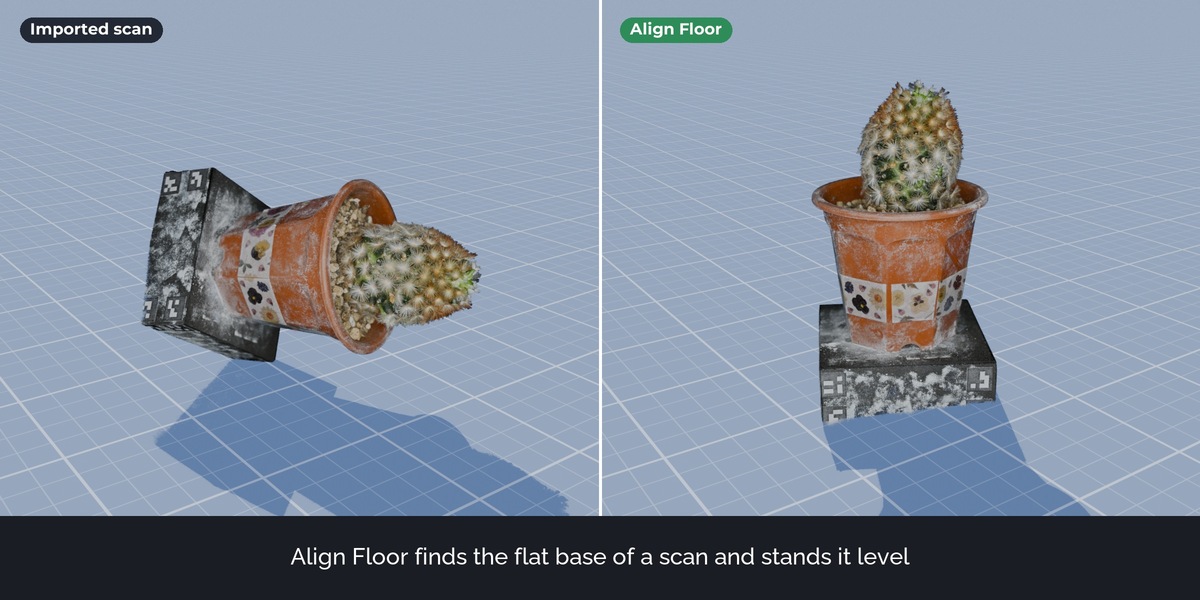
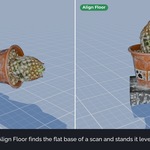
Align Floor finds the largest flat part of a scan, or uses the floor splats you select, and stands the scan level at Z = 0. Origin to Base puts the origin at the bottom centre. Set Real Size scales the scan from a length you know.
Clean up
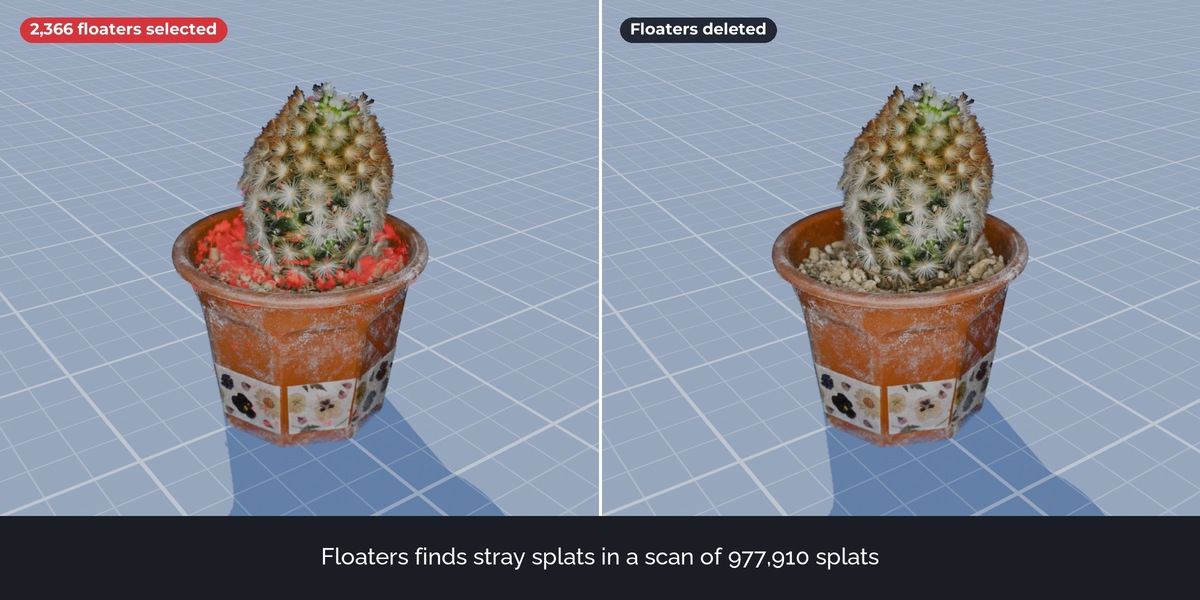
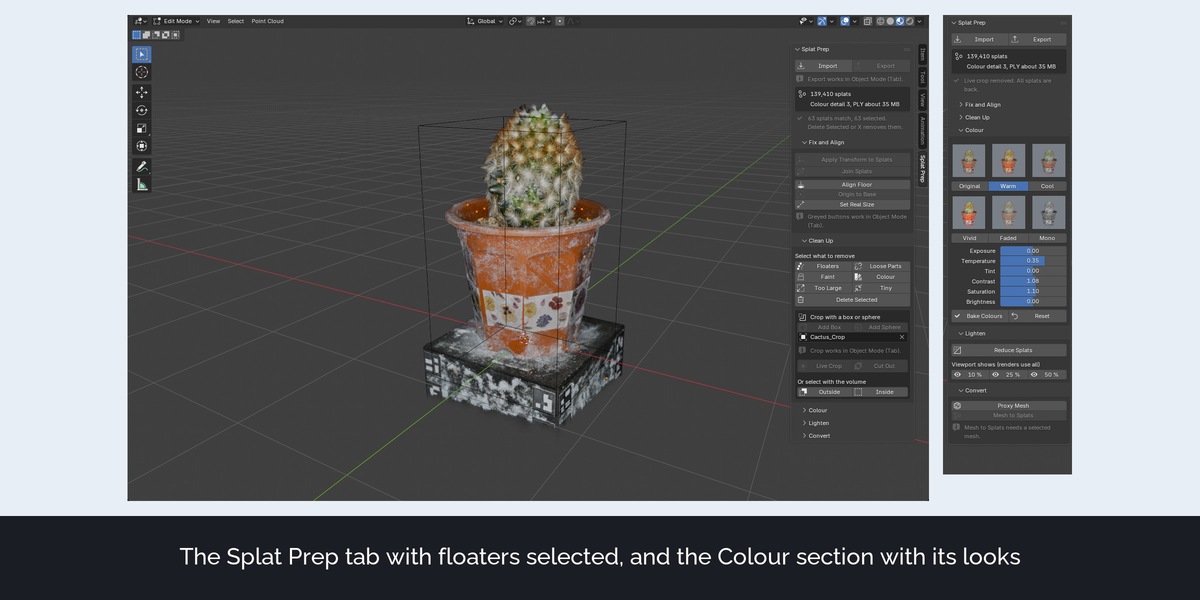
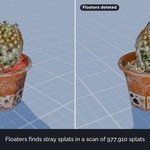
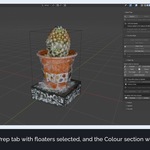
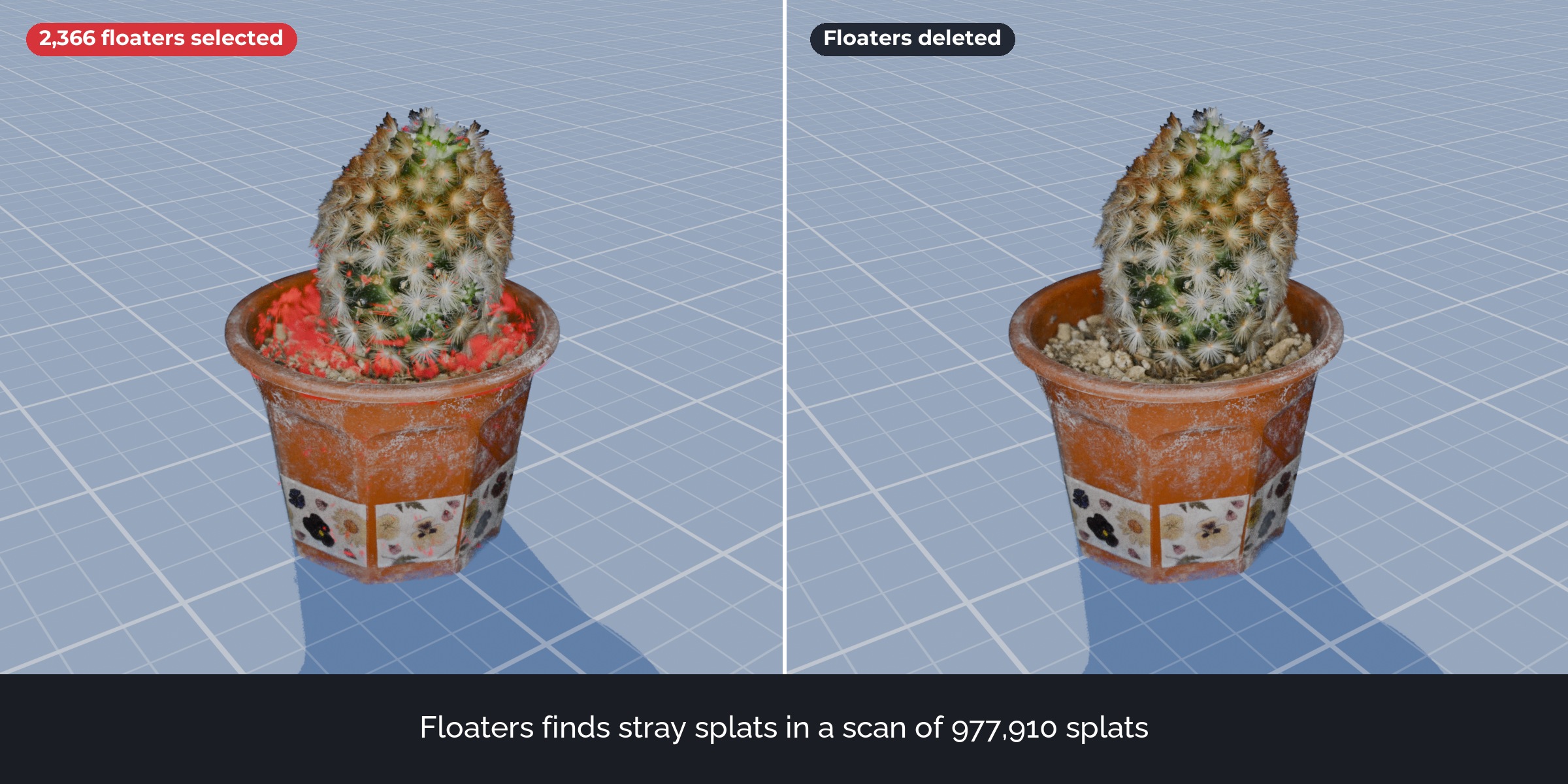
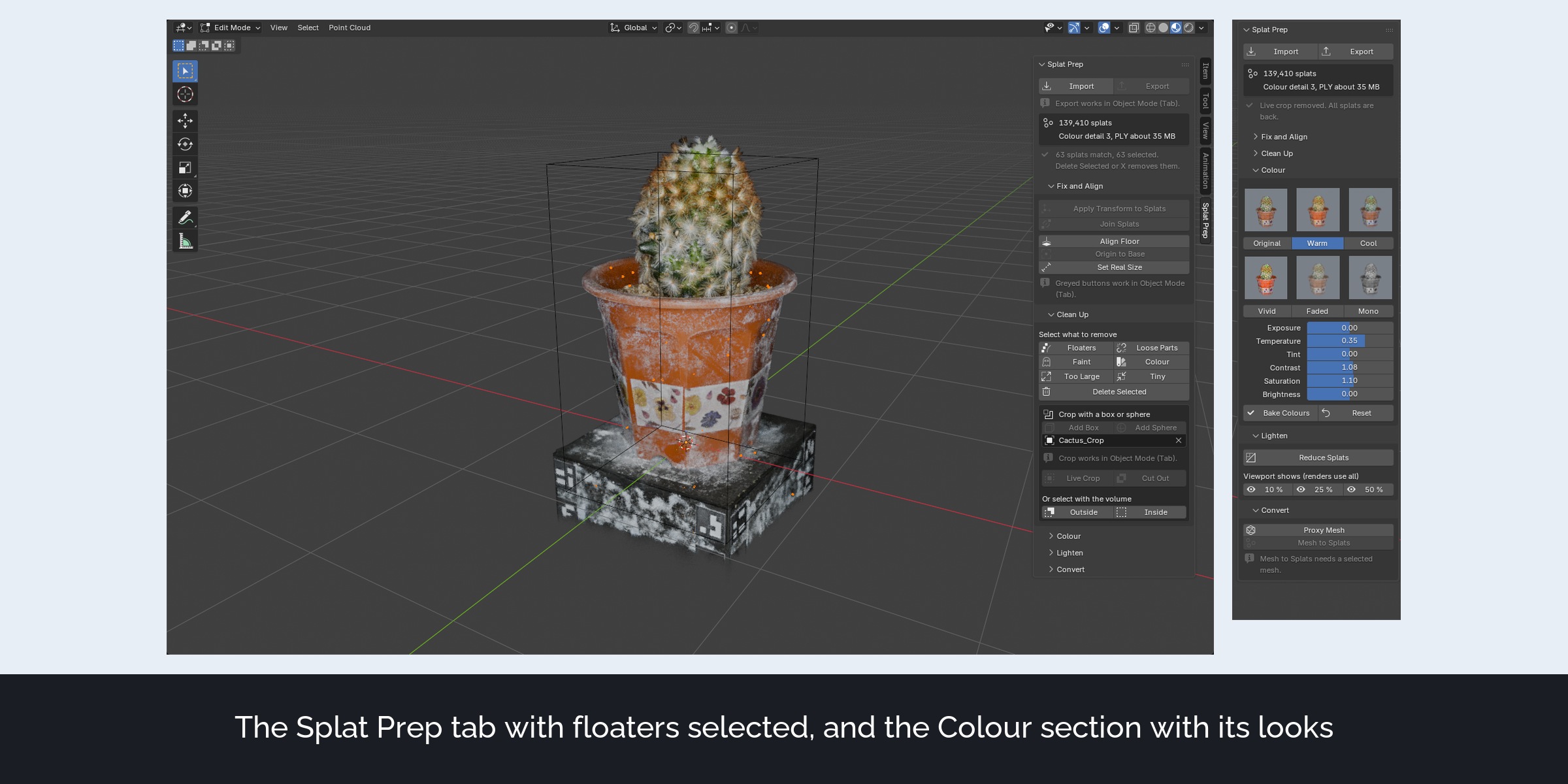
Select floaters (small groups cut off from the scan), loose parts, faint splats, splats of a similar colour such as sky or a backdrop, and splats much larger or smaller than the rest. The selection opens in Edit Mode, where X deletes it and P separates it.
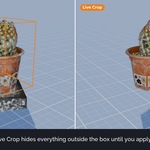
Live Crop
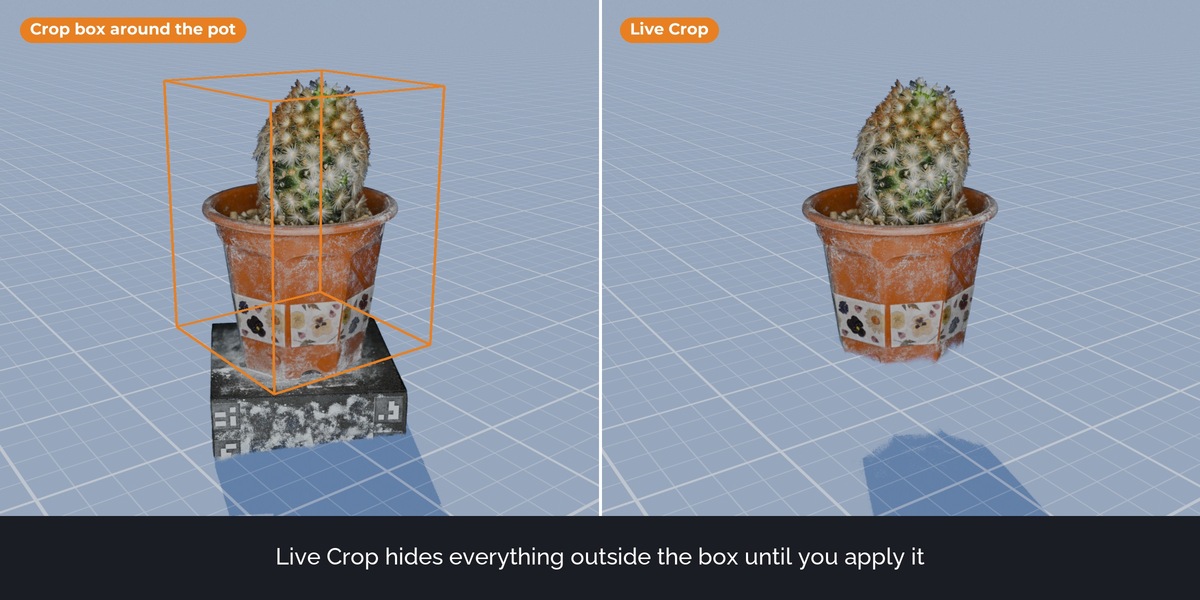
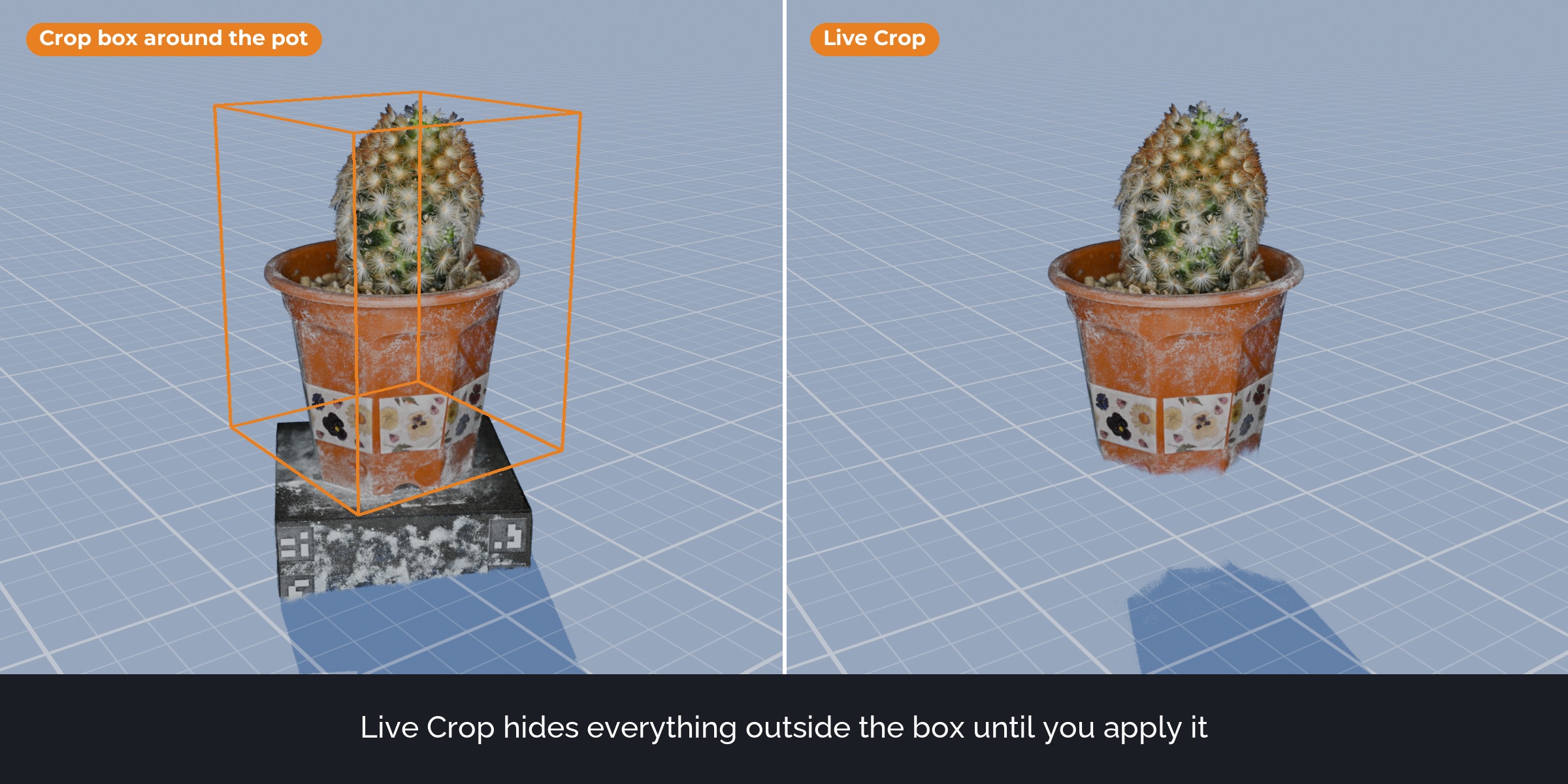
Crop with a box or a sphere without deleting anything. The crop follows the volume while you move and scale it. Apply makes it permanent.
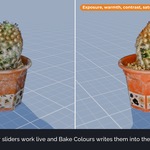
Colour
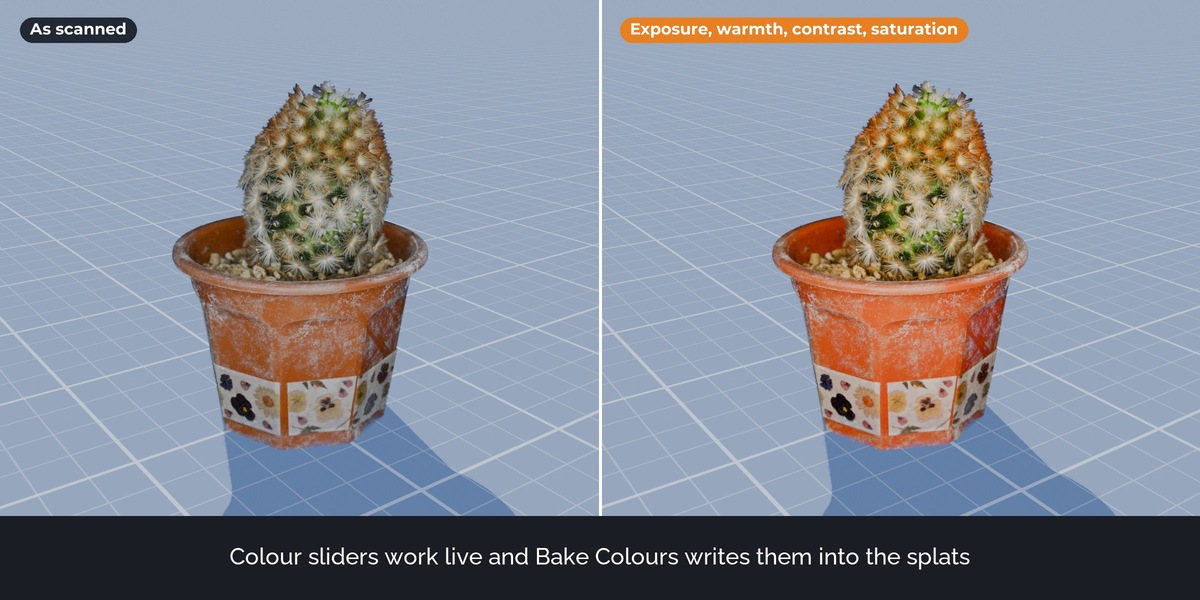
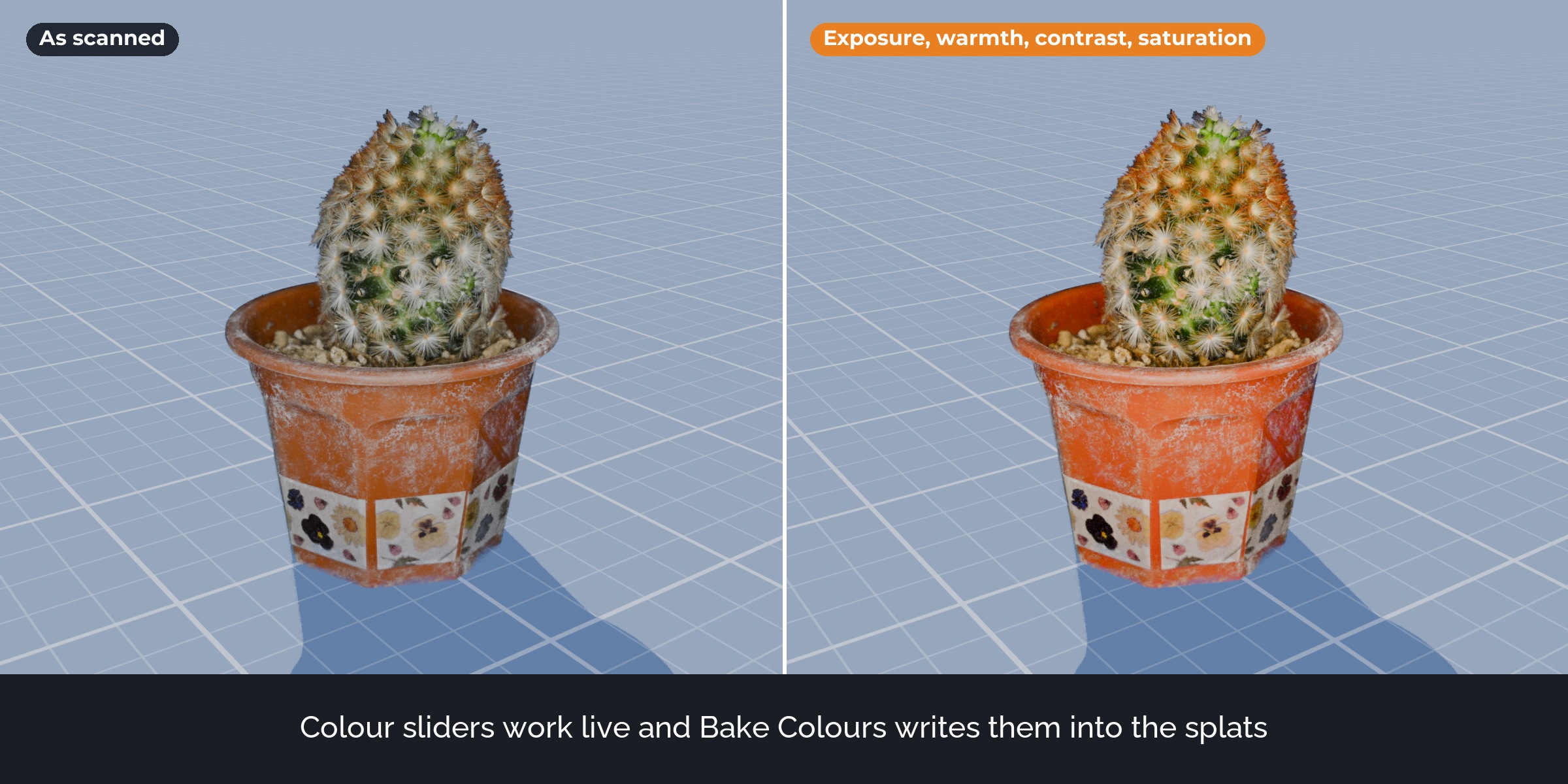
Exposure, temperature, tint, contrast, saturation and brightness work live. Bake Colours writes the look into the splats, including the view-dependent colour, so it stays in renders and in exported files.
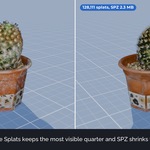
Reduce Splats and viewport preview
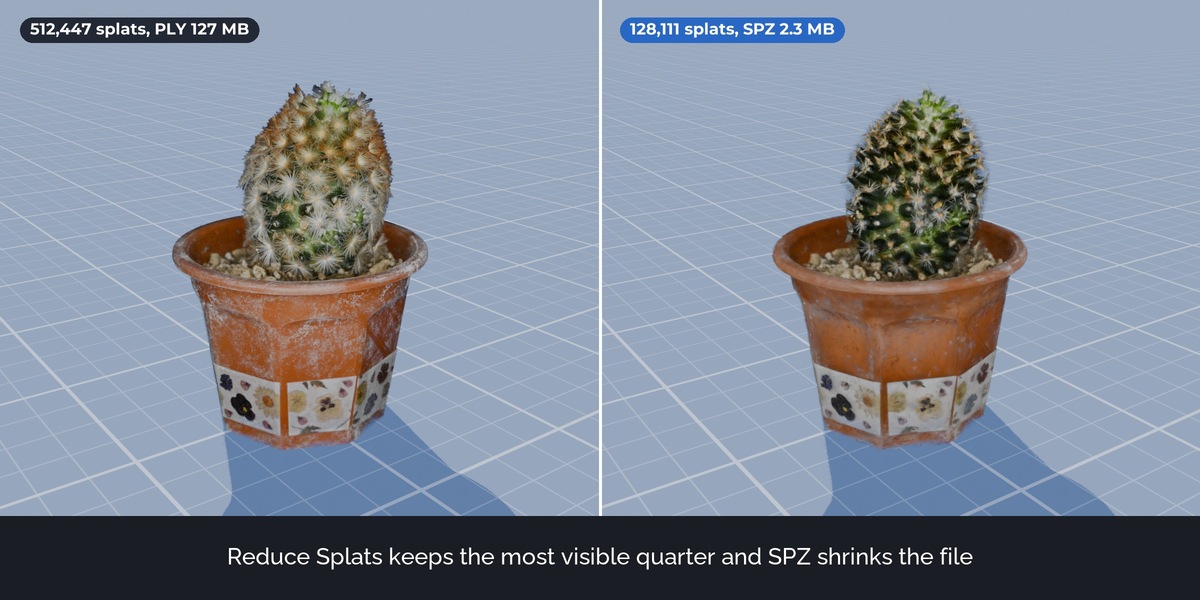
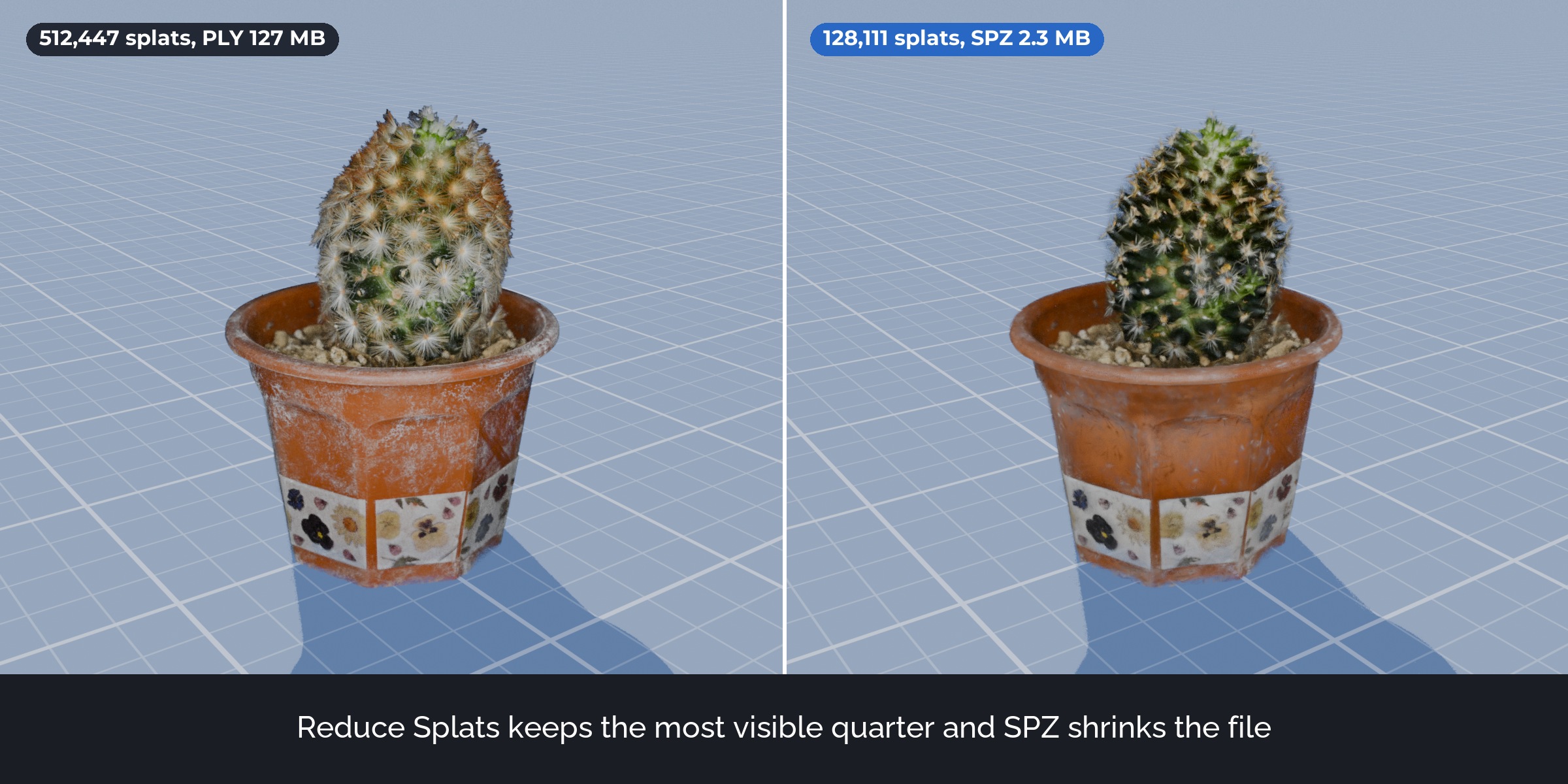
Reduce keeps the share of splats that contribute most to the picture and can drop colour detail for smaller files. The viewport preview shows 10, 25 or 50 percent of the splats for speed; renders and exports always use all of them.
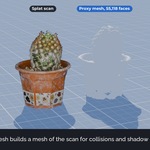
Proxy Mesh and Mesh to Splats
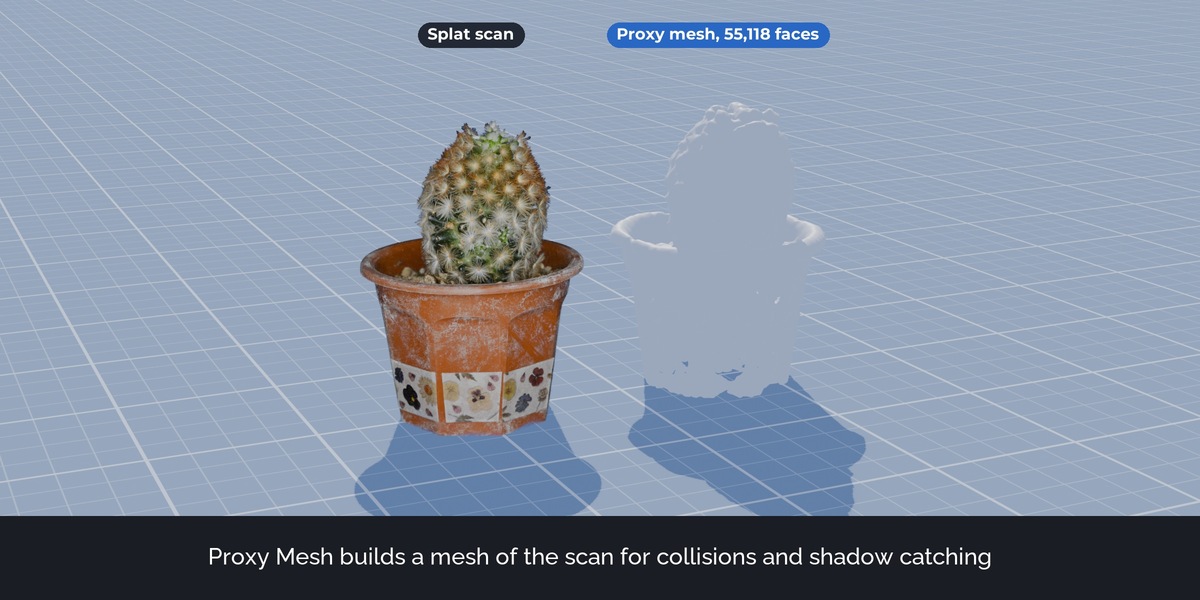
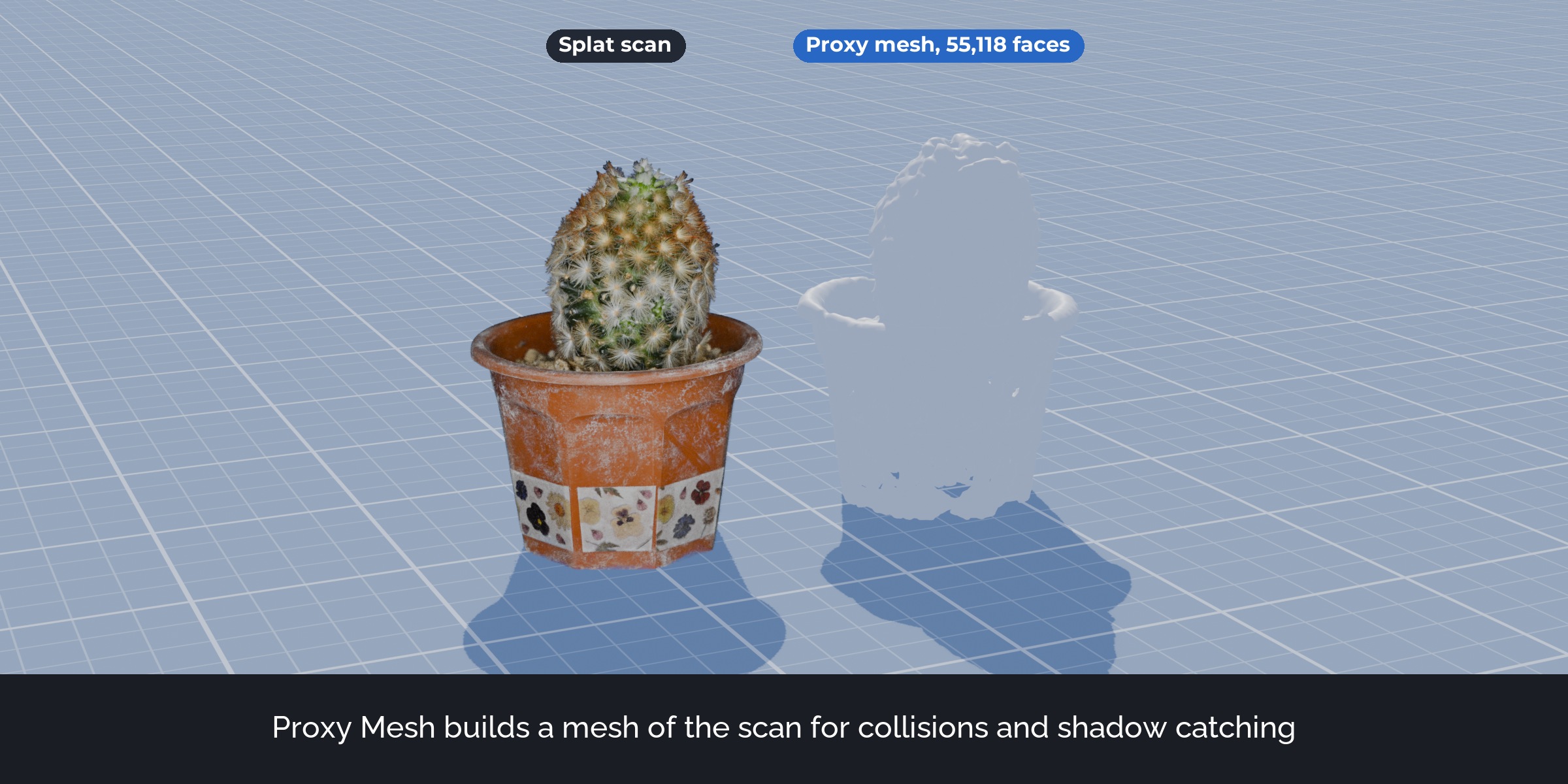
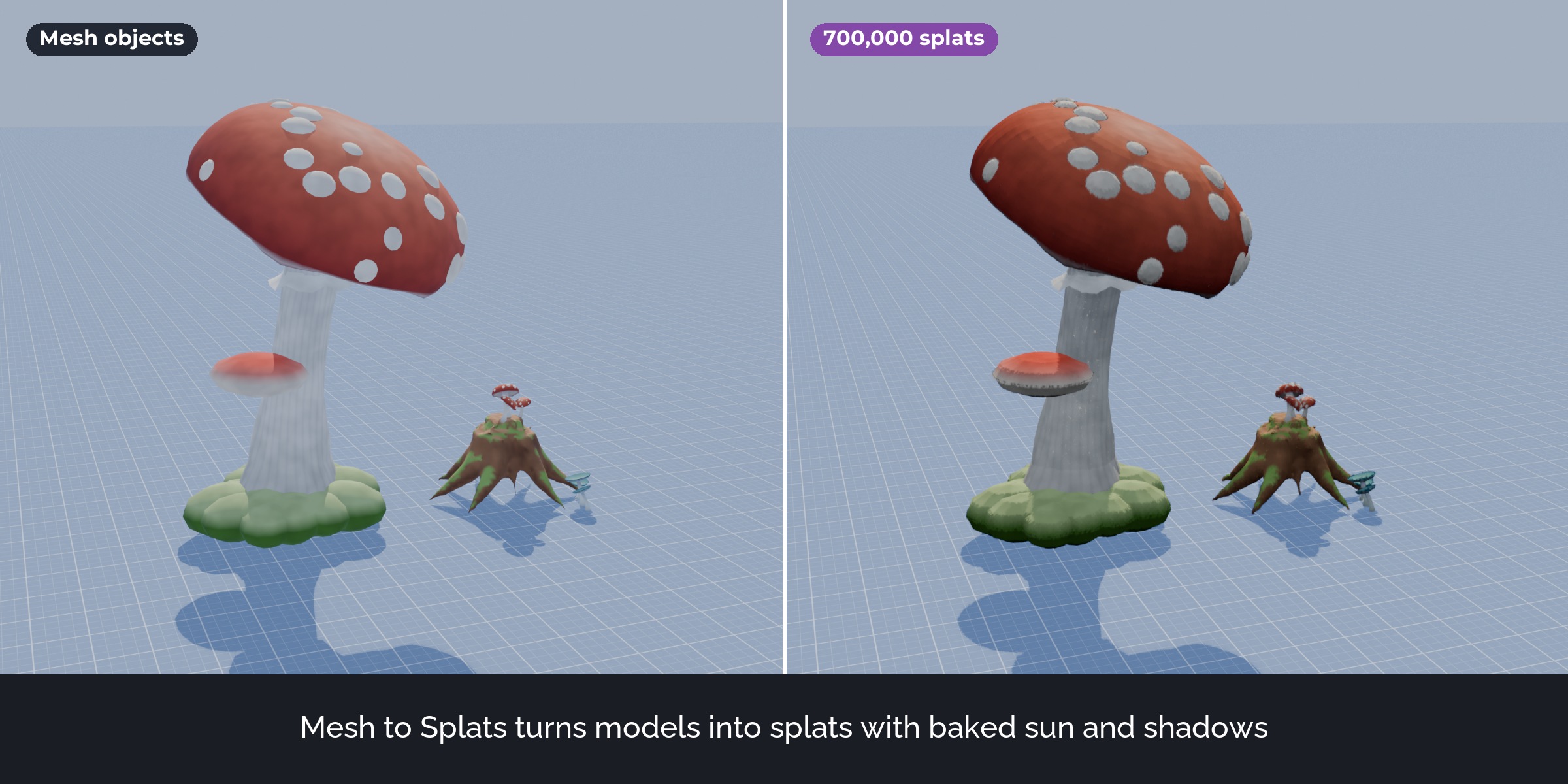
Proxy Mesh builds a mesh in the shape of the scan, for collisions, physics or as a shadow catcher in Cycles. Mesh to Splats turns mesh objects into splats with their colours and baked sun, sky and shadows.
How it works
- Import a splat and open the Splat Prep tab in the sidebar.
- Click Align Floor and Apply Transform to Splats.
- Click Floaters and press X. Add a box and click Live Crop.
- Click Export and pick a format.
What's included
- The extension (install from disk in Blender 5.3 or newer)
- A demo scan: a cactus with 695,779 splats as SPZ (3D SCAN STUDIO iris, CC0)
- User guide as README.pdf with every button, recipes and troubleshooting
- Changelog and licence
Good to know
- Floaters looks for groups of splats cut off from the main scan. On clean studio captures it finds few splats; on street and room scans it also finds sky blobs and stray splats far away.
- Align Floor picks the largest flat part. In a room that can be a wall: select some floor splats first.
- Reduce keeps the splats with the most opacity times area. Very thin details such as cactus spines go first.
- SPZ, compressed PLY and .splat are lossy formats. .splat has no view-dependent colour.
- Mesh to Splats reads the Base Color image or colour of each material and bakes simple light. It is not a trained scan: fine shading from complex node materials is not captured.
- Proxy Mesh as a shadow catcher works in Cycles.
- Blender plans its own PLY export. Everything else here stays useful on top of that.
Compatibility
Blender 5.3 and newer. Tested on Windows in 5.3.0. Works with EEVEE, Cycles and Workbench, since the splats stay Blender's own splat objects.
Support and updates
Updates are free for buyers. Every new Blender version is tested before it is listed as supported. Questions through the store messages, answered within 72 hours.
AI disclosure
Designed with Claude. Code written with AI assistance, then reviewed, tested and integrated by a 3D artist.
Demo scan: cactus by 3D SCAN STUDIO iris, CC0, https://www.steam-studio.jp (credit requested by Nico). Forest assets in the Join and Mesh to Splats pictures and the trailer: Stylized Enchanted Forest pack (Nico Hartl), sold separately, not included. Trailer music: Close Up (Mixkit licence, in the video only).