 AUER
AUER





I found a bug or I need a feature, what do I do?
Message me right here on Superhive, I answer fast.
Which Blender versions are supported?
Blender 5.0, 5.1 and 5.2, tested on 5.0 and on 5.2 LTS.
Can I animate the curve?
Yes. The tube and its UVs are rebuilt every frame, so an animated or deformed cable keeps a correct mapping. Note that because the mapping follows the real length, a cable that grows shows more texture rather than a stretched one.
How do I make a cable follow the shape of my model?
Turn on the magnet next to Draw Unwrapped Tube and sketch directly on your model. The cable rests on the surfaces under your cursor, rides over edges, and keeps going in the air when you leave the object.
Can I use a square or custom profile instead of a round tube?
Not in this version. Spline UV works with round tubes; curves set to a custom profile are skipped rather than silently mangled.
Do I have to convert my curve to a mesh?
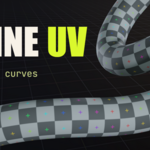
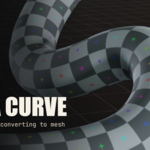
No, and that is the whole point. The UV map lives on the curve object and updates live while you edit. Convert only when you need texture painting or baking, and even then the UVs are already there.
$12
Have questions about this product?
Login to message
| Blender Extension Compatible | Yes |
| Dev Fund Contributor | |
| Published | about 2 months ago |
| Blender Version | 5.0 - 5.2 |
| Extension Type | Add-on |
| Render Engine Used | Arnold, Cycles, Eevee, Mental-Ray, Octane, Vray |
| License | GPL |