 AUER
AUER



!! NEW UPDATE V3 !!
Fast & Expert modes / Editable cuts / Mesh Repair / Paired connectors

- Two modes: Fast for instant cuts, Expert for editable cuts
- Editable Curve Cut: reopen any cut, add or remove points; double-click a cut in the viewport to edit it
- Mesh Check and Fix Mesh: find the non-manifold edges, loose bits and micro slits that break a cut, then repair them in one click, safely even on dense sculpts
- Add Connector now builds both halves
- Full gizmo connectors control
- Click a connector anywhere on its body to select it
- Copy to All pushes one connector's settings to every connector of the model
- Export STL or 3MF
- Restore Original brings back any piece
Editable Curve Cut
Any stored cut, straight, freehand or 360° loop, becomes a curve with handles on the surface. Drag a point, Ctrl+click to add one, right-click to remove one, press Done and the trace updates. A freehand cut turns into a surface loop you can edit all around the part. Double-click the cut in the viewport to open it.

Where to find it: Split3D panel, CUT TOOLS section, Editable Curve Cut (Expert mode), or double-click a cut.
Fast & Expert Modes
Fast: draw, and the cut is done, the connector already live and tunable. No history, no curve editing, just speed.
Expert: every cut is stored as a red trace with its connector ghost. Move it, edit its curve, change the connector, then Apply when it is right. Apply All performs every pending cut first, then bakes every connector.

Where to find it: Split3D panel (N key), MODE section at the top.
Edge Loop Cut
Pick an edge loop of the mesh and the cut runs exactly along it, edge for edge, no tracing needed. Ideal for models built with clean topology: a sleeve, a belt, the base of a neck, wherever a loop already draws the seam for you. The connector is added like on any other cut.

Where to find it: Split3D panel, CUT TOOLS section, Edge Loop Cut (Fast mode), then click an edge of the loop.
Mesh Check & Fix Mesh
Mesh Check inspects the selected mesh and reports at the top of the viewport what would make a cut unreliable: non-manifold edges, loose vertices, dust shells. Fix Mesh repairs it: loose geometry removed, interior faces deleted, doubles merged, holes filled, normals made consistent, then the micro slits a sculpt leaves behind are closed too. The merge distance adapts to the mesh, so a dense sculpt never gets welded shut.
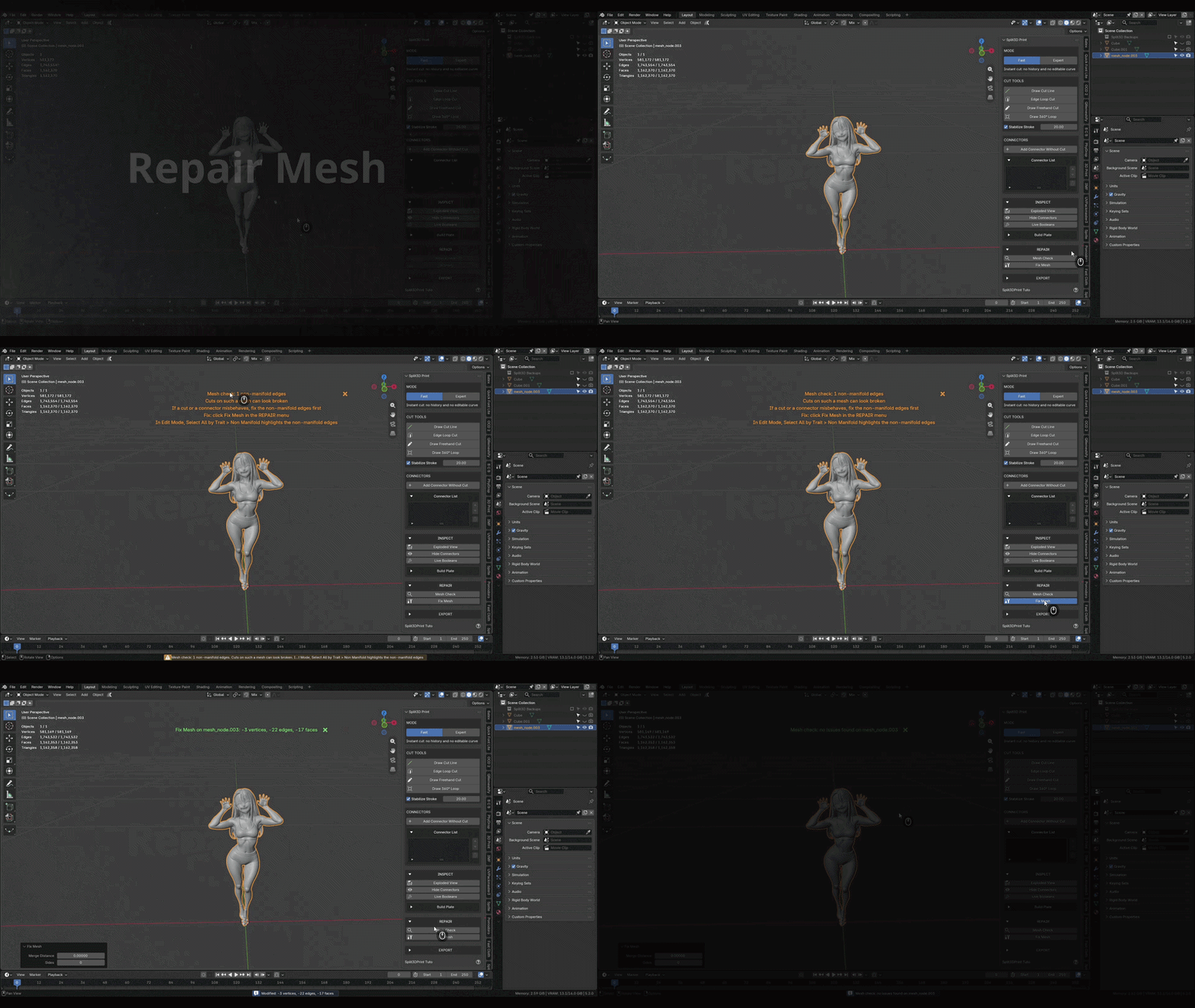
Where to find it: Split3D panel, REPAIR section.
Add Connectors Without a Cut
Click anywhere on a piece and you get the whole joint: the peg on the piece you clicked, the matching socket carved into the piece facing it. The facing piece is detected automatically; if it guessed wrong, Set Female Side turns the cursor into an eyedropper and you click the piece that gets the socket. Swap Peg Side flips the two halves. Apply bakes both. Move the piece, the whole joint follows.

Where to find it: Split3D panel, CONNECTORS section, Add Connector Without Cut, then Set Female Side if needed.
Connector Gizmo
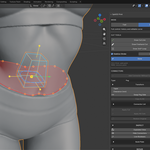
Every connector comes with its own transform gizmo, right on the piece: arrows to slide it across the cut face, a plate for free movement, a ring to spin it, handles for depth, width and length, and a cube for uniform size. Placed connectors, which have no cut face to hold them, get the full set: three arrows, three rings, free in space. Every handle sits on the connector and follows it, the peg and its ghost reshape as you drag, and each drag is one undo step.
Where to find it: click a connector in the viewport, the gizmo appears on it.
What is Split3D Print?
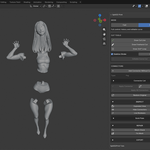
Split3D Print splits oversized models into print-ready pieces, directly in the viewport. Draw a line, straight, freehand or all the way around, and the mesh is cut exactly there: both pieces come out capped and watertight, sharing the very same section surface, joined by a locking connector sized in real millimetres, a tapered peg with its socket or pockets for disc magnets. Every cut and every connector stays live and editable until you choose to apply it, and nothing outside the cut is ever touched, whether you split a simple prop or a multi-million-polygon sculpt.
Everything happens in one place: cutting, connectors, mesh repair, build plate check, arrangement and per-piece STL export.
Questions, ideas, feedback: send me a message right here on Superhive, I answer fast.
FEATURES:
- Straight, freehand and 360° loop cutting, only the part under your stroke is cut
- Fast mode (instant cut) or Expert mode (stored cuts, history, editable curves)
- Editable Curve Cut with draggable points, double-click a cut to edit it
- Mesh Check and Fix Mesh for meshes that are not print-clean
- Stable cutting, safe on dense multi-million-polygon sculpts
- One connector per cut: tapered peg + socket, or magnet pockets
- Add Connector anywhere, peg on one piece and socket in the facing one, eyedropper to pick the female side
- Per-connector settings: scale, width, length, taper, clearance, flip, solver
- Copy to All: one connector's settings applied to every connector of the model
- Clearance in true millimetres, whatever your scene units
- Full transform gizmo, click a connector anywhere on its body to select it
- Non-destructive by design: apply one cut, one connector, or everything at once
- Cut history: undo any cut, restore any original piece
- Exploded View and slicer-style Arrange Print View
- One-click export, one STL or 3MF per piece, true millimetre scale, selected pieces only, scene left untouched
Freehand Cuts
Draw any curve and the cut follows your hand exactly, and the trace wraps around the part so you see the whole seam before cutting. Hide the seam along a sleeve edge, a belt or a crease of the sculpt and it melts into the design.
Peg & Socket or Magnet Connectors
Each cut automatically receives its connector: a tapered peg on one piece, the matching socket on the other. The taper runs on all four sides, so the peg slides in like a cone and seats itself. Switch the type to Magnets for facing pockets that fit standard neodymium discs, 5×2 to 10×3 mm or any custom size, cut 0.1 mm larger for the press fit.
Tune Each Connector Live
Every connector keeps its own settings. Click it in the viewport, move a slider or drag the gizmo, and the peg reshapes in real time while a cyan and orange ghost shows both sides through the mesh, clearance gap included. Copy to All sends the settings you like to every other connector of the model.
Clearance is your printing tolerance, in true millimetres whatever the scene units. Default is 0.5 mm; tune it to how your printer and material behave.
Non-Destructive From Start to Finish
In Expert mode a cut is a red trace until you apply it. Connectors are live boolean modifiers until you press Apply, so you can cut ten times and rethink every joint on the way. Remove Cut welds two pieces back together as if the line was never drawn. The cut history restores any piece as it was before its last cut, and Restore Original brings the whole uncut model back, including a piece that only received a socket.
Mesh Repair
A cut is only as good as the mesh under it. Mesh Check tells you in the viewport whether the selected mesh is print-clean, and Fix Mesh makes it so, on a default cube as on a two-million-triangle sculpt.
Build Plate Check
Choose your printer among 18 presets (Bambu Lab, Prusa, Creality, Elegoo, Anycubic, Phrozen, Voron) or type a custom volume. The plate is drawn in the viewport and every piece that cannot fit gets boxed in red, long before your slicer finds out.
Exploded & Arrange Views
Exploded View spreads the selected pieces apart to inspect every joint, with a live distance slider. Arrange Print View lays them flat on the plate, slicer-style, and shows how many plates the print will take. One click in, one click out, exact positions restored.
One STL or 3MF Per Piece
Set the export folder once, select the pieces, click Export Pieces: one file per piece, named after your objects, at true millimetre scale. Pending cuts and live connectors are baked into the files automatically, and your scene comes back exactly as it was, every cut still editable. STL works out of the box, and 3MF joins the format list as soon as the free 3MF extension is installed.COMPATIBILITY:
- Blender 5.2
- Blender 5.x
- Blender 4.2+
- Windows, macOS, Linux