 SIO Studio




StepIO — Blender 的直接 STEP/STP 导入导出插件
Open a .blend project. Export a real .step or .stp file.
StepIO adds the missing Blender-to-STEP bridge directly to Blender 5.2 LTS. Select the mesh objects you want—or choose every mesh in the scene—then use File → Export → STEP (.stp/.step). No FreeCAD round-trip, no separate CAD application, no system Python, no pip commands, no cloud conversion, and no intermediate STL or OBJ file.
Your Blender meshes go directly from the open .blend project into a STEP/STP container.
Direct Blender → STEP/STP export
- Write either .step or .stp files.
- Export Selected Objects or All Scene Meshes.
- Evaluate modifiers on temporary mesh data without changing the source mesh or modifier stack.
- Apply object world transforms for correctly positioned output.
- Store objects as named XCAF assembly components.
- Preserve Unicode object names.
- Export object colors or material diffuse colors.
- Use Blender scene units automatically, or choose millimetres, centimetres, metres, or inches.
- Choose AP203, AP214, or AP242 output.
- Control OCCT face-sewing tolerance.
- Attempt closed Solid creation for suitable manifold meshes.
- Retain safe Shell or Compound output when a closed Solid cannot be created.
A clean export workflow
- Open the Blender project that contains your finished mesh objects.
- Select the objects to export, or choose the complete scene-mesh scope.
- Choose File → Export → STEP (.stp/.step).
- Set modifiers, transforms, assembly structure, colors, units, STEP schema, and sewing tolerance.
- Save directly as a .step or .stp file.
What StepIO builds from a Blender mesh
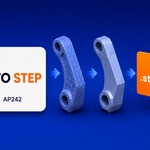
StepIO evaluates the export mesh, creates planar B-Rep faces from its triangles, sews those faces through Open CASCADE, and attempts to produce a closed Solid when the topology is suitable. This provides real faceted B-Rep STEP data instead of simply renaming another mesh format.
For open, non-manifold, or damaged geometry, StepIO preserves a safer Shell or Compound representation rather than claiming that an invalid closed Solid was created. The export report tells you how many objects became Solids, Shells, or Compounds.
Import STEP assemblies into Blender
StepIO also reads .step and .stp files through Open CASCADE XCAF and reconstructs organized Blender scenes.
- Rebuild nested assemblies as Blender collections.
- Preserve Unicode part and component names.
- Preserve component locations and accumulated transforms.
- Reuse one Mesh datablock for repeated part instances.
- Import part colors and optionally create Blender materials.
- Choose Fast, Standard, Fine, Ultra Fine, or Custom tessellation.
- Use parallel tessellation for larger datasets.
- Merge duplicate vertices with an adjustable weld distance.
- Validate face orientation during extraction.
- Convert millimetres to current scene units, or keep STEP coordinate values.
- Roll back created objects, meshes, materials, and collections if an import fails.
One ZIP. Fully local.
The required CPython 3.13 OCP/Open CASCADE runtime is bundled inside the Blender Extension package.
- No system Python installation.
- No pip installation.
- No FreeCAD or external CAD application.
- No account or online conversion service.
- No telemetry.
- No model uploads—your STEP files remain on your computer.
Designed for practical interoperability
StepIO is suited to product visualization, engineering review, technical presentation, supplier hand-off, archiving, and workflows where a Blender mesh needs to be delivered inside a STEP/STP container.
Important technical note
Export is Mesh → faceted B-Rep → STEP. StepIO does not reconstruct a parametric CAD feature tree, sketches, constraints, design history, or analytic NURBS surfaces from an arbitrary Blender polygon mesh. Output quality and Solid creation depend on source topology and the selected sewing tolerance.
Compatibility
- Blender 5.2.x only.
- Windows x64 only.
- CPython 3.13 / cp313-win_amd64.
- STEP and STP files.
- English user interface.
The extension performs capability checks and refuses to start on incompatible Blender, Python, operating-system, or CPU environments, providing a diagnostic message instead of attempting an unsafe load.
Verified release
The final release ZIP was installed into an isolated Blender 5.2.0 LTS environment and tested with a real STEP export/import round trip. The test covered the bundled OCP runtime, Unicode paths and names, object color, transforms, extension registration, and operation without an external Python installation.
Move between Blender and STEP without leaving Blender
Import engineering assemblies for visualization, or export finished Blender meshes directly to STEP/STP with one local, self-contained extension.
