StepIO | Blender Step Import & Export Add-On
 SIO Studio


Which Blender versions are supported?
Version 1.0.1 supports Blender 5.2.x only. It intentionally refuses to load in other Blender release series because the bundled native runtime targets Blender 5.2's CPython 3.13 ABI.
Which operating systems are supported?
This package supports Windows x64 only. Linux, macOS, and Windows on ARM are not supported by version 1.0.1.
Do I need Python, pip, FreeCAD, or another CAD application?
No. The required CPython 3.13 OCP/Open CASCADE runtime is included in the ZIP.
Does it work offline after installation?
Yes. Import, export, diagnostics, and logging work locally without an internet connection.
Does the extension upload my files?
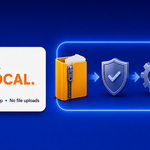
No. Processing is local. The extension contains no upload, telemetry, analytics, account, or cloud-conversion code.
Which formats can it import?
It imports STEP and STP files with the .step and .stp extensions. It does not import IGES, BREP, SolidWorks, CATIA, Creo, NX, Fusion 360, or other proprietary CAD formats.
Which formats can it export?
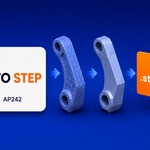
It exports STEP/STP using AP203, AP214, or AP242.
Are assemblies preserved?
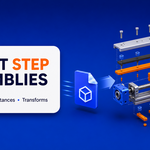
Yes. XCAF assemblies are reconstructed recursively as Blender collections. Names, accumulated component locations, part colors, and repeated-part instances are preserved when the source file contains that information and the corresponding options are enabled.
Are repeated parts instanced?
Yes. With Instance Repeated Parts enabled, repeated components share one Blender Mesh datablock while keeping their individual object transforms.
Does import create clean quad topology?
No. STEP B-Rep surfaces are tessellated to triangle-based Blender meshes. The extension provides quality, welding, orientation, and shading controls, but it is not a retopology tool.
Can I control import density?
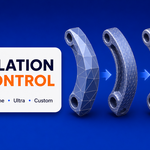
Yes. Choose Fast, Standard, Fine, Ultra Fine, or Custom linear and angular deflection values.
Does export recreate parametric CAD geometry?
No. Export converts Blender meshes to faceted B-Rep STEP. It does not reconstruct sketches, constraints, analytic fillets, cylinders, NURBS surfaces, design history, or a parametric feature tree.
Can normal Blender meshes be exported?
Yes. Selected mesh objects or all scene mesh objects can be exported. Curves, text, metaballs, and other object types should be converted to mesh first when appropriate.
Are modifiers applied destructively?
No. The evaluated modifier result is exported from temporary mesh data. The source mesh and modifier stack remain unchanged.
Are object transforms preserved?
Yes. Apply Object Transforms is enabled by default and exports object world transforms.
Are colors preserved?
Import can turn XCAF colors into Blender materials. Export can write object and material colors. AP214 or AP242 is recommended when color exchange is required.
Why did export create a Shell or Compound instead of a Solid?
A closed Solid requires suitable source topology and successful face sewing. Open, non-manifold, degenerate, or damaged meshes may remain Shells or Compounds. This avoids pretending that unsafe geometry is watertight.
What units are supported?
Import can convert from OCCT millimetres to Blender scene units or keep the raw values. Export supports automatic scene units, millimetres, centimetres, metres, and inches.
Where are logs stored?
Logs are written to Blender's writable user configuration directory. Use Open Log Directory in the extension preferences.
What should I send with a support request?
Send the Blender version, operating system, extension version, copied diagnostics, relevant log excerpt, exact reproduction steps, and a small non-confidential STEP file when possible.
Is the source code included?
Yes. The Python source is included under GPL 3.0 or later. Third-party license texts and source references are included with the extension.
-
$35
Single User License.
-
$100
Team License, For up to 5 users.
-
$200
Studio License, For up to 10 users.
 Included
Includes 12 months of
- Support from SIO Studio
- Product updates
Extend this product’s Support Period +12 months: 50% of product price
Have questions before purchasing?
Login to message
| Blender Extension Compatible | Yes |
| Dev Fund Contributor | |
| Published | about 2 months ago |
| Blender Version | 5.2 |
| Extension Type | Add-on |
| Render Engine Used | Cycles, Eevee |
| License | GPL |
Discover more products like this
step open cascade stp Import-Export assembly cad engineering AP242 product-visualization AP203 AP214 XCAF