Which Blender versions does Storyboard Lite support?
Which Blender versions does Storyboard Lite support?
Blender 4.2 LTS and newer, on Windows, macOS and Linux. The add-on installs as a proper extension through its manifest on 4.2+, and it works with both current and legacy Grease Pencil data, so 4.x and 5.x are covered.
Does this work with the Video Sequence Editor?
What is the difference between Lite and Pro?
What is the difference between Lite and Pro?
Lite gives you the complete board workflow: the GPU timeline, 2D and 3D panels, scenes, linked duplicates with parent to child sync, the object manager, statuses and colours, the template library and animatic playback.
Pro adds the writing and production layer on top: a Toon Boom-style script mode with Dialogue, Action, Slugging and Notes tracks, the storyboard sheet and thumbnail views, casting for locations, characters and props, asset libraries and direct model import (OBJ, FBX, glTF, USD and more).
If your work is visual blocking and previz, Lite is the whole tool. If you write and cast from inside the board, look at Pro.
Can I draw 2D panels, and do they render?
Will the timeline get in the way while I model, sculpt or paint?
Will the timeline get in the way while I model, sculpt or paint?
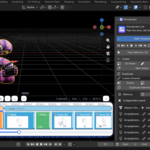
No. The board is only active in Object Mode and in Grease Pencil Draw Mode. In Sculpt, Edit and Paint modes it hides itself and passes every event through, so your tools are never blocked. You can also toggle it on and off at any time with the SB button in the left toolbar — the tool you were using is restored automatically, separately for each mode.
How do I get support or report a bug?
Use the messaging on this product page. Please include your Blender version, your operating system and, where relevant, the output from Blender's system console (Window → Toggle System Console on Windows, or launching Blender from a terminal on macOS and Linux) — it usually points straight at the cause.
Will a big board make my .blend file huge?
Will a big board make my .blend file huge?
It does not have to. When you duplicate a panel or a scene you choose between Linked, which shares data with the original and is light on memory, and Independent, which is a full deep copy. Working in Linked mode while you block out shots keeps files small, and you can make any panel independent later with one click. A Purge button clears unused datablocks as the board grows.
Do thumbnails update automatically?
Do thumbnails update automatically?
No — snapshots are manual by design, so nothing re-renders behind your back while you work. Press Snapshot for the current panel or All to refresh the whole board. Thumbnails are written to a temporary file and published only once they fully exist on disk, so a redraw during rendering can never leave you with a black card. They also survive renaming a panel and the first save of a new .blend.
Can I reuse a setup across panels and projects?
Can I reuse a setup across panels and projects?
Yes. Save any scene as a template — a lighting rig, a 2D canvas, a standard room — then Use, Replace or Delete it from the Library block, or insert it directly from the right-click menu on the timeline. A folder button opens the template directory on disk, so templates can be backed up or shared between projects and machines.
Does it work with non-English scene and object names?
How do I get support or report a bug?
What is the licence, and can I use it on commercial projects?
How do I get support or report a bug?
Use the messaging on this product page. Please include your Blender version, your operating system and, where relevant, the output from Blender's system console (Window → Toggle System Console on Windows, or launching Blender from a terminal on macOS and Linux) — it usually points straight at the cause.
Can I draw 2D panels, and do they render?
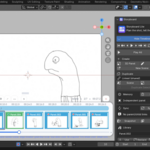
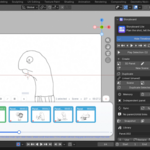
Yes to both. A 2D panel is created with a front-orthographic camera and a Grease Pencil object on a white canvas, matching Blender's native 2D Animation template — white world in viewport and render, Standard view transform. Switching back to a 3D panel restores your normal theme background.
Because every panel is an ordinary Blender scene with its own camera, you render any panel exactly as you would render anything else in Blender.
What is the licence, and can I use it on commercial projects?
Storyboard Lite is released under GPL-3.0-or-later, like Blender itself. You can use it on commercial and client work without restriction. The add-on needs no internet connection, no account and no external dependencies — it runs on Blender's own Python and GPU modules.
What is the licence, and can I use it on commercial projects?
Storyboard Lite is released under GPL-3.0-or-later, like Blender itself. You can use it on commercial and client work without restriction. The add-on needs no internet connection, no account and no external dependencies — it runs on Blender's own Python and GPU modules.
What is the licence, and can I use it on commercial projects?
Storyboard Lite is released under GPL-3.0-or-later, like Blender itself. You can use it on commercial and client work without restriction. The add-on needs no internet connection, no account and no external dependencies — it runs on Blender's own Python and GPU modules.
What is the licence, and can I use it on commercial projects?
Storyboard Lite is released under GPL-3.0-or-later, like Blender itself. You can use it on commercial and client work without restriction. The add-on needs no internet connection, no account and no external dependencies — it runs on Blender's own Python and GPU modules.
Does it work with non-English scene and object names?
Yes. Cyrillic and other non-ASCII names are handled throughout the add-on, including dropdowns, renaming and sync links.
Does it work with non-English scene and object names?
Yes. Cyrillic and other non-ASCII names are handled throughout the add-on, including dropdowns, renaming and sync links.
Can I reuse a setup across panels and projects?
Yes. Save any scene as a template — a lighting rig, a 2D canvas, a standard room — then Use, Replace or Delete it from the Library block, or insert it directly from the right-click menu on the timeline. A folder button opens the template directory on disk, so templates can be backed up or shared between projects and machines.
Do thumbnails update automatically?
No — snapshots are manual by design, so nothing re-renders behind your back while you work. Press Snapshot for the current panel or All to refresh the whole board. Thumbnails are written to a temporary file and published only once they fully exist on disk, so a redraw during rendering can never leave you with a black card. They also survive renaming a panel and the first save of a new .blend.
Do thumbnails update automatically?
No — snapshots are manual by design, so nothing re-renders behind your back while you work. Press Snapshot for the current panel or All to refresh the whole board. Thumbnails are written to a temporary file and published only once they fully exist on disk, so a redraw during rendering can never leave you with a black card. They also survive renaming a panel and the first save of a new .blend.
Will a big board make my .blend file huge?
It does not have to. When you duplicate a panel or a scene you choose between Linked, which shares data with the original and is light on memory, and Independent, which is a full deep copy. Working in Linked mode while you block out shots keeps files small, and you can make any panel independent later with one click. A Purge button clears unused datablocks as the board grows.
Will a big board make my .blend file huge?
It does not have to. When you duplicate a panel or a scene you choose between Linked, which shares data with the original and is light on memory, and Independent, which is a full deep copy. Working in Linked mode while you block out shots keeps files small, and you can make any panel independent later with one click. A Purge button clears unused datablocks as the board grows.
Will the timeline get in the way while I model, sculpt or paint?
No. The board is only active in Object Mode and in Grease Pencil Draw Mode. In Sculpt, Edit and Paint modes it hides itself and passes every event through, so your tools are never blocked. You can also toggle it on and off at any time with the SB button in the left toolbar — the tool you were using is restored automatically, separately for each mode.
Will the timeline get in the way while I model, sculpt or paint?
No. The board is only active in Object Mode and in Grease Pencil Draw Mode. In Sculpt, Edit and Paint modes it hides itself and passes every event through, so your tools are never blocked. You can also toggle it on and off at any time with the SB button in the left toolbar — the tool you were using is restored automatically, separately for each mode.
Can I draw 2D panels, and do they render?
Yes to both. A 2D panel is created with a front-orthographic camera and a Grease Pencil object on a white canvas, matching Blender's native 2D Animation template — white world in viewport and render, Standard view transform. Switching back to a 3D panel restores your normal theme background.
Because every panel is an ordinary Blender scene with its own camera, you render any panel exactly as you would render anything else in Blender.
What is the difference between Lite and Pro?
Lite gives you the complete board workflow: the GPU timeline, 2D and 3D panels, scenes, linked duplicates with parent to child sync, the object manager, statuses and colours, the template library and animatic playback.
Pro adds the writing and production layer on top: a Toon Boom-style script mode with Dialogue, Action, Slugging and Notes tracks, the storyboard sheet and thumbnail views, casting for locations, characters and props, asset libraries and direct model import (OBJ, FBX, glTF, USD and more).
If your work is visual blocking and previz, Lite is the whole tool. If you write and cast from inside the board, look at Pro.
Does this work with the Video Sequence Editor?
No, and that is intentional. Storyboard Lite draws its own GPU timeline over the 3D viewport and works with real Blender scenes rather than VSE strips. That is what lets a panel be a full 3D set-up or a Grease Pencil drawing instead of a flat image, and what lets you switch shots without leaving the viewport you are working in.
Does this work with the Video Sequence Editor?
No, and that is intentional. Storyboard Lite draws its own GPU timeline over the 3D viewport and works with real Blender scenes rather than VSE strips. That is what lets a panel be a full 3D set-up or a Grease Pencil drawing instead of a flat image, and what lets you switch shots without leaving the viewport you are working in.
Does this work with the Video Sequence Editor?
No, and that is intentional. Storyboard Lite draws its own GPU timeline over the 3D viewport and works with real Blender scenes rather than VSE strips. That is what lets a panel be a full 3D set-up or a Grease Pencil drawing instead of a flat image, and what lets you switch shots without leaving the viewport you are working in.
Which Blender versions does Storyboard Lite support?
Blender 4.2 LTS and newer, on Windows, macOS and Linux. The add-on installs as a proper extension through its manifest on 4.2+, and it works with both current and legacy Grease Pencil data, so 4.x and 5.x are covered.
Will the timeline get in the way while I model, sculpt or paint?
No. The board is only active in Object Mode and in Grease Pencil Draw Mode. In Sculpt, Edit and Paint modes it hides itself and passes every event through, so your tools are never blocked. You can also toggle it on and off at any time with the SB button in the left toolbar — the tool you were using is restored automatically, separately for each mode.
Will a big board make my .blend file huge?
It does not have to. When you duplicate a panel or a scene you choose between Linked, which shares data with the original and is light on memory, and Independent, which is a full deep copy. Working in Linked mode while you block out shots keeps files small, and you can make any panel independent later with one click. A Purge button clears unused datablocks as the board grows.
What is the difference between Lite and Pro?
Lite gives you the complete board workflow: the GPU timeline, 2D and 3D panels, scenes, linked duplicates with parent to child sync, the object manager, statuses and colours, the template library and animatic playback.
Pro adds the writing and production layer on top: a Toon Boom-style script mode with Dialogue, Action, Slugging and Notes tracks, the storyboard sheet and thumbnail views, casting for locations, characters and props, asset libraries and direct model import (OBJ, FBX, glTF, USD and more).
If your work is visual blocking and previz, Lite is the whole tool. If you write and cast from inside the board, look at Pro.
Can I reuse a setup across panels and projects?
Yes. Save any scene as a template — a lighting rig, a 2D canvas, a standard room — then Use, Replace or Delete it from the Library block, or insert it directly from the right-click menu on the timeline. A folder button opens the template directory on disk, so templates can be backed up or shared between projects and machines.
Does this work with the Video Sequence Editor?
No, and that is intentional. Storyboard Lite draws its own GPU timeline over the 3D viewport and works with real Blender scenes rather than VSE strips. That is what lets a panel be a full 3D set-up or a Grease Pencil drawing instead of a flat image, and what lets you switch shots without leaving the viewport you are working in.
Does it work with non-English scene and object names?
Yes. Cyrillic and other non-ASCII names are handled throughout the add-on, including dropdowns, renaming and sync links.
Which Blender versions does Storyboard Lite support?
Blender 4.2 LTS and newer, on Windows, macOS and Linux. The add-on installs as a proper extension through its manifest on 4.2+, and it works with both current and legacy Grease Pencil data, so 4.x and 5.x are covered.
What is the difference between Lite and Pro?
Lite gives you the complete board workflow: the GPU timeline, 2D and 3D panels, scenes, linked duplicates with parent to child sync, the object manager, statuses and colours, the template library and animatic playback.
Pro adds the writing and production layer on top: a Toon Boom-style script mode with Dialogue, Action, Slugging and Notes tracks, the storyboard sheet and thumbnail views, casting for locations, characters and props, asset libraries and direct model import (OBJ, FBX, glTF, USD and more).
If your work is visual blocking and previz, Lite is the whole tool. If you write and cast from inside the board, look at Pro.
Does it work with non-English scene and object names?
Yes. Cyrillic and other non-ASCII names are handled throughout the add-on, including dropdowns, renaming and sync links.
Can I reuse a setup across panels and projects?
Yes. Save any scene as a template — a lighting rig, a 2D canvas, a standard room — then Use, Replace or Delete it from the Library block, or insert it directly from the right-click menu on the timeline. A folder button opens the template directory on disk, so templates can be backed up or shared between projects and machines.
Can I draw 2D panels, and do they render?
Yes to both. A 2D panel is created with a front-orthographic camera and a Grease Pencil object on a white canvas, matching Blender's native 2D Animation template — white world in viewport and render, Standard view transform. Switching back to a 3D panel restores your normal theme background.
Because every panel is an ordinary Blender scene with its own camera, you render any panel exactly as you would render anything else in Blender.
Can I draw 2D panels, and do they render?
Yes to both. A 2D panel is created with a front-orthographic camera and a Grease Pencil object on a white canvas, matching Blender's native 2D Animation template — white world in viewport and render, Standard view transform. Switching back to a 3D panel restores your normal theme background.
Because every panel is an ordinary Blender scene with its own camera, you render any panel exactly as you would render anything else in Blender.
Which Blender versions does Storyboard Lite support?
Blender 4.2 LTS and newer, on Windows, macOS and Linux. The add-on installs as a proper extension through its manifest on 4.2+, and it works with both current and legacy Grease Pencil data, so 4.x and 5.x are covered.
Do thumbnails update automatically?
No — snapshots are manual by design, so nothing re-renders behind your back while you work. Press Snapshot for the current panel or All to refresh the whole board. Thumbnails are written to a temporary file and published only once they fully exist on disk, so a redraw during rendering can never leave you with a black card. They also survive renaming a panel and the first save of a new .blend.
Does it work with non-English scene and object names?
Yes. Cyrillic and other non-ASCII names are handled throughout the add-on, including dropdowns, renaming and sync links.
Will the timeline get in the way while I model, sculpt or paint?
No. The board is only active in Object Mode and in Grease Pencil Draw Mode. In Sculpt, Edit and Paint modes it hides itself and passes every event through, so your tools are never blocked. You can also toggle it on and off at any time with the SB button in the left toolbar — the tool you were using is restored automatically, separately for each mode.
Does it work with non-English scene and object names?
Yes. Cyrillic and other non-ASCII names are handled throughout the add-on, including dropdowns, renaming and sync links.
Will a big board make my .blend file huge?
It does not have to. When you duplicate a panel or a scene you choose between Linked, which shares data with the original and is light on memory, and Independent, which is a full deep copy. Working in Linked mode while you block out shots keeps files small, and you can make any panel independent later with one click. A Purge button clears unused datablocks as the board grows.
Which Blender versions does Storyboard Lite support?
Blender 4.2 LTS and newer, on Windows, macOS and Linux. The add-on installs as a proper extension through its manifest on 4.2+, and it works with both current and legacy Grease Pencil data, so 4.x and 5.x are covered.
Will the timeline get in the way while I model, sculpt or paint?
No. The board is only active in Object Mode and in Grease Pencil Draw Mode. In Sculpt, Edit and Paint modes it hides itself and passes every event through, so your tools are never blocked. You can also toggle it on and off at any time with the SB button in the left toolbar — the tool you were using is restored automatically, separately for each mode.
What is the difference between Lite and Pro?
Lite gives you the complete board workflow: the GPU timeline, 2D and 3D panels, scenes, linked duplicates with parent to child sync, the object manager, statuses and colours, the template library and animatic playback.
Pro adds the writing and production layer on top: a Toon Boom-style script mode with Dialogue, Action, Slugging and Notes tracks, the storyboard sheet and thumbnail views, casting for locations, characters and props, asset libraries and direct model import (OBJ, FBX, glTF, USD and more).
If your work is visual blocking and previz, Lite is the whole tool. If you write and cast from inside the board, look at Pro.
Does this work with the Video Sequence Editor?
No, and that is intentional. Storyboard Lite draws its own GPU timeline over the 3D viewport and works with real Blender scenes rather than VSE strips. That is what lets a panel be a full 3D set-up or a Grease Pencil drawing instead of a flat image, and what lets you switch shots without leaving the viewport you are working in.
Can I draw 2D panels, and do they render?
Yes to both. A 2D panel is created with a front-orthographic camera and a Grease Pencil object on a white canvas, matching Blender's native 2D Animation template — white world in viewport and render, Standard view transform. Switching back to a 3D panel restores your normal theme background.
Because every panel is an ordinary Blender scene with its own camera, you render any panel exactly as you would render anything else in Blender.
Can I draw 2D panels, and do they render?
Yes to both. A 2D panel is created with a front-orthographic camera and a Grease Pencil object on a white canvas, matching Blender's native 2D Animation template — white world in viewport and render, Standard view transform. Switching back to a 3D panel restores your normal theme background.
Because every panel is an ordinary Blender scene with its own camera, you render any panel exactly as you would render anything else in Blender.
Will the timeline get in the way while I model, sculpt or paint?
No. The board is only active in Object Mode and in Grease Pencil Draw Mode. In Sculpt, Edit and Paint modes it hides itself and passes every event through, so your tools are never blocked. You can also toggle it on and off at any time with the SB button in the left toolbar — the tool you were using is restored automatically, separately for each mode.
Can I reuse a setup across panels and projects?
Yes. Save any scene as a template — a lighting rig, a 2D canvas, a standard room — then Use, Replace or Delete it from the Library block, or insert it directly from the right-click menu on the timeline. A folder button opens the template directory on disk, so templates can be backed up or shared between projects and machines.
Do thumbnails update automatically?
No — snapshots are manual by design, so nothing re-renders behind your back while you work. Press Snapshot for the current panel or All to refresh the whole board. Thumbnails are written to a temporary file and published only once they fully exist on disk, so a redraw during rendering can never leave you with a black card. They also survive renaming a panel and the first save of a new .blend.
Can I reuse a setup across panels and projects?
Yes. Save any scene as a template — a lighting rig, a 2D canvas, a standard room — then Use, Replace or Delete it from the Library block, or insert it directly from the right-click menu on the timeline. A folder button opens the template directory on disk, so templates can be backed up or shared between projects and machines.
Do thumbnails update automatically?
No — snapshots are manual by design, so nothing re-renders behind your back while you work. Press Snapshot for the current panel or All to refresh the whole board. Thumbnails are written to a temporary file and published only once they fully exist on disk, so a redraw during rendering can never leave you with a black card. They also survive renaming a panel and the first save of a new .blend.
Which Blender versions does Storyboard Lite support?
Blender 4.2 LTS and newer, on Windows, macOS and Linux. The add-on installs as a proper extension through its manifest on 4.2+, and it works with both current and legacy Grease Pencil data, so 4.x and 5.x are covered.
Will a big board make my .blend file huge?
It does not have to. When you duplicate a panel or a scene you choose between Linked, which shares data with the original and is light on memory, and Independent, which is a full deep copy. Working in Linked mode while you block out shots keeps files small, and you can make any panel independent later with one click. A Purge button clears unused datablocks as the board grows.
Can I reuse a setup across panels and projects?
Yes. Save any scene as a template — a lighting rig, a 2D canvas, a standard room — then Use, Replace or Delete it from the Library block, or insert it directly from the right-click menu on the timeline. A folder button opens the template directory on disk, so templates can be backed up or shared between projects and machines.
Does this work with the Video Sequence Editor?
No, and that is intentional. Storyboard Lite draws its own GPU timeline over the 3D viewport and works with real Blender scenes rather than VSE strips. That is what lets a panel be a full 3D set-up or a Grease Pencil drawing instead of a flat image, and what lets you switch shots without leaving the viewport you are working in.
What is the difference between Lite and Pro?
Lite gives you the complete board workflow: the GPU timeline, 2D and 3D panels, scenes, linked duplicates with parent to child sync, the object manager, statuses and colours, the template library and animatic playback.
Pro adds the writing and production layer on top: a Toon Boom-style script mode with Dialogue, Action, Slugging and Notes tracks, the storyboard sheet and thumbnail views, casting for locations, characters and props, asset libraries and direct model import (OBJ, FBX, glTF, USD and more).
If your work is visual blocking and previz, Lite is the whole tool. If you write and cast from inside the board, look at Pro.
Can I reuse a setup across panels and projects?
Yes. Save any scene as a template — a lighting rig, a 2D canvas, a standard room — then Use, Replace or Delete it from the Library block, or insert it directly from the right-click menu on the timeline. A folder button opens the template directory on disk, so templates can be backed up or shared between projects and machines.
Do thumbnails update automatically?
No — snapshots are manual by design, so nothing re-renders behind your back while you work. Press Snapshot for the current panel or All to refresh the whole board. Thumbnails are written to a temporary file and published only once they fully exist on disk, so a redraw during rendering can never leave you with a black card. They also survive renaming a panel and the first save of a new .blend.
Will a big board make my .blend file huge?
It does not have to. When you duplicate a panel or a scene you choose between Linked, which shares data with the original and is light on memory, and Independent, which is a full deep copy. Working in Linked mode while you block out shots keeps files small, and you can make any panel independent later with one click. A Purge button clears unused datablocks as the board grows.
Will a big board make my .blend file huge?
It does not have to. When you duplicate a panel or a scene you choose between Linked, which shares data with the original and is light on memory, and Independent, which is a full deep copy. Working in Linked mode while you block out shots keeps files small, and you can make any panel independent later with one click. A Purge button clears unused datablocks as the board grows.
Will the timeline get in the way while I model, sculpt or paint?
No. The board is only active in Object Mode and in Grease Pencil Draw Mode. In Sculpt, Edit and Paint modes it hides itself and passes every event through, so your tools are never blocked. You can also toggle it on and off at any time with the SB button in the left toolbar — the tool you were using is restored automatically, separately for each mode.
Do thumbnails update automatically?
No — snapshots are manual by design, so nothing re-renders behind your back while you work. Press Snapshot for the current panel or All to refresh the whole board. Thumbnails are written to a temporary file and published only once they fully exist on disk, so a redraw during rendering can never leave you with a black card. They also survive renaming a panel and the first save of a new .blend.
Do thumbnails update automatically?
No — snapshots are manual by design, so nothing re-renders behind your back while you work. Press Snapshot for the current panel or All to refresh the whole board. Thumbnails are written to a temporary file and published only once they fully exist on disk, so a redraw during rendering can never leave you with a black card. They also survive renaming a panel and the first save of a new .blend.
Can I draw 2D panels, and do they render?
Yes to both. A 2D panel is created with a front-orthographic camera and a Grease Pencil object on a white canvas, matching Blender's native 2D Animation template — white world in viewport and render, Standard view transform. Switching back to a 3D panel restores your normal theme background.
Because every panel is an ordinary Blender scene with its own camera, you render any panel exactly as you would render anything else in Blender.
Can I draw 2D panels, and do they render?
Yes to both. A 2D panel is created with a front-orthographic camera and a Grease Pencil object on a white canvas, matching Blender's native 2D Animation template — white world in viewport and render, Standard view transform. Switching back to a 3D panel restores your normal theme background.
Because every panel is an ordinary Blender scene with its own camera, you render any panel exactly as you would render anything else in Blender.
What is the difference between Lite and Pro?
Lite gives you the complete board workflow: the GPU timeline, 2D and 3D panels, scenes, linked duplicates with parent to child sync, the object manager, statuses and colours, the template library and animatic playback.
Pro adds the writing and production layer on top: a Toon Boom-style script mode with Dialogue, Action, Slugging and Notes tracks, the storyboard sheet and thumbnail views, casting for locations, characters and props, asset libraries and direct model import (OBJ, FBX, glTF, USD and more).
If your work is visual blocking and previz, Lite is the whole tool. If you write and cast from inside the board, look at Pro.
What is the difference between Lite and Pro?
Lite gives you the complete board workflow: the GPU timeline, 2D and 3D panels, scenes, linked duplicates with parent to child sync, the object manager, statuses and colours, the template library and animatic playback.
Pro adds the writing and production layer on top: a Toon Boom-style script mode with Dialogue, Action, Slugging and Notes tracks, the storyboard sheet and thumbnail views, casting for locations, characters and props, asset libraries and direct model import (OBJ, FBX, glTF, USD and more).
If your work is visual blocking and previz, Lite is the whole tool. If you write and cast from inside the board, look at Pro.
Does this work with the Video Sequence Editor?
No, and that is intentional. Storyboard Lite draws its own GPU timeline over the 3D viewport and works with real Blender scenes rather than VSE strips. That is what lets a panel be a full 3D set-up or a Grease Pencil drawing instead of a flat image, and what lets you switch shots without leaving the viewport you are working in.
Does this work with the Video Sequence Editor?
No, and that is intentional. Storyboard Lite draws its own GPU timeline over the 3D viewport and works with real Blender scenes rather than VSE strips. That is what lets a panel be a full 3D set-up or a Grease Pencil drawing instead of a flat image, and what lets you switch shots without leaving the viewport you are working in.
Which Blender versions does Storyboard Lite support?
Blender 4.2 LTS and newer, on Windows, macOS and Linux. The add-on installs as a proper extension through its manifest on 4.2+, and it works with both current and legacy Grease Pencil data, so 4.x and 5.x are covered.
Which Blender versions does Storyboard Lite support?
Blender 4.2 LTS and newer, on Windows, macOS and Linux. The add-on installs as a proper extension through its manifest on 4.2+, and it works with both current and legacy Grease Pencil data, so 4.x and 5.x are covered.
Do thumbnails update automatically?
No — snapshots are manual by design, so nothing re-renders behind your back while you work. Press Snapshot for the current panel or All to refresh the whole board. Thumbnails are written to a temporary file and published only once they fully exist on disk, so a redraw during rendering can never leave you with a black card. They also survive renaming a panel and the first save of a new .blend.
Which Blender versions does Storyboard Lite support?
Blender 4.2 LTS and newer, on Windows, macOS and Linux. The add-on installs as a proper extension through its manifest on 4.2+, and it works with both current and legacy Grease Pencil data, so 4.x and 5.x are covered.
Will a big board make my .blend file huge?
It does not have to. When you duplicate a panel or a scene you choose between Linked, which shares data with the original and is light on memory, and Independent, which is a full deep copy. Working in Linked mode while you block out shots keeps files small, and you can make any panel independent later with one click. A Purge button clears unused datablocks as the board grows.
What is the difference between Lite and Pro?
Lite gives you the complete board workflow: the GPU timeline, 2D and 3D panels, scenes, linked duplicates with parent to child sync, the object manager, statuses and colours, the template library and animatic playback.
Pro adds the writing and production layer on top: a Toon Boom-style script mode with Dialogue, Action, Slugging and Notes tracks, the storyboard sheet and thumbnail views, casting for locations, characters and props, asset libraries and direct model import (OBJ, FBX, glTF, USD and more).
If your work is visual blocking and previz, Lite is the whole tool. If you write and cast from inside the board, look at Pro.
Will a big board make my .blend file huge?
It does not have to. When you duplicate a panel or a scene you choose between Linked, which shares data with the original and is light on memory, and Independent, which is a full deep copy. Working in Linked mode while you block out shots keeps files small, and you can make any panel independent later with one click. A Purge button clears unused datablocks as the board grows.
Does this work with the Video Sequence Editor?
No, and that is intentional. Storyboard Lite draws its own GPU timeline over the 3D viewport and works with real Blender scenes rather than VSE strips. That is what lets a panel be a full 3D set-up or a Grease Pencil drawing instead of a flat image, and what lets you switch shots without leaving the viewport you are working in.
Can I draw 2D panels, and do they render?
Yes to both. A 2D panel is created with a front-orthographic camera and a Grease Pencil object on a white canvas, matching Blender's native 2D Animation template — white world in viewport and render, Standard view transform. Switching back to a 3D panel restores your normal theme background.
Because every panel is an ordinary Blender scene with its own camera, you render any panel exactly as you would render anything else in Blender.
Which Blender versions does Storyboard Lite support?
Blender 4.2 LTS and newer, on Windows, macOS and Linux. The add-on installs as a proper extension through its manifest on 4.2+, and it works with both current and legacy Grease Pencil data, so 4.x and 5.x are covered.
Will the timeline get in the way while I model, sculpt or paint?
No. The board is only active in Object Mode and in Grease Pencil Draw Mode. In Sculpt, Edit and Paint modes it hides itself and passes every event through, so your tools are never blocked. You can also toggle it on and off at any time with the SB button in the left toolbar — the tool you were using is restored automatically, separately for each mode.
Will the timeline get in the way while I model, sculpt or paint?
No. The board is only active in Object Mode and in Grease Pencil Draw Mode. In Sculpt, Edit and Paint modes it hides itself and passes every event through, so your tools are never blocked. You can also toggle it on and off at any time with the SB button in the left toolbar — the tool you were using is restored automatically, separately for each mode.
Will a big board make my .blend file huge?
It does not have to. When you duplicate a panel or a scene you choose between Linked, which shares data with the original and is light on memory, and Independent, which is a full deep copy. Working in Linked mode while you block out shots keeps files small, and you can make any panel independent later with one click. A Purge button clears unused datablocks as the board grows.
Will a big board make my .blend file huge?
It does not have to. When you duplicate a panel or a scene you choose between Linked, which shares data with the original and is light on memory, and Independent, which is a full deep copy. Working in Linked mode while you block out shots keeps files small, and you can make any panel independent later with one click. A Purge button clears unused datablocks as the board grows.
What is the difference between Lite and Pro?
Lite gives you the complete board workflow: the GPU timeline, 2D and 3D panels, scenes, linked duplicates with parent to child sync, the object manager, statuses and colours, the template library and animatic playback.
Pro adds the writing and production layer on top: a Toon Boom-style script mode with Dialogue, Action, Slugging and Notes tracks, the storyboard sheet and thumbnail views, casting for locations, characters and props, asset libraries and direct model import (OBJ, FBX, glTF, USD and more).
If your work is visual blocking and previz, Lite is the whole tool. If you write and cast from inside the board, look at Pro.
Does this work with the Video Sequence Editor?
No, and that is intentional. Storyboard Lite draws its own GPU timeline over the 3D viewport and works with real Blender scenes rather than VSE strips. That is what lets a panel be a full 3D set-up or a Grease Pencil drawing instead of a flat image, and what lets you switch shots without leaving the viewport you are working in.
Will the timeline get in the way while I model, sculpt or paint?
No. The board is only active in Object Mode and in Grease Pencil Draw Mode. In Sculpt, Edit and Paint modes it hides itself and passes every event through, so your tools are never blocked. You can also toggle it on and off at any time with the SB button in the left toolbar — the tool you were using is restored automatically, separately for each mode.
Which Blender versions does Storyboard Lite support?
Blender 4.2 LTS and newer, on Windows, macOS and Linux. The add-on installs as a proper extension through its manifest on 4.2+, and it works with both current and legacy Grease Pencil data, so 4.x and 5.x are covered.
Does this work with the Video Sequence Editor?
No, and that is intentional. Storyboard Lite draws its own GPU timeline over the 3D viewport and works with real Blender scenes rather than VSE strips. That is what lets a panel be a full 3D set-up or a Grease Pencil drawing instead of a flat image, and what lets you switch shots without leaving the viewport you are working in.
Will the timeline get in the way while I model, sculpt or paint?
No. The board is only active in Object Mode and in Grease Pencil Draw Mode. In Sculpt, Edit and Paint modes it hides itself and passes every event through, so your tools are never blocked. You can also toggle it on and off at any time with the SB button in the left toolbar — the tool you were using is restored automatically, separately for each mode.
Does this work with the Video Sequence Editor?
No, and that is intentional. Storyboard Lite draws its own GPU timeline over the 3D viewport and works with real Blender scenes rather than VSE strips. That is what lets a panel be a full 3D set-up or a Grease Pencil drawing instead of a flat image, and what lets you switch shots without leaving the viewport you are working in.
Can I draw 2D panels, and do they render?
Yes to both. A 2D panel is created with a front-orthographic camera and a Grease Pencil object on a white canvas, matching Blender's native 2D Animation template — white world in viewport and render, Standard view transform. Switching back to a 3D panel restores your normal theme background.
Because every panel is an ordinary Blender scene with its own camera, you render any panel exactly as you would render anything else in Blender.
Will the timeline get in the way while I model, sculpt or paint?
No. The board is only active in Object Mode and in Grease Pencil Draw Mode. In Sculpt, Edit and Paint modes it hides itself and passes every event through, so your tools are never blocked. You can also toggle it on and off at any time with the SB button in the left toolbar — the tool you were using is restored automatically, separately for each mode.
Which Blender versions does Storyboard Lite support?
Blender 4.2 LTS and newer, on Windows, macOS and Linux. The add-on installs as a proper extension through its manifest on 4.2+, and it works with both current and legacy Grease Pencil data, so 4.x and 5.x are covered.
Will the timeline get in the way while I model, sculpt or paint?
No. The board is only active in Object Mode and in Grease Pencil Draw Mode. In Sculpt, Edit and Paint modes it hides itself and passes every event through, so your tools are never blocked. You can also toggle it on and off at any time with the SB button in the left toolbar — the tool you were using is restored automatically, separately for each mode.
What is the difference between Lite and Pro?
Lite gives you the complete board workflow: the GPU timeline, 2D and 3D panels, scenes, linked duplicates with parent to child sync, the object manager, statuses and colours, the template library and animatic playback.
Pro adds the writing and production layer on top: a Toon Boom-style script mode with Dialogue, Action, Slugging and Notes tracks, the storyboard sheet and thumbnail views, casting for locations, characters and props, asset libraries and direct model import (OBJ, FBX, glTF, USD and more).
If your work is visual blocking and previz, Lite is the whole tool. If you write and cast from inside the board, look at Pro.
Can I draw 2D panels, and do they render?
Yes to both. A 2D panel is created with a front-orthographic camera and a Grease Pencil object on a white canvas, matching Blender's native 2D Animation template — white world in viewport and render, Standard view transform. Switching back to a 3D panel restores your normal theme background.
Because every panel is an ordinary Blender scene with its own camera, you render any panel exactly as you would render anything else in Blender.
Can I draw 2D panels, and do they render?
Yes to both. A 2D panel is created with a front-orthographic camera and a Grease Pencil object on a white canvas, matching Blender's native 2D Animation template — white world in viewport and render, Standard view transform. Switching back to a 3D panel restores your normal theme background.
Because every panel is an ordinary Blender scene with its own camera, you render any panel exactly as you would render anything else in Blender.
Which Blender versions does Storyboard Lite support?
Blender 4.2 LTS and newer, on Windows, macOS and Linux. The add-on installs as a proper extension through its manifest on 4.2+, and it works with both current and legacy Grease Pencil data, so 4.x and 5.x are covered.
Can I draw 2D panels, and do they render?
Yes to both. A 2D panel is created with a front-orthographic camera and a Grease Pencil object on a white canvas, matching Blender's native 2D Animation template — white world in viewport and render, Standard view transform. Switching back to a 3D panel restores your normal theme background.
Because every panel is an ordinary Blender scene with its own camera, you render any panel exactly as you would render anything else in Blender.
What is the difference between Lite and Pro?
Lite gives you the complete board workflow: the GPU timeline, 2D and 3D panels, scenes, linked duplicates with parent to child sync, the object manager, statuses and colours, the template library and animatic playback.
Pro adds the writing and production layer on top: a Toon Boom-style script mode with Dialogue, Action, Slugging and Notes tracks, the storyboard sheet and thumbnail views, casting for locations, characters and props, asset libraries and direct model import (OBJ, FBX, glTF, USD and more).
If your work is visual blocking and previz, Lite is the whole tool. If you write and cast from inside the board, look at Pro.
Can I draw 2D panels, and do they render?
Yes to both. A 2D panel is created with a front-orthographic camera and a Grease Pencil object on a white canvas, matching Blender's native 2D Animation template — white world in viewport and render, Standard view transform. Switching back to a 3D panel restores your normal theme background.
Because every panel is an ordinary Blender scene with its own camera, you render any panel exactly as you would render anything else in Blender.
Does this work with the Video Sequence Editor?
No, and that is intentional. Storyboard Lite draws its own GPU timeline over the 3D viewport and works with real Blender scenes rather than VSE strips. That is what lets a panel be a full 3D set-up or a Grease Pencil drawing instead of a flat image, and what lets you switch shots without leaving the viewport you are working in.
What is the difference between Lite and Pro?
Lite gives you the complete board workflow: the GPU timeline, 2D and 3D panels, scenes, linked duplicates with parent to child sync, the object manager, statuses and colours, the template library and animatic playback.
Pro adds the writing and production layer on top: a Toon Boom-style script mode with Dialogue, Action, Slugging and Notes tracks, the storyboard sheet and thumbnail views, casting for locations, characters and props, asset libraries and direct model import (OBJ, FBX, glTF, USD and more).
If your work is visual blocking and previz, Lite is the whole tool. If you write and cast from inside the board, look at Pro.
Which Blender versions does Storyboard Lite support?
Blender 4.2 LTS and newer, on Windows, macOS and Linux. The add-on installs as a proper extension through its manifest on 4.2+, and it works with both current and legacy Grease Pencil data, so 4.x and 5.x are covered.
Can I draw 2D panels, and do they render?
Yes to both. A 2D panel is created with a front-orthographic camera and a Grease Pencil object on a white canvas, matching Blender's native 2D Animation template — white world in viewport and render, Standard view transform. Switching back to a 3D panel restores your normal theme background.
Because every panel is an ordinary Blender scene with its own camera, you render any panel exactly as you would render anything else in Blender.
What is the difference between Lite and Pro?
Lite gives you the complete board workflow: the GPU timeline, 2D and 3D panels, scenes, linked duplicates with parent to child sync, the object manager, statuses and colours, the template library and animatic playback.
Pro adds the writing and production layer on top: a Toon Boom-style script mode with Dialogue, Action, Slugging and Notes tracks, the storyboard sheet and thumbnail views, casting for locations, characters and props, asset libraries and direct model import (OBJ, FBX, glTF, USD and more).
If your work is visual blocking and previz, Lite is the whole tool. If you write and cast from inside the board, look at Pro.
Does this work with the Video Sequence Editor?
No, and that is intentional. Storyboard Lite draws its own GPU timeline over the 3D viewport and works with real Blender scenes rather than VSE strips. That is what lets a panel be a full 3D set-up or a Grease Pencil drawing instead of a flat image, and what lets you switch shots without leaving the viewport you are working in.
Does this work with the Video Sequence Editor?
No, and that is intentional. Storyboard Lite draws its own GPU timeline over the 3D viewport and works with real Blender scenes rather than VSE strips. That is what lets a panel be a full 3D set-up or a Grease Pencil drawing instead of a flat image, and what lets you switch shots without leaving the viewport you are working in.
What is the difference between Lite and Pro?
Lite gives you the complete board workflow: the GPU timeline, 2D and 3D panels, scenes, linked duplicates with parent to child sync, the object manager, statuses and colours, the template library and animatic playback.
Pro adds the writing and production layer on top: a Toon Boom-style script mode with Dialogue, Action, Slugging and Notes tracks, the storyboard sheet and thumbnail views, casting for locations, characters and props, asset libraries and direct model import (OBJ, FBX, glTF, USD and more).
If your work is visual blocking and previz, Lite is the whole tool. If you write and cast from inside the board, look at Pro.
What is the difference between Lite and Pro?
Lite gives you the complete board workflow: the GPU timeline, 2D and 3D panels, scenes, linked duplicates with parent to child sync, the object manager, statuses and colours, the template library and animatic playback.
Pro adds the writing and production layer on top: a Toon Boom-style script mode with Dialogue, Action, Slugging and Notes tracks, the storyboard sheet and thumbnail views, casting for locations, characters and props, asset libraries and direct model import (OBJ, FBX, glTF, USD and more).
If your work is visual blocking and previz, Lite is the whole tool. If you write and cast from inside the board, look at Pro.
Which Blender versions does Storyboard Lite support?
Blender 4.2 LTS and newer, on Windows, macOS and Linux. The add-on installs as a proper extension through its manifest on 4.2+, and it works with both current and legacy Grease Pencil data, so 4.x and 5.x are covered.
What is the difference between Lite and Pro?
Lite gives you the complete board workflow: the GPU timeline, 2D and 3D panels, scenes, linked duplicates with parent to child sync, the object manager, statuses and colours, the template library and animatic playback.
Pro adds the writing and production layer on top: a Toon Boom-style script mode with Dialogue, Action, Slugging and Notes tracks, the storyboard sheet and thumbnail views, casting for locations, characters and props, asset libraries and direct model import (OBJ, FBX, glTF, USD and more).
If your work is visual blocking and previz, Lite is the whole tool. If you write and cast from inside the board, look at Pro.
Which Blender versions does Storyboard Lite support?
Blender 4.2 LTS and newer, on Windows, macOS and Linux. The add-on installs as a proper extension through its manifest on 4.2+, and it works with both current and legacy Grease Pencil data, so 4.x and 5.x are covered.
Does this work with the Video Sequence Editor?
No, and that is intentional. Storyboard Lite draws its own GPU timeline over the 3D viewport and works with real Blender scenes rather than VSE strips. That is what lets a panel be a full 3D set-up or a Grease Pencil drawing instead of a flat image, and what lets you switch shots without leaving the viewport you are working in.
Which Blender versions does Storyboard Lite support?
Blender 4.2 LTS and newer, on Windows, macOS and Linux. The add-on installs as a proper extension through its manifest on 4.2+, and it works with both current and legacy Grease Pencil data, so 4.x and 5.x are covered.
Does this work with the Video Sequence Editor?
No, and that is intentional. Storyboard Lite draws its own GPU timeline over the 3D viewport and works with real Blender scenes rather than VSE strips. That is what lets a panel be a full 3D set-up or a Grease Pencil drawing instead of a flat image, and what lets you switch shots without leaving the viewport you are working in.
Does this work with the Video Sequence Editor?
No, and that is intentional. Storyboard Lite draws its own GPU timeline over the 3D viewport and works with real Blender scenes rather than VSE strips. That is what lets a panel be a full 3D set-up or a Grease Pencil drawing instead of a flat image, and what lets you switch shots without leaving the viewport you are working in.
Does this work with the Video Sequence Editor?
No, and that is intentional. Storyboard Lite draws its own GPU timeline over the 3D viewport and works with real Blender scenes rather than VSE strips. That is what lets a panel be a full 3D set-up or a Grease Pencil drawing instead of a flat image, and what lets you switch shots without leaving the viewport you are working in.
Which Blender versions does Storyboard Lite support?
Blender 4.2 LTS and newer, on Windows, macOS and Linux. The add-on installs as a proper extension through its manifest on 4.2+, and it works with both current and legacy Grease Pencil data, so 4.x and 5.x are covered.
Which Blender versions does Storyboard Lite support?
Blender 4.2 LTS and newer, on Windows, macOS and Linux. The add-on installs as a proper extension through its manifest on 4.2+, and it works with both current and legacy Grease Pencil data, so 4.x and 5.x are covered.
Which Blender versions does Storyboard Lite support?
Blender 4.2 LTS and newer, on Windows, macOS and Linux. The add-on installs as a proper extension through its manifest on 4.2+, and it works with both current and legacy Grease Pencil data, so 4.x and 5.x are covered.
Which Blender versions does Storyboard Lite support?
Blender 4.2 LTS and newer, on Windows, macOS and Linux. The add-on installs as a proper extension through its manifest on 4.2+, and it works with both current and legacy Grease Pencil data, so 4.x and 5.x are covered.
 Click & Snap