 3DMAGIC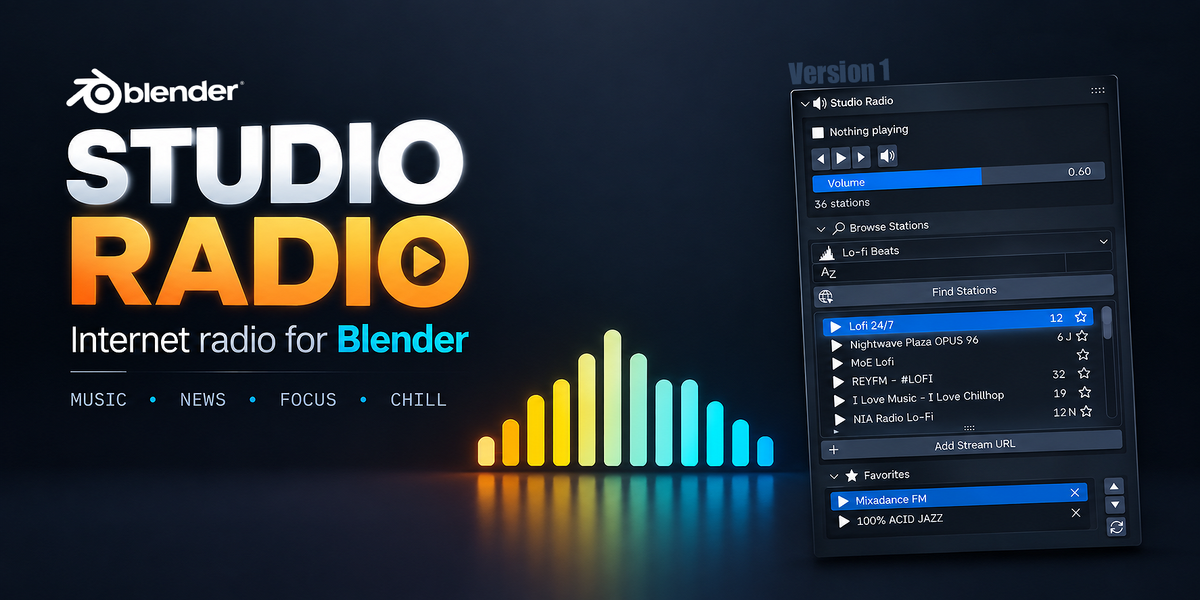





STUDIO RADIO
Internet radio, built right into the view port
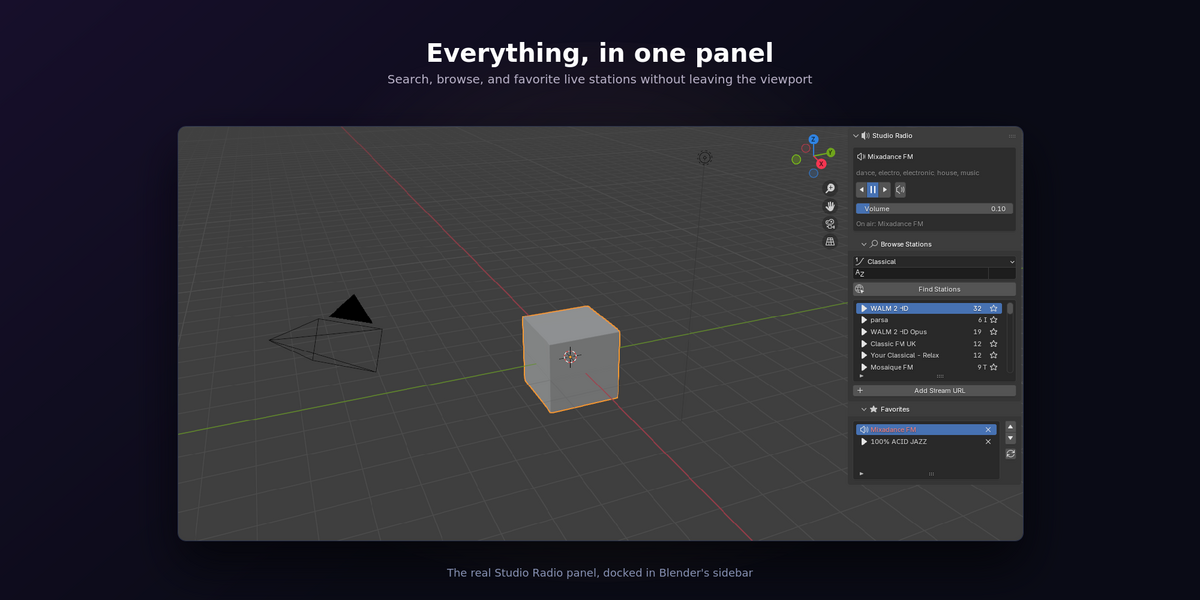
Studio Radio adds a searchable internet radio tuner to Blender's sidebar. Pick a genre, hit search, and listen while you sculpt, retopologize, or wait on a render — without ever leaving the viewport or touching a browser tab. Every control is available from the keyboard, so switching stations never has to break your focus.
It taps into an open directory of thousands of live stations from around the world, so the catalogue keeps growing on its own instead of going stale like a fixed playlist.
✨ What you get
|
🔍 Live station search Filter thousands of stations by genre, name, or country. No frozen list of dead links — the catalogue updates itself. |
⭐ Favorites that follow you Star a station once and it's available in every project, forever — stored outside your .blend files. |
|
⌨️ Full keyboard control Play, skip, and adjust volume without touching the mouse. A radial pie menu puts every control one flick away. |
🔗 Add any stream you like Got a station of your own? Paste the address and play it directly — the directory is a convenience, not a requirement. |
|
🧵 Never freezes Blender All networking runs on background threads with fast, honest error messages when a station is down — the viewport stays responsive. |
🎚️ Status bar readout Always know what's playing at a glance, right at the bottom of the Blender window. |
⌨️ Keyboard Shortcuts
| Shortcut | Action |
|---|---|
Ctrl + Alt + F9 |
Play / Stop |
Ctrl + Alt + → / ← |
Next / Previous station |
Ctrl + Alt + ↑ / ↓ |
Volume up / down |
Ctrl + Alt + M |
Mute / Unmute |
Ctrl + Alt + R |
Open radio pie menu |
Every shortcut is rebindable from Add-on Preferences.
✅ Fully above board
A radio add-on naturally raises a fair question — where does the audio come from, and is that okay? Here's exactly how it works:
- Audio streams directly from each broadcaster to your computer. Studio Radio hosts, caches, and redistributes nothing.
- The station directory is powered by the open Radio-Browser project, whose data is published under a CC0 public-domain dedication.
- The add-on ships with zero bundled station addresses — every stream is one you found through search or entered yourself.
- Studio Radio is a tuner, exactly like a hardware radio or an app such as TuneIn — it doesn't claim any rights over what a station broadcasts.
🖥️ Requirements
- Blender 3.6 or newer (4.2+ supported via the Extensions platform)
- Windows, macOS, or Linux
- An internet connection while listening
❓ FAQ
Does Studio Radio come with any music files?
No. It ships with zero bundled audio or station addresses. Everything you hear is streamed live from a broadcaster you chose, either through search or by pasting in a stream address.
Do I need to be online to use it?
Yes — searching the directory and playing any station both require an internet connection, the same as any streaming radio app.
Will this slow down or freeze Blender?
No. Every network call and playback attempt runs on a background thread. A dead station fails with a short message in a few seconds instead of blocking the interface.
Can I use my own radio station or a personal stream?
Yes. The "Add Stream URL" button plays any direct stream address you give it and can save it straight to your favorites.
Which Blender versions does it support?
Blender 3.6 and newer, including installation through the new Extensions platform on 4.2+.
Is streaming radio through a third-party player like this legal?
Yes. The add-on works exactly like any general-purpose internet radio player — it plays a stream the broadcaster already makes public, without hosting or redistributing anything. See the "Fully above board" section above for the specifics.
Licensed under GPL-3.0-or-later. Your purchase supports ongoing updates and support.