 Domenas





Studio Toolkit Documentation
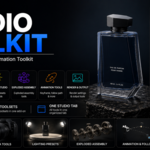
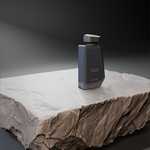
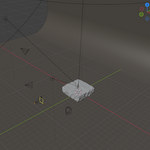
Studio Toolkit is a Blender add-on that brings scene setup, lighting, camera, animation, exploded assembly, and rendering tools together in one organized toolkit.
Installation
- Download the Studio Toolkit ZIP file.
- Open Blender.
- Go to Edit > Preferences > Add-ons.
- Click Install.
- Select the downloaded Studio Toolkit ZIP file.
- Enable Studio Toolkit.
After enabling the add-on, the Studio Toolkit interface is available in Blender.
Main Toolsets
Scene Setup
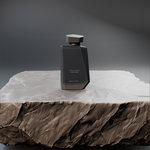
Use the scene setup tools to prepare product presentation scenes and manage the initial scene setup.
Camera Tools
Camera tools provide controls for working with cameras and camera-based presentation workflows.
The toolkit also includes camera and animation-related controls for creating product presentation shots.
Lighting Studio
Lighting Studio provides lighting setup, presets, and lighting controls for preparing different product presentation scenes.
Exploded Assembly
The exploded assembly tools provide a workflow for creating exploded presentations of multi-part objects.
This can be used to visually separate components and present the structure of an assembly.
Animation Tools
Studio Toolkit includes animation tools for product and object presentation.
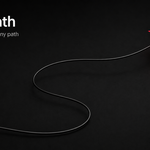
Available animation functionality includes keyframe-based tools and Follow Path workflows.
Render & Output
Render and output tools provide controls related to preparing and managing rendering and output settings.
Workflow
Studio Toolkit is designed so its included toolsets can be accessed from one organized interface.
A typical workflow can include:
- Prepare the scene.
- Set up lighting.
- Set up the camera.
- Prepare product presentation or exploded assembly views if required.
- Add animation when required.
- Prepare render and output settings.
You can use only the tools required for your current project.
Compatibility
Studio Toolkit is designed for Blender 4.2 and compatible versions tested for the product.
License
Studio Toolkit is distributed under the GNU General Public License v3.0 or later.
The complete license terms are included with the add-on.
Have questions about this product?
Login to message
| Published | about 2 months ago |
| Blender Version | 4.2 - 4.5 |
| Extension Type | N/A |
| Render Engine Used | Cycles, Eevee |
| License | GPL |

Discover more products like this
camera Render Lighting product rendering exploded view animation Workflow Studio Lighting scene setup product-visualization presets Product presentation