Surface Blend
 Milad_Kambari


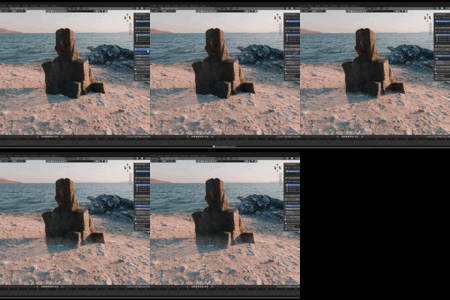
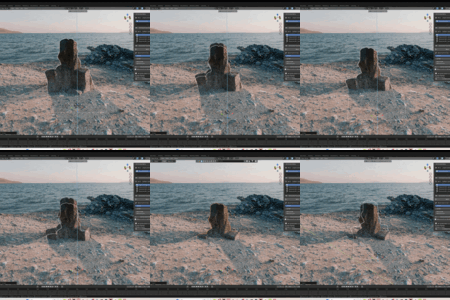
Is this really free?
Yes, this add-on is 100% free
What can I control in the blend?
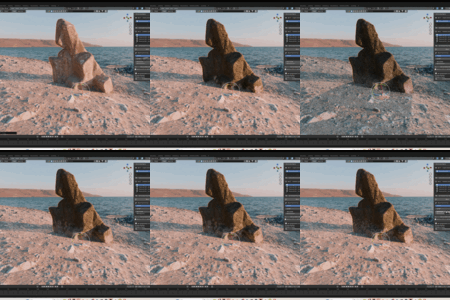
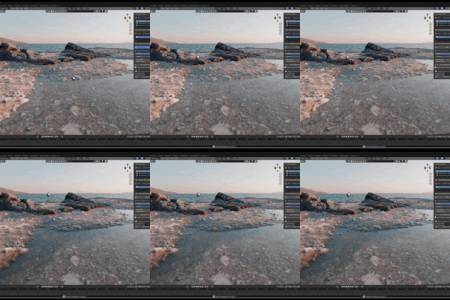
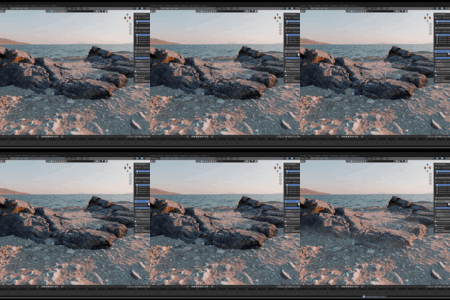
Spread, Strength, Noise Scale, and Noise Amount — all with live viewport feedback so you can dial in the exact look instantly.
Which Blender version do I need?
Blender 4.2 or newer, including Blender 5.0. It works with both the legacy Add-on system and the new Extension system.
Will this modify my original materials?
No. The process is fully non-destructive. Your original materials and meshes stay intact — you can adjust or remove the blend anytime.
Can I blend more than two materials?
Yes. The Layered Blend feature lets you stack materials in a controlled 1 → 2 → 3 order with one-directional blending for complex transitions.
Does the blend update when I move my object?
Yes. The blend follows your asset live — move or rotate it and the transition tracks the new position automatically, with no re-baking.
How does the blending work?
t uses geometry nodes to create a proximity-based mask and a shader mix to blend the asset's material into the surface. Everything is non-destructive and updates in real-time.
Have questions about this product?
Login to message
| Blender Extension Compatible | Yes |
| Sales | 100+ |
| Downloads | 3100+ |
| Rating | 10 ratings |
| Published | 5 months ago |
| Blender Version | |
| Extension Type | Add-on |
| Render Engine Used | Cycles |
| License | GPL |
Discover more products like this
blender geometrynodes landscape Material blend material ground terrain blend blending