SwiftPack for Blender
 Rob Simonds


Do I need to join my mesh before using SwiftPack?
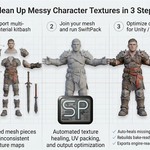
Yes, if the asset is made of separate mesh pieces. Select the pieces and join them with Ctrl+J before starting the SwiftPack workflow.
Which mesh should I select before baking?
Always select the original joined source mesh. Do not try to start a new bake from the generated SwiftPack preview copy.
What does Step 3 do?
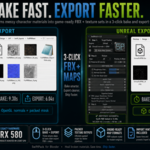
Step 3 is the export stage. Use Swift Export to write the final output files. In Advanced Export Options you can change naming and tagging behavior and enable automatic opening of the output folder after export.
What should I do if SwiftPack reports missing maps?
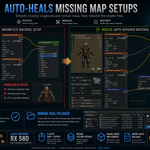
Let SwiftPack try Auto Heal first. If it cannot find a reliable match, use Manual Heal and point it to the folder that contains the missing texture set for that material. After a successful manual repair, SwiftPack will also try to recover other nearby missing sets automatically.
How do I start a SwiftPack bake correctly?
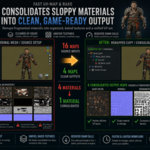
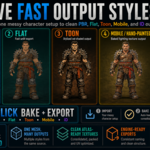
First join separate mesh pieces with Ctrl+J if needed. Then select the original joined source mesh, choose a target pipeline in Step 1, choose a style in Step 2, adjust options if needed, and click the active style button again to bake.
Have questions about this product?
Login to message
| Published | 5 months ago |
| Blender Version | 5.1 |
| Extension Type | N/A |
| Render Engine Used | Cycles, Eevee |
| License | GPL |

Discover more products like this
game-art character 3D workflow easy-b2u-blender-to-unity-export ID-map addon blender Import-Export AtlasTextures uv packing pbr texture baking blender to unreal export Material Cleanup