Symmetryflow
 Dev.Luv Studios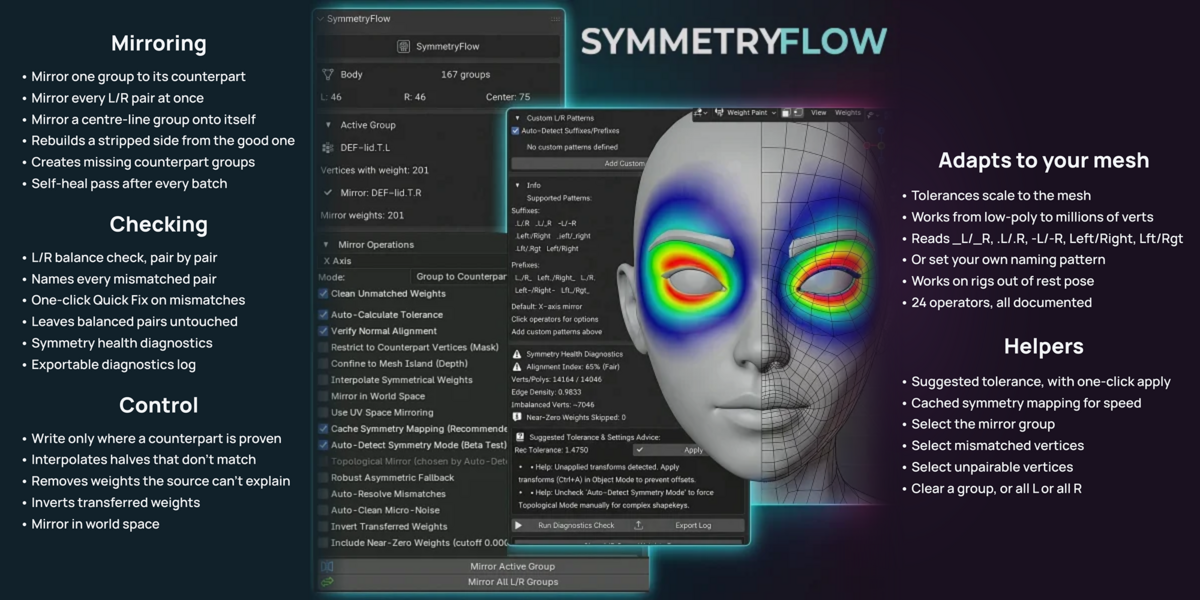
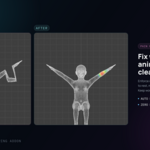
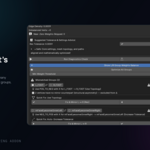
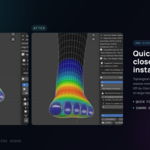
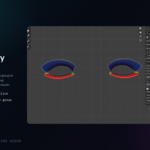
USER MANUAL · v3.3.0
SymmetryFlow
What every button and checkbox does, when to use it, and when to leave it alone – in plain English.
Blender 3.6 – 5.1 3D Viewport → N → SymmetryFlow GPL-2.0-or-later
Blender 4.2 or newer → SymmetryFlow v3.3.0 (Blender 4.2+).zip
Blender 3.6, 4.0, 4.1 → SymmetryFlow v3.3.0 (Blender 3.6-4.1).zip
Tested on 3.6 LTS, 4.0.0, 4.2.9 LTS, 4.4.0, 4.4.3, 4.5.0 and 5.1.2. Also in the download: README.txt, Known issues and workarounds.txt, CHANGELOG.txt.
- The idea in one minute
- Quick start
- The buttons
- The checkboxes (settings)
- Reading the panel
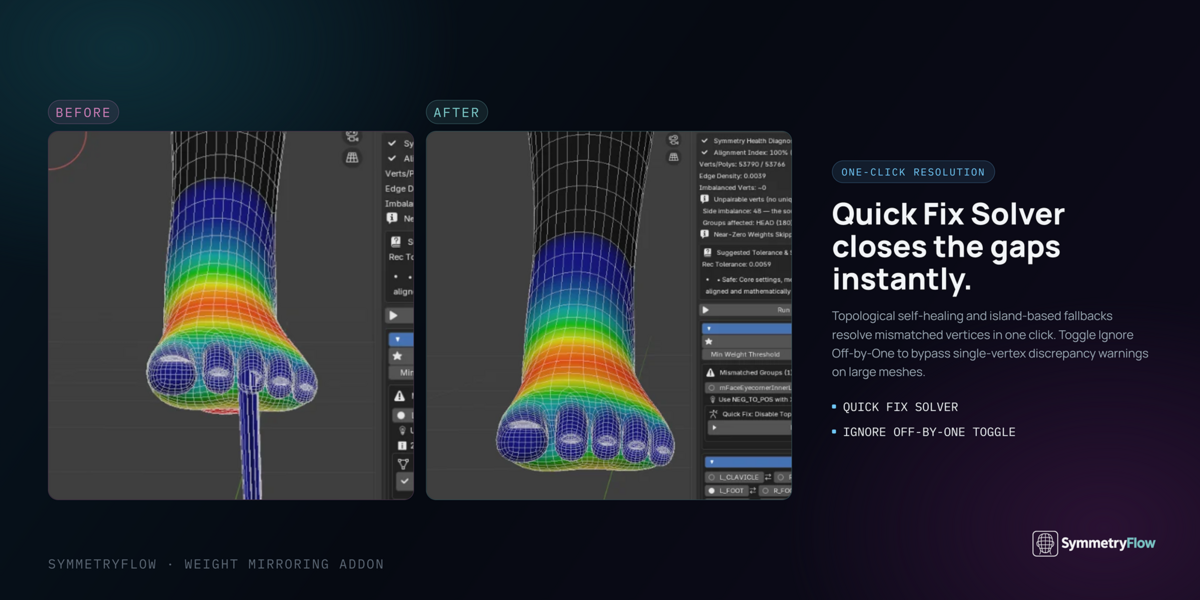
- Quick Fix: what happens when you press it
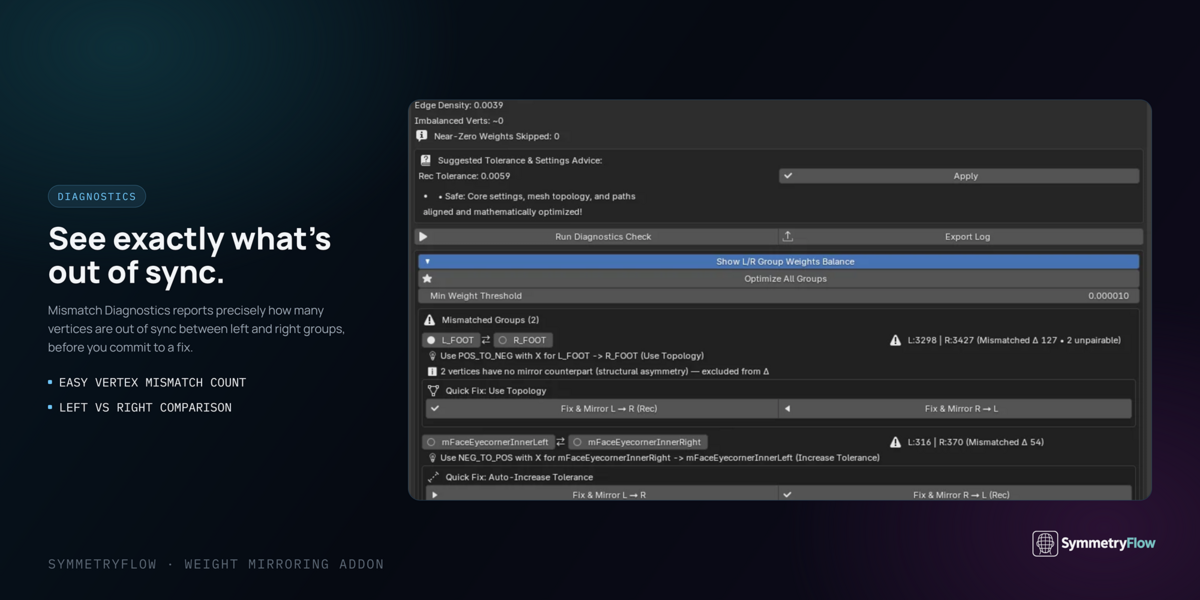
- Run Diagnostics
- How group names are paired
- How fast it is
- Things it cannot do
- Recipes for common jobs
1 The idea in one minute
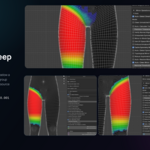
A character's skin weights say how much each bone moves each vertex. They live in vertex groups, usually in left/right pairs: Arm.L and Arm.R, Thigh_L and Thigh_R. You paint one side, then want the other side to match.
Blender's own mirror only works when every vertex has an exact twin at the mirrored position. Real characters often don't: posed rigs, shape keys, split face shells, assembled parts, lashes, lips and teeth all break it.
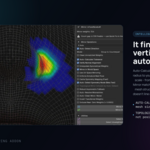
SymmetryFlow copies weights across anyway, and then checks the result – pair by pair – and tells you whether the two sides really match. If they don't, a Quick Fix button repairs them.
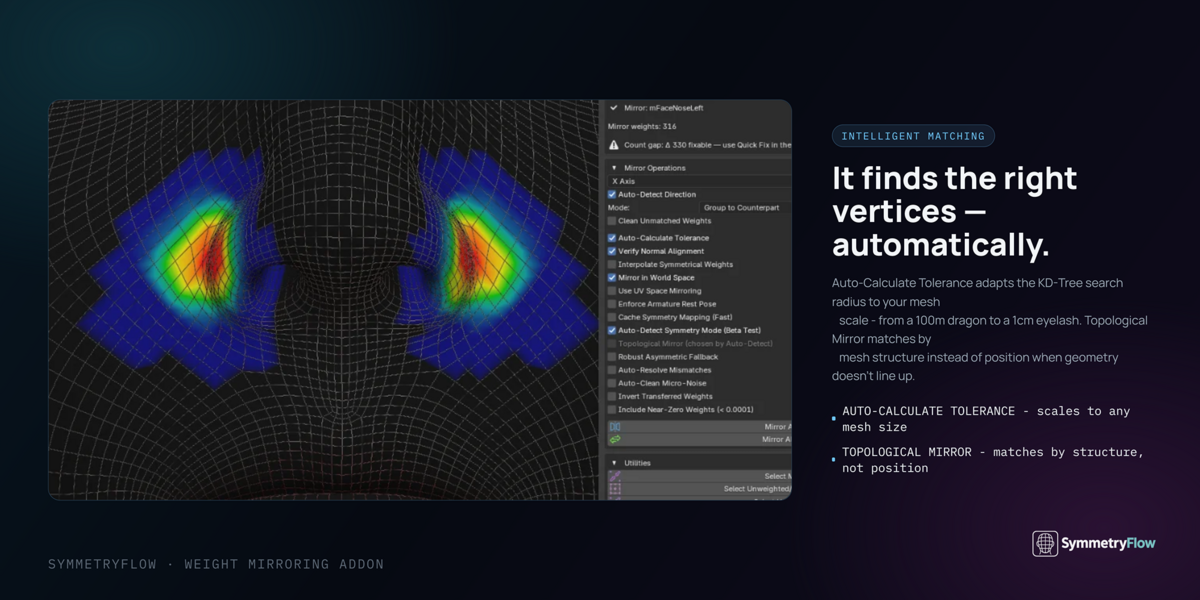
It finds each vertex's twin in one of two ways:
Follows how the vertices are connected. Works even when the character is posed, because the connections stay the same when the arms move. Needs the mesh to be built the same way on both sides.
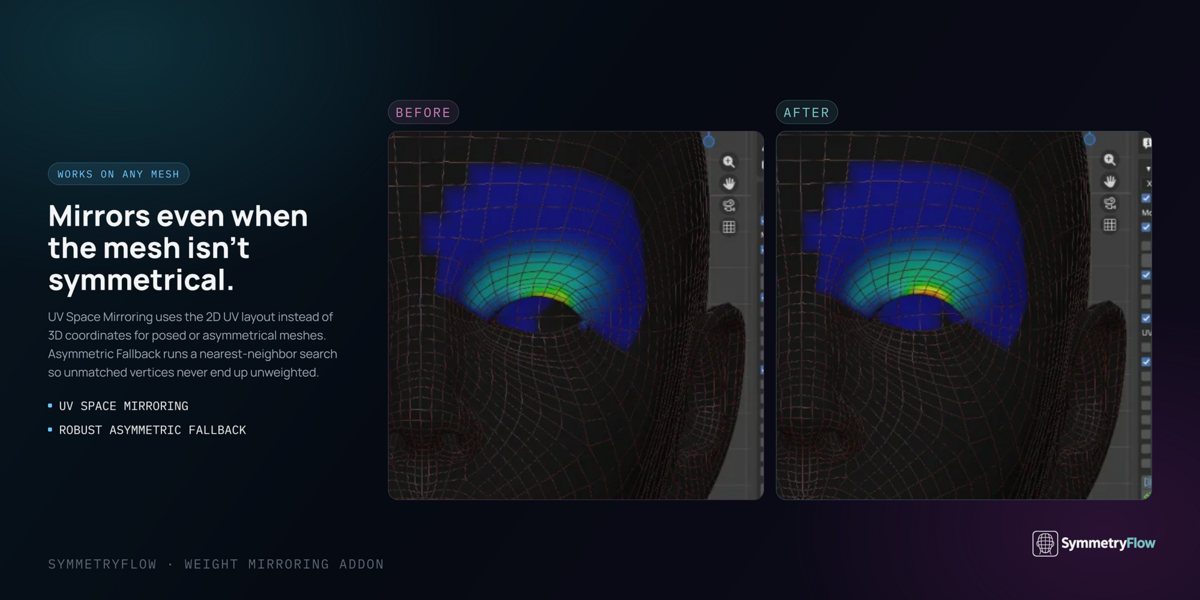
Looks for the vertex sitting at the mirrored position. Works on meshes that weren't built symmetrically: separate pieces, imported parts, uneven edge flow.
You don't have to choose. With the default settings, SymmetryFlow tests each group and picks the method that works for it.
2 Quick start
- Select your character mesh. Weight Paint or Object mode both work.
- Open the SymmetryFlow tab in the sidebar (N).
- Click the vertex group you want to copy from, so it's the active group.
- Click Mirror Active Group. Its opposite-side group now matches it.
- Look at the L/R Balance box. Any pair marked Mismatched has a Quick Fix button.
To rebuild a whole side at once (say, after deleting every left-side group), click Mirror All L/R Groups instead.
3 The buttons
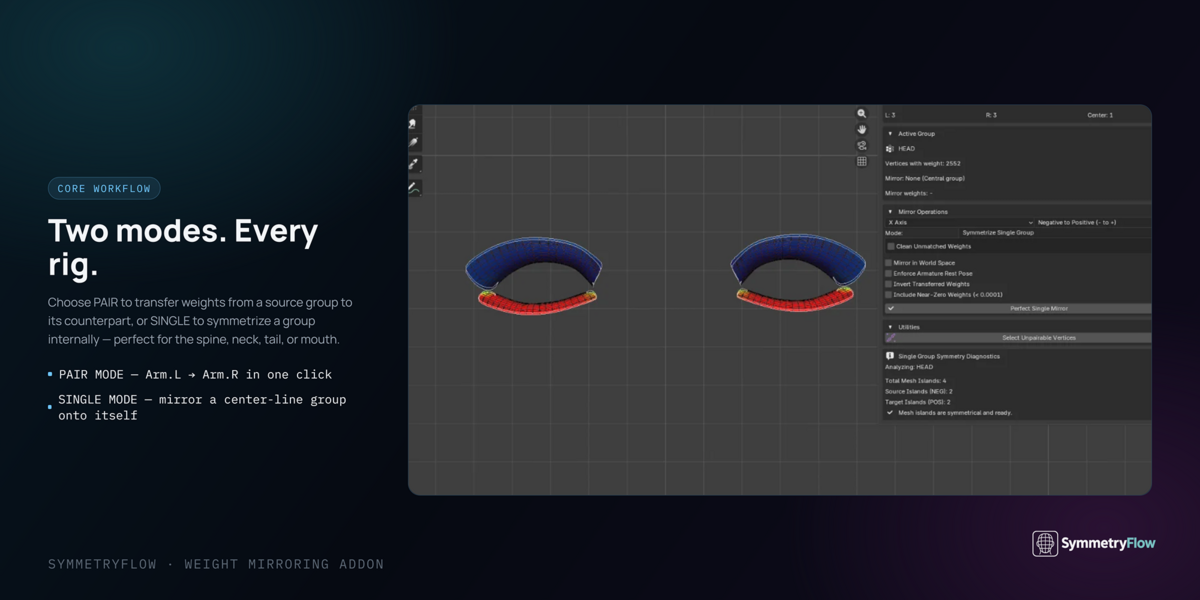
At the top of Mirror Operations you pick a Mode:
Copy one group onto its opposite-side partner, e.g. Arm.L → Arm.R.
Make one group symmetric onto itself – for groups in the middle of the body that cover both sides: head, spine, pelvis, a strip of eyelashes.
You also pick the Axis (X, Y or Z – X is left/right and almost always what you want). In Symmetrize Single Group mode you also pick the Direction: which half gets copied onto the other.
🪞 Mirroring
Copies the active group onto its opposite-side partner. The direction is worked out for you. If the partner group doesn't exist yet, it offers to create it. If you've painted a selection mask, only the selected vertices are mirrored, and the status bar says so.
Rebuilds every pair on the mesh in one go:
- pairs every group with its partner by name,
- creates any partner groups that are missing,
- copies from whichever side has the weight (an empty group is never used as the source),
- makes middle groups (head, spine) symmetric onto themselves,
- then re-checks every pair and re-does any that came out short.
Makes the active group symmetric onto itself. Built for meshes made of many separate pieces (eyelashes, hair cards, teeth, buttons): it matches each piece to its mirror piece first, then the vertices inside it. If your chosen direction would copy empty space over the painted side, it refuses and tells you to flip Mirror Direction instead of erasing your weights.
Copies each weight onto the vertex sitting exactly at the mirrored position, ignoring every safety check and tolerance. Use it when a normal mirror still leaves gaps on dense overlapping geometry (lashes joined to eyelids, hair cards) even though exact twins exist. Vertices with no exact twin are left alone, so it never invents weight. Because it skips the checks that stop weight landing on the wrong surface, it isn't the default.
🔧 Checking and repairing
Confine to Mesh Island & Re-Mirror – shown on a pair marked Distorted. Re-mirrors keeping weight on the matching separate piece, so an eyeball's weight stays on the eyeball, not the cheek behind it. Puts your settings back afterwards.
Repair Full Parity – shown when Parity is under 100%. Tries stricter and stricter ways of placing each weight on its exact twin, keeps the best result, and undoes itself if nothing helped. It never invents a twin.
Run Diagnostics Check – a health report for the whole mesh. See section 7.
🧰 Utilities
| Button | What it does |
|---|---|
| Select Mirror Group | Jumps to the active group's partner. Handy, since Blender only shows one group at a time. |
| Select Mismatched Vertices | Selects target vertices that got no weight and switches to Weight Paint with them masked, ready to touch up. |
| Select Unpairable Vertices | Selects vertices with no twin on the other side, so you can see the geometry causing it. |
| Create Missing Groups | Makes an empty partner for every group that lacks one. Changes no weights. |
| Clear Active Group | Removes all weight from the active group. |
| Delete All L / R Groups | Deletes one whole side. Mainly for testing "delete a side, rebuild it". |
| Export Log | Writes a full text report to attach to a support request. |
| Align Pivot to Center | Fixes an off-centre object origin, which confuses position-based matching. |
| Optimize All Groups / Apply | Tolerance helpers – only needed if you turn Auto-Calculate Tolerance off. |
| Add / Remove Custom Pattern | Teach it a left/right naming style it doesn't know (section 8). |
| Show Welcome & Onboarding Guide | Re-opens the welcome screen. |
| Uninstall Addon & Clean Files | Removes the add-on, after asking you to confirm. |
4 The checkboxes (settings)
The defaults are sensible. Most people never change anything except, now and then, one of the problem-solving options for a tricky area. Each setting shows its default:ONOFF
⭐ The ones you'll actually use
On: wipes weight on the target side wherever the source has nothing to match it. A clean result, no leftovers from earlier painting.
Off: the target keeps any weight it already had there. Useful when building up a group in steps.
On: Mirror Active Group only writes onto vertices that are proven twins of the source's painted vertices, and touches nothing else. Afterwards they're left selected with the paint mask on, so you can see exactly what changed and paint straight onto it. Use it when weight spills onto a nearby surface – like the upper lip's weight landing on the lower lip. On one test head it gave exactly the right 461 vertices, where the unrestricted mirror gave 468.
Off: every target vertex takes weight from its nearest painted source.
Only affects Mirror Active Group. A paint mask you made yourself takes priority. The selection it leaves behind won't shrink your next mirror.
On: keeps weight on the matching separate piece of the mesh. Eyes, teeth, tongue, tear lines and lashes sit a hair's width in front of the face, so a plain position match can grab the face behind them. This stops it – on a Genesis 8.1 eye, 43 vertices spilled onto the cheek without it, 0 with it. It also switches off Robust Asymmetric Fallback (they contradict each other); your setting comes back when you turn this off.
Off: matches against the whole mesh.
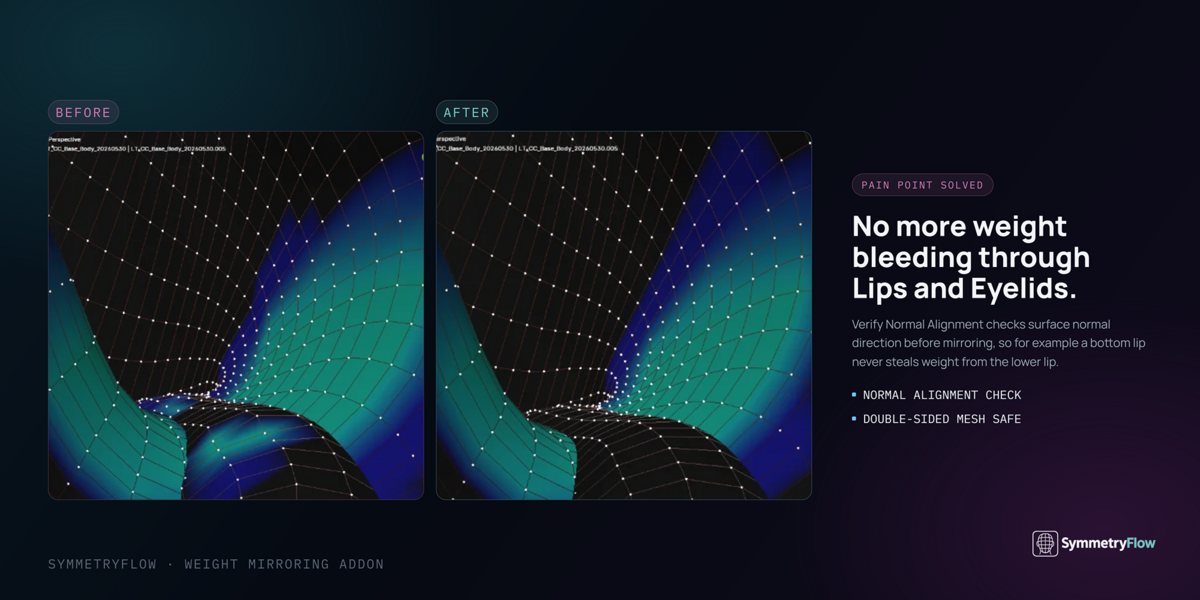
On: refuses to put weight on a surface facing the opposite way to the source. Stops leaks onto back-to-back surfaces: the inside of the mouth behind the lips, the back of a lash, a garment's lining. Only surfaces more than about 126° apart are refused.
Off: the nearest vertex wins, whichever way it faces.
It can't separate surfaces facing the same way (upper and lower lip at rest) – use Restrict to Counterpart Vertices for that.
Verify Normal Alignment only has the final say while Robust Asymmetric Fallback is off. With the fallback on, its promise – "no weight is ever dropped" – wins.
• Lips, eyelids, stacked layers: Normal Alignment ON + Fallback OFF
• Garments, sculpted meshes: Normal Alignment ON + Fallback ON
On: when a vertex has no twin close enough, it uses the nearest vertex anyway, so no weight is ever dropped. Good for sculpted, organic and garment meshes. The catch: on a healthy mesh, "nearest" can be the wrong vertex where no true twin exists.
Off: vertices with no close twin are skipped. You may see unweighted spots on lopsided meshes, but nothing lands in the wrong place.
On: blends the three nearest painted vertices instead of copying from one twin. The right choice when the halves have different vertex counts and there's no one-to-one twin. Left and right counts will then differ – that's expected, and the Balance box and Quick Fix know it.
Off: copies from the single matched twin.
On: writes 1 minus the weight (1.0 becomes 0.0, 0.2 becomes 0.8). For opposite-side masks and gradients. Mirror All only inverts left/right pairs, never middle groups. The Balance box isn't meaningful after an inverted run.
Off: a straight copy – what you normally want. Don't combine with Auto-Clean Micro-Noise.
⚙️ Matching engine – leave these alone unless you have a reason
On: works out how far to look for a twin from the size of the mesh's own edges, area by area. The same settings work on a giant creature and a tiny eyelash strip, in centimetres or metres.
Off: shows a Precision Tolerance field (default 0.001). Too big and weight lands on a neighbour; too small and no twin is found. Only affects position matching, and is capped so it can't freeze Blender.
On: tests each group and picks edge-based or position-based matching for it. Recommended. Applies to Mirror All too.
Off: the Topological Mirror checkbox decides.
On: always match by the mesh's edges. Best for posed meshes and shape keys; weight can't jump between separate surfaces this way. Needs the mesh built the same on both sides.
Off: always match by position.
Safety net: where the mesh isn't built the same on both sides (the joints a Skin modifier makes, for example), Blender's edge map can pair vertices a whole body part apart. Any pairing that lands more than four edges from the vertex actually at the mirrored position is thrown out and matched by position instead. Posed meshes are unaffected.
On: checks that the mesh really is symmetric where it's about to mirror it. If it isn't (the character is rotated on its rig, or its origin is slightly off-centre), it tries the object's own space and the mesh's own middle, and uses whichever lines up. The panel says which plane it's using. A plane is only accepted if three-quarters of the mesh mirrors across it, so a lopsided mesh is never "fixed" with a wrong plane.
Off: always mirrors in the space the other settings imply.
On: mirrors in world space – for objects scaled, rotated or moved in a way that breaks the mirror.
Off: the object's own space.
On: finds twins by their position on the UV map instead of in 3D – for meshes lopsided in 3D but with a mirrored UV layout. Needs a UV map. Vertices with no UVs or on a seam are left out, and it warns you if the layout isn't actually mirrored.
Off: 3D matching.
It makes Mirror All work out the twins once and reuse them for every group. Turning it off is not a trade of speed for accuracy – it's much slower and it damages weights. On a 14,164-vertex rig that was already symmetric: on, 1.8 seconds and nothing changed; off, 119 seconds, 11 groups rewritten and 74 painted vertices lost. Lost weights can't be brought back by running again – reload your file instead. No effect on Mirror Active Group.
🧹 Housekeeping
On: Mirror, Mirror All, Quick Fix, Force Exact and Perfect Single Mirror skip any target group you've locked, and tell you.
Off: locked groups are written like any other (what Blender's own mirror does).
On: after a mirror, rescales the other bone weights on every vertex it wrote to so each adds up to 1. The mirrored group and locked groups are never changed, so it can't undo the mirror. Needs an armature.
Off: other groups are left as they were.
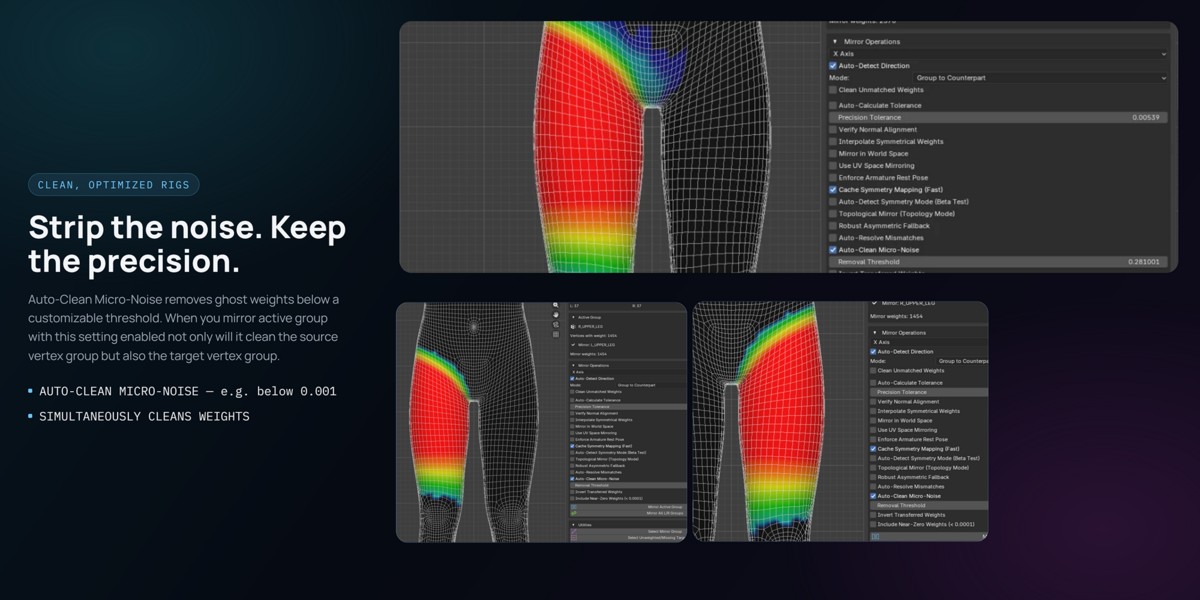
On: deletes tiny leftover weights before mirroring. Imported rigs are often full of them, and they clutter groups and throw counts off.
Off: every weight is kept.
Don't combine with Invert: cleaning happens first, and a tiny 0.003 matters when it's about to become 0.997. The panel warns you in red.
Decides what counts as "painted". On: anything above 0.000001 counts and the threshold slider is greyed out. Off: the slider decides.
On: if a mirror comes out mismatched, automatically tries again with a wider search.
Off: reports the mismatch and leaves it to you or Quick Fix.
Reads left/right from group names automatically (section 8). Untick it to add a naming pattern of your own.
5 Reading the panel
The Active Group box
Shows the active group, how many vertices carry weight, its partner group and how many that has. Also:
- Parity: N% – the share of painted vertices whose twin carries the same weight. Below 100% you get a Repair Full Parity button.
- Force Exact – the two last-resort buttons from section 3.
The L/R Balance box
One row per left/right pair:
| Row reads | Status | Meaning |
|---|---|---|
| L:589 | R:589 | BALANCED | All good. |
| L:477 | R:477 | BALANCED – 1 UNPAIRABLE | All good; one vertex simply has no twin. |
| L:589 | R:588 | MISMATCHED, DELTA 1 | Needs a fix. |
| L:589 | R:589 | MISMATCHED – N LOST | Counts agree but weight was dropped. Needs a fix. |
| L:348 | R:348 | DISTORTED ~61% | Counts agree but weight is on the wrong vertices. |
Why the box and Quick Fix always agree. Both use exactly the same check – you'll never see "Quick Fix succeeded" next to "Mismatched".
After Run Diagnostics the box also uses Blender's edge map to predict which pairs Quick Fix can repair – much more accurate on sculpted meshes. The box says when it's in use.
The box updates after any SymmetryFlow button. After painting by hand, press any SymmetryFlow button to refresh it.
6 Quick Fix: what happens when you press it
Quick Fix tries the gentlest repair first and only goes further if that didn't work, checking after every step:
| 0 | A normal mirror. Most pairs are fixed here. |
| 1 | Try again with Verify Normal Alignment off. |
| 2 | Swap edge-based and position-based matching. |
| 3 | Search a wider area for twins. |
| 4 | Briefly turn on Robust Asymmetric Fallback – kept only if it actually helped. |
| 5 | Rebuild the target strictly one-to-one. Vertices with no twin are skipped, never faked. |
Tested on every left/right pair of four very different rigs (148 pairs): none made worse, every setting restored every time.
7 Run Diagnostics
A full health check of the mesh:
| Alignment Index (0–100) | An overall score; a clean, mirrorable mesh scores at or near 100. Points come off for vertices with no twin, lopsided areas, flipped normals, groups missing a partner and an off-centre origin. |
| Unpairable Vertices | How many vertices have no twin, which side has more, and which groups are affected. Hidden vertices (teeth, eyes you've hidden on purpose) don't count against you. |
| Unbalanced Vertices | Vertices whose twin the mirror couldn't reach. 0 means the next mirror will be clean. |
| Also | Vertex and face counts, a suggested tolerance with an Apply button, a flipped-normals alert, and an off-centre origin warning with a one-click fix. |
On meshes of 20,000+ vertices it shows progress, and Esc stops it and puts back everything it had changed.
8 How group names are paired
SymmetryFlow reads left and right from group names. It understands, with no setup:
| Style | Example |
|---|---|
| .L / .R _L / _R -L / -R | Arm.L, Arm_L, Arm-L |
| Left / Right Lft / Rgt | Arm.Left, Arm_right, Arm.Lft |
| L_ / R_ at the start | L_Arm |
| Character Creator | CC_Base_L_Thigh |
| Rigify, numbers on the end | DEF-thigh.L.001 |
| Words inside the name | mFaceCheekUpperRight |
| Daz Genesis 3 / 8 | lShldrBend / rShldrBend |
| 3ds Max Biped | Bip01 L UpperArm |
| MMD | The Japanese words for left and right |
The Daz, Biped and MMD styles are only used when the other side's name actually exists (as a group, or a bone on the rig), so an ordinary name isn't mistaken for a side. It won't think "Collar" is a left-side group just because it has an L in it.
A group none of these rules can pair is treated as a middle group and made symmetric onto itself.
9 How fast it is
Measured in Blender 5.1.2 with the default settings. Mirror All's time grows in step with the size of the mesh – the same body split into more and more vertices:
| Vertices | Mirror All L/R Groups |
|---|---|
| 14,164 | about 3.5 seconds |
| 56,412 | about 13 seconds |
| 225,184 | about 52 seconds |
| 1,138,724 | about 5 minutes (about 3 GB of memory) |
On a 53,790-vertex body with 37 pairs: Mirror All about 12 s, Run Diagnostics about 12 s, Quick Fix about 9 s for one pair, and the panel about 2 s for its first update after a button, then instant.
Up to 225,184 vertices every pair came out as an exact mirror. Past a million, a few pairs in the face and fingertips had some weights land a vertex or two off their twin; Mirror Active Group places those exactly. At that size other operations are slow too: Mirror Active Group about 2 minutes a pair, Quick Fix about 6 minutes, and Run Diagnostics used over 5 GB of memory before the test stopped it.
10 Things it cannot do
The full list, with measurements and workarounds, is in Known issues and workarounds.txt in the download.
11 Recipes for common jobs
| Job | Do this |
|---|---|
| 🔁 Rebuild one whole side | Mirror All L/R Groups. Leave Cache Symmetry Mapping on. |
| 👄 Lips and eyelids | Verify Normal Alignment on, Robust Asymmetric Fallback off. If weight still spills onto the other lip or lid, also tick Restrict to Counterpart Vertices and use Mirror Active Group. |
|
👁 Eyes, teeth, tongue, lashes Daz / Genesis-style layered heads |
Confine to Mesh Island on (it turns the fallback off for you). If a pair reads Distorted, press its Confine to Mesh Island & Re-Mirror button. |
| 👕 Garments, sculpted or lopsided meshes | Verify Normal Alignment on, Robust Asymmetric Fallback on. If the halves have different vertex counts, try Interpolate Symmetrical Weights. |
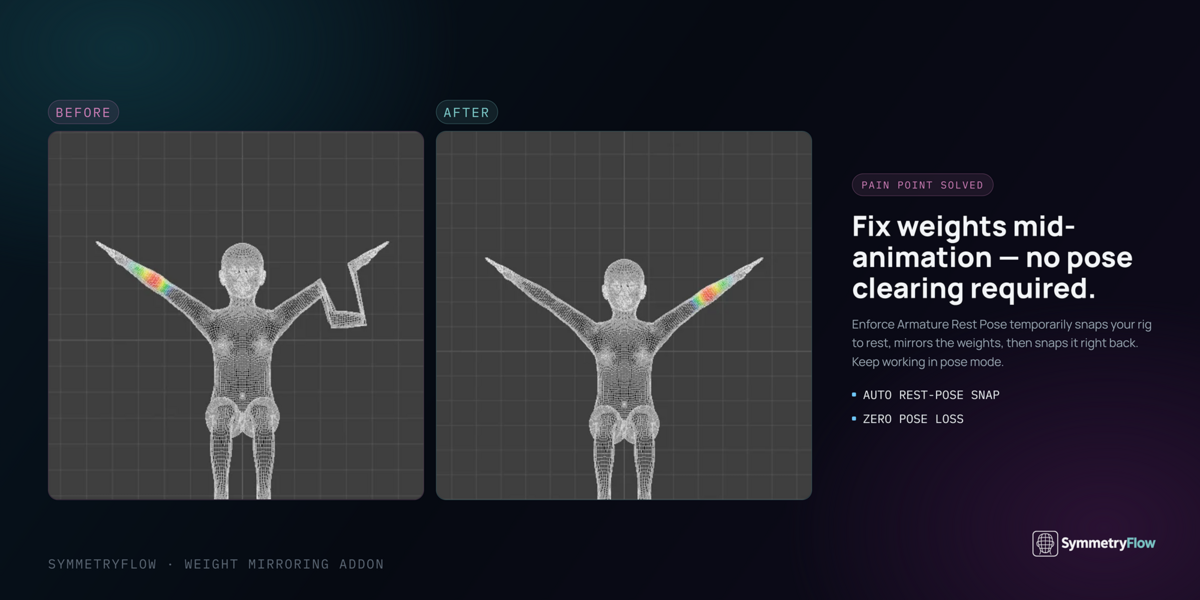
| 🤸 Posed, or with shape keys | Leave Auto-Detect Symmetry Mode on. It uses edge-based matching, which doesn't care about the pose. |
| 🔄 Rotated, or off-centre origin | Leave Find Own Mirror Plane on. If that isn't enough, Run Diagnostics and use Align Pivot to Center, or try Mirror in World Space. |
|
🧠 A middle group head, spine, an eyelash strip |
Switch Mode to Symmetrize Single Group, pick the Direction that copies from the painted half, and press Perfect Single Mirror. |
© 2026 Dev.Luv Studios · GPL-2.0-or-later · Questions: [email protected]
Have questions about this product?
Login to message
| Blender Extension Compatible | Yes |
| Dev Fund Contributor | |
| Published | 3 days ago |
| Blender Version | 3.6 - 5.1 |
| Extension Type | Add-on |
| Render Engine Used | Cycles |
| License | GPL |
Discover more products like this
rigify Character rigging weight transfer Symmetrize skinning vertex groups skin weights weight painting weight mirror Daz mirror weights symmetry