Symmetryflow
 Dev.Luv Studios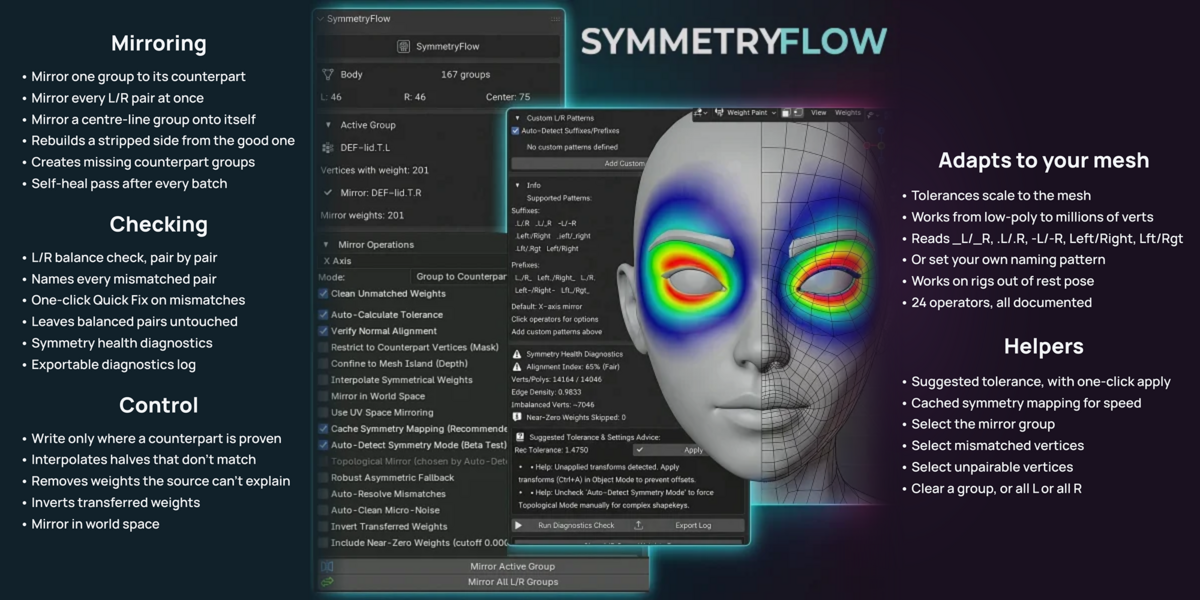
Something is wrong and it is not covered here.
Check "Known issues and workarounds.txt" in the download first - it is
written plainly and with measurements, and covers more than this page can.
If that does not answer it, contact Dev.Luv Studios through this product page
or at [email protected]. Telling us your Blender version, which of the two
downloads you installed, and what the L/R Balance panel says will get you a
useful answer fastest.
Should I change the advanced options?
Mostly you should not need to; the defaults are the tested path. Two worth
knowing: leave "Cache Symmetry Mapping" ON for Mirror All - switching it off
is dramatically slower AND loses weights, so it is not a speed-versus-accuracy
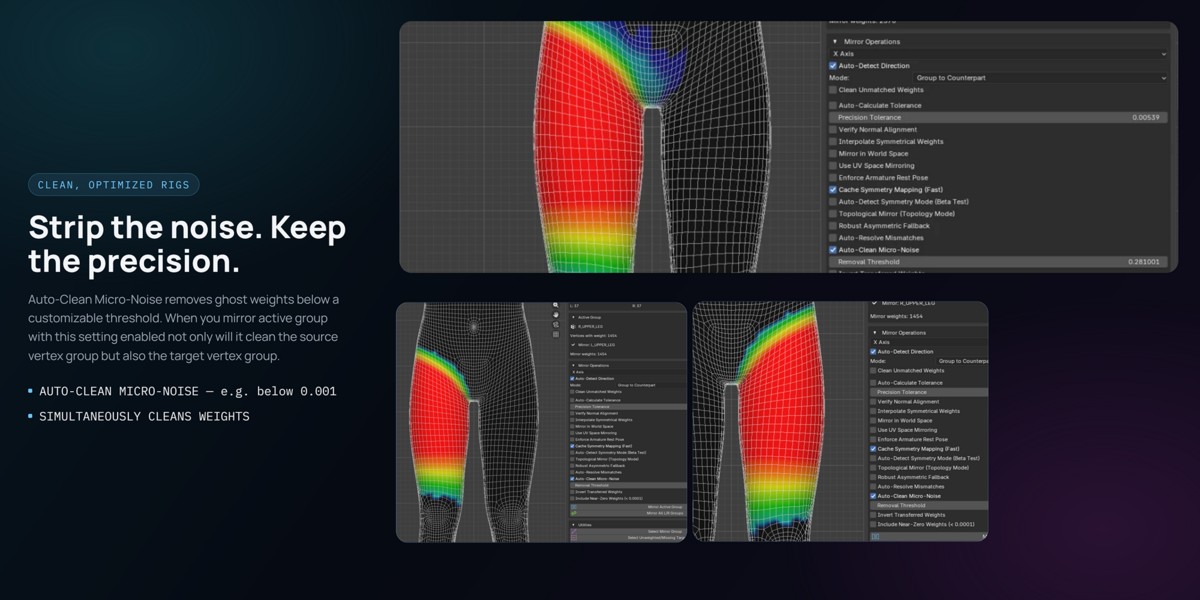
trade. And do not enable "Auto-Clean Micro-Noise" together with "Invert
Weights"; the panel shows a red warning when you do. The shipped known-issues
document lists every combination worth avoiding, with measurements.
I turned on "Confine to Mesh Island (Depth)" and "Verify Normal Alignment", and my counterpart group came back with about a quarter fewer weighted vertices.
On hair-card, lash and brow meshes this is a real trade-off rather than a
bug, and nothing has been destroyed - those weights are never written, and
your source group is untouched. Depth keeps the asymmetric fallback off, so
normal-alignment rejection takes full effect; on flat two-sided cards
roughly 40% of vertices have normals facing away from their mirror. If you
want the count back, untick "Verify Normal Alignment" and mirror again,
leaving Depth on. If the weights look right and only the count looks low,
leave both on - on a card mesh a lower count is the expected result. On
ordinary body meshes none of this appears.
One caution, because this answer and the one before it point opposite ways
about "Verify Normal Alignment" and both are right. On hair cards the
rejection is spurious - a flat two-sided ribbon really does have its back
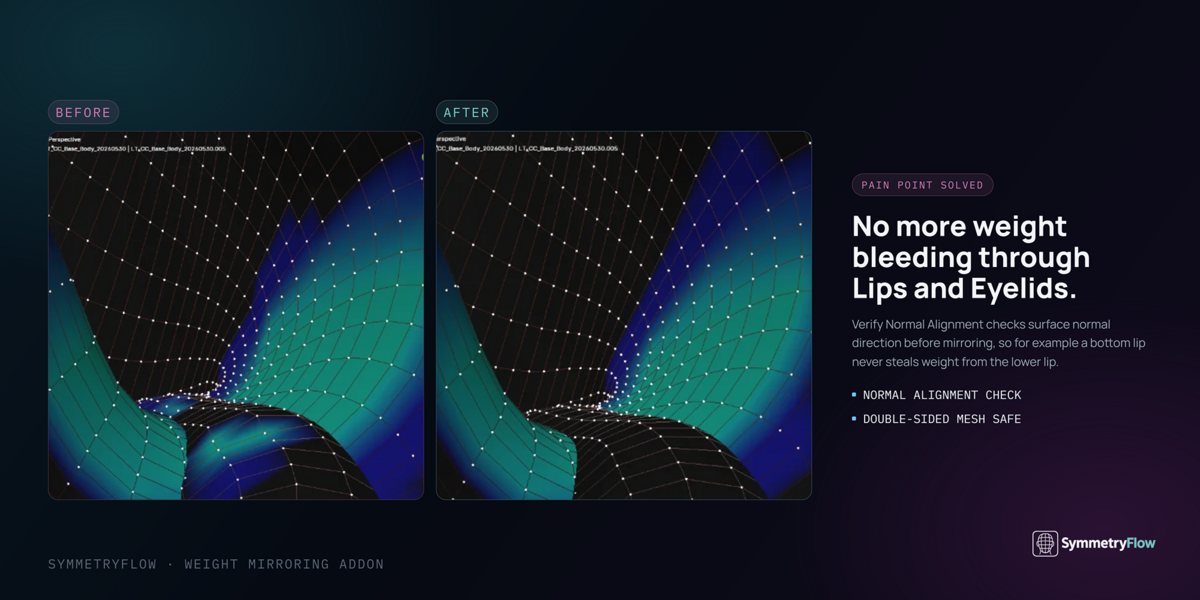
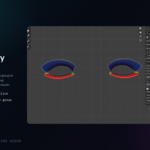
facing away from its mirror - so you untick it. On lips and eyelids that
same rejection is the entire point, so you tick it. The filter has not
changed; what differs is whether the surfaces facing apart are one surface
or two.
What is "Robust Asymmetric Fallback", and should I turn it on?
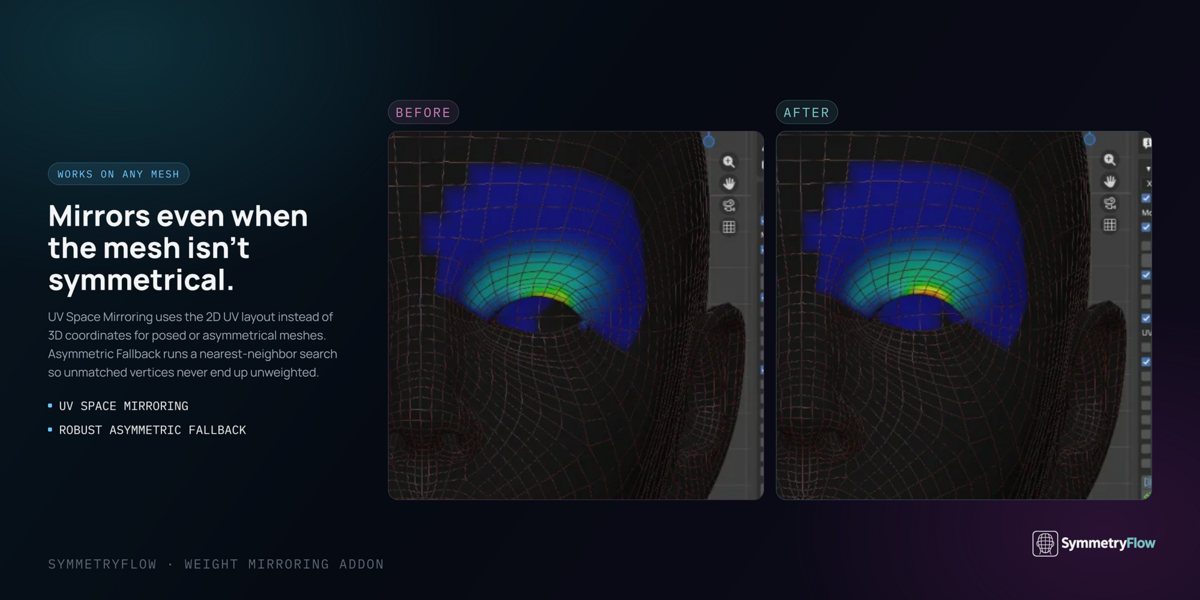
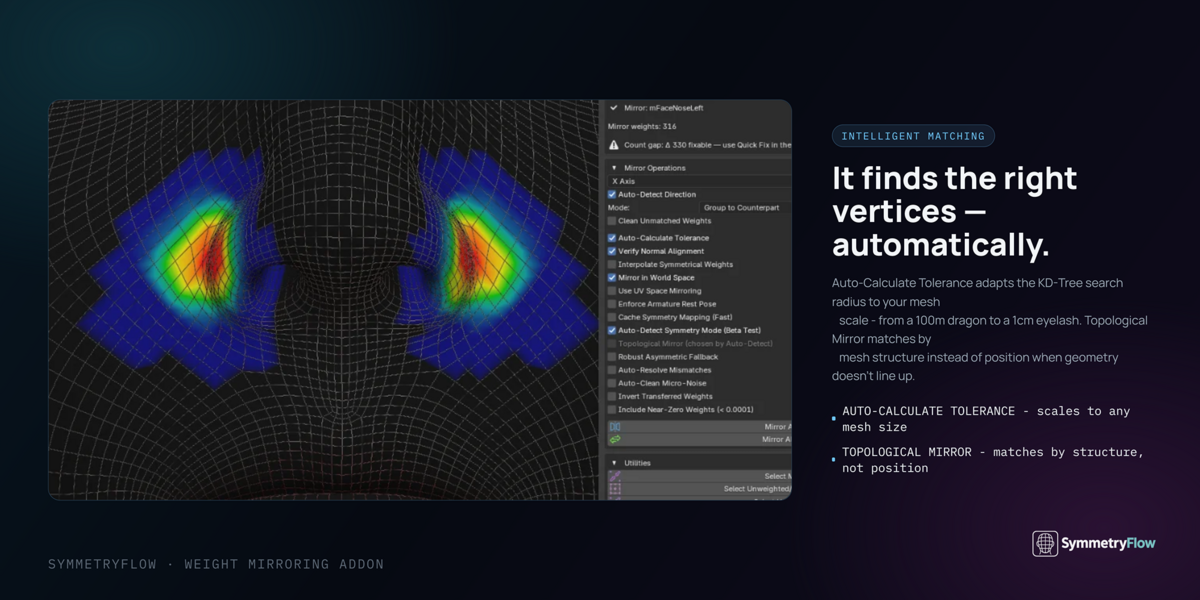
Turn it on for garments, sculpted and asymmetric meshes; leave it off for
stacked shells. It ships off. Its contract is that no weights disappear:
where the two halves are not built vertex-for-vertex, the only available
counterpart often faces the other way, and refusing those grabs throws away
correct weights - on the garment fixture, about 500 per group, silently.
It also overrides "Verify Normal Alignment": while the fallback is on,
that filter has no effect, so it only protects anything with the fallback
off.
Keep it OFF, and turn Verify Normal Alignment ON, when you are mirroring
lips, eyelids or anything with two surfaces close together - that pair is
the anti-leak setting. "Confine to Mesh Island (Depth)" keeps the fallback
off, switching it off if you had it on, which is what the next question is
about.
How much it recovers, measured on the asymmetric fixture with the target
emptied first: source 678, mirrored side 378 with the fallback off and 671
with it on - 55.8% of parity to 99.0%. Worth knowing WHY: with Verify Normal
Alignment switched off, the plain matcher reaches the same 671 on its own.
The fallback is not an approximation, it is what undoes that filter's
over-rejection on two-sided geometry, where the back of one card faces away
from the front of its mirror. It does not invent symmetry, and it does not
quite reach parity: seven vertices of 678 on that fixture stay unwritten. We
checked whether they simply have no counterpart and could not show that they
do not, so the honest answer is that we do not yet know why those seven.
Part of my mesh is selected after mirroring and I did not select it.
That is "Restrict to Counterpart Vertices (Mask)" showing you its work. With
that option on, Mirror Active Group writes only onto the true counterparts
of the source group's weighted vertices, and leaves exactly those vertices
selected with the paint mask on - so you can see what changed and paint
straight onto it.
It is not a leftover and it will not affect your next mirror. The add-on
stamps the selection it made and ignores its own stamp, so a mask one
operator leaves behind cannot quietly shrink a later one. Change the
selection yourself and the stamp goes stale, at which point the mask counts
as deliberate and is obeyed again - which is what you want when you are
masking on purpose. Three buttons work this way: Restrict to Counterpart
Vertices, Select Unweighted/Missing Target Vertices and Select Unpairable
Vertices. The option itself applies to Mirror Active Group only; Mirror All
and Quick Fix work on the whole mesh by design.
The panel takes a moment to appear the first time on a heavy character.
The first draw on a new object runs the full analysis; after that it is
effectively instant until something changes. On an ordinary body this is
under a second, and on the most awkward meshes - dense, many-grouped,
overlapping shells - it can be a few seconds. A big character that is not
built symmetrically takes longer: measured on a 70,000-vertex Daz
character with 187 groups, about 20 seconds the first time and about 11
after a Mirror All; every redraw after that was instant.
Mirror All says some pairs kept weights.
Clean Unmatched is off by default, so a side you mirror onto keeps any
weights of its own that have no counterpart on the side you mirror
from. Mirror All says how many pairs did. Turn Clean Unmatched on if
those weights should go.
How long does Mirror All take on a big mesh?
Its time grows in step with the vertex count. Measured on a 14,000-vertex
Rigify body with 167 groups, split into ever finer grids: about 3.5
seconds, 13 at 56,000 vertices, 52 at 225,000 and about five minutes at
1.1 million. From 10,000 vertices Mirror All shows its progress in the
status bar, and Esc cancels it with every weight put back. If you can,
mirror before you subdivide: the weights carry through subdivision.
With Clean Unmatched on, every pair came out an exact mirror up to
225,000 vertices. At 1.1 million, 22 of the 74 pairs - in the face and
three fingertips - had some weights a few vertices from their twin;
Mirror Active Group was exact there.
Blender froze while analysing my hair / eyelashes / eyebrows.
It is working, not crashed. Those meshes are thousands of small overlapping
pieces and the matching work is genuinely large - on a dense eyebrow mesh a
repair can take several minutes. SymmetryFlow warns you before it starts one
of these, so you can save first or cancel.
I painted some weights by hand and the L/R Balance panel did not update.
The balance box caches its analysis and recomputes when an add-on operator
runs, not when you paint. Run any SymmetryFlow operator - Run Diagnostics is
the cheapest - and it will refresh.
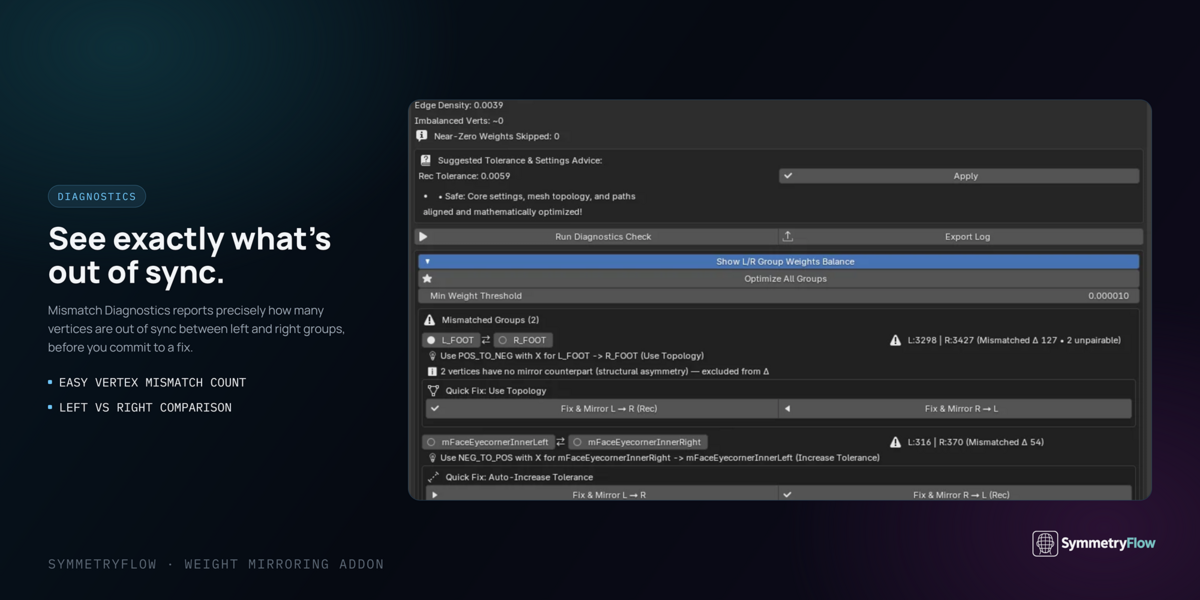
The panel says Mismatched but the weights look right in the viewport.
On face regions, check the vertex COUNT before assuming something went wrong.
Character faces are frequently not vertex-aligned across the mirror plane, so
a rebuilt side can carry the same weights spread over a few more vertices
than the original had - an upper eyelid group going from 35 to 43, for
example. The weights are correct; the tally differs. Judge those regions by
the weights and the viewport, not the count. If you need the counts to agree
exactly, fix the mesh first: Merge by Distance, then Mesh > Symmetry > Snap
to Symmetry, then mirror again.
I clicked "Mirror Active Group" twice and it undid my work.
This one surprises people, and it is deliberate. When the operator finishes
it makes the COUNTERPART the active group, so you are looking at the side it
just wrote. Clicking again therefore mirrors back the other way. On an
already-symmetric pair that is harmless, but if you edited the original
source in between without re-selecting it, those edits are overwritten.
Select the group you want to mirror FROM immediately before each click. When
you are weight painting this happens naturally, because selecting a group in
order to paint it also makes it active.
Can I undo it?
Yes. One Ctrl+Z reverts a mirror or a Quick Fix completely, including the
multi-stage repairs, and redo works too.
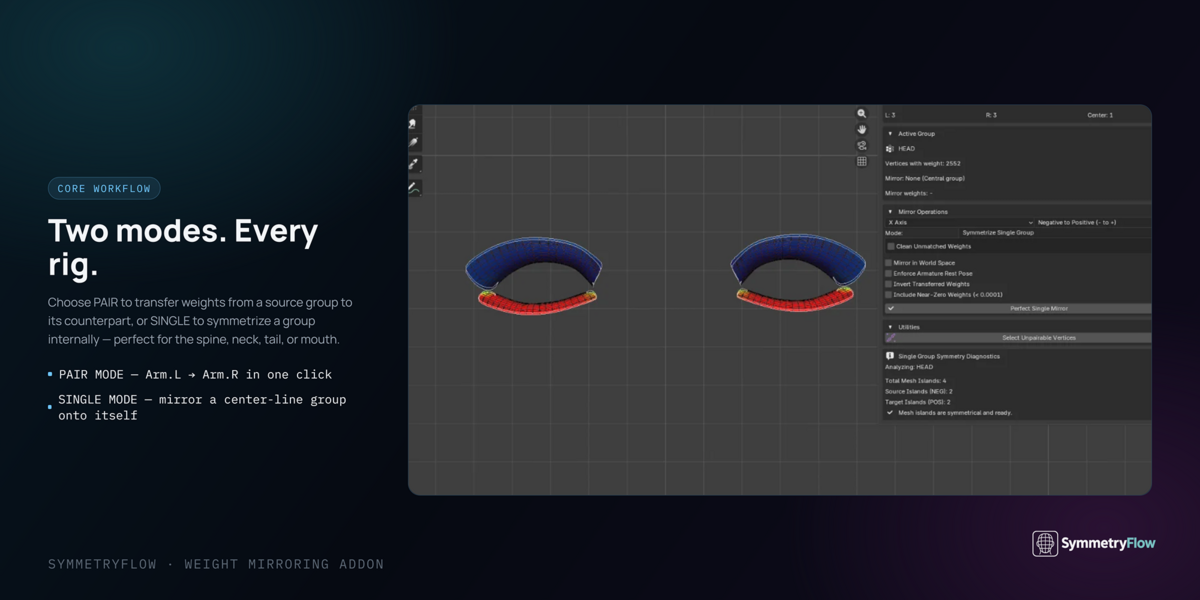
Where do I start?
Select your mesh, enter Weight Paint mode, open the SymmetryFlow tab, make
the group you want to mirror the active one, and click "Mirror Active Group".
For a whole rig at once, "Mirror All L/R Groups". Then read the L/R Balance
panel: anything reading Mismatched has a Quick Fix button.
I installed it and nothing appeared.
Two usual causes. Either the add-on is installed but not ticked in the add-on
list, or you took the download for the other Blender generation - in which
case Blender either refuses the file or the add-on appears but will not
switch on. Nothing is broken; install the other one. The panel itself is at
3D Viewport > press N > "SymmetryFlow" tab, in Weight Paint or Object mode.
Do I unzip the download first?
No. Blender installs the add-on from the zip, and will not find it if you
extract it yourself. Edit > Preferences > Add-ons > Install from Disk, and
point it at the zip. On Blender 3.6-4.1 the same entry is called "Install".
Is the source included?
Yes. SymmetryFlow is GPL-2.0-or-later and the source ships in the download.
The full manual, the known-issues document and the complete
changelog are in the download as plain text.
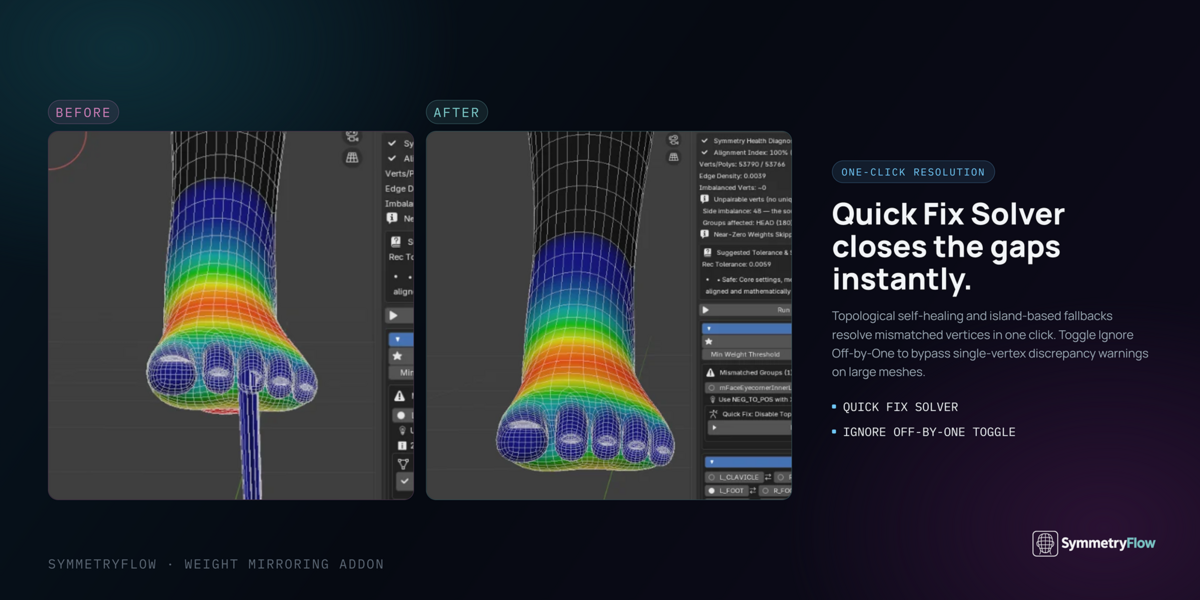
Can it make an asymmetric mesh symmetrical?
No, Where one side has no matching vertex on the other,
there is nowhere to put the weight exactly. What SymmetryFlow does instead is
tell you which groups those are, by name, rather than quietly doing something
wrong. One option, "Robust Asymmetric Fallback", recovers part of the gap -
the counterparts a strict check refuses. On the add-on's own asymmetric
fixture it takes the mirrored side from 56% of the source's weighted
vertices to 99% - 378 of 678, then 671 of 678. How close it gets on yours
depends on the geometry. The last seven of 678 it does not reach, and we
have not established why on that mesh. "Using it" below says when to leave
the option on.
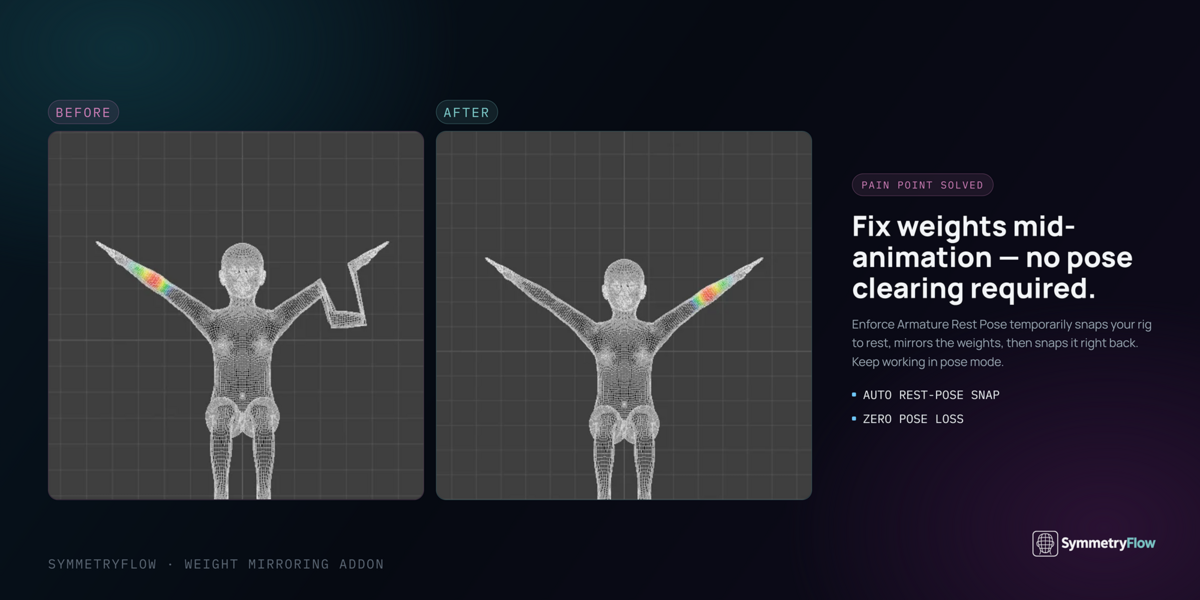
Does it work on a posed rig, or on shape keys?
Yes. That is exactly where a coordinate mirror fails, because the two sides
are in different places in space. SymmetryFlow's topological engine follows
the mesh's own edge flow instead, and Auto-Detect will normally choose it for
you.
Will it work on my imported character - DAZ, Character Creator, Rigify, a marketplace rig?
That is what it is built for. It handles the usual side-naming conventions
out of the box: _L/_R, .L/.R, -L/-R, Left/Right, Lft/Rgt and the matching
prefixes, plus Daz Genesis 3 / 8 (lShldrBend / rShldrBend), 3ds Max Biped
(Bip01 L / Bip01 R) and MMD's Japanese names. If your rig names sides some
other way, rename them or set a custom match pattern in the panel. Until
you do, Mirror All leaves alone any group it cannot pair whose weight is
all on one side, and names it, rather than copying it onto the other side.
Does it work on Blender 5.0?
No, and please don't install it there. Blender 5.0.0 and 5.0.1 contain a bug
in Blender itself: any add-on that highlights vertices and then leaves Weight
Paint mode closes Blender instantly, with no error, losing unsaved work. We
confirmed this is Blender and not us by reproducing the crash with
SymmetryFlow completely uninstalled. Blender fixed it in 5.1. Use 5.1 or
newer, or 4.2 LTS, 4.4 or 4.5.
Which Blender versions has it been tested on?
3.6 LTS, 4.0.0, 4.2.9 LTS, 4.4.0, 4.4.3, 4.5.0 and 5.1.2, with 5.1.2 as the
primary development target. Builds in between - 4.1, 4.3 - install and run on
the download for their side of the 4.2 split; they have not had the test
suite run on them.
Which of the two downloads do I need?
Blender 4.2 or newer takes "SymmetryFlow (Blender 4.2+).zip". Blender 3.6,
4.0 or 4.1 takes "SymmetryFlow (Blender 3.6-4.1).zip". Not sure which you
have? Blender > About Blender. Both contain the same add-on with the same
features - they differ only in packaging, because Blender changed its add-on
system in 4.2.
$20
Have questions about this product?
Login to message
| Blender Extension Compatible | Yes |
| Dev Fund Contributor | |
| Published | about 11 hours ago |
| Blender Version | 3.6 - 5.1 |
| Extension Type | Add-on |
| Render Engine Used | Cycles |
| License | GPL |
Discover more products like this
Character rigging weight painting skin weights rigify weight transfer skinning vertex groups Daz weight mirror mirror weights symmetry Symmetrize