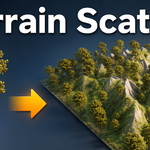
Terrain Scatter - Scatter Trees and Rocks on Any Terrain With Density Painting
 blenderustad


Do I need to know geometry nodes to use this?
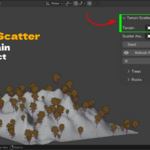
No. There are no nodes. You assign two collections in a sidebar panel, set a few sliders, and click scatter. Everything is standard Blender fields and buttons.
Will thousands of trees slow down my scene or blow up my file size?
Each instance shares its source mesh data, so scattering does not create new meshes. A large scatter stays far lighter than duplicating objects the normal way. There is also a hard cap of 50000 instances so a wrong density value cannot lock Blender.
My trees are floating above the ground or sinking into it. How do I fix that?
Click Prepare Tree Pivots once. It moves each source object's origin to the bottom center of its bounding box so instances sit flat on the surface. The visible geometry does not move. Run it again whenever you add new objects to the collection.
Can I keep a path or a clearing free of trees?
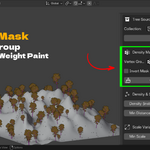
Yes. Click Create/Enter Weight Paint, then paint the areas you want clear in black. Scatter again and no instances land there. If painting the clear zones is slower than painting the growth zones, paint the growth zones white and turn on Invert Mask.
Does placement follow my terrain modifiers like Subdivision Surface and Displace?
Yes. Placement is calculated against the evaluated terrain, so trees and rocks land on the final displaced and subdivided surface. The density mask still reads correctly because it samples the original mesh.
Can I scatter something other than trees and rocks?
Yes. The Trees and Rocks channels are just two independent scatter passes. Put any mesh objects in a collection and they scatter the same way. Debris, mushrooms, crystals, grass clumps, small props all work.
How do I change or remove a scatter I already made?
Use Clear Trees, Clear Rocks, or Clear All Generated. It removes only the objects the addon created. Your source meshes and terrain are never touched. Then adjust settings or the seed and scatter again.
Are the scattered objects editable, or are they locked instances?
They are normal Blender objects with their own transform and modifier stack. They share mesh data with the source, so editing the source mesh updates all of them, which is usually what you want.
Have questions about this product?
Login to message
| Blender Extension Compatible | Yes |
| Published | about 2 months ago |
| Blender Version | 3.2 - 5.2 |
| Extension Type | Add-on |
| Render Engine Used | Cycles, Eevee, Freestyle |
| License | GPL |

Discover more products like this
terrain scatter objects on surface blender scatter trees on terrain blender align objects to terrain normal blender blender tree scattering tool blender rock scattering addon low memory scatter blender blender scatter without geometry nodes forest blender environment scattering addon scatter terrain scatter