 INSDesign
Texture Baking Assistant
Bake PBR textures, turn multiple objects into a shared texture atlas, and rebuild materials from the results. Texture Baking Assistant brings bake setup, source UV selection, texture presets, output settings, and cleanup into one workflow inside Blender.
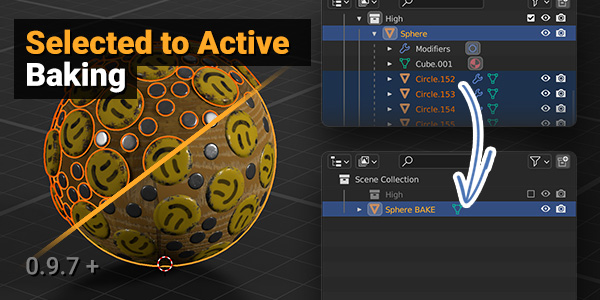
Use it for individual materials, high-to-low Selected to Active baking, or combining materials and objects into a shared texture set.
 |  |
 |  |
Texture Baking Assistant 1.7.9
Version 1.7.9 combines the reliability fixes from 1.7.4 with faster interface checks, mesh-part isolation and more robust texture bindings.
Blender compatibility: requires Blender 5.0.1 or newer and uses Cycles for baking. Package installation and regression checks passed in Blender 5.2.2 LTS.
New in this cumulative update
- Faster interface: reduced repeated material-node scanning in panel checks, especially noticeable on complex procedural assets before their first bake.
- Isolate Mesh Parts: bake disconnected parts separately to reduce projection from nearby geometry. Available in Individual Material Baking, Selected to Active and both All Materials to One workflows.
- Fewer unnecessary passes: distant parts share a pass when Max Ray Distance and Cage Extrusion make it safe. A distance of 0 means unlimited rays and keeps parts isolated.
- Reliable texture bindings: metadata inside the .blend preserves texture roles after renaming, packing, reopening and material-slot reordering. Legacy paths and names remain available as fallbacks.
- Clearer names and UV controls: readable texture/material names and one authoritative Smart UV Project setting.
For isolated Selected to Active baking with different topology, use matching Integer Face values in Part Match Attribute. Custom cage objects are unsupported with isolation; use Cage Extrusion or disable isolation. Isolation uses evaluated geometry. Texture bindings are stored in the .blend, not standalone PNG/EXR files. Continue using Blender standard exporters.
Included reliability fixes
- Library assets: fixed read-only material-slot errors when baking linked assets. Temporary editable copies preserve source library data and are cleaned up after baking, cancellation, or failure. Restricted targets that cannot be baked in place now show a clear instruction to enable Bake on Duplicate.
- Texture presets: edits saved with Update/Save now survive opening another project or starting a new one, including edits to built-in presets.
- Separate material textures: fixed output-file collisions when different materials have names such as Metal.007 and Metal.008.
- Emission: rebuilt materials now enable emission when an emission color map is present, while preserving explicit emission-strength maps.
- HDR OpenEXR: floating-point bake buffers preserve values above 1.0 instead of clipping them before saving.
Standard Blender glTF export/import was also checked with baked PBR materials, both with and without Ambient Occlusion. The glTF Material Output helper is added when AO is present.
If an older version already reset a saved preset, update and save that preset once more after installing 1.7.9. Previously overwritten settings cannot be recovered by this update.
What's new since 1.7.0
- Shared texture atlases: the new Objects Atlas option in All Materials to One packs selected objects into a shared UV layout and texture set, then combines the baked output objects.
- More UV and object control: choose source UV maps per object, follow Blender's active UV selection, and pack existing UV islands without re-unwrapping them. Selected to Active also supports explicit source objects or collections and a target object.
- Height maps: use Bump, Displacement, or an approximate reconstruction from a normal map. Choose Fast or High reconstruction quality and Normalized, Raw, or Compressed 0..1 height values where applicable. Normal reconstruction produces an approximate height map.
- Additional texture outputs: Material ID, Smoothness, Glossiness, Normal OpenGL, Normal DirectX, Opacity, and Opacity Mask. Normal variants and opacity outputs are generated from their source maps.
- Improved PBR and material creation: expanded shader-channel extraction, more reliable material reconstruction from baked maps, and fixes for Alpha, OpenEXR color spaces, normal conventions, and derived-map image depth.
- Rebuilt preset library: starting points for Metal/Roughness PBR, Unity Metallic/Smoothness, Unreal Engine PBR, Blender Principled BSDF, transparent/emissive materials, utility maps, and legacy specular/glossiness. Organize presets in folders and keep your custom presets when built-ins are updated.
- Safer bake sessions: fixes for cancellation and scene restoration, bake completion after opening another .blend, and AO visibility in atlas workflows. Missing source textures produce a warning and are skipped in temporary bake materials; the original materials are preserved, and the bake uses the remaining inputs and socket defaults.
- Updated interface and installation: clearer pre-bake messages, source-UV controls, preset feedback, and a Blender Extension ZIP with the required runtime modules included.
Updating to 1.7.9
- Download texture_baking_assistant-1.7.9.zip from the product files.
- If replacing an older installation, save your work, uninstall the previous TBA version, and restart Blender.
- In Edit > Preferences, use Install from Disk... in the Extensions/Add-ons area and select the ZIP without extracting it.
- Enable Texture Baking Assistant if needed, then open its panel in Render Properties.
Older Blender versions: the 5.0.1 minimum applies to this package. Older downloads remain available separately; choose a build intended for your Blender version.
Workflow and Feature Previews
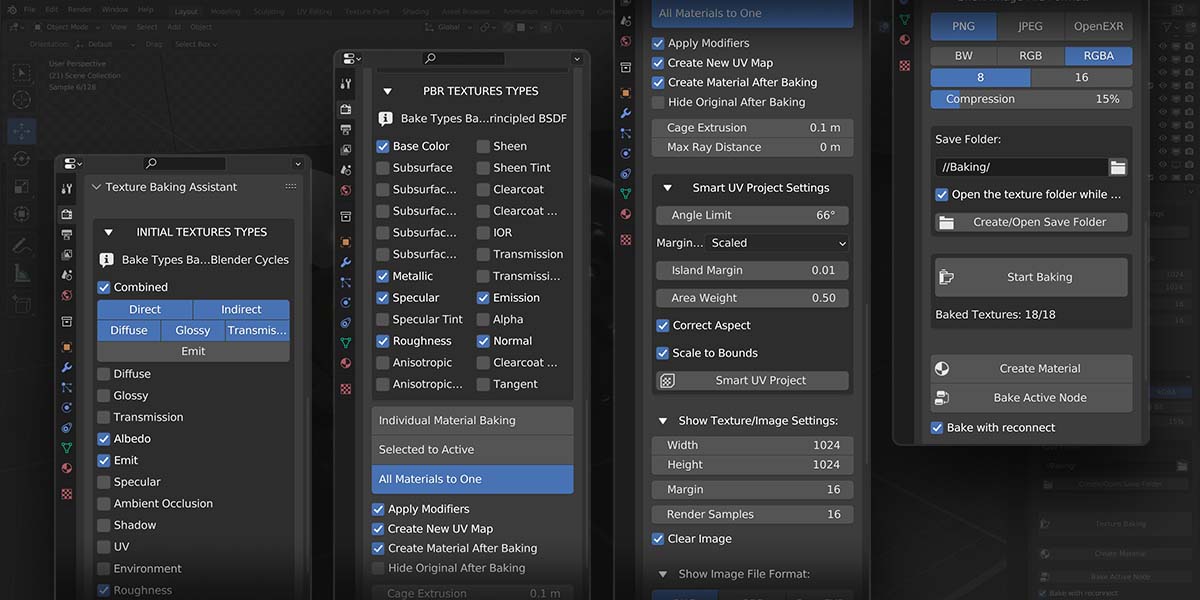
These images and videos show earlier versions of Texture Baking Assistant. They remain useful demonstrations of the baking workflow, but their interface, button names, and available options may differ from 1.7.9. See the update notes above for the current feature set.
Main Features of Texture Baking Assistant
Comprehensive Texture Types Support
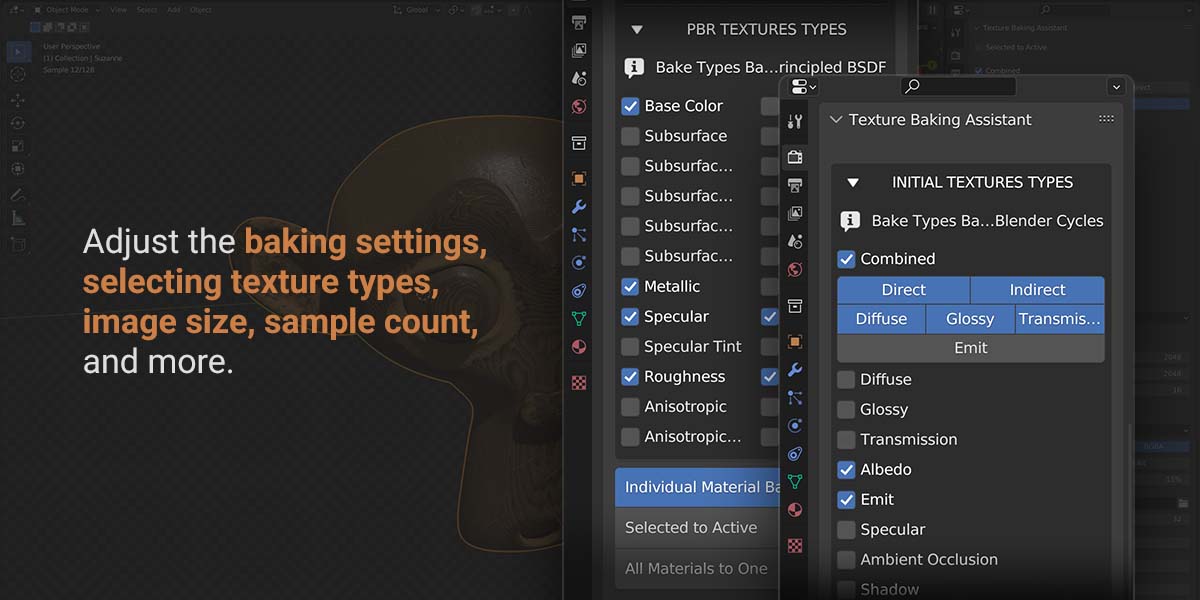
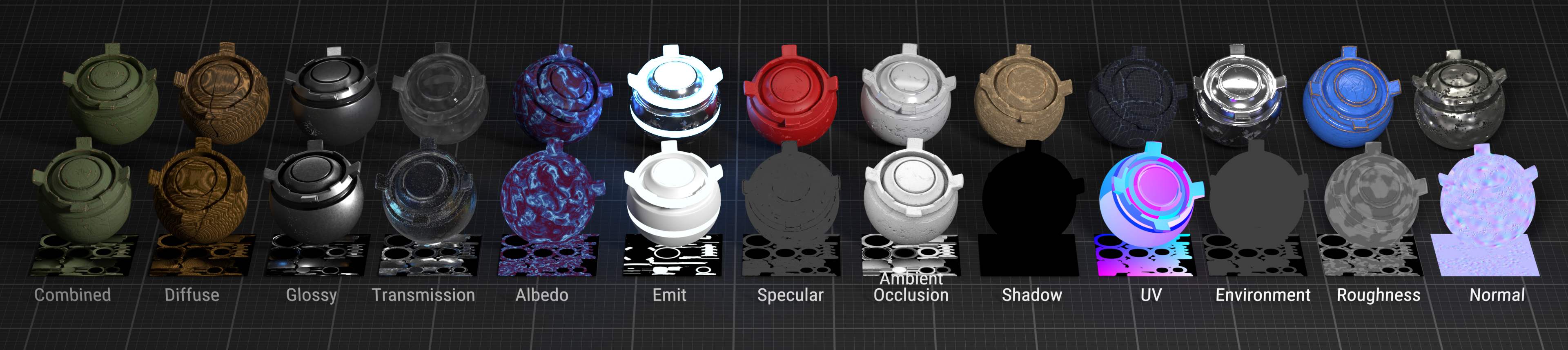
Bake core passes such as Combined, Diffuse, Ambient Occlusion, Emit, Roughness, and Normal, plus PBR channels including Base Color, Metallic, Alpha, and Emission. Additional outputs include Height, Material ID, Smoothness, Glossiness, OpenGL/DirectX normals, Opacity, and Opacity Mask. Available channels depend on the source material and selected workflow.
Flexible Bake Workflows
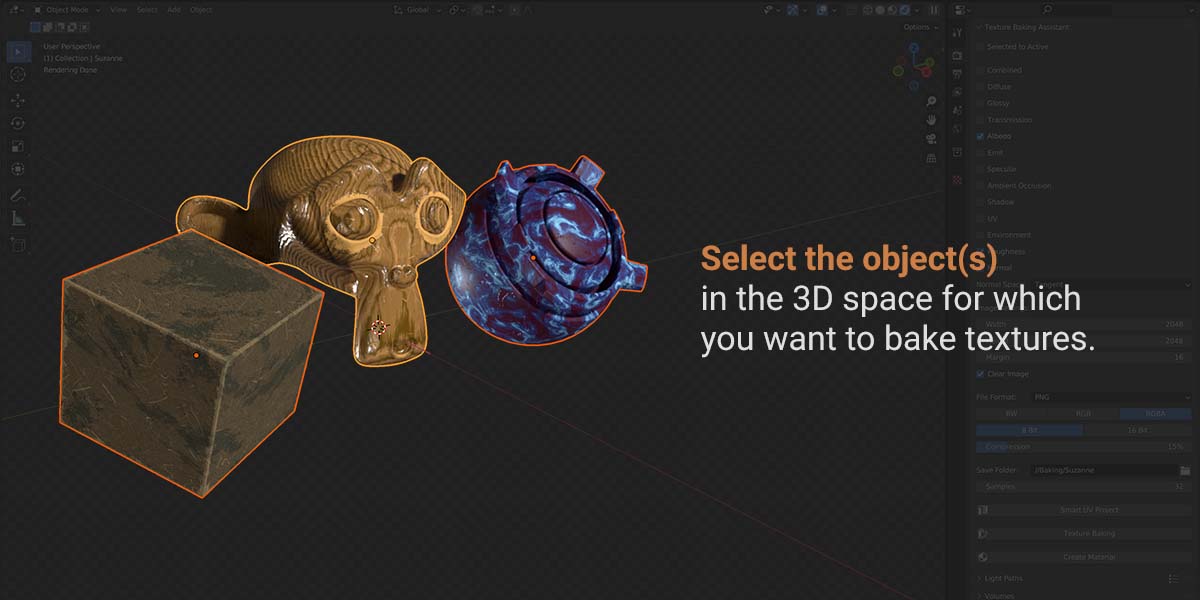
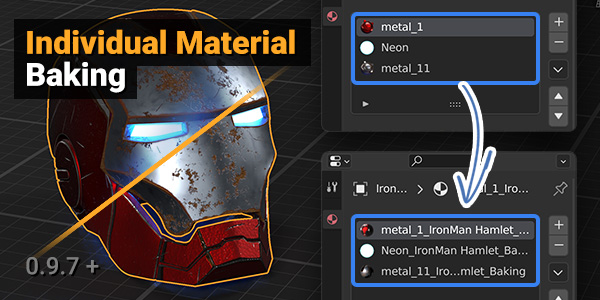
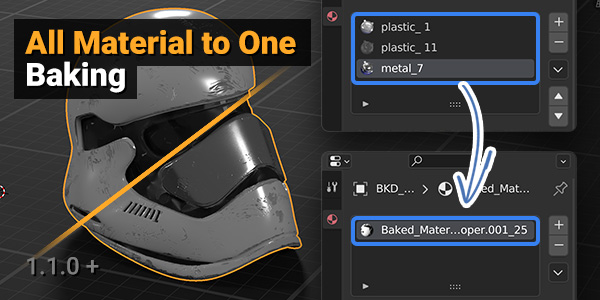
Choose Individual Material Baking, Selected to Active, or All Materials to One. Use Objects Atlas to combine selected objects into a shared UV atlas and texture set. For Selected to Active, use the viewport selection or specify source objects/collections and the target directly in the panel.
Customizable Baking Settings
Set texture resolution, samples, margins, image format, bit depth, and output folders to suit your project. Configure projection and cage settings for Selected to Active, or choose height and normal-map options for the maps you need.
Automatic Material Creation
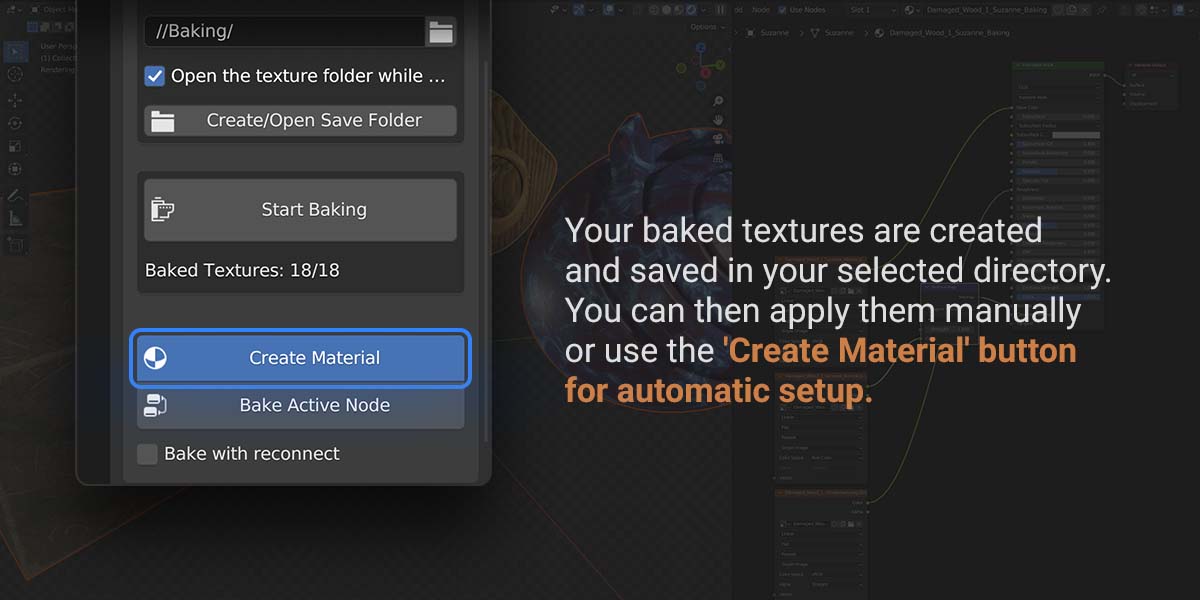
Create or rebuild materials from the baked texture set, including support for PNG/OpenEXR outputs, Alpha, Height, and OpenGL/DirectX normal maps. This reduces repetitive texture-node setup after baking.
Smart UV Project
Use Smart UV Project to generate UVs, or pack existing islands while keeping their shapes. Per-object Bake UV Source controls let you choose the source UV map, with improved synchronization when switching active UVs or working with bake duplicates.
Preset Support and Cleanup Helpers
Start with built-in presets for PBR, Unity, Unreal Engine, Blender, utility, and legacy workflows, then save and organize your own setups in folders. Scene restore, cancellation, cleanup, and output-folder helpers support repeat baking sessions.
Keep the bake workflow in Blender, with fewer repeated setup steps between materials, objects, and texture sets.
More Demo Images and Videos
Older feature breakdown video: open on YouTube
Texture Baking Assistant:
User Guide and Documentation
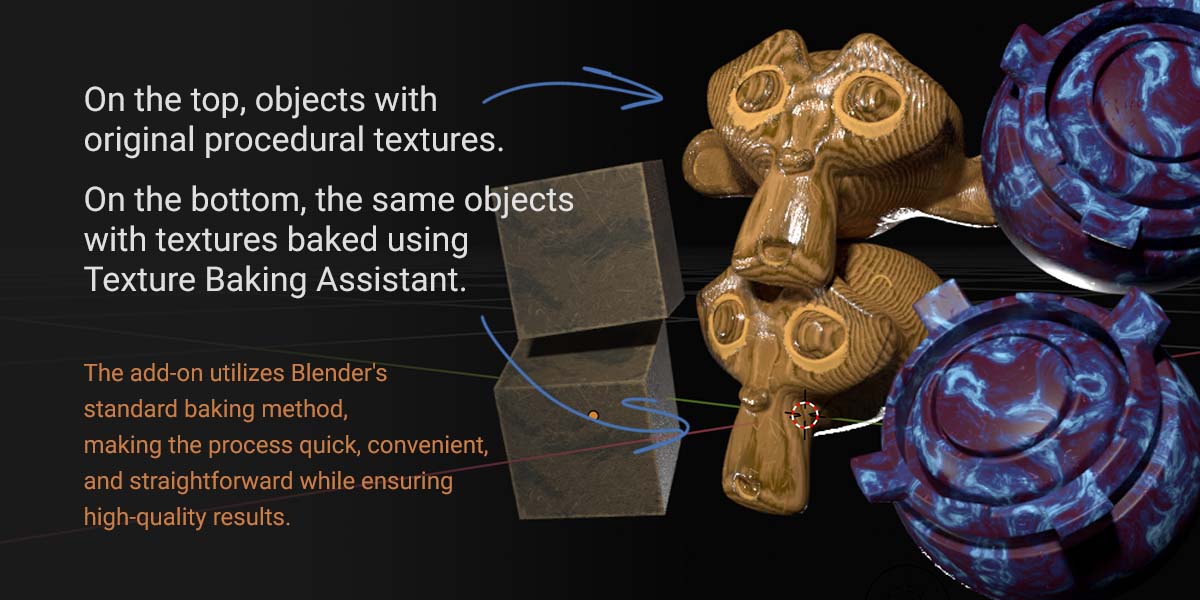
Texture Baking Assistant is a Blender add-on designed to streamline and simplify the texture baking process within Blender. It is aimed at users who primarily use Blender's built-in texture baking but want the process to be faster, easier, and more automated.
Installation:
- For Blender 5.0.1 or newer, download texture_baking_assistant-1.7.9.zip from the product files. Keep the ZIP intact.
- Open Blender and go to Edit > Preferences, then the Extensions/Add-ons area.
- Choose Install from Disk... and select the downloaded ZIP.
- Enable Texture Baking Assistant if it is not enabled automatically. When replacing an older version, uninstall that version and restart Blender first.
Usage:
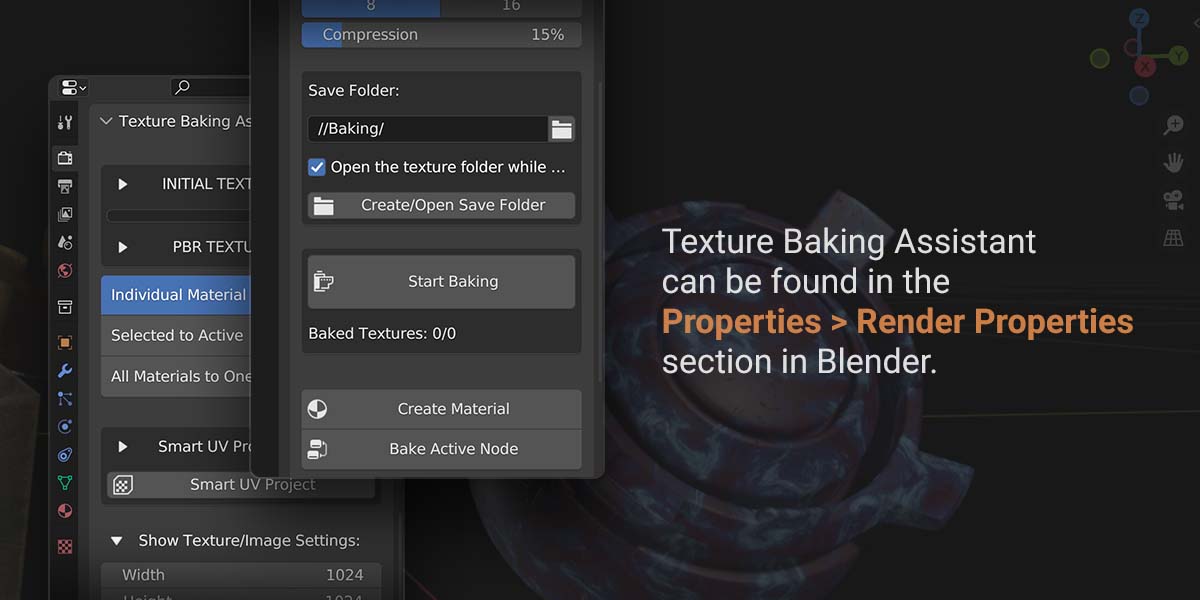
- In Blender, switch to the Render Properties tab in the properties panel.
- Locate the Texture Baking Assistant panel.
- Set your desired baking options such as bake mode, texture types, image size, file format, sample count, and output folder.
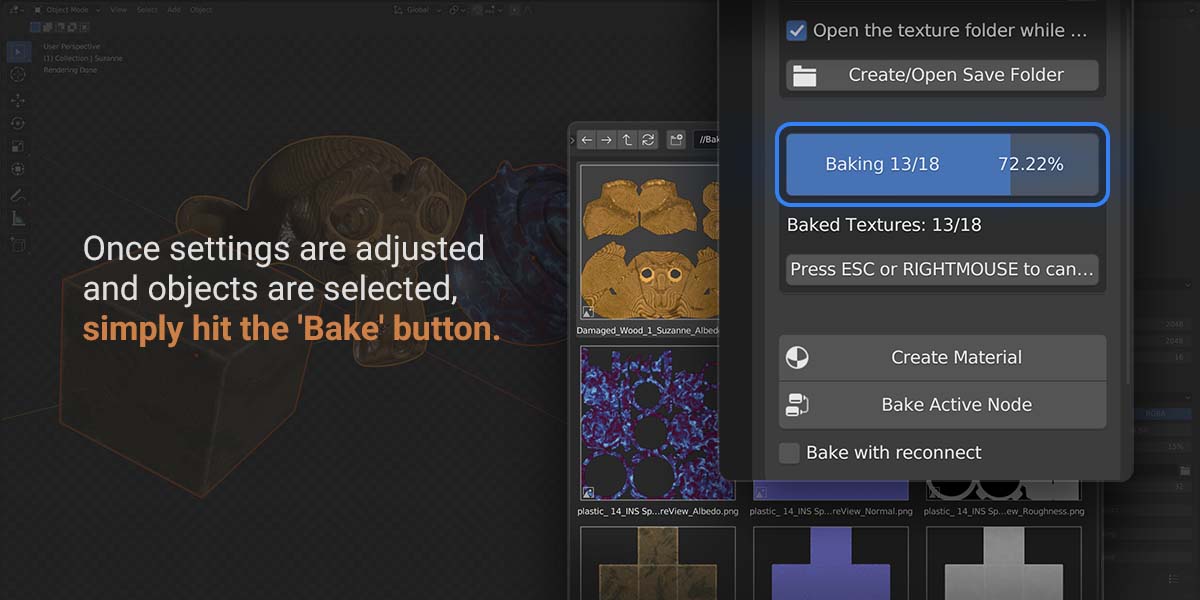
- Review the pre-bake messages and click Start Baking.
- After the baking is complete, you can create or rebuild materials using the baked textures if needed.
Tips and Recommendations:
• Ensure your objects are properly set up for baking, especially UVs and target object selection.
• Save your project before using the add-on to avoid any potential loss of data due to unexpected issues.
• The quality of the baked textures depends on render settings, lighting setup, object preparation, and bake type selection.
• Experiment with different settings and presets to find the workflow that best matches your project.
The add-on is built to make the baking workflow more convenient, but the best results always come from understanding your scene and using the right settings for the target task.
Previous Release Highlights
Older release notes are kept in short form below so the page stays focused on the current version while still showing how the add-on has been evolving.
- 1.7.0 Beta: restored compatibility, rebuilt the main UI, and repaired the core baking workflows.
- 1.6.0 Alpha: added real-time baking, custom texture presets, texture-size presets, and a large internal rewrite.
- 1.4.x line: improved PBR baking, OpenEXR support, folder organization, interface stability, and Selected to Active fixes for Blender 3.3 to 3.6 and later Blender 4.0 compatibility work.
- 1.2.x line: added a progress bar, better bake cancellation, metallic baking improvements, and more Selected to Active workflow control.
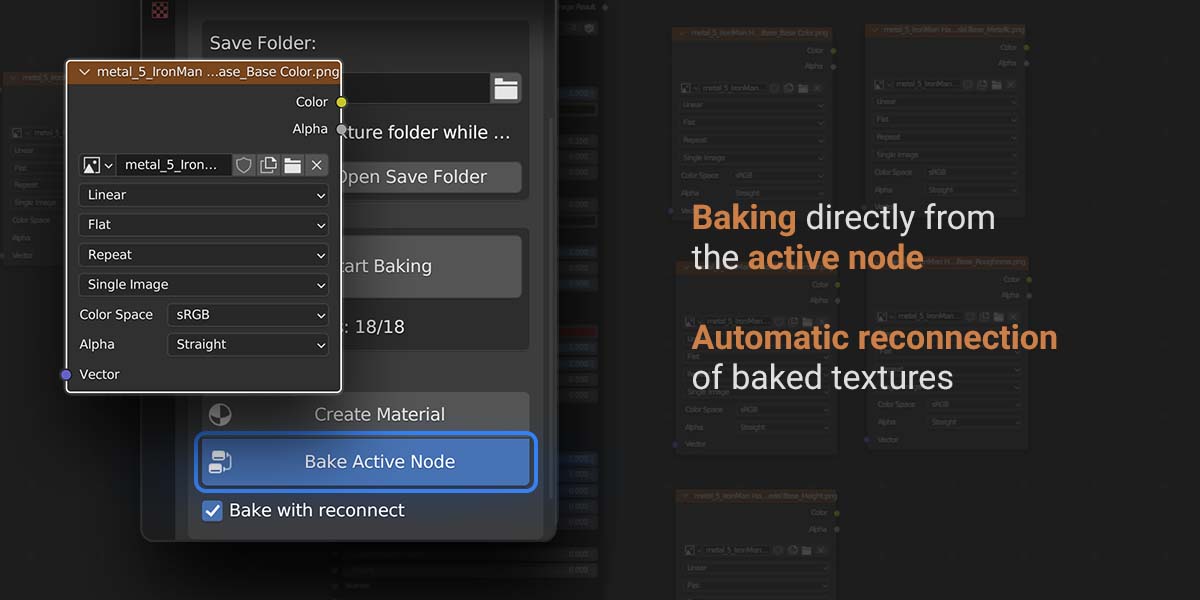
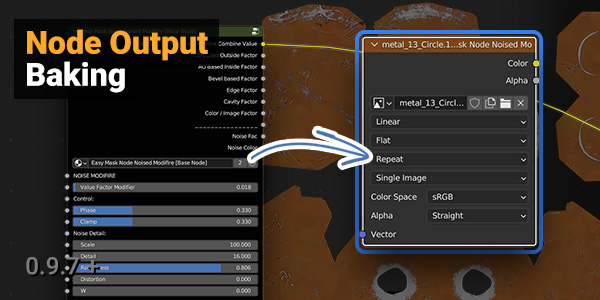
- 0.9.7: added Bake Active Node, Bake with Reconnect, and the compact Shader Editor panel.
The current update notes cover 1.7.9; the older releases above document earlier stages of the add-on.
Support:
For help or bug reports, message me through Superhive. Include your Blender and TBA versions, the bake mode, steps to reproduce the issue, and a screenshot or small example scene when possible. Bug reports and workflow feedback are welcome.
Also my other products:
 |  |  |
