Texture Diffusion V2
 Adriflex


Do I need UVs?
Yes. Texture Diffusion needs UVs to project and bake textures onto your model. It does not texture a raw solid mesh with no UVs.
If your model comes from another software, just make sure it has clean UVs and works correctly in Blender first.
Will it keep my existing UVs?
Yes. Texture Diffusion works with your existing UVs. In Global Texture mode, the final texture is baked back onto the original UV layout.
Does it generate a full PBR material?
No. Texture Diffusion generates color textures, also called diffuse or albedo maps.
It does not generate roughness, normal, metallic or displacement maps.
How much control do I have over the result?
You control the prompt, the Blender view, the AI model, and optional reference images. The result still has some randomness, like most AI image generation, so it is best used for exploration, base textures and targeted refinements.
Does it replace traditional texturing?
No. I see it as another tool in the box. It can help you move faster, try ideas, create a base texture or refine a specific area, but it works best alongside normal Blender texturing workflows.
Is there a subscription?
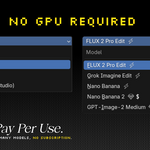
No subscription from me. You buy the addon once. Image generation runs through cloud providers like Replicate, Gemini or fal.ai, so you pay them per image when you generate, usually a few cents depending on the model.
$24
Have questions about this product?
Login to message