 SIPPO-STUDIO


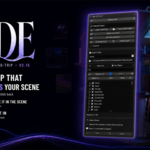
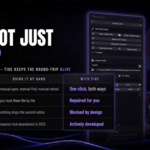
Build up close. Pull back and judge it in context.
Tide exports the props in your scene into separate .blend files one by one, places them back as links, and lets you dive into any of them, edit, and come back — at any time. One click each way, wrapped in machinery that keeps it from breaking.
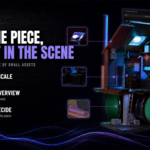
The tone of a whole scene is made of small assets. That loop is the work.
Why a round-trip
Lighting, placement, materials — the truth only exists in the whole scene. A prop can be perfect on its own and still look wrong the moment you drop it in.
Blender's linking system is the foundation for that loop, but out of the box everything is manual: finding and opening source files, reloading after edits, repairing broken links. Tide makes the loop one click each way, and wraps it in a safety net.
What it does
One-click export & link placement
Each selected object goes to its own .blend and returns as an instance Empty — same position, rotation and scale. Your scene gets lighter; your assets become independent files.
Dive in, edit the source directly
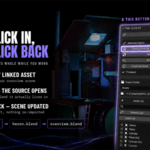
"Open Linked File" opens the asset's real .blend in a second window, with a camera and a light already in it — workable the moment it opens. Anything you add joins the asset automatically, so assets grow every time you open them. Save, close, press "Reload Links" — the scene updates.
Make it local again
Any link converts back to ordinary editable local data with one button. Position, rotation and scale are restored exactly as recorded at export time.
Link repair, automatic
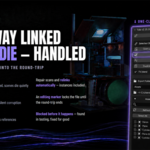
Moved a folder, renamed a file, undid a delete? Repair Link works in three tiers: name-drift repair, candidate search across the export folder, and recovery from the trash. When several files could match, it refuses to guess and hands you a manual picker instead of relinking the wrong one.
Double-edit guard
An asset open in another Blender carries an editing marker. Overwriting, making local, renaming, duplicating and deleting are all stopped at the door. The accident where two Blenders edit one file and only the later save survives simply cannot happen. Markers are tracked by process ID and expire by themselves when that Blender closes — a crash self-recovers, and nothing locks permanently.
Rename, duplicate, delete — safely
Rename changes the collection, the file, the folder and the placement records in one step. Duplicate creates a fully independent asset. Delete parks the files in a _Trash folder and restores them — link, files and original position — with one click. Nothing is ever destroyed silently.
Health Check
Orphan folders, broken links, live editing markers, backups and the trash — inspected in one click, so the state of your project is visible instead of guessed at.
Bilingual UI
English by default; switches to Japanese automatically when Blender's UI language is Japanese.
The safety net
- Every overwrite parks the old file as
.bakfirst — nothing is deleted silently - Asset .blends and placement records are written atomically — a crash mid-write cannot corrupt the existing file
- Everything that will be skipped shows up red, with its reason, before you run. No "I pressed it and nothing happened"
- Edit-mode guard, name-collision guards, multi-placement protection
Who this is for
- Anyone assembling modular rooms, levels or dioramas out of small assets
- Anyone whose scene is getting heavy
- Anyone who wants to use links but has been afraid of managing them
- Anyone tired of hunting down the source file every time one prop needs a fix
Requirements
- Blender 5.1 only (verified on 5.1.1) — it will not install on other versions
- Developed and tested on Windows; designed to run on macOS / Linux as well
- Your working .blend must be saved
What you get
- Tide add-on — a single .py file, install and go
- User manual PDF, English and Japanese, 19 pages each (quick start / full panel reference / skip-reason list / troubleshooting)
- Free updates
Battle-tested across 20+ releases on a real game project.
Full documentation — installation, quick start, panel reference, link repair, the safety net and troubleshooting — is on the Documentation tab of this page.
SIPPO-STUDIO — sippo-studio.netlify.app
