 DaveWorksOnBlender


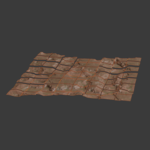
Tile Generator
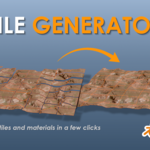
Point it at one tile. Get the whole terrain.
Give it your starting tile, the 0,0 origin, and Tile Generator reads the filename and pulls in the whole grid for you. It builds the displaced geometry and a full PBR material, then bakes print-ready STL tiles on demand. No manual node setups, no repetitive busywork.
Who it is for
If you work with heightmaps, from Gaea, World Machine, or real-world elevation data, you know the routine. Every tile means the same manual setup: subdivide a plane, wire a displacement modifier, build a material node by node, then repeat it for every tile in the grid. It is slow, it is repetitive, and it is the boring part of terrain work.
Tile Generator is built for terrain and environment artists, and for tabletop and 3D-printing hobbyists, who want that work done for them. Point it at one tile and it handles the geometry, the materials, and the layout across the whole grid, so you spend your time on the scene instead of the busywork.
Overview


Point at the origin tile. The full grid is found, generated, and laid out automatically.
Workflows
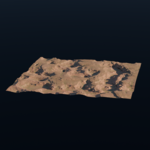
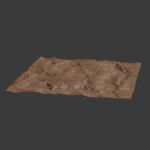
Subdivided, displaced tiles with a full PBR material assembled automatically from your maps. Every map slot is optional, so an empty slot is simply skipped.

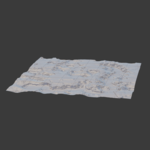
Displacement baked into solid, watertight geometry and exported as one STL per tile. Built for tabletop terrain, dioramas and scale models.

Features
Supported maps
All optional
| Albedo | Base color of the surface |
| Ambient occlusion | Multiplied into the base color |
| Roughness | Optional one-click invert for smoothness maps |
| Metallic | Greyscale metallic input |
| Normal | Tangent space, with adjustable strength |
| Emission | Color map plus a strength slider |
Inside the add-on


Compatibility
Render engines: Cycles and Eevee
License: GPL-3.0-or-later
