Tile Generator
 DaveWorksOnBlender


Can I change materials after generating?
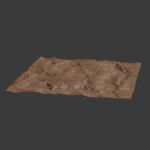
Yes. Adjust the Material Values or swap a map, then click Refresh Materials. No need to regenerate geometry.
My grid only generated one tile.
Make sure your origin file is numbered (for example _y000_x000) and that Rows and Columns are set correctly. Files without two numbers in the name cannot be tracked as a grid.
Which Blender versions are supported?
Built for Blender 4.4 through 5.1, with legacy install support back to 4.0.
Which render engines does it work with?
Cycles and Eevee. The materials use Blender's native Principled BSDF.
Do I need every texture map?
No. Every map slot is optional. The add-on only builds nodes for the maps you provide.
Is the STL output watertight?
Yes. The STL workflow bakes displacement into solid geometry, builds a base, and recalculates normals for a printable, watertight mesh.
Does it export one STL or many?
One STL per tile. A grid produces a separate printable file for each tile, which suits most print beds.
Why are my normal maps or roughness looking wrong?
The add-on assigns the correct non-color data space automatically, so this should not happen. If it does, check that your source image is a true tangent-space normal map.
$14.99
Have questions about this product?
Login to message
| Blender Extension Compatible | Yes |
| Published | 3 months ago |
| Blender Version | 4.4 - 5.2 |
| Extension Type | Add-on |
| Render Engine Used | Cycles, Eevee |
| License | GPL |

Discover more products like this
terrain tiles Tiles displacement gaea Heightmap terrain landscape 3d printing PBR normal map STL Material Setup