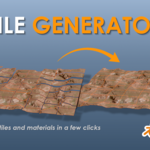
Tile Generator
 DaveWorksOnBlender


Installation
Blender 4.2 and newer: Open Edit > Preferences > Add-ons, click the dropdown in the top-right corner, choose Install from Disk, and select the zip file. The add-on enables automatically.
Blender 4.0 and 4.1: Open Edit > Preferences > Add-ons, click Install, select the zip, then tick the checkbox to enable it.
The panel appears in the 3D Viewport sidebar (press N) under the Tile Generator tab.
Getting started (single tile)
- In the Common section, set Rows and Columns both to 1.
- Set the Heightmap field to your heightmap image.
- Adjust Subdivision Levels for mesh density (6 is a good default, watch the triangle estimate readout).
- For a render: open Render Workflow, add any texture maps you have, and click Generate Render Tiles.
- For a 3D print: open STL Workflow, set a Tile Thickness and Output Directory, and click Generate STL Tiles.
Working with grids
Point the Heightmap field at your origin tile, the one numbered 0,0 in its filename. Set Rows and Columns to match your grid. The add-on reads the filename numbering and automatically finds, generates, and lays out every other tile in the grid for you.
Supported filename conventions, any of these work:
Gaea (terrain_y000_x000), generic (tile_00_00), and row/column (map_r0c0). As long as the filename has two numbers, the add-on tracks the grid.
Texture maps
All map slots are optional. Leave one empty and the add-on simply skips it. Supported maps: Albedo, Ambient Occlusion, Roughness, Metallic, Normal, and Emission. For grids, name your map files with the same numbering as your heightmaps and the add-on matches them per tile.
Material Values
These sliders set the BSDF values used whenever the matching map slot is empty. Enable Auto Refresh (the icon next to Refresh Materials) to rebuild all tile materials live as you adjust them. For heavy grids, leave Auto Refresh off and click Refresh Materials when you are done.
Have questions about this product?
Login to message
| Blender Extension Compatible | Yes |
| Published | 3 months ago |
| Blender Version | 4.4 - 5.2 |
| Extension Type | Add-on |
| Render Engine Used | Cycles, Eevee |
| License | GPL |

Discover more products like this
Material Setup landscape normal map Tiles Heightmap 3d printing displacement PBR gaea STL terrain terrain tiles