 CGJackB


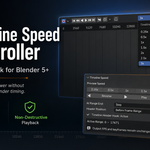
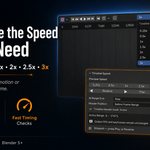
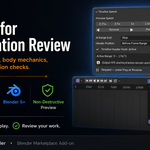
Review Your Animation at the Speed You Need
Sometimes normal playback is too fast to catch subtle movement—and sometimes it is too slow when you only need a quick timing review.
Timeline Speed Controller adds convenient playback-speed controls directly to Blender’s Timeline, letting you preview animation from 0.25x slow motion to 3x speed without modifying the animation itself.
Choose a speed, press Play, and review your work.
Your scene FPS, keyframes, frame range, and final render timing remain unchanged.
Playback Speeds
Choose from seven useful presets:
- 0.25x — detailed slow-motion review
- 0.5x — half-speed playback
- 1x — normal playback
- 1.5x — faster timing review
- 2x — double-speed playback
- 2.5x — rapid animation review
- 3x — fastest preview mode
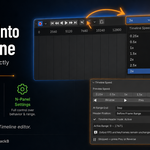
Built Directly into the Timeline
The compact speed selector and Play button sit directly inside Blender’s Timeline header, keeping playback controls close to the tools you already use.
You can position the controls:
- After the Playback menu
- Before the current frame and frame range controls
Full settings are also available inside the Timeline’s N-panel.
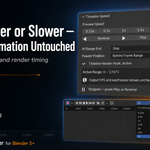
More Than Just Fast Playback
Timeline Speed Controller includes:
- Forward playback
- Reverse playback
- Loop at the end of the range
- Stop at the end of the range
- Ping-Pong playback
- Preview Range support
- Quick Timeline header controls
- Configurable header placement
Non-Destructive Preview
Timeline Speed Controller does not retime your animation.
It does not change:
- Scene FPS
- Keyframe positions
- Animation duration
- Start or end frames
- Render output timing
The selected speed affects only the way the animation is previewed.
Great for
- Character animation
- Body-mechanics review
- Facial-animation checks
- Motion-graphics timing
- Walk and run cycles
- Fast animation previews
- Reviewing long timelines
- Checking subtle movement
- Presentation and client review
Simple Workflow
- Select a playback speed.
- Click Play or Reverse.
- Choose Loop, Stop, or Ping-Pong behavior.
- Review your animation without changing the project.
No retiming, FPS adjustments, or temporary keyframe edits are required.
Requirements
- Blender 5.0 or newer
Important Preview Notes
Timeline Speed Controller is intended for visual animation preview.
Audio is not synchronized with custom-speed playback. At faster speeds, Blender may skip intermediate frames to maintain the requested preview rate. Cached simulations that depend on evaluating every frame may therefore appear different during accelerated playback.
