 CGJackB


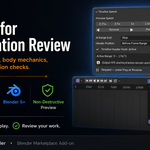
Timeline Speed Controller — Documentation
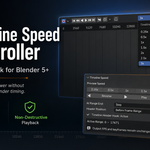
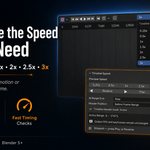
Timeline Speed Controller adds custom playback speeds directly to Blender’s Timeline, allowing you to review animation from quarter-speed slow motion up to 3× playback without retiming the animation.
The add-on changes only the way the Timeline is previewed. Your scene FPS, keyframes, animation duration, frame range, and render timing remain unchanged.
Requirements
- Blender 5.0 or newer
- Windows, macOS, or Linux
Included Playback Speeds
- 0.25× — quarter-speed review
- 0.5× — half-speed review
- 1× — normal-speed playback
- 1.5× — faster preview
- 2× — double-speed playback
- 2.5× — rapid review
- 3× — fastest preview
Installation
- Download the Timeline Speed Controller ZIP file.
- Open Blender.
- Go to Edit → Preferences → Extensions.
- Open the menu in the upper-right corner.
- Select Install from Disk.
- Choose the downloaded ZIP file.
- Enable Timeline Speed Controller if it is not enabled automatically.
Do not extract the ZIP before installing it.
Quick Start
- Open Blender’s Timeline Editor.
- Select a playback speed from the Timeline header.
- Click the adjacent Play button.
- Click the button again to stop playback.
For additional controls, place your cursor over the Timeline and press N. Open the Playback tab and expand Timeline Speed.
Timeline Controls
Preview Speed
Choose a playback multiplier from 0.25× through 3×.
Reverse
Plays the active Timeline range backward at the selected speed.
Play
Plays the active Timeline range forward at the selected speed.
Stop
Stops custom-speed playback at the current frame.
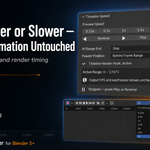
Range-End Behavior
Choose what happens when playback reaches the beginning or end of the active range.
- Stop: Playback stops at the range boundary.
- Loop: Playback continues from the opposite end of the range.
- Ping-Pong: Playback reverses direction at each boundary.
Preview Range Support
When Blender’s Preview Range is enabled, Timeline Speed Controller automatically uses it as the active playback range.
When Preview Range is disabled, the add-on uses the scene’s normal Start and End frames.
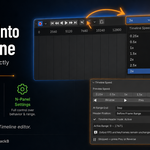
Timeline Header Position
The quick speed control can be placed in either of two Timeline header locations:
- After Playback Menu
- Before Frame Range
Change the location using the Header Position option in the Timeline Speed panel.
Header Hook Status
The panel displays the status of the Timeline header integration.
- Timeline Header Hook: Active means the quick control is installed correctly.
- If the status is inactive, click Repair to reinstall the Timeline header controls.
A full Blender restart may be required after updating from an older version.
Additional Panel Locations
The complete controls are also available under:
- Timeline Editor → N-panel → Playback
- 3D Viewport → N-panel → Animation
- Output Properties → Timeline Speed Preview
Non-Destructive Playback
Timeline Speed Controller does not modify:
- Scene FPS
- Keyframe positions
- Animation duration
- Start or End frames
- Render output timing
- Existing animation data
The selected multiplier affects preview playback only.
Important Playback Notes
Custom-speed playback is intended primarily for visual animation review.
Audio is not resampled or synchronized to the selected playback multiplier.
At faster speeds, intermediate frames may be skipped to maintain the requested pace. Complex scenes, heavy rigs, Geometry Nodes, modifiers, simulations, and high-resolution textures may prevent Blender from reaching the exact selected playback speed.
Cached or frame-dependent simulations may appear different during accelerated preview because every intermediate frame may not be evaluated. Your original simulation and animation data are not changed.
Updating
- Stop Timeline Speed Controller playback.
- Disable and uninstall the previous version.
- Restart Blender.
- Install the new ZIP through Preferences → Extensions → Install from Disk.
Restarting Blender helps ensure that older Timeline header hooks are fully removed before the new version is loaded.
License
Timeline Speed Controller is distributed under the GNU General Public License v3.0 or later.
Have questions about this product?
Login to message
| Blender Extension Compatible | Yes |
| Dev Fund Contributor | |
| Published | about 2 months ago |
| Blender Version | 5.0 - 5.2 |
| Extension Type | Add-on |
| License | GPL |

Discover more products like this
workflow addon animation tools playback speed timeline playback blender 5 Slow Motion timeline timeline controls Animation playback fast playback Reverse Playback animator workflow