 CGJackB


Does Timeline Speed Controller change my scene FPS or keyframes?
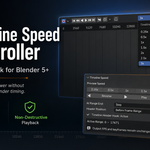
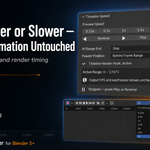
No. The add-on changes only the speed of Timeline preview playback. Your scene FPS, keyframe positions, animation duration, frame range, and render timing remain unchanged.
Which playback speeds are included?
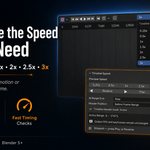
Timeline Speed Controller includes 0.25×, 0.5×, 1×, 1.5×, 2×, 2.5×, and 3× playback.
Where do I find the controls?
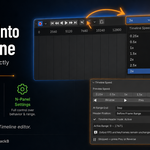
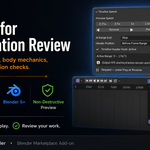
The quick speed selector and Play button appear directly in the Timeline header. Full controls are available by placing the cursor over the Timeline, pressing N, and opening Playback → Timeline Speed.
Can I move the quick control to a different part of the Timeline header?
Yes. Use the Header Position option to place it either after the Playback menu or before Blender’s current-frame and frame-range controls.
What should I do if the Timeline header control does not appear?
Open the Timeline Speed panel and check the Timeline Header Hook status. If it shows inactive, click Repair. When updating from an older version, uninstall the previous version and restart Blender before installing the latest release.
Does the add-on work with Blender’s Preview Range?
Yes. When Preview Range is enabled, the add-on automatically plays within that range. Otherwise, it uses the scene Start and End frames.
Does audio play in slow motion or fast-forward?
No. Custom-speed playback is intended for visual animation review. Audio is not resampled or synchronized to the selected speed.
Will physics or simulations play correctly at faster speeds?
Frame-dependent simulations may preview differently because accelerated playback can skip intermediate frames. The add-on does not modify the simulation or its cache, but normal 1× playback or a rendered preview is recommended when checking final simulation accuracy.
Why is playback not reaching the full selected speed?
Playback performance still depends on how quickly Blender can evaluate the scene. Heavy rigs, modifiers, Geometry Nodes, simulations, large textures, and complex scenes can reduce the achievable preview speed.
Does Timeline Speed Controller affect final renders?
No. Final rendering continues to use the scene’s original FPS, keyframes, frame range, and output settings.
$3
Have questions about this product?
Login to message
| Blender Extension Compatible | Yes |
| Dev Fund Contributor | |
| Published | about 2 months ago |
| Blender Version | 5.0 - 5.2 |
| Extension Type | Add-on |
| License | GPL |

Discover more products like this
Slow Motion Reverse Playback blender 5 workflow addon fast playback timeline animator workflow playback speed timeline controls Animation playback timeline playback animation tools