 NineLine


Who is this for?
Need different types of traffic convex mirrors?
This tool can help you create them quickly and easily.
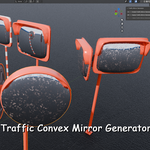
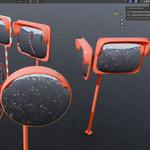
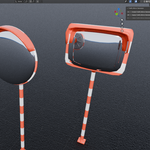
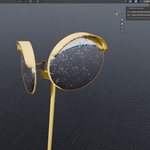
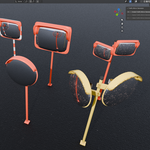
Using Geometry Nodes, Traffic Convex Mirror Generator provides single and dual mirror types, as well as round and rectangular mirror shapes.
You can also adjust the mirror size and support pole height to create the variation you need.
Create your own traffic convex mirror assets with ease.
=====================================================================
Traffic Convex Mirror Generator is a Blender Geometry Nodes-based tool for creating and adjusting traffic convex mirror assets.
It is provided as a Blender Extension and includes features for generating single or dual traffic convex mirrors, adjusting materials, and baking textures.
The generator can create traffic mirror assets in an approximate size range from 1.3 m × 0.5 m × 1.65 m to 1.8 m × 1.0 m × 3.0 m, depending on the selected mirror scale, pole height, and Single / Dual setup.
This product also includes a bundled FBX asset pack created with the generator, so you can use the ready-made mirror assets directly in other 3D software or game engines.
New Update
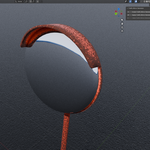
Mirror Curvature control has been added.
You can now adjust how convex the mirror surface appears.
Main Features
Traffic Convex Mirror Generation
- Create a procedural traffic convex mirror asset from the Traffic Mirror tab in the viewport sidebar.
- Use a single unified generator instead of separate Single and Dual create buttons.
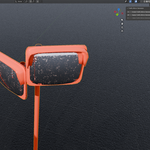
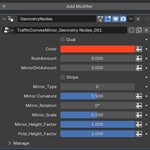
- Switch between single and dual mirror setups using the Dual checkbox in the Geometry Nodes modifier.
- Adjust color, safety stripes, mirror type, mirror rotation, mirror scale, mirror height, pole height, rust amount, and mirror dirt amount.
- Each created generator is prepared as an independent object so multiple generated mirrors can be edited separately.
Bake Features
- Bake procedural materials into texture maps
- Apply final materials using baked textures
- Prepare a cleaner final object for external applications or game engines
- Export Diffuse, Roughness, Metallic, and Normal texture maps
------------------------------------------------------------------------------------------------------
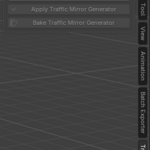
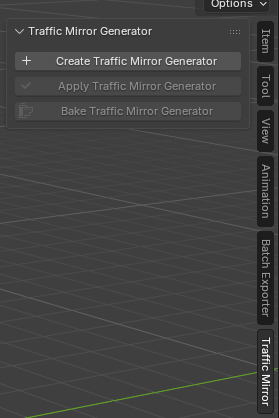
Traffic Mirror Generator can be accessed from the Traffic Mirror tab in the right sidebar of the viewport.
The panel consists of three main buttons: Create, Apply, and Bake.
Create
Creates a new Traffic Mirror Generator object in the scene.
The generated object uses Geometry Nodes, allowing you to adjust the mirror type, Single / Dual setup, color, stripe option, rust amount, mirror dirt amount, mirror rotation, mirror scale, mirror height, and pole height from the modifier settings.
Apply
Applies the Geometry Nodes modifier of the selected Traffic Mirror Generator object.
This step converts the procedural result into a final mesh object and prepares it for texture baking. The Bake button becomes available after the generator has been applied.
Bake
Bakes the materials of the selected applied Traffic Mirror object into texture maps.
The bake process uses the UVs generated by Geometry Nodes. After baking is complete, the final baked material is applied to the object, and the texture files are saved in the Textures folder next to the current Blender file.