What is TriAxis Modeler?
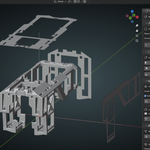
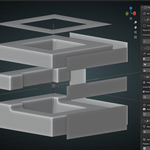
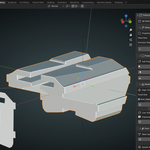
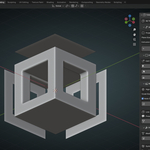
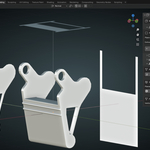
TriAxis Modeler is a Professional Orthogonal Projection Modeling tool that extrudes these 2D shapes from front, side, and top views into 3D volumes and uses boolean intersections to carve out the final mesh. The addon handles the complex 3D math, letting us focus freely on design. Here we find the presentation video, and here's how it works:
Step 1: Create the Projection System by simply clicking " Initialize Projection System", and three projection planes will be created positioned at perfect angles.
Step 2: Edit the Projection Planes to create 2D shapes using Blender's native tools.
Step 3: Let the addon extrude your shapes into 3D Volumes.
Step 4: Watch as the addon's algorithm intersection automatically carves out your final mesh.
The result ? Clean geometry that respects your original design intent while maintaining mathematical accuracy.
Initialize Projection System:
Editing the Projection Planes:

Generating Low-Poly:

Two Modes for Every Need:
High-Poly Mode: Generates detailed meshes with optional voxel remeshing for organic shapes and complex intersections. Perfect when you need smooth curves and fine details.
Low-Poly Mode: Preserves the original topology for game assets and technical models. Maintains clean edge flow while respecting polygon budgets.
Perfect For:
-
Concept Artists transitioning sketches to 3D mockups
-
Product Designers creating precise technical models
-
Architects building from elevation drawings
-
Game Developers rapidly prototyping assets
TriAxis Modeler has been tested extensively, the intuitive interface keeps us focused on design, not technical details. One-click generation, and automatic cleanup mean less time wrestling with tools and more time creating.
 Netron Systems