Triaxis Modeler
 Netron Systems



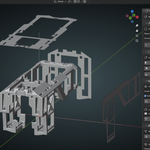
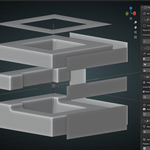
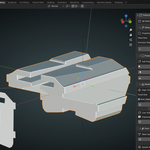
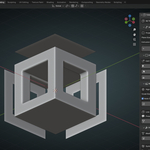
Documentation
Installation
- Download the TriAxis Modeler addon from your purchase
- Open Blender (4.5.0 or newer required)
- Go to Edit → Preferences → Add-ons
- Click "Install..." button
- Select the downloaded .zip file
- Enable the addon by checking the box next to "TriAxis Modeler"
- Find the panel in 3D Viewport → Sidebar (N key) → "TriAxis Modeler" tab
Quick Start Guide
Step 1: Initialize the System
- Click "Initialize Projection System" in the Setup panel
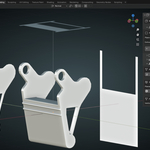
- Three planes will appear: (Front), (Side), (Top)
Step 2: Edit Your Silhouettes
- Click "FRONT VIEW", "SIDE VIEW", or "TOP VIEW" buttons
- Draw your 2D shapes using Blender's standard edit tools:
- Extrude (E) to add geometry
- Inset (I) for internal shapes
- Knife (K) to cut new edges
- Loop Cut (Ctrl+R) for subdivisions
Step 3: Generate Your Model
Choose your generation method:
- "GENERATE HIGH-POLY" - Creates smooth, detailed meshes with voxel remeshing
- "GENERATE LOW-POLY" - Preserves clean topology for game assets
Step 4: Refine (Optional)
- Use "Clear Edges" if unwanted edges occur
- Adjust Voxel Size for different detail levels
- Enable Auto Cleanup to remove intermediate objects
Settings Explained
Plane Size: Controls the size of projection planes (1.0 - 20.0) Extrusion Depth: How far silhouettes project into 3D space (0.1 - 20.0) Voxel Size: Mesh resolution for high-poly mode (0.001 - 1.0, set to 0 to skip) Auto Cleanup: Automatically removes intermediate projection volumes
Tips for Best Results
- Start simple - Begin with basic shapes, add detail gradually
- Overlap is key - Ensure your silhouettes overlap at the center for proper intersection
- Use references - Import orthogonal reference images as background
- Plan your shapes - Sketch on paper first to visualize the intersection
- Test frequently - Generate models early and often to check progress
$14
Have questions about this product?
Login to message
| Sales | 10+ |
| Published | about 1 year ago |
| Blender Version | 4.5 |
| Extension Type | N/A |
| Render Engine Used | Cycles, Eevee |
| License | GPL |
Discover more products like this
product Design boolean concept art silhouette TriAxis Modeler architectural modeling modeling triplanar Workflow projection Technical drawing orthogonal