 Skava
Skava


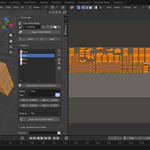
TrimForge — trim sheet workflow for Blender
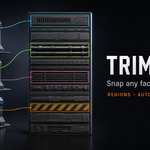
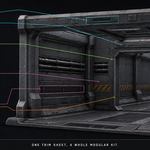
The trim-sheet workflow is how environment artists ship 100+ unique-looking assets with one texture. TrimForge brings that workflow into Blender natively: a visual region editor, one-click UV snapping, and auto-packed trim sheets from your texture library.
What it solves
Blender has no native trim-sheet workflow. Artists either eyeball the UV editor or jump to Photoshop / 3DCoat for the layout step. TrimForge ships the editor inside the viewport so you stay in Blender from sheet creation to face mapping.
Headline features
- Visual region editor. A trim sheet is an image + a list of named regions in [0,1] UV space. The N-panel UIList shows every region with a colour swatch and tag (wood / metal / stone). Click to make active.
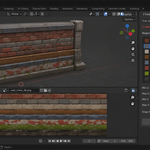
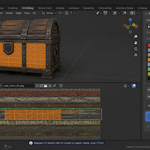
- Snap UVs to active region. Select faces in Edit Mode, click Snap — face UVs land exactly inside the region. Three modes: Stretch (bbox-fit), Fit (uniform scale, proportions kept, centred) or Tile (preserve original [0,1] UV layout, remap into region).
- Region from UV selection. Convert an existing nice UV layout into a reusable region — one click.
- Auto-generate from folder. Drop a folder of source textures, pick column count and resolution, get a packed trim sheet image with one region per source file. Padding surrounds every strip with copies of its own edge pixels and aligns the strips to the mip levels: at 8 px no mip level down to 1/16 size mixes in the neighbouring strip. 16-bit PNG / TIF sources are packed as stored. Numpy-accelerated, no PIL dependency.
- JSON library. Save your sheet (image reference + regions) as a JSON file. Reuse across .blend projects. Share with teammates — the JSON is human-readable.
Workflow
| Step | What you do |
|---|---|
| 1 | Auto-generate sheet from a folder of small textures (or open existing trim sheet image) |
| 2 | Tweak region names / tags in the panel |
| 3 | Enter Edit Mode, select faces of your model |
| 4 | Click region in the UIList, click Snap — UVs land on the region |
| 5 | Save the sheet as JSON for reuse |
Why not Substance Painter
SP does trim-sheet workflows brilliantly but only in painting time — the UV mapping step itself happens in your DCC. TrimForge fills that gap on the Blender side so you don't roundtrip.
Compatibility
Blender 4.2 LTS and later on Windows / macOS / Linux. Pure numpy for image packing — no external dependencies.
License
GPL-3.0. Trim sheets you create are yours to ship in any commercial project.