 HRB store


I'm a beginner. Is this too advanced for me?
If anything, this is the tool beginners benefit from most. It removes one of the most frustrating parts of displacement — UV stretching — and replaces it with a simple slider-based workflow that just works.
What if I need help or something breaks after a Blender update?
Support is available directly through the product page. The modifier is also built on standard Geometry Nodes, which means you can inspect and edit every node yourself if needed.
Does it work with my existing textures?
Yes. Any greyscale or color image works. The modifier converts color to luminance internally, so your existing displacement maps, height maps, and photo textures all plug straight in.
Is $15 worth it for a single modifier?
Consider the time saved: setting up a correct triplanar displacement system from scratch in Geometry Nodes — with proper blending, seam correction, per-axis control, and flip support — takes several hours even for experienced users. This pays for itself the first time you use it.
I only do hard surface modeling. Is this relevant to me?
Yes. Triplanar displacement is extremely effective for adding surface wear, erosion, and micro-detail to hard surface models without touching the base geometry or UVs.
I already use the standard Displace modifier. Why would I need this?
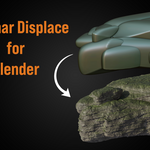
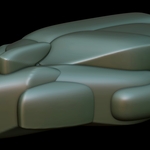
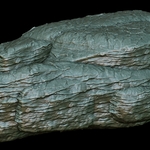
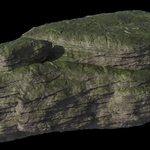
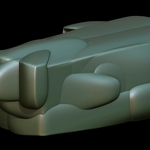
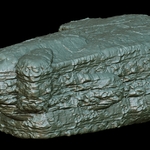
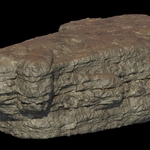
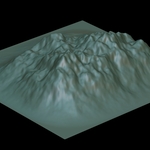
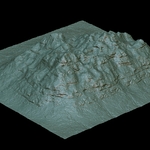
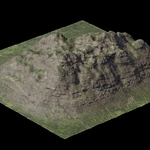
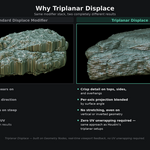
The standard modifier projects from a single direction, which means vertical faces and overhangs always look stretched and flat. Triplanar Displace projects from all three axes and blends them automatically — every face gets clean, detailed displacement regardless of its angle. The difference is immediately visible on any cliff, rock, or organic shape.
I don't know how to set up triplanar projection in Geometry Nodes. Is this complicated?
Not at all. You add the modifier in one click from the N-panel, then plug in your texture and adjust the sliders directly in the modifier stack. No node editing required.
Is this just a node group I could build myself?
You could, but it would take hours to set up the projection math, normal-based blending, per-axis tiling, UV flip correction, and seam fix correctly. This gives you all of that ready to use in under a minute.
Will this slow down my viewport?
No. The modifier runs entirely on Geometry Nodes, which is evaluated on the GPU. Performance is on par with any native Blender modifier.
Do I need to UV unwrap my mesh first?
Never. That is the entire point of triplanar projection — it reads world or object coordinates directly, so you can drop it on any mesh and it works immediately.
-
$9.75 $13
 Included
Includes 12 months of
- Support from HRB store
- Product updates
Extend this product’s Support Period +12 months: 50% of product price
Have questions before purchasing?
Login to message
| Blender Extension Compatible | Yes |
| Sales | 20+ |
| Published | 4 months ago |
| Blender Version | 4.2 - 5.2 |
| Extension Type | Add-on |
| Render Engine Used | Arnold, Cycles, Eevee, Freestyle, Luxrender, Mental-Ray, Octane, Vray, Yafaray |
| License | GPL |