True Terrain Pack | Legacy Content

True-VFX in Asset Management


Item Rating

This item has an average rating of 4 from 79 ratings by the community.

74%
6%
6%
6%
12%

Purchase this item to leave a review!

  • BA
    about 6 years ago

    This could be a good product but a few things has to be done first.

    a) For PRB in Blender, al we need is a Albdo, Roughness and Normal map. Optionally we can also use displacement and AO map. This addon is using 4K for each map and is using all of them. On top of that there is another 4K map that is useless for in Blender and that is the specularity map. But that is for another workflow. Anyway, 5 times a 4K map for 1 layer of the material is over the top and very heavy. Tip: make this way more efficient. For example: get rid of the specularity map, you don't need it and give a choice to use 2K or 4K.

    b) Past year I did research about plausible albedo values. Around 60% off the textures are off qua albedo value. For example; forest root that look nearly like snow. I contacted the developer 2 months ago, but somehow he doesn't see the importance of it it looks like. How to solve this: Get yourself first a scene with perfect albedo values. That is your reference. Then design materials in it so you know if its off or not. (Subscribe for 1 monts Quixel Megascan for example just to get reliable reference.)

    Again the addon could be good, but as for now I am not using it: It's to heavy and the textures are off.

    • TrueVFX

      over 5 years ago

      Hey Robert, thanks for the comments. We made some changes to the method we capture images in, and have implemented HSL values now so users can adjust on the fly.

      We hope you're enjoying the new update! Thanks for your long term support

  • Bill Pics
    almost 8 years ago

    Great product, just needs procedural textures. This product actually makes Ant Landscape useful and is fantastic for setting up a base scene. Its really easy to use and I like the fact that you can go in and adjust the node setup.

    Would love to see this develop further. Actually it could almost be a standalone for use in other programs as well.

    • TrueVFX

      almost 8 years ago

      Thanks for your kind words!

      There will be procedural textures in soon, and many more updates to come.

      :)

  • Mick Mulligan
    over 2 years ago

    Was OK at first but I've found it more trouble than it's worth as I've learned to use Blender better. Importing assets is cumbersome and the shader system is too restrictive. I kept finding myself digging into the shader editor to adjust things when the interface wouldn't allow it, and in the end it was easier just to create my own terrain shaders from scratch. Geo-Scatter is proving far more useful and intuitive for scattering.

  • Bryan Green
    about 3 years ago

    An OK start...

  • Valics Lehel
    over 6 years ago

    The product seems promising, but I think the video is not updated to latest blender. Also there is nothing mentioned about the Discord group link in any docs, or I did not found it. Can you please add this link here or send in emails?

    • TrueVFX

      over 6 years ago

      Hi There,
      This has now been updated, and the new tutorials are online using the new UI and Blender 2.8x

      Kind regards,

      Rich

  • Bnks
    about 7 years ago

    great addon, but there is no installation guide for those who are new to blender or starting out.

    • TrueVFX

      about 7 years ago

      Hi there,

      Thanks for the review.

      Just to clarify, there is only one file you need to install, and that is "World Generator 2.80zip". No other files need "installing", the other files are a rock pack (Which are appended into your scenes) and a grass pack (also appended into your scenes). The 'Master' File, includes all the assets including the tree pack, the water shader and a demo file for you to see the addon in action.

      The UI for True Terrain automatically builds the materials for your terrain meshes, and has an 'easy mode' set of sliders for quick and easy terrain changes; you would then use the node editor for more in depth changes to the materials.

      I also have 2 tutorial videos on my YouTube channel, 1 embedded into the product page info and the other is visible in my channel.

      I'm sorry if you feel that there is not enough documentation, I will attempt to add more guides to the addon.

  • frank
    over 3 years ago

    not working in 3.4

    • TrueVFX

      over 3 years ago

      Would you like to get in contact with us for support rather than leave a review on a tool you've not allowed us to help with any issue you're having?

  • cartoonsong
    over 6 years ago

    So Very Heavy

    • TrueVFX

      over 6 years ago

      Hi there,

      Could you please explain what you mean by this?

      I'm sure if you'd have contacted me for support then there wouldn't be a need for such an ambiguous negative review.

      Kind regards

      Rich

  • JR Soldano
    over 6 years ago

    Decent looking. Most particle items are worthless unless you can rotate them on the z axis to make them look different, otherwise you have a cluster of trees that have identical trunk shapes. You can rotate them in every direction except z, which is silly. Also, trees, plants and rocks default to emitting from both sides of the terrain mesh... again, ridiculous. Nice, I suppose, for creating deep background terrain that's out of focus, otherwise fairly worthless.

    • TrueVFX

      over 6 years ago

      Hi there,

      The trees can be rotated along the Z-axis, if you wish. You just go into the rotation tab, and enable object rotation under the render settings, as advised in the tutorials and help documentation. Also in this tutorial here where you can click the timestamps to skip to the particle settings: https://youtu.be/SOQEq-ZzbpE

      It'd be much better if you contacted me on the discord channel linked in the product documentation page, or via emails, before leaving a negative review about something, as I'm highly active responding to all queries.

      The trees are not designed to be used for close-up renders, as it's a terrain tool and not a tree addon. These assets are just to add more life to your scenes.

      Kind regards

      Rich

  • KMC
    over 6 years ago

    It's too heavy to edit the material. Much heavier than True Terrain 2.x.

    I have Ryzen 3700X and RTX 2080. After placing the terrain, setting the default terrain material and adding water, the viewport FPS drops to 3-4 in material preview mode. I cannot even display it on EEVEE.

    I know that the rendering quality is very good, but due to its bad performance, I can hardly create a scene.

    I would like some more "light" versions of this add-on, or some tips on how to get better performance.

    • TrueVFX

      over 6 years ago

      Hi Kei,
      Thanks for getting in touch.

      True terrain, is not a realtime tool, and was never designed to be. You can create scenes in this addon using eevee, there are certain modes that are not supported by Eevee. And this is what causes the sluggish viewport. Staying in cycles will stop this happening. The water also uses a volume, and this is also why you're viewport is slow with Eevee or the workbench engine.

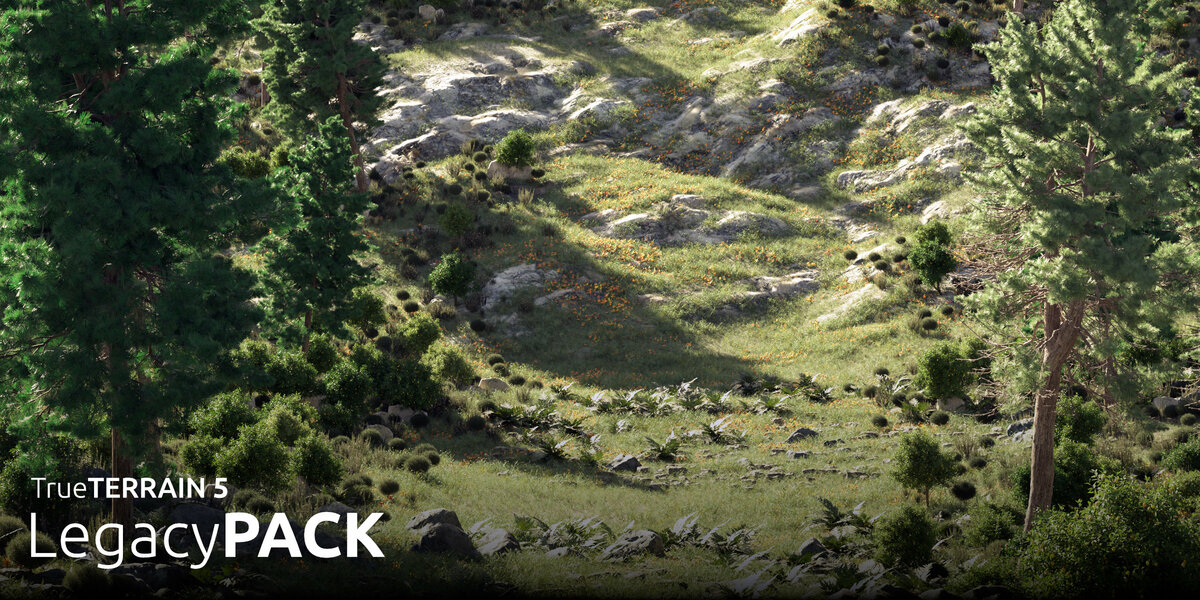
  • This is all the content from past versions of TrueTERRAIN available as a TrueTERRAIN 5 content packs. None of the content here overlaps with TT5 in any way and will expand the library with 160+ materials and over 60+ scatter assets along with all new presets for these

    $25
$25

Have questions about this product?
Login to message

Details
Sales 7500+
Rating
79 ratings
Dev Fund Contributor
Published almost 2 years ago
Blender Version 3.6 - 5.1
Render Engine Used Cycles
License Royalty Free