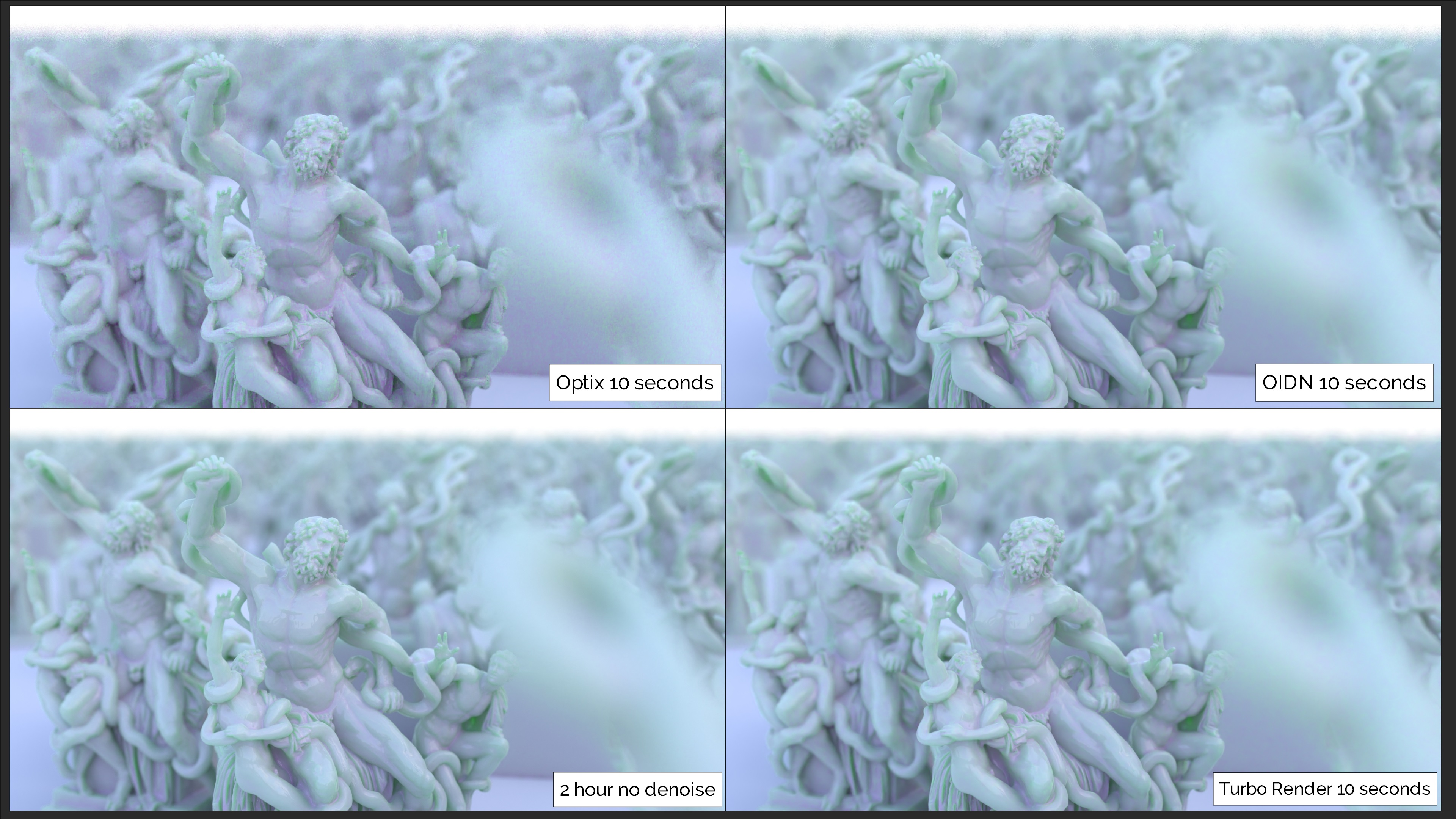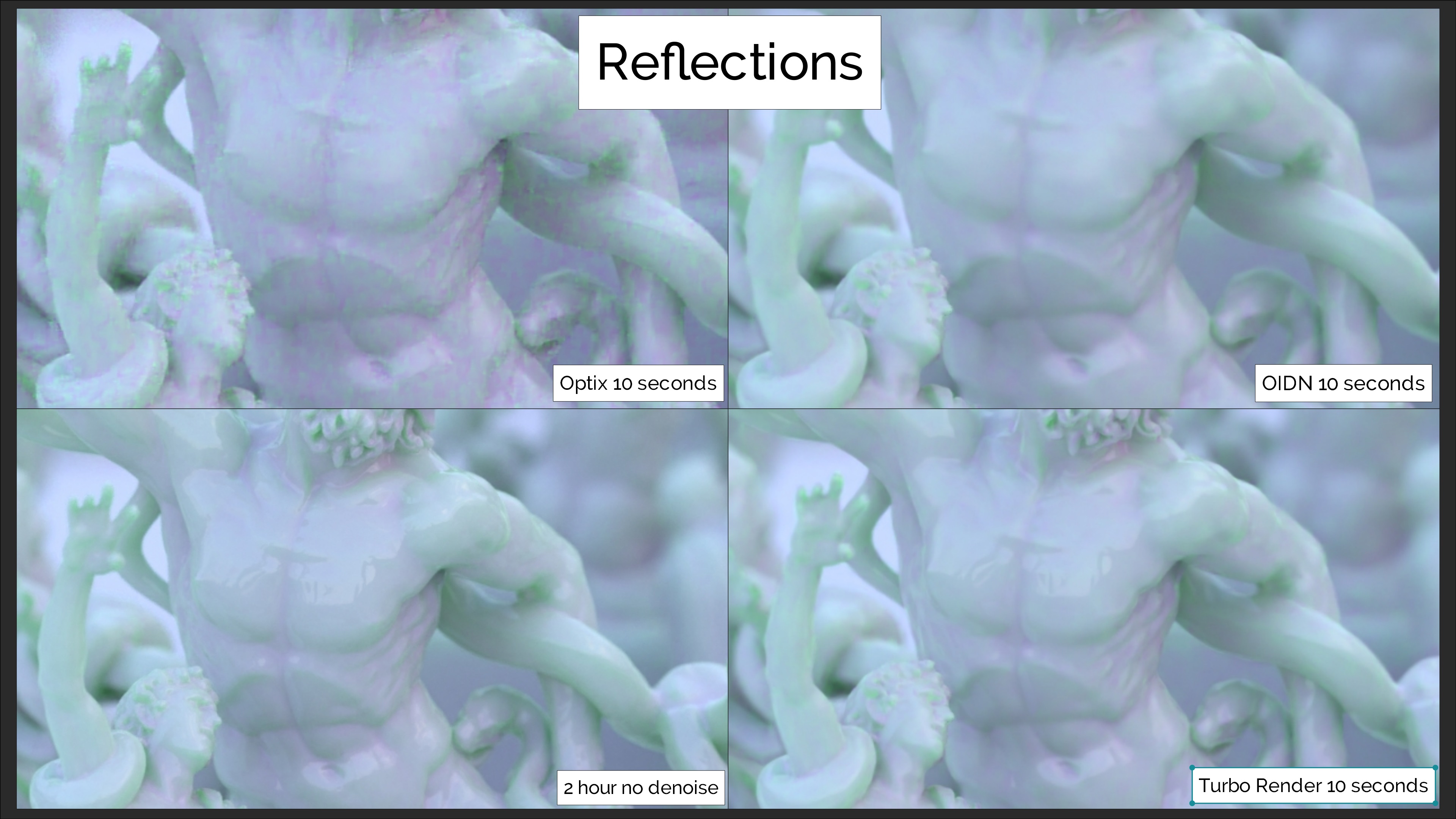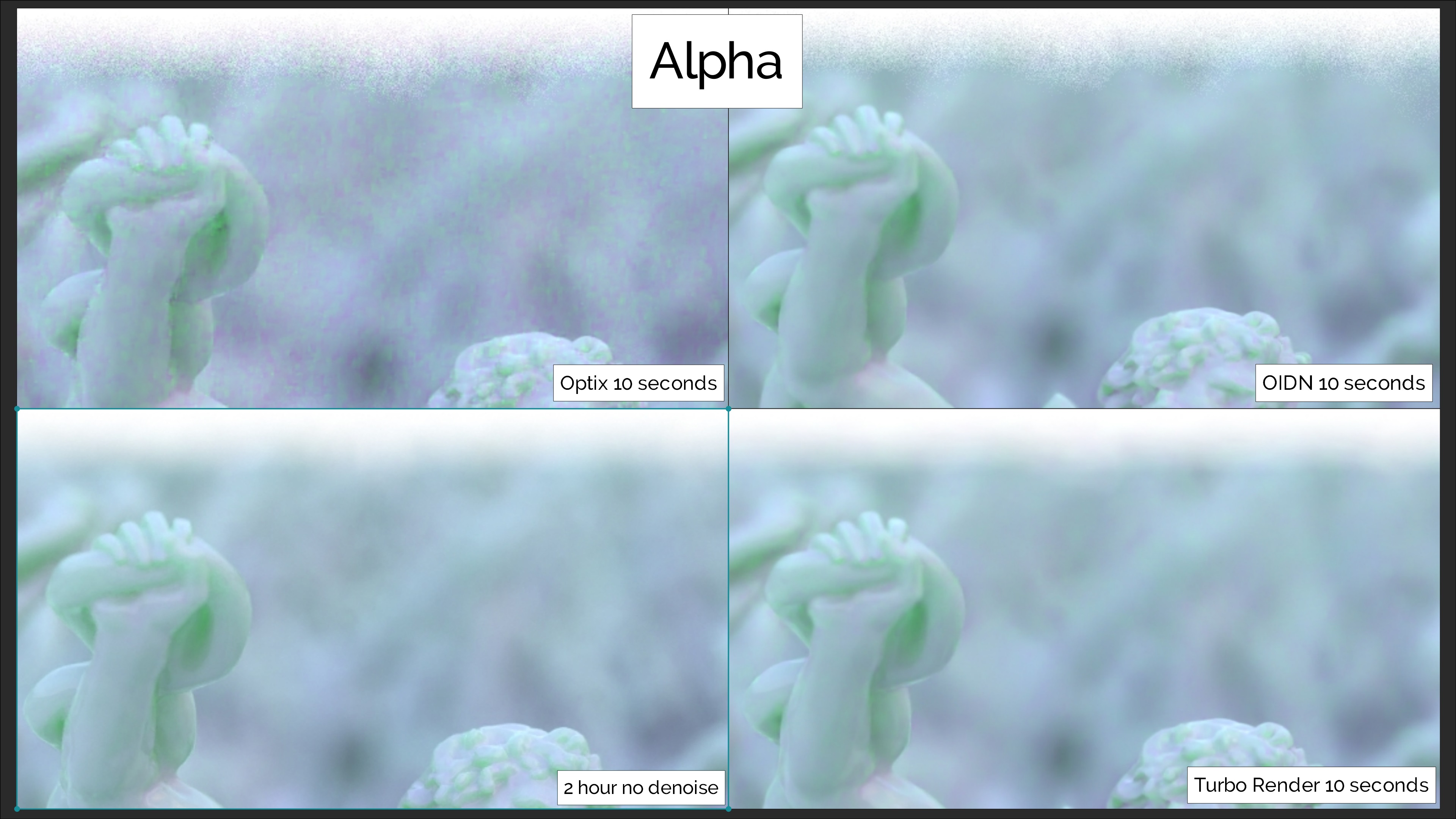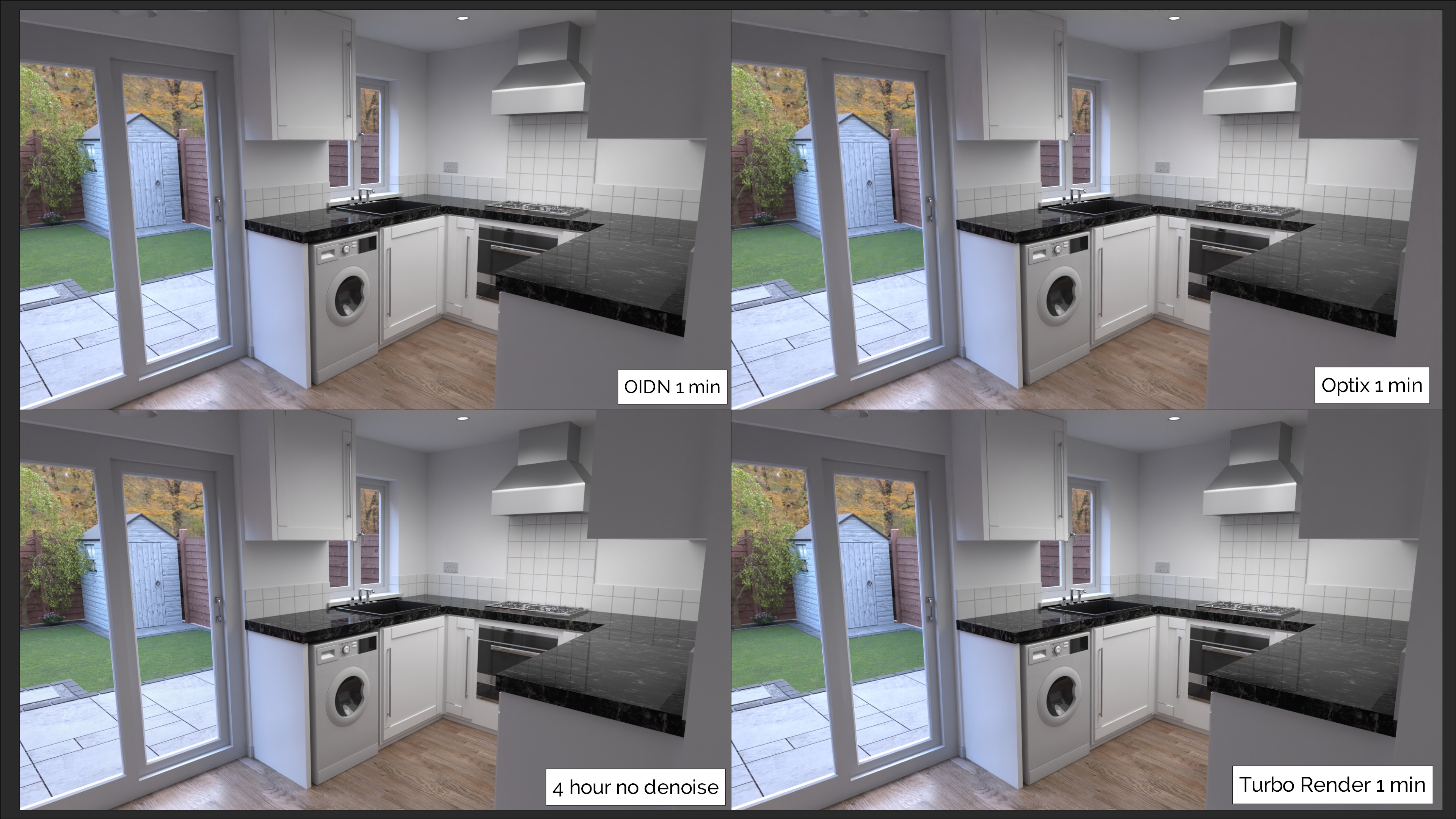
Turbo Tools V4 - Turbo Render, Temporal Stabilizer, & Turbo Comp

3d illusions in Animation


Item Rating

This item has an average rating of 5 from 90 ratings by the community.

95%
4%
0%
2%
2%

Purchase this item to leave a review!

  • Maja Misak
    2 months ago

    Absolutely incredible rending add-on, exceeded all my expectations. The results are incredible in fraction of a time. Probably the most useful add-on I ever bought. Will definitely buy the v5 version too eventually. 5/5!

    • 3d illusions

      2 months ago

      Thanks Maja, that's brilliant to hear šŸ‘

  • RBG
    5 months ago

    5 stars... :-( even if when I get an error I don't understand and even when I contact the support who give me a detailed way to solve it I don't understand. So when I get these error I just start a new project and copy past or append all what I need in my scene. Thats' why since I use TURBO Tool I do no more cry due to the rendering Time. But the number of project copy I have to do is incredible. That is not due to the addon itself or the creator, but only due to the fact some users are completely dummies regarding all the concept of "cache folder" . And when I use the compositing, error message are like chinese langage to me. For the moment I don't have time to understand cache concept and but while I already watched the tutorials, and have to deliver my project I just don't have time to give a fuck to the multiple copy of my project I have to do because I don't understand Turbo tool errors message (and answers from the lovely support).
    When I get message like "can't move link from image's Diffdir Socket...Manually remove the link from the cache node and rerty" and can't no more render my project, I just feel depressed. So I would say that regarding the possible "errors" a user can do, we should me more protected of meeting this kind of barbarian error message. But I the addon is brillant. I recommand

    • 3d illusions

      5 months ago

      Thanks for the review RBG. Glad to hear you like the addon so much that you gave it a 5 star rating, despite not understanding some of the messages Turbo gives you.

      The error 'can't move link from cache node to render layer node, manually remove the link.' means you have turned off one of the passes that you had on when you rendered, so when turbo tries to move the links from the cache node back to the render layer node, there's nowhere to move that wire to (because the socket is on the cache node, but not the render layer node). Basically it's asking you to remove that wire from the cache node, or alternatively turn that pass back on šŸ‘

  • Hilger
    9 months ago

    great support, great product. a must have in my opinion!

    • 3d illusions

      9 months ago

      Thanks very much. That's great to hear šŸ‘

  • Chris Torres
    11 months ago

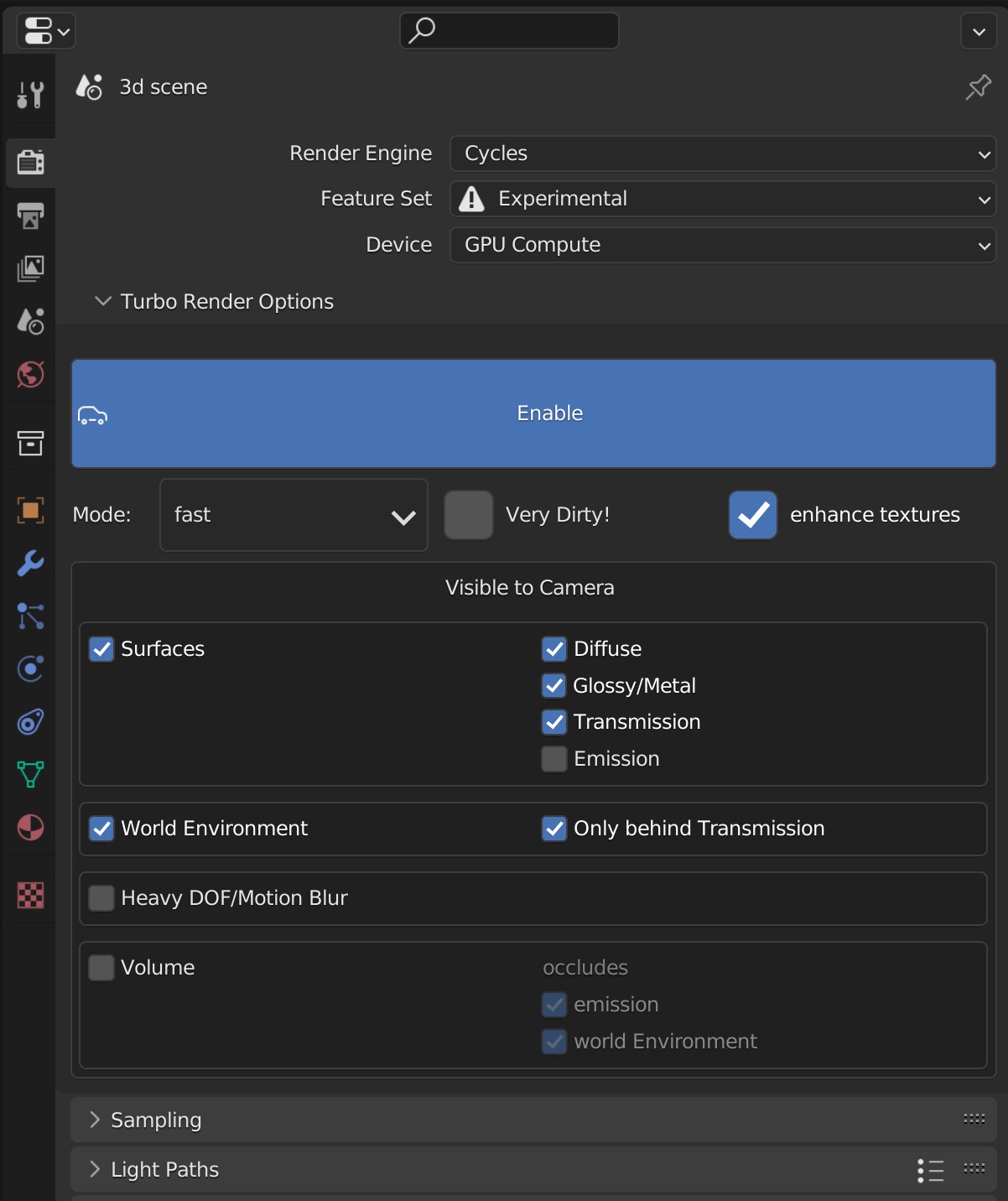
    Let me start off by saying, this add-on is easily the most useful add-on I've purchased when it came to steamrolling my workflow in Blender. So I'm currently sporting an AMD Ryzen 7 3800x CPU - 32GB RAM - RTX 2070 SUPER. Which isn't the strongest of GPUs but not necessarily the weakest. However, I was still plagued by the absurd render times in Blender's Cycles. The most notable was a small 8 second scene i had made for a trailer of mine, but a crucial scene. This scene took 2 whole weeks to render! (Packed with volumetrics and VDBs) The render times weren't ideal for me at all. Thats when I found out about Turbo Tools and the demonstration video looked too good to be true but I gave it a shot. Now, I'm never looking back. This tool has helped me with my render times drastically. Its important to note: RAM/VRAM on your rig is still crucial. It'll help you render your scenes much faster as long as you stay withing your memory limits. I could be wrong on this but my GPU has only 8GBs of VRAM, but when rendering some of my more intensive scenes, I've seen my memory usage spike to over 12GB of memory yet I'm not hit with the "GPU out of video memory" error that makes me want to put my head through a wall. So I'm guessing Turbo Tools somehow uses both System RAM and VRAM even when rendering is set to GPU. Which if it does, THANK YOU! However its achieved, this is a must have to help with your render times. Be sure to get familiar with the add-on. The UI is user friendly. Play around with the different options depending on what your scenes have in it. (Don't enable the Volume option in Turbo Tools if you dont have any volumetrics in your scene or Depth of Field/Motion Blur if those arent enable, ect.)

    To top it all off, this tool has even helped me with my weaker laptop which has a GTX 1660 TI, which was originally collecting dust because its limited to 4GB VRAM but is now a part of my workflow in making my projects thanks to this very add-on.

    • 3d illusions

      11 months ago

      Thanks Chris, that's great to hear that you're getting so much use from the addon. I can't take credit for the render still going ahead when you've exhausted your VRAM, that's down to Cycles and it's out of core rendering, which can utilise system ram when VRAM is depleted, allowing you to still render on the GPU.

  • Emil
    12 months ago

    Top notch addon from a top notch guy!

    • 3d illusions

      12 months ago

      Thanks Emil, you're a legend šŸ‘

  • liran
    about 1 year ago

    This tool is just outstanding. It does exactly what it says — helped me get way more accurate renders and faster speeds. The support is absolutely top-notch too. Had a few issues and the creator replied super fast every time, really going above and beyond to help out. Honestly, I’d give it 6 stars if I could.

    • 3d illusions

      about 1 year ago

      Thanks Liran, I'm glad you're so happy with Turbo Tools šŸ‘

  • mant
    about 1 year ago

    Outstanding support and an amazing add-on! Turbo Tools has completely boosted my workflow everything runs smoother and faster. The developer goes above and beyond to help with any questions. Looking forward to the other add-ons you release in the future!

    • 3d illusions

      about 1 year ago

      Cheers Mant, I'm happy to hear you're so pleased with Turbo Tools šŸ‘

  • Julian Meissner
    about 1 year ago

    Turbo Tools is actually a must-have, as it significantly speeds up rendering in Cycles. Since using this tool, I've completely put my interest in Eevee on hold. But not only is the tool incredibly fast, all of Michael's support is also quick and extremely competent. I've bombarded him with several questions and always received helpful and friendly answers. A definite 5 Star recommendation.

    • 3d illusions

      about 1 year ago

      Thanks Julian, glad to hear Turbo Tools is speeding up your Cycles renders so significantly šŸ‘

  • Thomas Parel
    about 1 year ago

    Excellent tool from a knowledgable and passionate developer.
    Incredible support from Michael. He has saved me so much time and helped me deliver quality Cycles renders for my design clients. Highly recommend.

    • 3d illusions

      about 1 year ago

      Thanks Thomas, glad to help, and pleased the addon is helping speed up your rendering šŸ‘

  • Larry Williams
    about 1 year ago

    Excellent product for faster renders and supreme customer service! I initially purchased Turbo Tools to help remove the temporal noise I was getting and it delivered. I'd seen a couple videos explaining how Turbo Tools drastically reduces render times, but I honestly thought there is no way an add-on could drastically improve my render times. My scenes were complex, but optimized. I used all the render optimization tricks I knew to reduce render times and thought I could not get them lower. Well Turbo Tools changed all that. My renders went from 3-4 minutes per frame down to 45sec-1:30 sec. This was a pleasant surprise, as my focus initially was to remove the noise flickering between frames. Highly recommend Turbo Tools to reduce render times, and to reduce or eliminate temporal noise between animated frames.

    • 3d illusions

      about 1 year ago

      Thanks Larry, that's excellent to hear. I'm really happy it's exceeded expectations šŸ‘

  • Turbo Tools has over 6000 users in more than 150 countries! Trusted by both hobbyists and large studios, to massively reduce Cycles render times, and turbo charge the entire rendering and compositing pipeline! This purchase also includes a discount code for Turbo Tools X, so if you upgrade, you effectively get V4 for FREE!

    $9.99
  • Turbo Tools has over 6000 users in more than 150 countries! Trusted by both hobbyists and large studios, to massively reduce Cycles render times, and turbo charge the entire rendering and compositing pipeline! This variant is the same as the one above, but DOES NOT include a discount code for Turbo Tools X.

    $9.99
$9.99

Have questions about this product?
Login to message

Details
Sales 2400+
Rating
90 ratings
Dev Fund Contributor
Published about 5 years ago
Blender Version 2.8 - 4.5
Render Engine Used Cycles, Eevee
License GPL