Ugamepro Qa Tools - Learn | Select | Fix
 abcg.studio

What does uGamePro actually do?
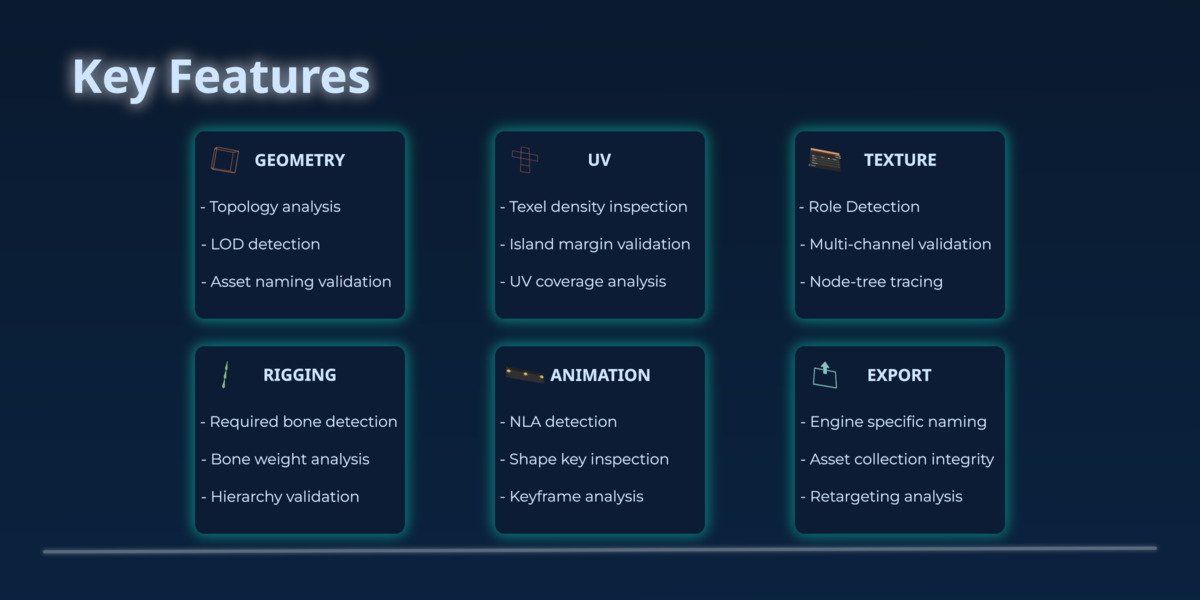
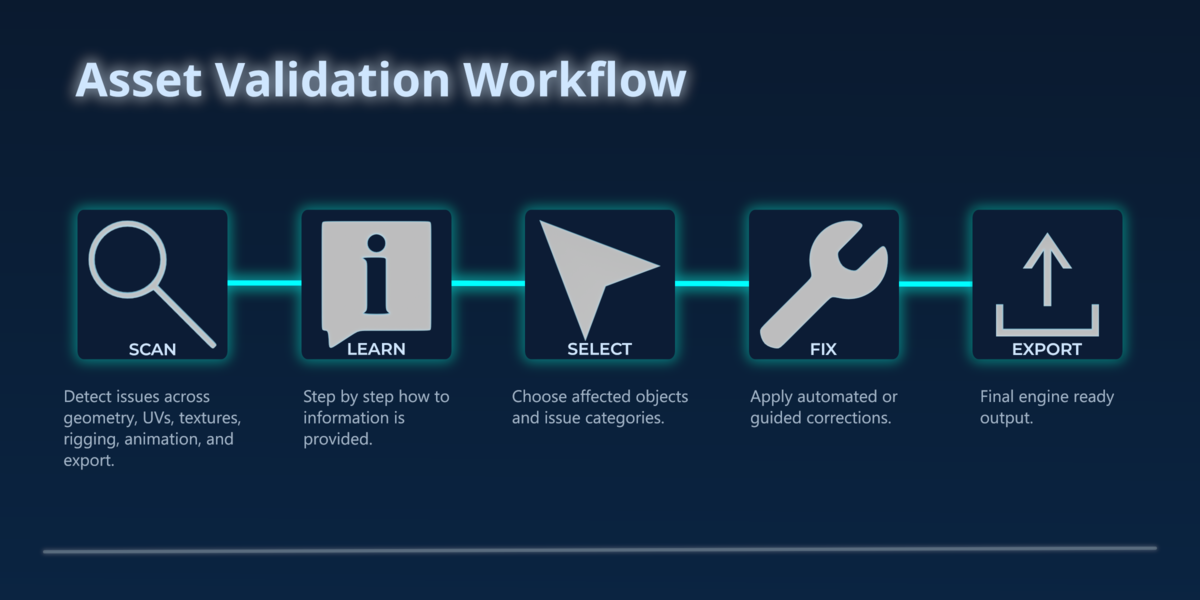
uGamePro scans your Blender assets for issues that commonly cause problems in game engines. It highlights errors, warnings, and best practice improvements, and provides safe auto-fix options where applicable.
Do I need all the tools, or can I buy just one?
You can buy individual modules if you only need Geometry, UV, Texture, Rigging, or Animation Tools. The full suite offers the best value and gives you a complete QA pipeline inside Blender.
Is the UI consistent across all modules?
Yes. Every tool uses the same foldout system, issue layout, fix button, and how-to guidance.
Does uGamePro require any external dependencies?
No. Everything runs natively inside Blender.
Does uGamePro change may assets automatically?
Only where it's safe. uGamePro provides auto-fix options for issues that can be reliably corrected, and clear guidance for issues that require manual adjustment.
Does uGamePro modify my material or node trees?
Only when necessary and only for specific texture related fixes. All changes are safe and reversible.
Will this work with my existing workflow?
Yes. uGamePro is designed to fit naturally into Blender's UI and works with any modelling, rigging, texturing, or animation workflow. You can scan assets at any stage of production.
Can I use uGamePro in a studio pipeline?
Yes. uGamePro was designed with production workflows in mind and is suitable for teams, freelancers, and technical artists.
Does uGamePro support multi-object assets?
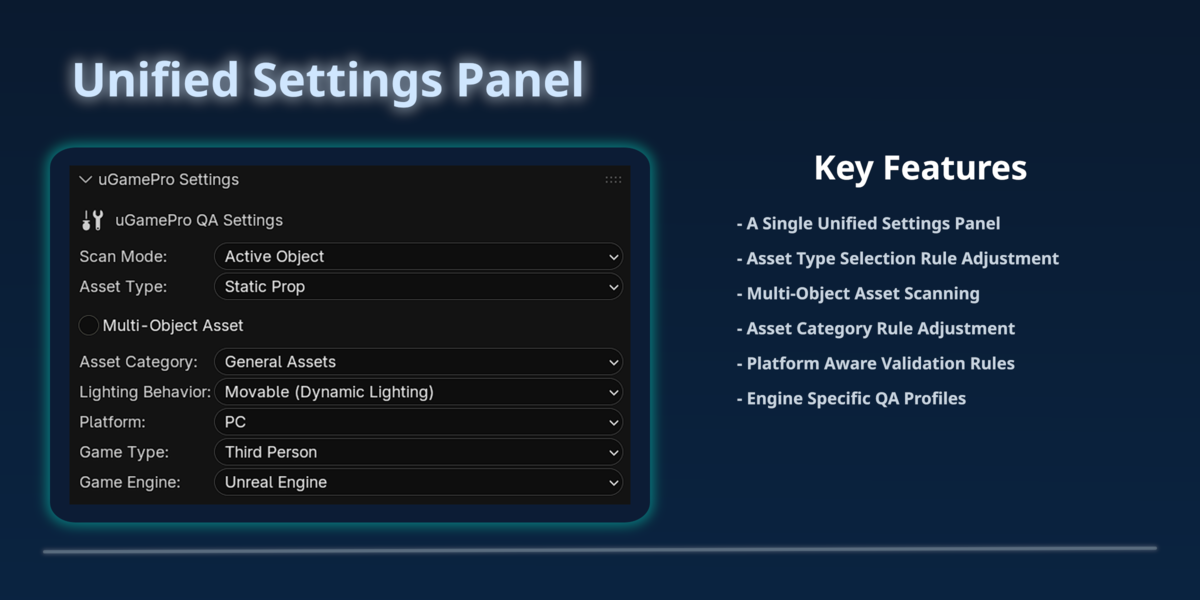
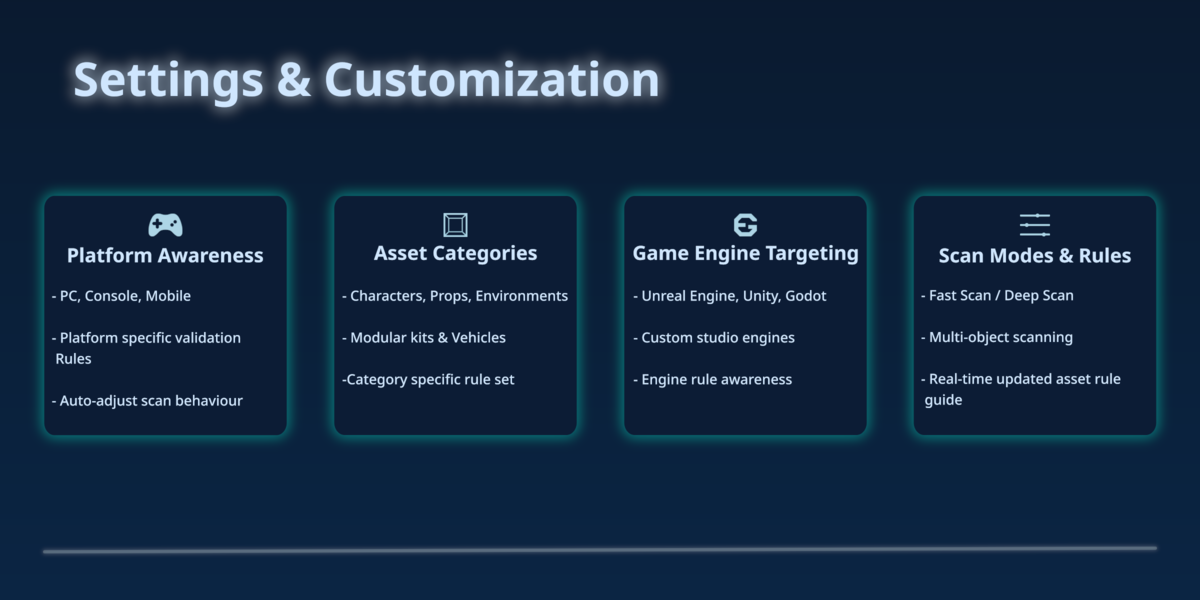
Absolutely. uGamePro groups issues by object and supports characters, props, environments, modular kits, and complex multi-object rigs.
Is this only for game engines?
No. While uGamePro is built around game engine standards, it's also useful for general asset cleanup, rig validation, animation troubleshooting, and preparing assets for any export pipeline.
Does uGamePro work with Unreal, Unity, and Godot?
Yes. uGamePro checks for issues that commonly affect imports in Unreal, Unity, Godot, and custom studio pipelines.
Will this slow down Blender?
No. uGamePro is lightweight and optimized for fast scanning, even on large assets.
Is this beginner friendly?
Yes. Every issue includes a clear description and a "How-To" guide explaining what it means and how to fix it.
-
$29.50 $59
Complete asset QA Pipeline inside Blender - Five QA Tools + Export coming soon.
-
$6 $12
Mesh integrity checks for perfect geometry and asset naming.
-
$6 $12
UV validation for clean, efficient UV layouts.
-
$6 $12
Texture set analysis for correct, consistent materials.
-
$6 $12
Rig structure checks for stable, reliable rigs.
-
$6 $12
NLA, action, and curve validation for smooth animations.
Have questions about this product?
Login to message
| Blender Extension Compatible | Yes |
| Dev Fund Contributor | |
| Published | 3 days ago |
| Blender Version | 4.5 - 5.2 |
| Extension Type | Add-on |
| License | GPL |