 Skava
Skava



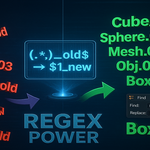



Download the .zip file and do not unpack it. In Blender open Edit > Preferences > Add-ons, click the drop-down arrow in the top-right corner and choose Install from Disk (in Blender 4.0 and 4.1 the button is called Install), then pick the downloaded file. Tick the checkbox next to Object: Ultimate Batch Rename Pro to enable it. Press N in the 3D Viewport and open the Rename Pro tab in the sidebar.
The documentation says it is tested up to Blender 4.4.
Selected objects, a hierarchy (children only, parent and children, or the whole tree), all objects in the active collection, materials, UV maps and vertex groups.
Find and replace with optional regular expressions and case sensitivity, prefix and suffix, auto-numbering in five formats with a custom start number, and naming presets for Unity, Unreal Engine and Godot. Your own settings can be saved as presets, which are stored in the .blend file.
Yes, with Ctrl+Z. The History panel also lists recent operations with timestamps.
The product page lists the license as GPL.
Have questions about this product?
Login to message
| Published | about 1 year ago |
| Blender Version | 3.0 - 4.5 |
| Extension Type | N/A |
| Render Engine Used | Arnold, Blender-Internal, Blender-Game-Engine, Cycles, Eevee, Freestyle, Luxrender, Mental-Ray, Octane, Vray, Yafaray |
| License | GPL |
Discover more products like this
productivity game assets naming-convention pipeline hierarchy Workflow asset management batch-rename regex organization automation presets