 Vertex 404


Blender N panel control
Mode based layouts
Built for addon heavy setups
ULTIMATE ORGANIZER
N Panel Organizer
Take control of Blender's sidebar instead of working around it.
A sophisticated Blender setup usually means more add ons, and more add ons usually means more tabs fighting for space in the N panel. Once that list gets long enough, finding the tool you actually want starts becoming part of the workflow.
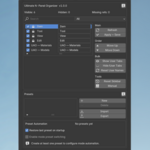
The N Panel Organizer lets you rename panels, change their order, create different layouts and control which tools appear in different Blender modes, so your sidebar can actually match the way you work.
Rename panels
Reorder tabs
Save presets
Mode based visibility
The N panel problem
Blender's sidebar works perfectly well when you only have a few tabs. The problem starts when your setup becomes more advanced and every add on wants its own permanent place there.
Too many tabs
A serious add on collection can quickly turn the sidebar into a long list that takes more time to scan than it should.
No personal structure
Each add on decides its own tab name and placement, even if that makes no sense for the way you personally work.
Irrelevant tools stay visible
Tools for modeling, sculpting or other tasks can remain visible even when they have nothing to do with the mode you are currently working in.
THE IDEA
Build the sidebar around your workflow
Instead of accepting whatever tab structure every add on gives you, you can decide how the N panel should be organized and keep that structure consistent.
01 Rename panels
Give tabs names that make sense to you instead of being stuck with whatever naming convention each add on uses.
02 Reorder the sidebar
Move the tools you use most into a predictable order so your sidebar feels like part of your workspace instead of a random list.
03 Save layouts
Create different presets and switch between them when your project type or current task changes.
04 Control visibility by mode
Assign panels to the Blender modes where they are actually useful, so switching modes can also change the tools visible in your sidebar.
Mode based organization
This is where the N Panel Organizer becomes more than a tab sorter. Different parts of Blender need different tools, so the sidebar can change with the context instead of showing everything all the time.
Modeling setup
Keep modeling related add ons available when you are working in the modes where you actually need them.
Sculpting setup
Switch to Sculpt Mode and let the sidebar focus on the tools that belong to that part of your workflow.
Less visual noise
The tools are still part of your Blender setup, but they do not all need to compete for your attention at the same time.
PRESETS
One Blender installation does not need one fixed layout
A modeling session, a sculpting project and a technical setup may all need different tools. Presets let you keep those layouts available without reorganizing the N panel from scratch every time.
Save your preferred arrangements
Once you have the sidebar arranged the way you like it, save that setup instead of rebuilding it later.
Switch when the job changes
Move between layouts depending on the project, task or type of work you are doing.
Take your setup with you
A carefully organized interface should not disappear just because you move to another machine or start setting up a newer Blender installation.
Export your configuration
Save the layout you have already spent time refining instead of treating it as something temporary.
Import it again when needed
Moving to another machine or Blender setup becomes much easier when you can bring your organized N panel configuration with you.
Who I built this for
3D artists with a large collection of Blender add ons who want the interface to stay readable as their toolset grows.
Artists who move between modeling, sculpting and other tasks and do not need the same sidebar tools visible in every context.
Anyone who has spent time building a sophisticated Blender setup and wants the interface to feel just as organized as the rest of the workflow.
Artists who regularly move between machines or Blender installations and want their N panel configuration to remain portable.
Why it matters
Keep the tools without keeping the clutter
You can keep a powerful Blender setup with all the add ons you rely on without accepting a sidebar that becomes harder to use every time you install another tool.
Build muscle memory
When the same tools stay in predictable places, you stop searching for them and start working with them.
Make Blender feel like your workspace
The goal is not to simplify your toolset. It is to give a sophisticated toolset a structure that stays practical as your workflow evolves.
