 mojilab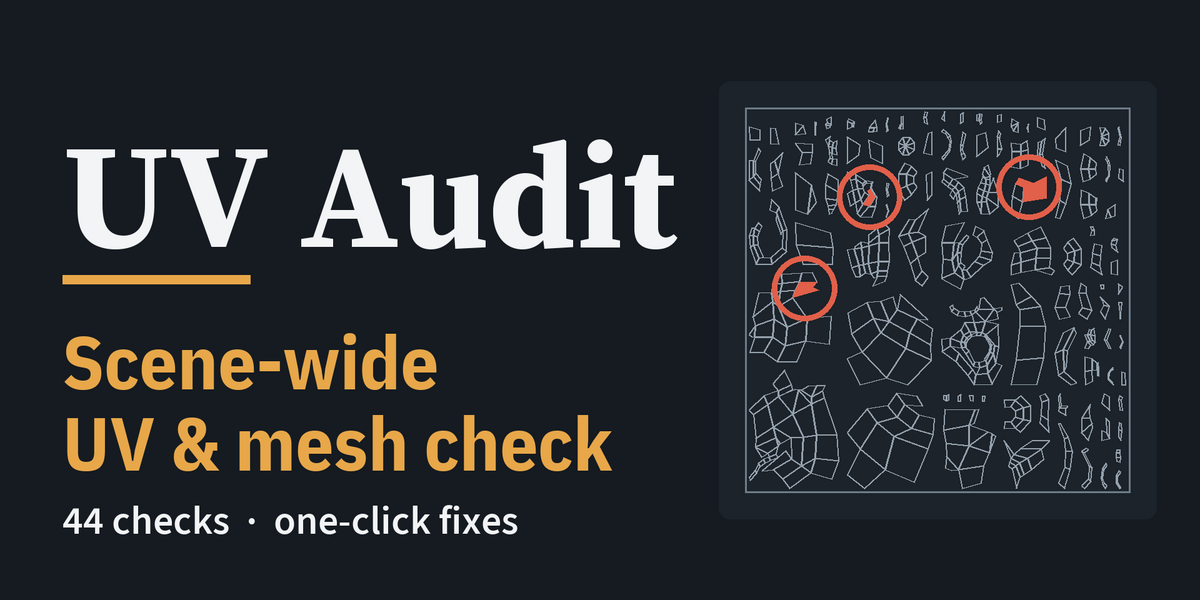
Description
Other checkers hand you a list of words. This one hands you the UVs.
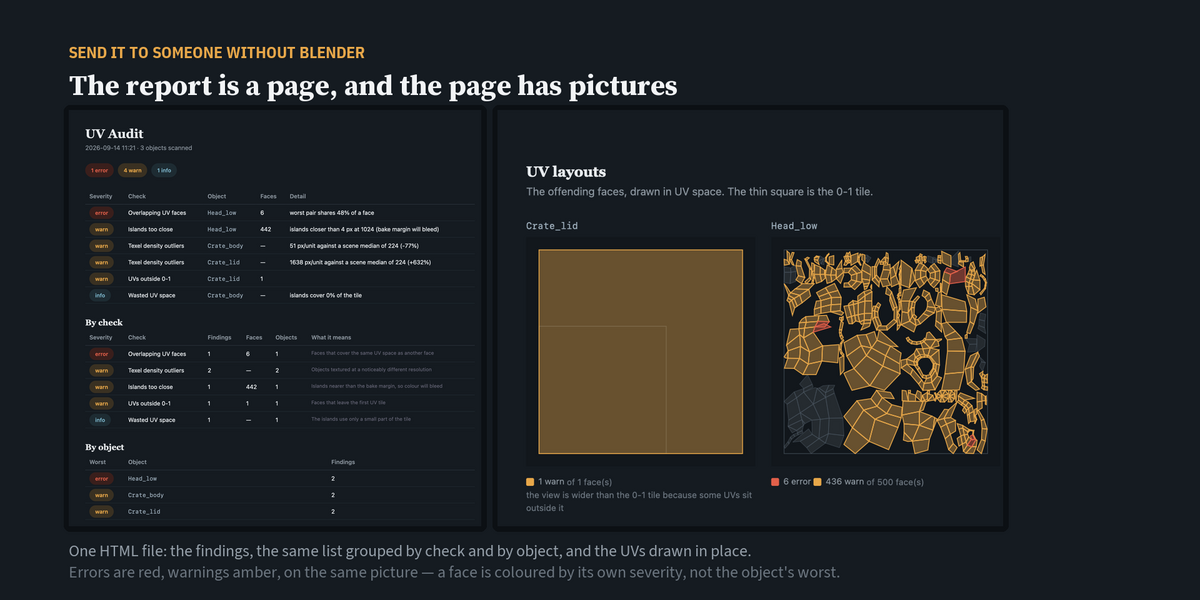
Export the report and the islands are drawn into the page — the person you send it to sees the six faces overlapping, and where they sit in the tile, without Blender and without your .blend. Then run the same audit from the command line with --fail-on error, and a bad UV never reaches your build.
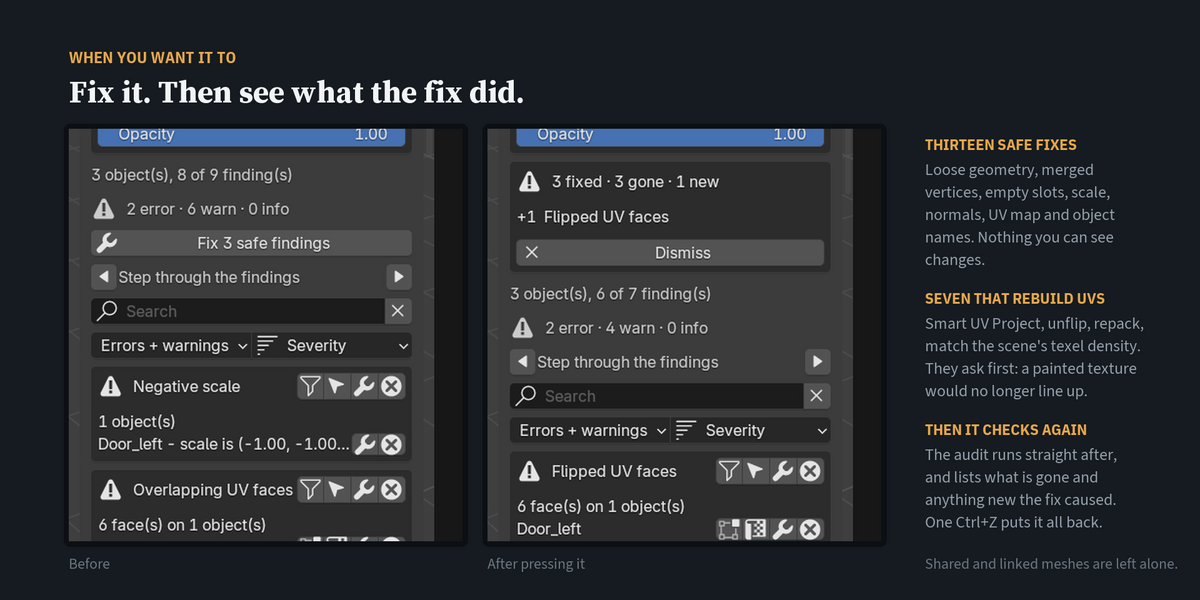
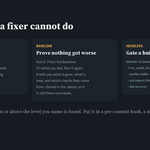
Until you press a fix it reads meshes, selects faces and draws, and changes no mesh, UV or material — the only things it keeps in the file are its own settings, the baseline and the ignore list. When you do press one, it audits again straight away, which is how it can tell you honestly whether the fix made anything worse.
01 — The UV half is the deep half
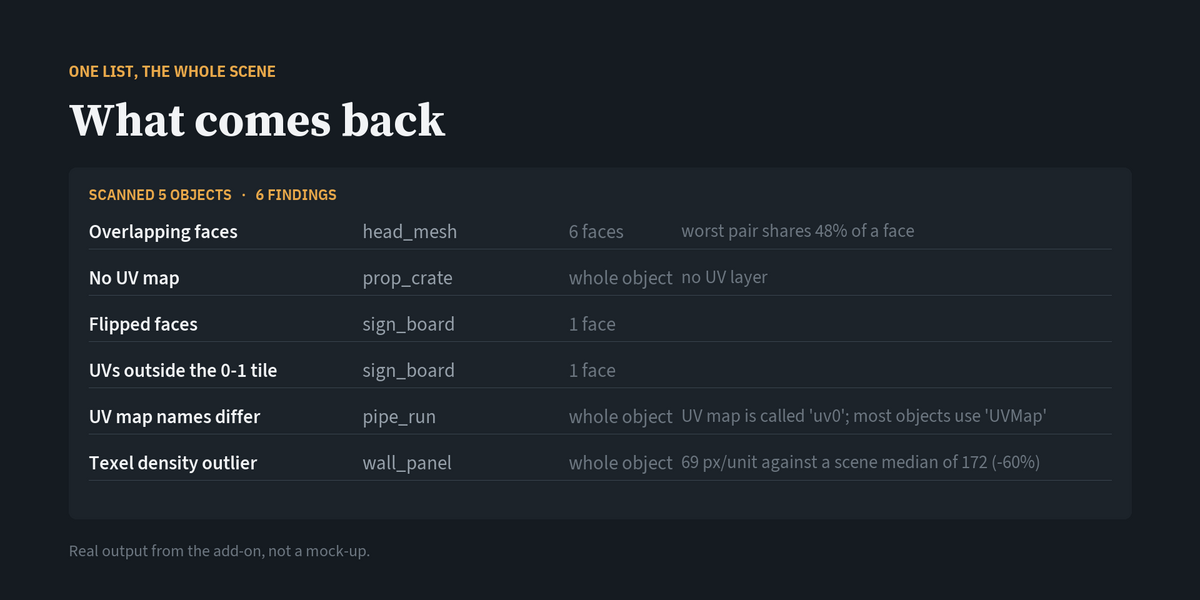
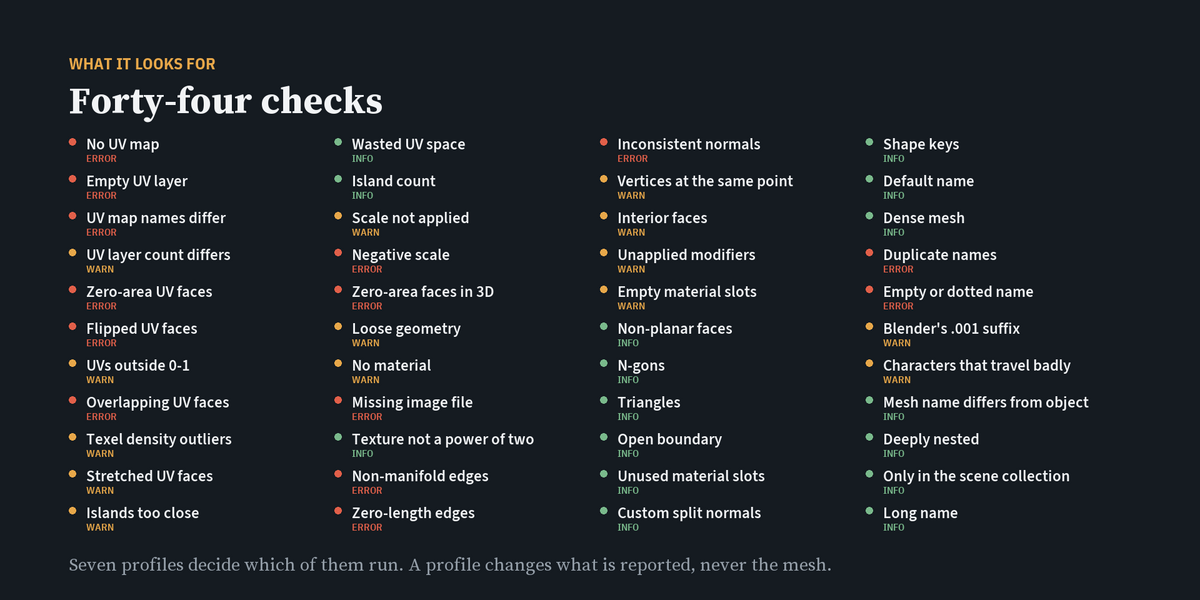
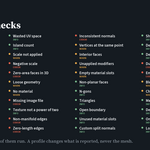
A UV check that is worth running does not stop at "there is a UV map". This one measures: how much of a face another face actually covers, which faces are wound backwards, which are stretched against the object median, how close the islands sit to the bake margin at the texture size you named, the texel density in pixels per unit with object scale taken into account, which tile a face has wandered into, and how much of the tile you are wasting. Then it does the same for the mesh, the materials, the image files and the names — forty-four checks, over every mesh in scope, sorted by severity.
02 — A report with the UVs drawn into it
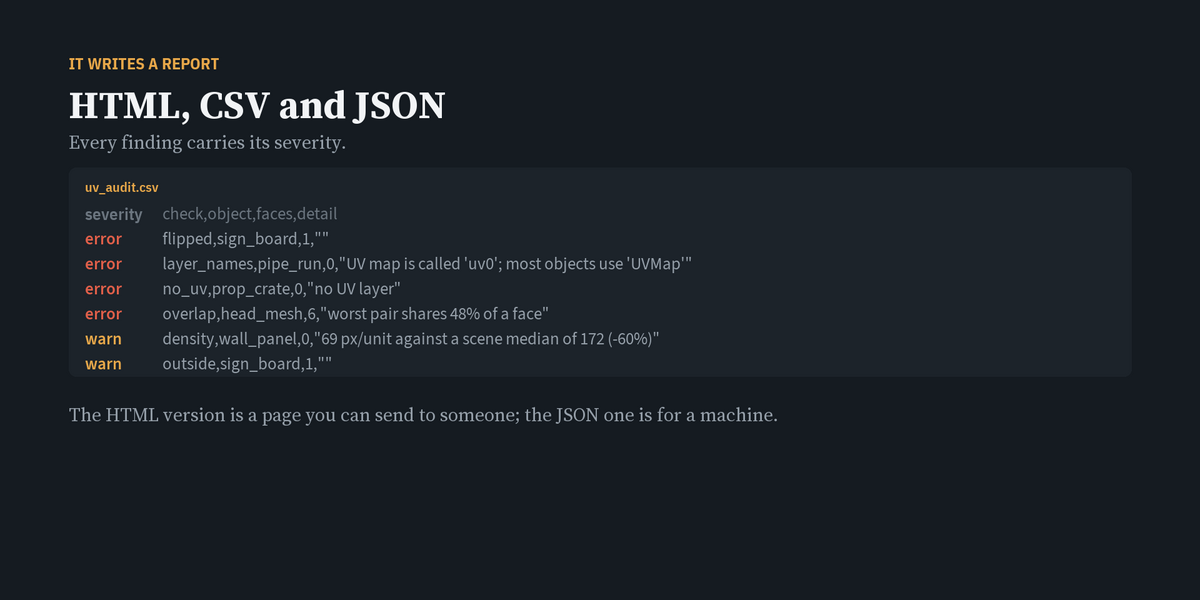
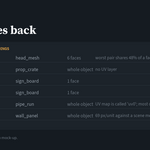
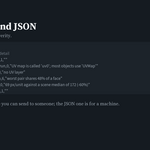
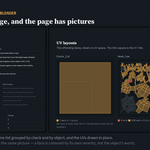
Plenty of tools write an HTML report. This one draws the UV layout itself into the page: the islands, and the offending faces filled by severity on top of them. The person you send it to does not need Blender, or the .blend, or a login, to see that six faces overlap and exactly where they sit in the tile. The same findings are laid out twice — grouped by check and grouped by object — and CSV and JSON come out of the same run for a spreadsheet or a machine.
03 — Proof that nothing got worse
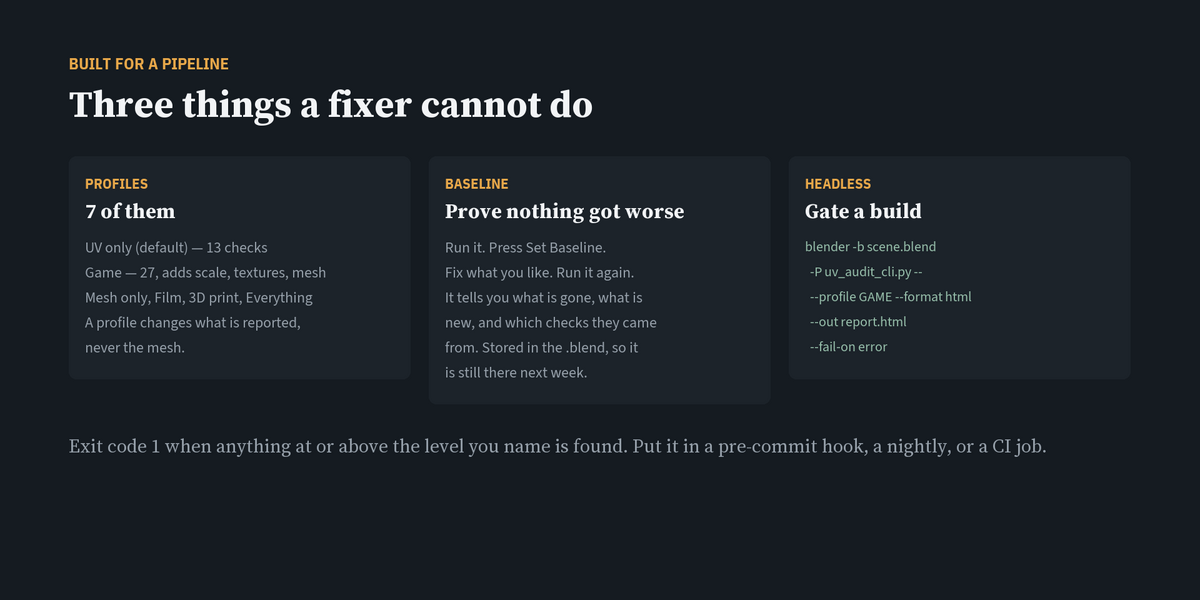
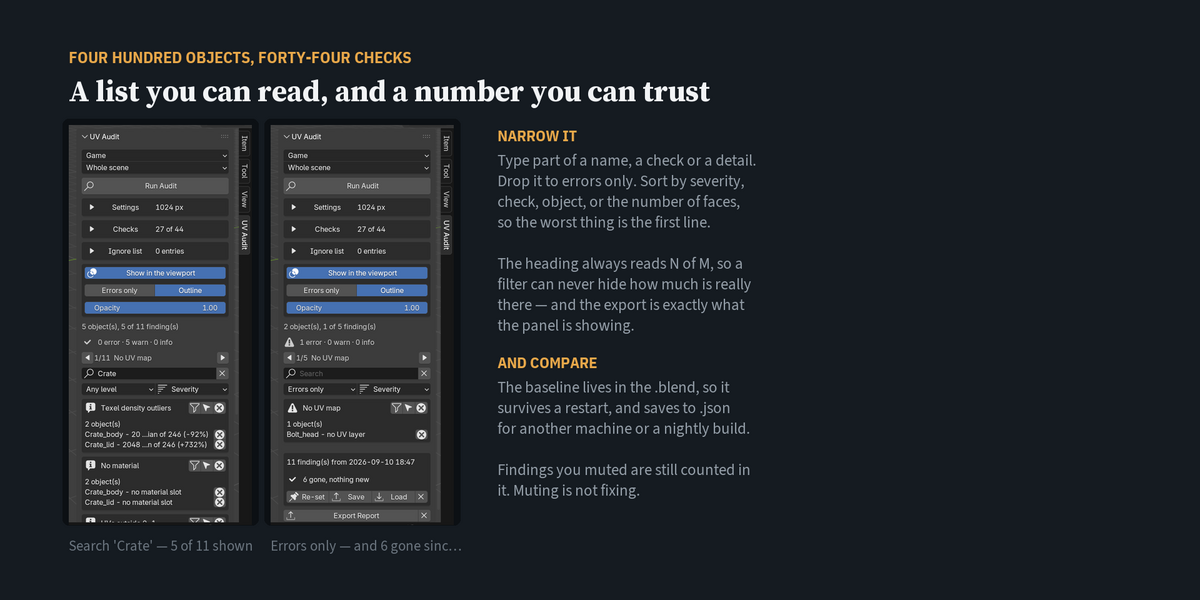
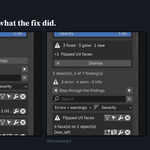
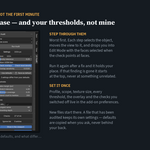
Press Set Baseline. Fix whatever you like, with whatever tool you like. Run it again. It tells you how many findings are gone, how many are new, and which checks the new ones came from. The baseline is stored in the .blend, so it is still there next week, and it can be written to a .json and used on another machine or in a nightly build. Muted findings are still counted in it — muting is not fixing. Fixes made with UV Audit are measured the same way: a finding is only called gone when the audit no longer finds it.
04 — A gate for your build
blender -b scene.blend -P uv_audit_cli.py -- --profile GAME --format html --out report.html --fail-on error
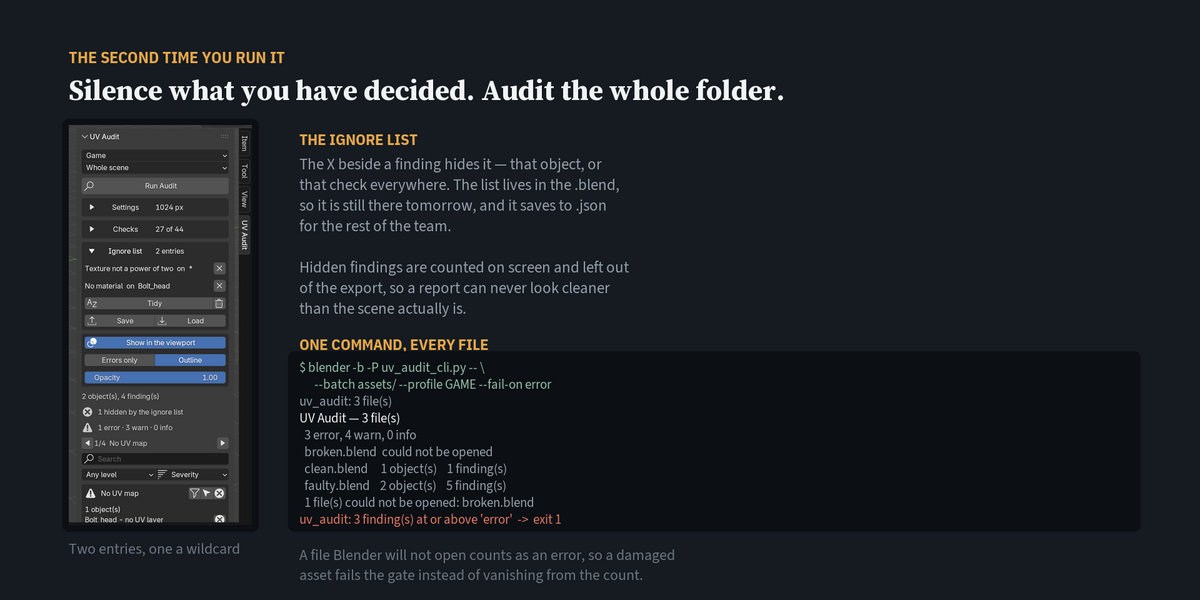
blender -b -P uv_audit_cli.py -- --batch assets/ --format html --out nightly.html --fail-on error
Four exit codes, and the fourth is the one that matters: 0 checked and clean, 1 checked and something was found, 2 the command line was wrong, 3 nothing was checked. A gate that returns "clean" for a file with no meshes in it, or a folder path with a typo, is worse than no gate — so that case has its own code and its own sentence. Put it in a pre-commit hook, a nightly, or a CI job.
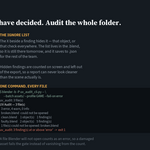
The second line walks a folder: every .blend under it is opened, audited and merged into one report, with the file name on every row. A file that will not open is named in the summary and counted as an error, never skipped quietly. Add --isolate and each file gets its own Blender, so one that crashes or hangs takes only its own process down — --timeout decides how long to wait.
05 — It shows you, without selecting
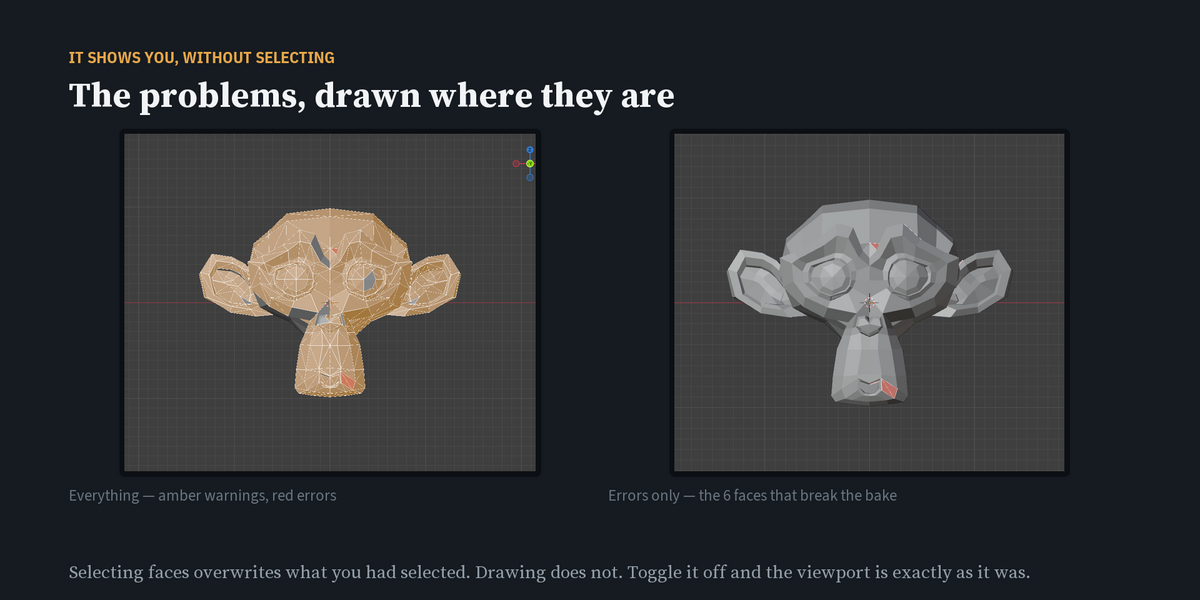
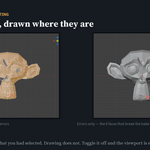
The offending faces are drawn in the 3D view and in the UV editor, filled by severity: red for errors, amber for warnings, green for information, with an outline. Selecting faces overwrites the selection you were working with. Drawing does not. Toggle it off and the viewport is exactly as it was. There is an "errors only" switch for when a scene is noisy.
06 — It is a panel, not a wizard
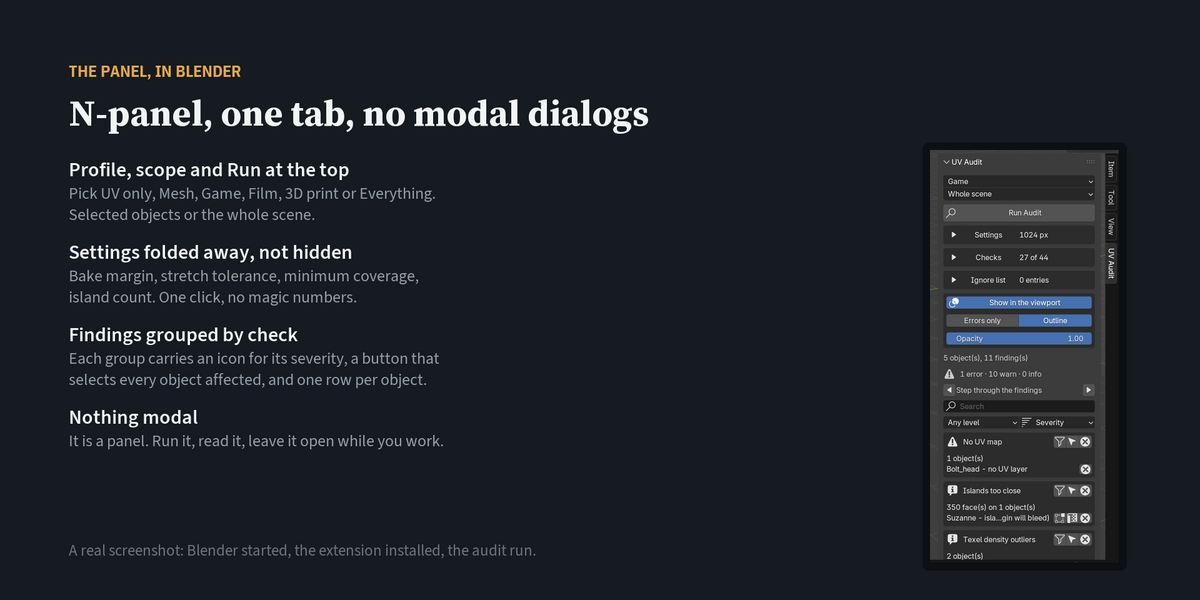
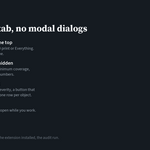
One tab in the N-panel. Profile, scope and Run at the top; settings, checks and the ignore list folded away underneath; findings grouped by check with a button that selects every object affected. Nothing modal — run it, read it, leave it open while you work.
07 — A list you can actually read
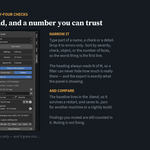
Four hundred objects and forty-four checks make a long list. Type a name and only that object's findings remain. Drop it to errors only. Sort by severity, by check, by object, or by the number of faces involved, so the worst thing in the scene is the first line. The heading always reads N of M, so a filter can never hide how much is really there — and what you export is exactly what the panel is showing.
08 — It refuses to point at the wrong face
Face numbers move the moment you edit a mesh. Every finding remembers how many faces the object had when it was audited, and if that has changed the buttons refuse — "Crate_lid has changed since the audit (842 faces then, 838 now) — run the audit again" — the panel says so at the top, and the viewport stops highlighting that object. A tool that quietly points at face 12 of a mesh that no longer has the same face 12 is worse than no tool.
09 — And the UV editor shows you the shape
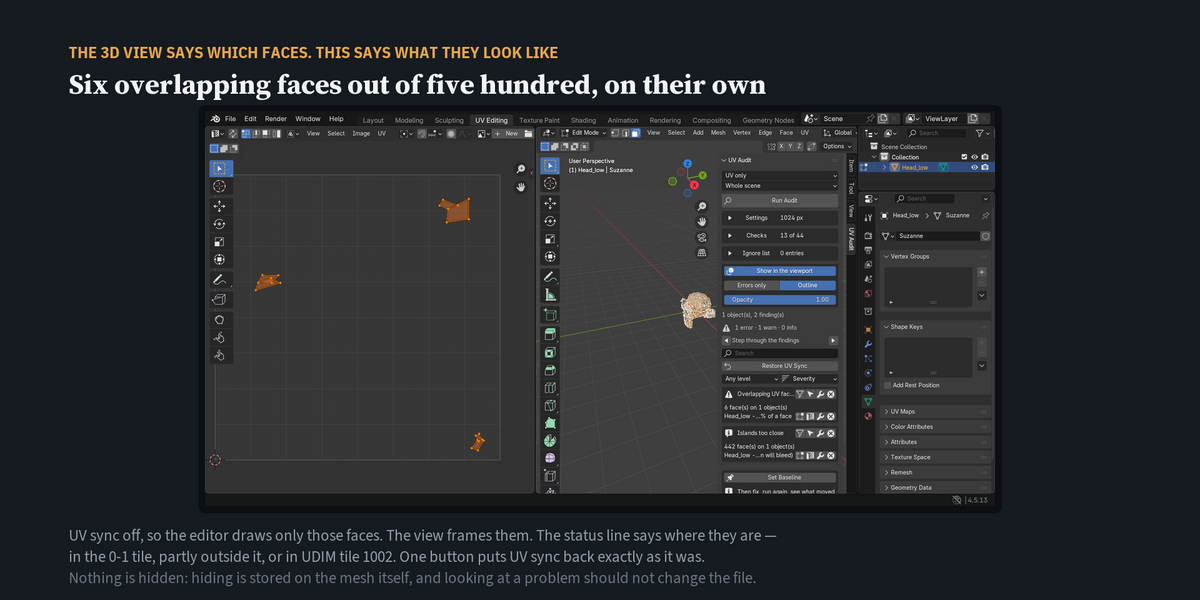
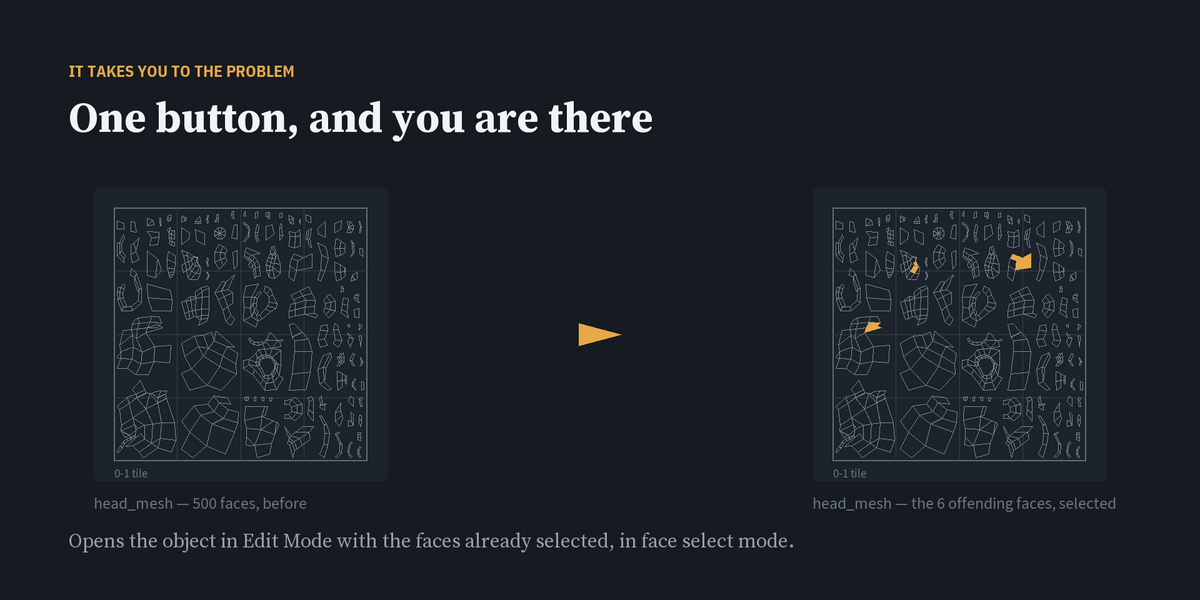
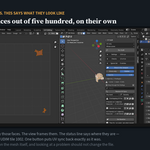
Selecting faces in the 3D view tells you which faces. It does not tell you what the UVs look like. The UV button on a row puts them in the UV editor: the faces are selected, UV sync is turned off so only they are drawn, and the view frames them — six overlapping faces out of five hundred, on their own, at the size of the screen. It says where they sit, too: in the 0-1 tile, partly outside it, or in UDIM tile 1002. Nothing is hidden — hiding faces would change the mesh's own state in your .blend, which looking at a problem should never do. One button puts UV sync back the way it was.
10 — Next problem, please
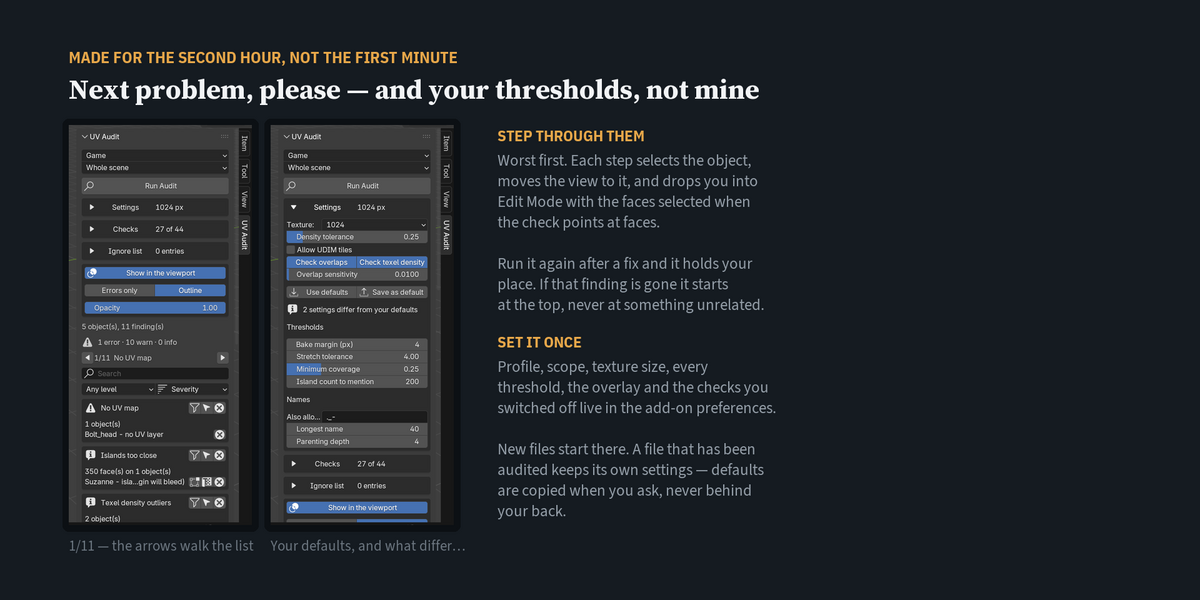
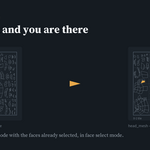
The arrows walk you through the findings one at a time, worst first: the object is selected, the view moves to it, and if the check points at faces you land in Edit Mode with those faces already selected. The heading says where you are — 7/24, Overlapping UV faces. Run the audit again after a fix and it holds your place; if the thing you were looking at is gone, it starts again at the top rather than pointing at something unrelated.
11 — Names and structure, not just geometry
The thing that stops an export is often not the mesh. It is two objects called Crate once Blender's .001 is dropped, a space in a name, an object left loose in the scene, a mesh called Cube.014 inside an object called Bolt_head, or a chain parented six levels deep. Eight checks cover that, with the allowed characters, the length and the depth all yours to set. They are off in the UV profile and on in Game.
12 — It does not cry wolf
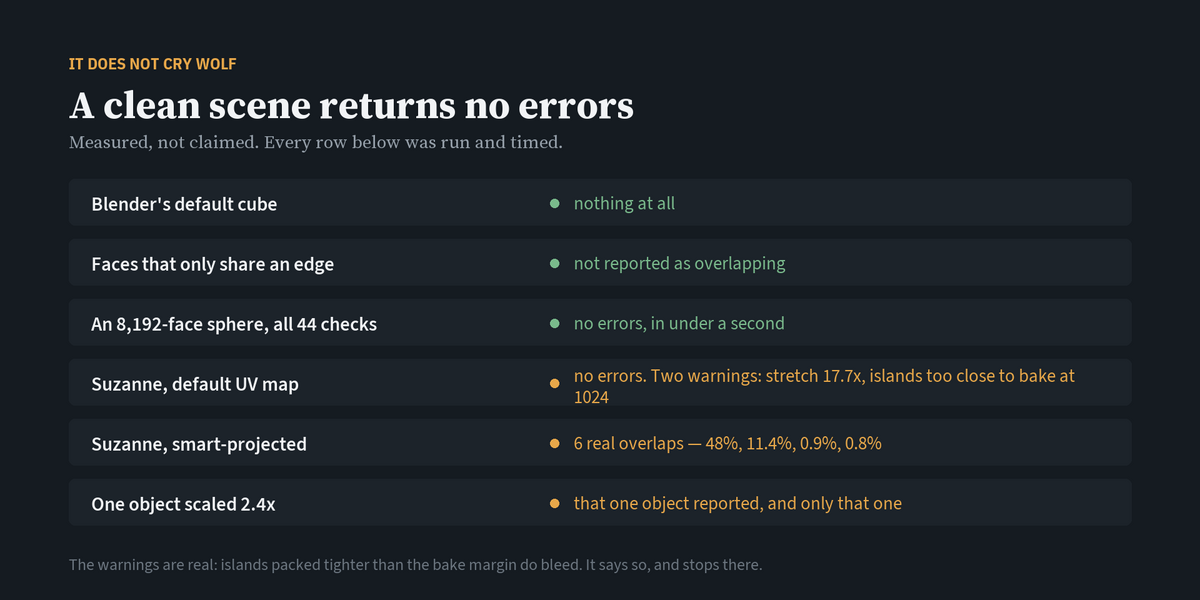
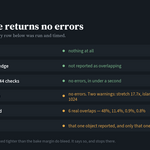
Calibrated against meshes with deliberate faults and meshes with none, and every claim below was measured rather than asserted. A clean scene returns no errors. Faces that only share an edge are never called overlapping. Overlap sensitivity is a setting. The default profile is UV only — it says nothing about your materials or your object scale unless you ask it to.
- Blender's default cube: nothing at all.
- An 8,192-face sphere, smart-projected, all forty-four checks: no errors, in under a second.
- Suzanne's default UV map: no errors, and two warnings — one face stretched 17.7x against the median, and islands packed too close to bake at 1024. Both are true. A bake at that margin does bleed.
- Suzanne, smart-projected: six overlapping faces, every one of them real (48%, 11.4%, 0.9%, 0.8%).
It reports the warning and stops there. It does not decide for you, and it does not touch the mesh.
13 — A way to say "I know"
The second time you audit a scene, half the list is things you have already decided about. Press the X on a finding and it is ignored — that one object, or that check everywhere. The list lives in the .blend, so it is still there tomorrow, and it can be saved to a .json and shared with the team. Hidden findings are counted on screen, never silently dropped, and Tidy collapses entries a wildcard already covers. A tool you cannot quieten is a tool people learn to scroll past.
14 — And a way to turn a check off entirely
Forty-four checks is a lot when you only care about eight. Open Checks and switch off the ones you do not want; the profile decides the set, your switches decide the exceptions. The header always shows how many are running out of how many exist.
15 — Your settings, not mine
Set the thresholds once in the add-on preferences and every new file starts there — profile, scope, texture size, every threshold, the overlay, and the checks you switched off. A file that has already been audited keeps its own settings; defaults are copied when you ask for them, never behind your back.
Seven profiles. UV only (13 checks, the default) · Mesh only (16) · Names and structure (8) · Game (27, adds scale, materials, image files, names) · Film / look-dev (15) · 3D print (13) · Everything (44). A profile changes what is reported, never the mesh.
How this is tested — and how you can tell
A checker that cannot fail proves nothing. So every check in this add-on is calibrated in both directions: a mesh built to have the fault, and a mesh built not to.
- All forty-four checks have a fault built for them. The suite counts them and refuses to pass if a check has never been made to fire — that count is how two checks that had quietly lost their test were found.
- Twenty-five deliberate breaks. Before every release the add-on is sabotaged twenty-five times — the overlap test made to always pass, the ignore list made to hide nothing, the exit code for "nothing was checked" turned back into "clean", the guard that stops a stale face number from selecting the wrong face, a fix allowed to change a mesh that other objects share, a rename onto a name that is already taken — and the suite must go red for each one. Twenty-five out of twenty-five, every build.
- 530 calibrated assertions outside Blender, plus 124 more run inside Blender twice, on 4.5 LTS and 5.2 LTS.
- The claims on this page are checked by machine too: the number of checks, the severity of every row in the table below, the profile counts, the exit codes, the file limits — each one is read out of the code and compared with this text on every build. If a sentence here stopped being true, the build would not pass.
- Speed, measured, not asserted: 400 objects and 51,200 faces audited in 1.6 seconds; an 8,192-face sphere through all forty-four checks in under a second; the viewport overlay at 18 ms a frame with 800 findings on screen.
Scale, measured on this machine: 400 objects and 51,200 faces in 1.6 seconds. 200 props sharing one mesh in 0.45 seconds, because shared meshes are checked once. The viewport overlay costs 18 ms a frame with 800 findings drawn — it builds its geometry when the results change, not on every frame.
16 — It tells you when your Blender is newer than the one it was tested on
The thing people are actually afraid of with a paid add-on is the morning Blender updates itself and the add-on is gone. This one cannot promise that will never happen, so it does the two things it can. It names the versions it was actually verified on, in the panel, the moment you are on something else — "Blender 5.4 is newer than the versions this was tested on (4.5, 5.2). Everything should still work — if a check misbehaves, that is worth reporting." And if it ever fails to start, it says which Blender it was on and that this is a version change rather than a broken download, instead of leaving you a bare traceback. It never refuses to run on a newer Blender — locking that door is what guarantees the add-on dies on update day.
No dependencies, nothing online. No other add-on is required, no Python packages are installed, no account, no licence server, no phone-home. It runs with the network off.
Updates: every 1.x release is free to anyone who buys 1.0. Bug fixes and new checks are not a paid upgrade.
Compatibility: Blender 4.2 and newer. Tested on 4.5.13 LTS and 5.2.1 LTS.
Licence: GPL-3.0-or-later.
---
INSTALLING
- Download
uv_audit-1.0.0.zipfrom your receipt page. - In Blender, open Edit → Preferences → Get Extensions, click the ▾ at the top right, and choose Install from Disk…
- Select the zip. The add-on installs and enables itself.
- Open the 3D viewport sidebar with N and pick the UV Audit tab.
Blender 4.2 and newer. Tested on 4.5.13 LTS and 5.2.1 LTS. Nothing else is required — no external libraries, no internet connection.
RUNNING AN AUDIT
- Choose the scope: Selected objects or Whole scene.
- Set Texture size to the resolution you are actually working at. This only affects the texel density check.
- Press Run Audit.
Every mesh in scope is checked and the findings are listed by type. A clean scene returns an empty list.
THE CONTROLS ON EACH FINDING
- The arrow button on a heading selects every object affected by that check, in Object Mode.
- The edit-mode button on a row opens that object in Edit Mode with the offending faces already selected, in face select mode.
- The wrench button fixes the finding — on a row for that object, on a heading for every object that has it. See FIXING below.
-
Export Report writes every finding to
.csvor.json.
FIXING
Nothing changes until you press a wrench button: on a row (that object), on a heading (every object with that finding), or Fix N safe findings above the list (every safe fix on screen). After a fix the audit runs again with the same settings, and the panel lists what is gone and anything new the fix caused. One Ctrl+Z undoes the whole fix.
The thirteen safe fixes do not change how anything looks:
| Finding | Button | What it does |
|---|---|---|
| UV map names differ | Rename the UV map | Renames this object's first UV map to the name most objects use, and points material nodes and modifiers that used the old name at the new one |
| Empty material slots | Remove empty slots | Removes material slots that hold no material and that no face uses |
| Unused material slots | Remove unused slots | Removes material slots that no face is assigned to |
| Loose geometry | Delete loose geometry | Deletes vertices and edges that belong to no face |
| Vertices at the same point | Merge by distance | Merges vertices that sit at the same point. UVs stay where they are |
| Zero-length edges | Collapse zero-length edges | Collapses edges whose two vertices sit at the same point |
| Zero-area faces in 3D | Dissolve zero-area faces | Dissolves faces with no area. A face that cannot be dissolved is removed |
| Scale not applied | Apply scale | Applies the object's scale to its mesh. Nothing moves in the scene |
| Negative scale | Apply scale | Applies the mirrored scale to the mesh and turns its faces the right way round. Nothing moves in the scene. A texture on it stays mirrored as before, so its UVs are then reported as flipped |
| Inconsistent normals | Make normals consistent | Winds every face the same way: outward on a closed mesh, and on an open one the way most of its faces already point |
| Blender's .001 suffix | Drop the .001 | Renames Crate.001 to Crate when no other object is called Crate |
| Characters that travel badly | Replace the characters | Replaces characters outside A-Z, 0-9 and the ones you allow with an underscore |
| Mesh name differs from object | Rename the mesh | Gives the mesh the name of its object |
The seven below rebuild the UV layout, so they ask first — a texture already painted or baked on the object will no longer line up:
| Finding | Button | What it does |
|---|---|---|
| No UV map | Smart UV Project | Adds a UV map and unwraps it with Smart UV Project, leaving your bake margin between islands |
| Empty UV layer | Smart UV Project | Unwraps the empty UV map with Smart UV Project, leaving your bake margin between islands |
| Flipped UV faces | Unflip the UVs | Mirrors islands that are wound backwards. Faces flipped inside an otherwise correct island are unwrapped again. Then the islands are packed |
| Overlapping UV faces | Repack the UVs | Packs the islands apart with your bake margin. Faces that still overlap inside one island are unwrapped again and packed once more |
| Texel density outliers | Match the scene density | Scales this object's islands to the scene's median texel density and packs them without rescaling. If they would not fit in the tile, nothing is changed |
| Islands too close | Repack with margin | Packs the islands with your bake margin between their boxes |
| Wasted UV space | Repack to fill the tile | Packs and scales the islands to use the tile |
The other twenty-four findings are left to you, because the right answer depends on the asset. Objects whose mesh is shared with other objects, objects linked from another file and objects hidden in the viewport are skipped, and the panel says why. The command line never fixes anything: a build gate only reads.
SETTINGS
- Overlap sensitivity — how much two faces must share before it is called an overlap. Raise it if hairline contact between islands is being reported; lower it to catch smaller overlaps.
- UDIM — turn this on when UVs outside the 0-1 tile are deliberate, and that check is skipped.
- Face limit — meshes above this triangle count are skipped rather than scanned. Skipped meshes are reported as skipped, never silently ignored.
THE FORTY-FOUR CHECKS
| Check | Severity | What it means |
|---|---|---|
| No UV map | error | The mesh has no UV layer at all |
| Empty UV layer | error | Every UV coordinate in the layer is at the origin |
| UV map names differ | error | Objects do not agree on the name of the first UV map |
| UV layer count differs | warn | Objects carry a different number of UV maps |
| Zero-area UV faces | error | Faces collapsed to a point or a line in UV space |
| Flipped UV faces | error | Faces whose UV winding is mirrored |
| UVs outside 0-1 | warn | Faces that leave the first UV tile |
| Overlapping UV faces | error | Faces that cover the same UV space as another face |
| Texel density outliers | warn | Objects textured at a noticeably different resolution |
| Stretched UV faces | warn | Faces whose UV area is far from the object average |
| Islands too close | warn | Islands nearer than the bake margin, so colour will bleed |
| Wasted UV space | info | The islands use only a small part of the tile |
| Island count | info | The mesh is split into an unusually large number of islands |
| Scale not applied | warn | Object scale is not 1, which skews texel density and bakes |
| Negative scale | error | A mirrored object scale flips normals and UV winding |
| Zero-area faces in 3D | error | Faces with no area in the mesh itself, not just in UV |
| Loose geometry | warn | Vertices or edges that belong to no face |
| No material | warn | The mesh has no material slot |
| Missing image file | error | An image texture points at a file that is not on disk |
| Texture not a power of two | info | Image sizes that are not powers of two |
| Non-manifold edges | error | Edges shared by more than two faces. Bakes and exporters choke on these |
| Zero-length edges | error | Two vertices of an edge sit at the same point |
| Inconsistent normals | error | Neighbouring faces are wound in opposite directions |
| Vertices at the same point | warn | Separate vertices that share a position, usually a merge that never happened |
| Interior faces | warn | Faces buried inside the mesh, hidden from every angle |
| Unapplied modifiers | warn | Modifiers that change the surface, so what you audit is not what you export |
| Empty material slots | warn | A material slot with nothing in it |
| Non-planar faces | info | Quads and n-gons whose corners do not lie in one plane |
| N-gons | info | Faces with more than four sides |
| Triangles | info | Faces with three sides, counted so you know what you are shipping |
| Open boundary | info | Edges with only one face. Normal for a plane or a shell, worth knowing for a solid |
| Unused material slots | info | A slot no face is assigned to |
| Custom split normals | info | The mesh carries custom normals, which some exporters drop |
| Shape keys | info | The mesh carries shape keys |
| Default name | info | Still called Cube, Plane.001 and so on |
| Dense mesh | info | More faces than the budget you set |
| Duplicate names | error | Two objects share a name once the .001 suffix is dropped, which collides on export |
| Empty or dotted name | error | A name that is blank, or begins with a dot, does not survive most exporters |
| Blender's .001 suffix | warn | Names like Crate.003, which Blender adds when something is duplicated |
| Characters that travel badly | warn | Spaces, slashes and other characters that engines and file names dislike |
| Mesh name differs from object | info | The object and its mesh data carry different names |
| Deeply nested | info | Parented more levels down than the depth you allow |
| Only in the scene collection | info | Objects sitting loose in the scene rather than in a collection |
| Long name | info | Longer than the length you allow. Blender itself stops at 63 characters, and some formats truncate well before that |
PROFILES
| Profile | Checks | For |
|---|---|---|
| UV only (default) | 13 | UV work. Says nothing about materials, scale or mesh soundness |
| Mesh only | 16 | Manifold, normals, n-gons, duplicates, modifiers |
| Names and structure | 8 | Duplicate names, characters, hierarchy, collections |
| Game | 27 | UV plus scale, materials, image files and mesh soundness |
| Film / look-dev | 15 | Layout and distortion, not engine limits |
| 3D print | 13 | Watertightness and geometry soundness |
| Everything | 44 | All of them |
HEADLESS USE
blender -b scene.blend -P uv_audit_cli.py -- --profile GAME --format html --out report.html --fail-on erroruv_audit_cli.py is included in the download — it is inside the add-on folder, and also supplied as a separate file so you can drop it straight into a pipeline. It finds the add-on whether you installed it as an extension or put the uv_audit folder next to the script.
Options: --profile UV|MESH|NAMES|GAME|FILM|PRINT|EVERYTHING, --format text|csv|json|html, --out FILE, --texture 1024, --udim, --fail-on error|warn|info, --batch DIR, --no-recurse, --no-maps, --isolate, --timeout 300. Exit code is 1 when anything at or above that level is found, otherwise 0.
Exit codes
| Code | Means |
|---|---|
| 0 | It ran, and nothing at or above --fail-on
|
| 1 | It ran, and something at or above --fail-on
|
| 2 | The command line was wrong — unknown option or profile |
| 3 |
Nothing was checked — no mesh objects in the scene, no .blend under the folder, or every file refused to open |
Code 3 exists because "the check did not run" is not "the check passed". Every one of these is verified end to end on every build: a clean scene exits 0, a scene with an overlap exits 1, a bad option exits 2, and a scene with no meshes exits 3.
AUDITING A WHOLE FOLDER
blender -b -P uv_audit_cli.py -- --batch assets/ --profile GAME --fail-on errorEvery .blend under assets/ is opened in turn, audited, and merged into one report; --no-recurse keeps it to the top level. With --isolate each file is checked in its own background Blender: a file that crashes or hangs takes only its own process down and the rest still get checked, and --timeout 300 is how long any one file may take. Both ways produce the same report — that is checked on every build by running the same folder twice and comparing. Blender's own backup files (.blend1, .blend2) are left alone. Each row carries the file it came from, so Crate.blend : Crate_lid is never confused with Prop.blend : Crate_lid. Files are opened read-only as far as your data is concerned — the add-on never saves. A file Blender refuses to open is reported as File could not be opened, an error, so a damaged asset fails the gate instead of disappearing from the count.
THE IGNORE LIST
Every finding has an X. Pressing the one on a row ignores that finding on that object; pressing the one on the heading ignores that check on every object. Entries appear under Ignore list, and they are stored in the .blend, so they survive a restart.
- Tidy removes duplicates and drops narrow entries that a wildcard entry already covers.
-
Save / Load move the list between files as
.json, so a team can share one set of accepted exceptions. - The panel always shows how many findings are hidden. Nothing disappears without being counted.
- Exports contain exactly what the panel shows, so a report cannot claim a scene is cleaner than it is.
The ignore list hides a finding. It never fixes one, and it never changes the mesh.
TURNING CHECKS OFF
Open Checks to see all forty-four with their severity. The checkbox switches one off for good, whichever profile you pick; greyed rows are checks the current profile does not run. The heading shows running / total — for example 27 of 44 — and Turn all back on clears every exception at once.
THE VIEWPORT OVERLAY
With Show in the viewport on, every offending face is drawn where it is — in the 3D view and in the UV editor — filled by severity and outlined. It draws only: it never selects, never enters Edit Mode, and never changes the mesh, so you can leave it on while you work. Errors only hides the warnings, Outline turns the edges off, and Opacity scales the fill.
SEEING IT IN THE UV EDITOR
The UV button on a finding's row shows those faces in the UV editor.
- Open a UV Editor somewhere in your workspace (the UV Editing tab is fine). If there is none, the button says so rather than doing nothing.
- Press it. The object goes into Edit Mode with those faces selected, UV sync selection is turned off so the UV editor draws only them, and the view frames them.
- The status line says how many faces and where they are — in the 0-1 tile, partly outside the 0-1 tile, or in UDIM tile 1002 — and whether they straddle several tiles.
- Restore UV Sync appears in the panel and puts that setting back exactly as it was. It is the only setting the button touches.
Faces are never hidden. Hiding is stored on the mesh itself, and looking at a problem should not change the file.
STEPPING THROUGH THE FINDINGS
The ◀ ▶ arrows above the list walk through the findings, worst first. Each step selects the object, moves the 3D view to it, and — when the check points at individual faces — enters Edit Mode with those faces selected in face mode. The label between the arrows reads position / total and the name of the check.
The order is fixed: severity, then check, then object, so "next" always means the same thing. After a re-run it keeps your place if that finding is still there, and goes back to the top if it is not.
WHEN THE MESH CHANGES UNDER YOU
Face numbers are only valid for the mesh that was audited. The add-on records how many faces each object had at the time, and if that number has changed:
- the buttons that select faces, open the UV editor or step to the next problem refuse, naming the object and both counts;
- the viewport overlay stops drawing that object, so nothing is highlighted in the wrong place;
- the panel puts a line at the top: N mesh(es) changed since the audit — run it again.
Objects that have not changed keep working. Nothing else in the file is touched.
THE PICTURES IN THE REPORT
The HTML report draws each object's UVs as a diagram: every face in outline, the ones a check found filled in — red for errors, amber for warnings, blue for information — and the 0-1 tile as a thin square so you can see what sits outside it. A face is coloured by its own severity, so six overlapping faces stay red among four hundred amber ones rather than the whole object turning red.
- The diagrams are SVG written into the page itself. No image files to send alongside, and they stay sharp when you zoom in.
- Under Settings: Draw UV maps in the HTML report turns them off, Objects to draw (12 by default, worst first) and Faces per picture (4,000) keep the file sensible. Anything beyond the limit is counted in the caption, not silently dropped.
- With the defaults a busy scene lands around 3 MB, and the panel tells you the size it wrote.
-
--no-mapsleaves them out of a headless run.
READING A LONG LIST
-
Search — type part of an object name, a check name or a detail. Matching is case-insensitive and partial, so
cratefindsCrate_lid. - Any level / Errors only / Errors + warnings — narrows by severity.
- Sort — severity (worst first), check, object, or number of faces (biggest first).
- The funnel button on a heading shows only that check; press it again to show everything.
- The heading reads N of M finding(s) whenever a filter is on, and the error/warning/information counts underneath are the counts of what is being shown.
- Export Report writes what the panel is showing, and records the filter you used in the report, so a report can never look cleaner than the scene.
THE BASELINE
Run the audit, press Set Baseline, make your changes, run again. The panel shows how many findings are gone, how many are new, and which checks the new ones came from; the HTML report carries the same numbers.
- The baseline is stored inside the .blend (a scene property — no mesh, material or object data is touched). Save the file and it is still there after a restart.
-
Save / Load write it to
.json, so the same reference can be used on another machine, by another artist, or in a nightly build. - Findings you have muted with the ignore list are still counted in the baseline. Muting something never shows up as a fix.
- Only the check, the object and the detail are stored, so a baseline for a large scene stays small.
NAMES AND STRUCTURE
Eight of the checks look at names and where things sit, because that is what breaks an export when the geometry is fine.
-
Duplicate names — two objects that collide once Blender's
.001suffix is dropped. This one is an error: exporters overwrite one with the other. - Empty or dotted name — blank, or starting with a dot.
- Blender's .001 suffix, characters that travel badly (spaces, slashes, anything outside A-Z a-z 0-9 and the characters you allow), mesh name differs from object, deeply nested, only in the scene collection, long name.
Under Settings you set what to allow: the extra characters (these are characters, not a pattern), the longest name, and the parenting depth. Blender itself stops names at 63 characters, so the default limit is 40 — a limit of 63 could never fire.
DEFAULTS FOR EVERY FILE
Edit → Preferences → Add-ons → UV Audit holds a copy of every setting: profile, scope, texture size, all the thresholds, the overlay, and the checks you have switched off.
- Use My Defaults copies them into the current scene. It is in the preferences and in the panel, under Settings.
- Save As My Defaults does the opposite: this scene's settings become the defaults.
- Files that have never been audited start from your defaults when you open them. A file that has already been audited keeps what it carries — opening it never overwrites its settings. Turn the whole behaviour off with one checkbox.
- The panel tells you when a scene differs from your defaults, so a threshold someone else changed does not go unnoticed.
FAQ
Does it change my meshes?
Only when you press a fix. Auditing reads meshes and selects faces; it never edits geometry, UVs, materials or object data. A fix changes what its button says, the audit runs again, and one Ctrl+Z undoes it.
Why is a clean object still listed as "skipped"?
It is above the face limit. Raise the limit in the panel, or audit that object on its own.
It says my UVs are outside the 0-1 tile, but I use UDIM.
Turn on the UDIM option. That check is then skipped.
Two islands just touch at the edge and it reports an overlap.
Raise the overlap sensitivity. Faces that only share an edge are never reported.
Can I use the report in a pipeline?
Yes. Export as .json for machine reading, .csv for a spreadsheet or a review.
Do I have to set the thresholds in every file?
No. Set them once in the add-on preferences; new files start there, and audited files keep their own.
Does the baseline survive closing Blender?
Yes, if you save the .blend — it is stored in the file. It can also be written to a .json and loaded anywhere.
I audited one object and texel density said nothing.
Three checks — texel density, UV map names and UV map count — work by comparing objects with each other, so a single object has nothing to be compared against. Audit the whole scene, or a selection with more than one object in it.
Two hundred of my props share one mesh. Is that slow?
No. Objects that share mesh data are checked once and the result is reported for each of them: 200 instanced props take 0.45 seconds instead of 6.75. Anything that depends on the object rather than the mesh — scale, name, modifiers — is still checked on every one.
Can the person I send the report to see the UVs?
Yes. The HTML report draws them as diagrams inside the page — no Blender, no .blend, no image files alongside.
The UV button does nothing.
There is no UV Editor open in your workspace. Switch to the UV Editing tab, or change any area to a UV Editor, and press it again — it will tell you the same thing in the status bar.
Can I silence a finding I have already decided about?
Yes — the X beside it. The entry is kept in the .blend, hidden findings are still counted on screen, and the list can be saved and shared as .json.
Can it check a whole folder of .blend files?
Yes — --batch DIR from the command line. One merged report, the file name on every row, and a file that will not open counts as an error.
Which Blender versions?
4.2 and newer. Verified on 4.5.13 LTS and 5.2.1 LTS with the same 25-point test suite.
Support
Message me through the Superhive inbox on this product page. I aim to reply within 72 hours.
-
$15
One artist. Includes all 1.x updates and 12 months of support.
-
$60
A small team sharing one pipeline, up to five people. Includes all 1.x updates and 12 months of support.
-
$100
Larger teams and build servers. Includes all 1.x updates and 12 months of support.
 Included
Includes 12 months of
- Support from mojilab
- Product updates
Extend this product’s Support Period +12 months: 25% of product price
Have questions before purchasing?
Login to message
| Blender Extension Compatible | Yes |
| Published | 7 days ago |
| Blender Version | 4.2 - 5.2 |
| Extension Type | Add-on |
| Render Engine Used | Cycles, Eevee |
| License | GPL |

Discover more products like this
udim uv mapping texel density baking Game asset Checker asset validation uv overlap mesh check UV Checker pipeline uv