UV RectiPack
 Dawid Gerula
Where do I get help or send feedback?
Use the Superhive inbox on this product page. Bug reports with a short description of your mesh and settings are the easiest to fix.
How do I update or remove it?
To update, install the new zip the same way as the first time. To remove it, go to Preferences → Add-ons → UV RectiPack → ▾ → Uninstall.
Does it need an internet connection, and does it collect any data?
No. It works fully offline and collects nothing. It touches the disk only when you export a QC report.
Does it support UDIM?
Not in 1.0. Each material packs into its own 0-1 space.
How fast is it?
Under a second for a typical prop. 800+ islands take a few seconds, because it is pure Python.
Are the islands packed as rectangles?
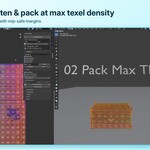
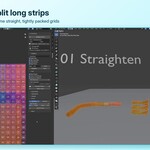
Yes. That is ideal for straightened and hard-surface UVs. Other islands are oriented to their tightest box first.
Why is the TD lower than before on a fresh Smart UV layout?
Smart UV packs with 0 px margins. RectiPack adds mip-safe margins, and the report says so.
Which Blender versions and systems are supported?
Blender 4.2 LTS, 4.5 LTS, 5.0, 5.1 and 5.2 LTS were tested. The add-on is pure Python with no binaries, so it runs on Windows, macOS and Linux. It installs as a Blender Extension (Preferences → Get Extensions → Install from Disk).
Will it mess up my pinned or finished UVs?
Only the selected faces are processed. Islands with pinned UVs are skipped when Keep Pinned is on, and Add to Layout never moves existing islands. Every operation is one Ctrl+Z.
Does it replace Blender's unwrap?
No. It works on top of any unwrap: seams, Smart UV Project or other add-ons. With Unwrap First it can also unwrap for you.
 Included
Includes 12 months of
- Support from Dawid Gerula
- Product updates
Extend this product’s Support Period +12 months: 25% of product price
Have questions before purchasing?
Login to message
| Blender Extension Compatible | Yes |
| Published | 3 days ago |
| Blender Version | 4.2 - 5.2 |
| Extension Type | Add-on |
| Render Engine Used | Cycles |
| License | GPL |
Discover more products like this
uv packing uv islands uv editor pack islands uv stacking texel density heatmap game assets UV Unwrap uv check texel density uv straighten uv