 Ronin


🧳 Valise for Blender
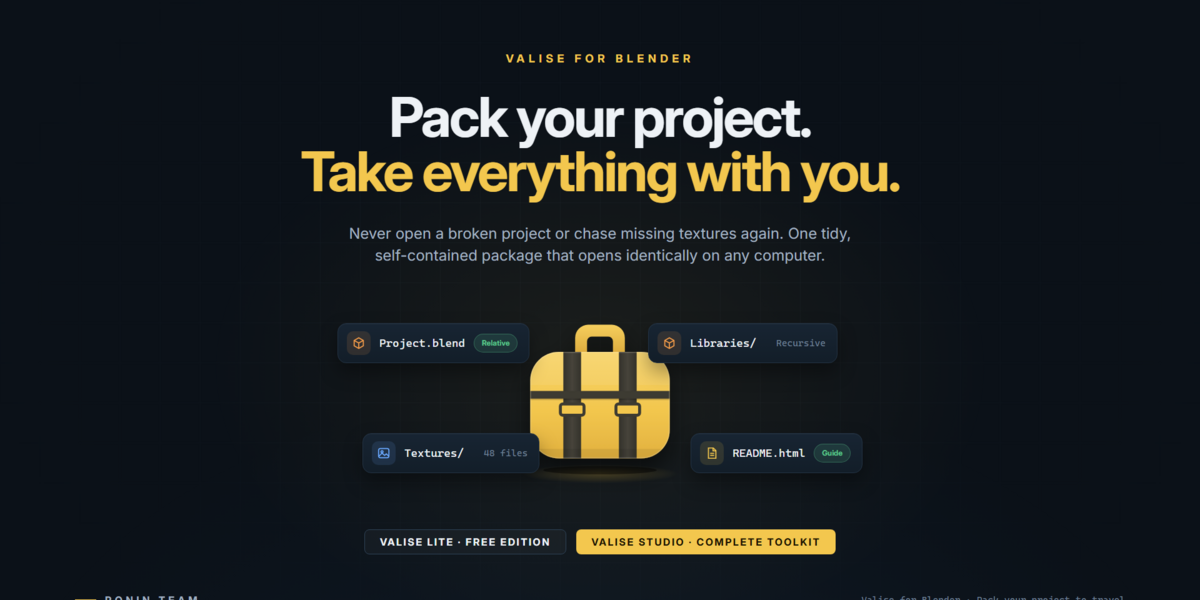
Pack your project. Send it anywhere. Open it with confidence.
Stop chasing missing textures, broken links, forgotten caches, and files scattered across your computer.
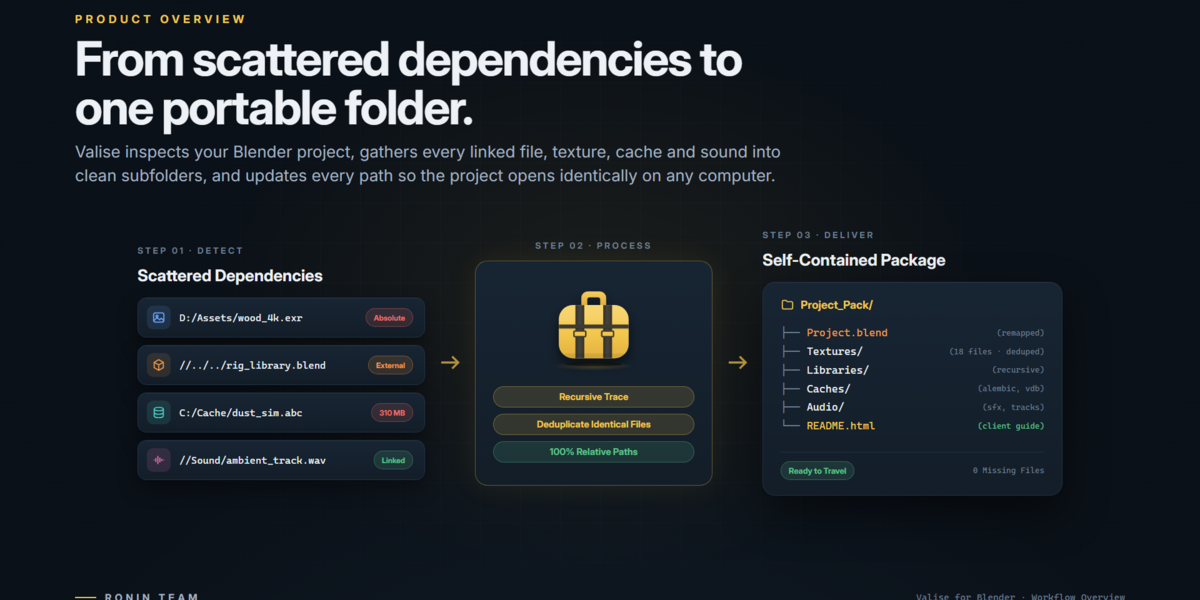
✨ Valise transforms your Blender projects into organized, portable packages. It collects supported external dependencies, creates a separate copy of your project, converts file paths to relative paths, and prepares everything for archiving, collaboration, render farms, or client delivery.
- 🛡️ Your original project stays untouched.
- 📦 Your dependencies travel together.
- 🔍 Potential problems are easier to identify before delivery.
- 🤝 Your recipients get a project that is easier to open and understand.
Two editions. One goal: keep your Blender projects together.
🆓 Try Valise Lite for free: Get Valise Lite on Gumroad.
😩 A .blend File Is Not the Whole Project
You send the .blend file. Someone opens it. The textures are pink, the footage is missing, a linked library still points to your drive, and nobody knows which add-ons the scene needs.
A Blender project can depend on much more than its main file:
- 🖼️ Textures, image sequences, and UDIMs.
- 🎬 Audio, video, and movie clips.
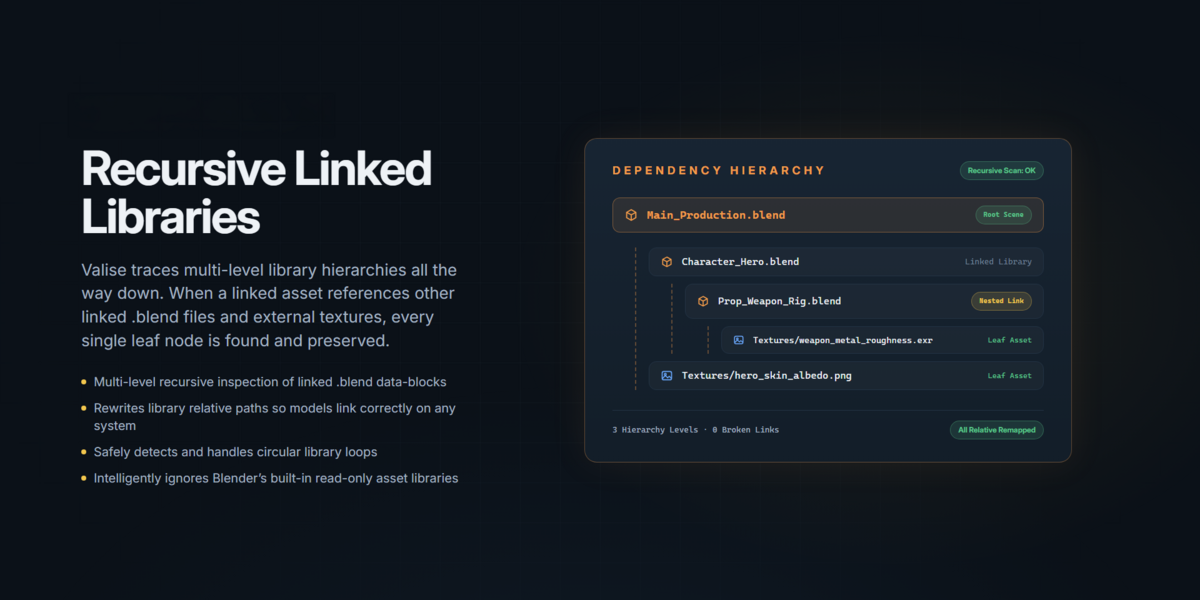
- 🔗 Linked Blender libraries.
- 💧 Simulation caches and baked data.
- 🔤 Fonts, volumes, and external scripts.
- 🌈 Custom color configurations.
These resources can be spread across multiple drives, folders, and computers. Finding and organizing everything manually is time-consuming and makes project delivery unnecessarily risky.
🚀 Valise brings the pieces together before they become someone else's problem.
Use it to:
- 🗄️ Archive projects with their supported external dependencies.
- 💻 Move projects between computers with relative paths.
- 🤝 Share work with artists, studios, and render farms.
- 🎁 Prepare organized client deliveries without exposing private computer paths.
- 🔎 Find and relink missing resources before delivery.
- 🛡️ Verify that packaged files arrived intact.
- 🎨 Reuse render, compositor, World, Geometry Nodes, and material setups.
🧳 Choose Your Valise
Start with the essential collection tools in Lite, or unlock the complete project preparation and delivery workflow with Studio.
🆓 Valise Lite
Simple. Fast. Free.
Valise Lite is designed for artists who want a straightforward way to collect a Blender project and its supported external files.
- 📦 Project collection: collect the
.blendfile and supported external dependencies. - 🖼️ Resource support: copy textures, image sequences, UDIMs, audio, video, fonts, volumes, caches, linked libraries, and external scripts.
- 🔗 Linked libraries: follow linked
.blendlibraries and collect their dependencies recursively. - 🧭 Relative paths: convert paths in the collected copy for easier portability.
- ♻️ Packed resources: unpack resources stored inside the original project.
- 🪄 Duplicate handling: avoid collecting duplicate files by content.
- ⚡ Background collection: monitor progress and cancel with Esc.
- 🪟 Windows support: handle long file paths.
- 🎨 Export Looks: save Render, Compositor, and World settings as standalone Python scripts.
- 🔄 Local updates: update Valise from a ZIP package.
Best for: everyday project collection, moving work between computers, and simple archives.
⬇️ Download Valise Lite for free
🚀 Valise Studio
Analyze it. Repair it. Package it. Deliver it.
Everything in Lite, plus advanced tools to inspect, customize, verify, and prepare your projects for professional delivery.
🔍 Project Inspection and Repair
- Project analysis: review file counts, estimated size, duplicates, packed resources, missing files, and potential path problems before collection.
- Relink Missing Files: search folders and subfolders for multiple missing files, review possible matches, and undo changes with Ctrl+Z.
- File-by-file control: choose individual resources or entire resource types to include in your package.
🧰 Flexible Collection Workflows
- Four collection presets: Full Archive, Client Delivery, Render Farm, and Custom.
- Saved presets: store your own collection configurations and reuse them in other projects on the same computer.
- Render Farm preparation: redirect render output and Compositor File Output nodes inside the package.
- Lightweight textures: optionally create reduced copies of textures larger than 2048 px for lighter handoffs.
🔒 Professional Delivery and Documentation
- Privacy protection: remove private machine-specific paths from client packages.
-
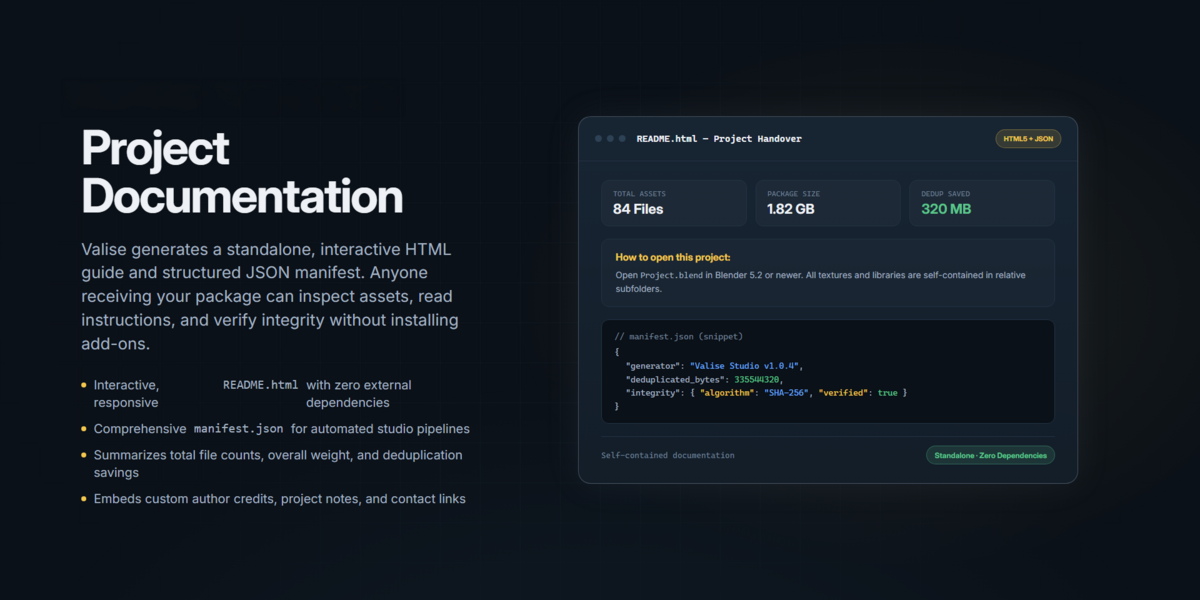
Client documentation: generate a visual
README.htmlwith a cover, project notes, credits, scenes, required add-ons, and package contents. - Organized packages: keep project resources, reusable Looks, and technical package information in clearly structured folders.
- ZIP delivery: create and verify a ready-to-send archive.
- Self-contained check: verify that paths in the collected project and exported Looks do not point outside the package.
🛡️ Verification and Compatibility
- Integrity verification: generate SHA-256 checksums and inspect received packages.
- Received Project check: review required assets, Blender compatibility, color configuration, and required third-party add-ons.
- Custom OpenColorIO support: include custom OCIO configurations when needed.
- Safe local updates: validate an update ZIP in a separate Blender process before replacing the installed version.
🎨 Reusable Looks and Materials
- Reusable Looks: export and apply Render, Compositor, World, and Geometry Nodes setups.
- Material transfer: export selected materials as individual ZIP packages with their textures, then load them into another project.
🌍 A More Complete Experience
- English and Spanish interface: use Valise in either language.
- Offline documentation: access the complete guide from inside Blender.
Best for: freelancers, studios, technical artists, render workflows, long-term archives, and client delivery.
🧭 Pick the Right Workflow
Valise Studio includes four collection workflows designed for different project needs.
🗄️ Full Archive
Preserve a comprehensive set of supported resources used by your project, including fluid caches and external scripts. The result is an organized folder suitable for archiving and long-term preservation.
🎁 Client Delivery
Prepare a polished, ready-to-send ZIP with a rendered cover, credits, notes, and an HTML guide for the recipient. Private machine paths are removed, while fluid caches and external scripts are excluded by default.
🖥️ Render Farm
Prepare a self-contained project with relative paths, videos, caches, and supported simulations baked to disk. Render output and Compositor File Output nodes are redirected inside the package. Collection is stopped if a required linked library is missing.
⚙️ Custom
Choose exactly what travels with your project: resource types, individual files, Looks, cover, ZIP output, privacy settings, render redirection, duplicate handling, and optional lightweight textures.
📦 What Can Valise Collect?
Valise supports a wide range of external resources used by Blender projects.
- 🖼️ Textures, image files, image sequences, and UDIM sets.
- 🎬 Audio, movies, movie clips, and Sequencer media.
- 🔗 Linked Blender libraries, including dependencies linked inside other libraries.
- 🔤 Fonts and OpenVDB volumes.
- 🧊 Alembic and USD caches.
- 💧 Fluid simulation caches.
- 🧩 Geometry Nodes bakes saved to disk.
- 🌊 Cloth, Soft Body, Dynamic Paint, and particle point caches saved to disk.
- ⚙️ Mesh Cache files (MDD/PC2) and Ocean caches.
- 💡 IES light profiles and external OSL scripts.
- 📜 External Text Editor files.
- 🌈 Custom OpenColorIO configurations in Valise Studio.
💡 Valise focuses on dependencies reachable from the active scene and its linked libraries. Unused resources are not automatically added to the package.
🔍 Catch Problems Before You Send Them
VALISE STUDIO FEATURE
Preparing a project for delivery should not mean discovering missing files after someone else opens it.
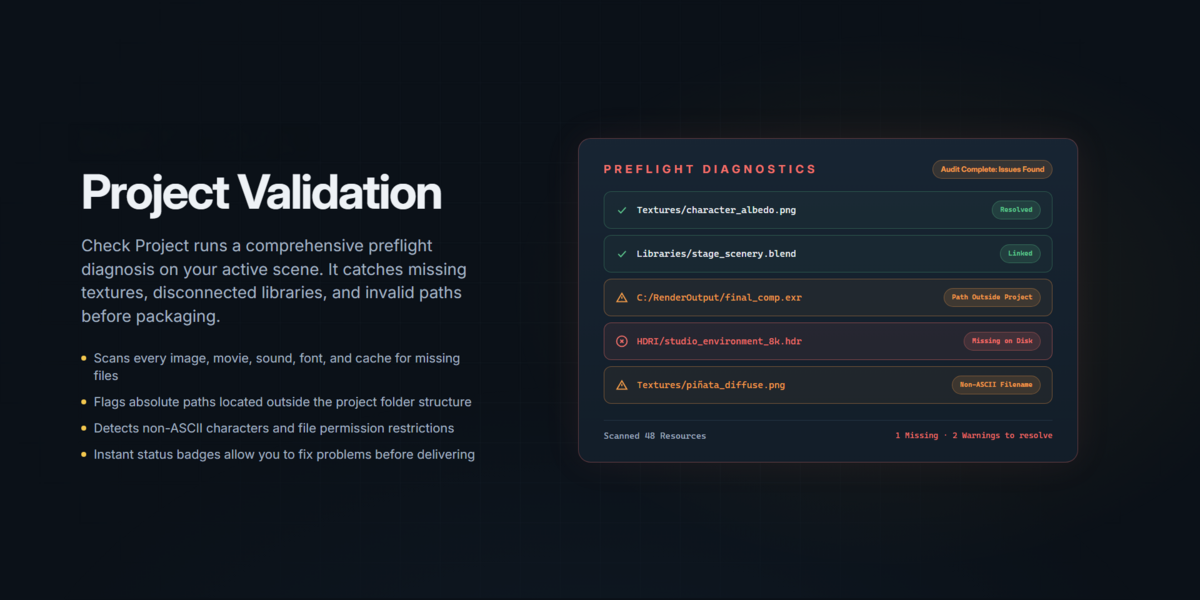
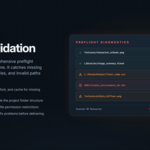
Analyze Project provides a preview of potential issues before collection. Depending on the project, Valise can report:
- ❌ Missing external files and the datablocks that use them.
- 🔗 Absolute, malformed, cloud-synchronized, or unusually long paths.
- 🖼️ Images that exist only in memory and have not been saved.
- 📄 Files with missing extensions or non-ASCII names.
- 📦 Packed resources that will be extracted.
- ♻️ Duplicate files and potential space savings.
- 🌈 Custom color management requirements.
- 🔌 Required third-party add-ons.
Use the available actions to locate, fix, skip, or relink resources before delivery.
🗂️ A Package People Can Actually Understand
A project package should be easy to navigate, not another collection of mysterious folders.
Valise Studio organizes the collected project into a clear structure:
- 📁 The collected
.blendfile, README, and resource folders are easy to find. - 🎨 Reusable scripts are organized inside
Looks/. - 📋 Technical reports, manifests, covers, and checksums are organized inside
Package Info/. - 🖼️ Textures, audio, video, fonts, libraries, volumes, caches, IES files, and other supported resources use predictable folders.
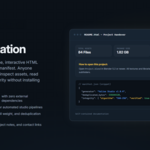
The generated README.html helps recipients understand how to open the project, what it contains, which Blender version it expects, and which third-party add-ons may be required.
🎨 Your Look Can Travel Too
Valise can preserve important parts of your project's visual and technical setup as standalone Python scripts.
- 🎥 Render: engine, resolution, sampling, light paths, color management, passes, and view layers.
- 🧩 Compositor: compositions, nodes, links, groups, and referenced images.
- 🌍 World: HDRIs, sky, background, mist, and engine-specific settings.
- 🧱 Geometry Nodes: interfaces, nested groups, links, zones, and zone items.
These scripts do not require Valise. They can be opened in Blender's Text Editor and run directly. Valise Studio can also apply supported exported Looks from its panel.
🧱 Transfer Materials Between Projects
VALISE STUDIO FEATURE
The dedicated Materials tab analyzes materials used by your project. Select materials to export them as individual ZIP packages containing the material and its associated textures. You can then load these packages into another Blender project.
It's a convenient way to organize, share, and reuse materials without manually tracking down their texture files.
⚠️ Security note: loading a Look or material script executes Python code. Only load scripts from sources you trust.
🛡️ Your Original Project Stays Untouched
Valise creates a separate copy of your project and performs its collection workflow on that copy using a background Blender process. Your open project is not rewritten during collection.
Additional safeguards help make the process more reliable:
- 🔒 The destination must be empty or not exist. Valise does not overwrite folders containing files.
- ⏹️ If collection is cancelled or fails, the partial folder is clearly marked
_INCOMPLETE. - 📋 Missing resources are reported rather than silently ignored.
- ♻️ Files are deduplicated by content, not just by filename.
- 🔍 The collected copy can be reopened in a separate process to check for unresolved files.
- 🪟 Long Windows paths are supported throughout the collection pipeline.
✅ Verify What Arrived
VALISE STUDIO FEATURE
Sending a package is only half the job. The recipient also needs a way to check what arrived.
Check Received Project helps inspect a delivered package and verify:
- 🧩 Blender version compatibility.
- 🔌 Required third-party add-ons and where to obtain them.
- 🌈 Custom color management requirements.
- 🔐 File integrity through SHA-256 checksums.
- 📁 Whether required package assets are present.
💡 Valise identifies required third-party add-ons but does not copy, bundle, or install them.
💻 Compatibility and Requirements
- Blender: 4.5 LTS or later.
- Operating systems: Windows, macOS, and Linux.
- License: GPL-3.0-or-later.
- Developer: Ronin Team.
⚠️ Important Notes
- Valise collects supported external resources referenced by the active scene and its linked libraries. Unused datablocks are not automatically collected.
- A missing source file cannot be copied until it is located, restored, or deliberately skipped.
- Results may vary across Blender versions, third-party add-ons, render engines, and color-management configurations.
- Cloud files should be downloaded locally before collection.
- Optional fluid caches and rendered covers can increase collection time and disk usage.
- Valise identifies required third-party add-ons but does not distribute or install them.
- Some features described on this page are exclusive to Valise Studio.
🧳 Ready to Stop Chasing Missing Files?
Pack your project once. Take everything with you.
Valise Lite collects and organizes. Valise Studio takes project preparation further with analysis, relinking, documentation, privacy protection, and verification tools.
✨ Less time managing files. More time creating.
🚀 Choose Valise Studio on Superhive and take control of your project delivery workflow.
— Ronin Team
🧳 Pack your project. Take everything with you.
```