Valise | Blender
 Ronin

🧳 Valise for Blender — User Documentation
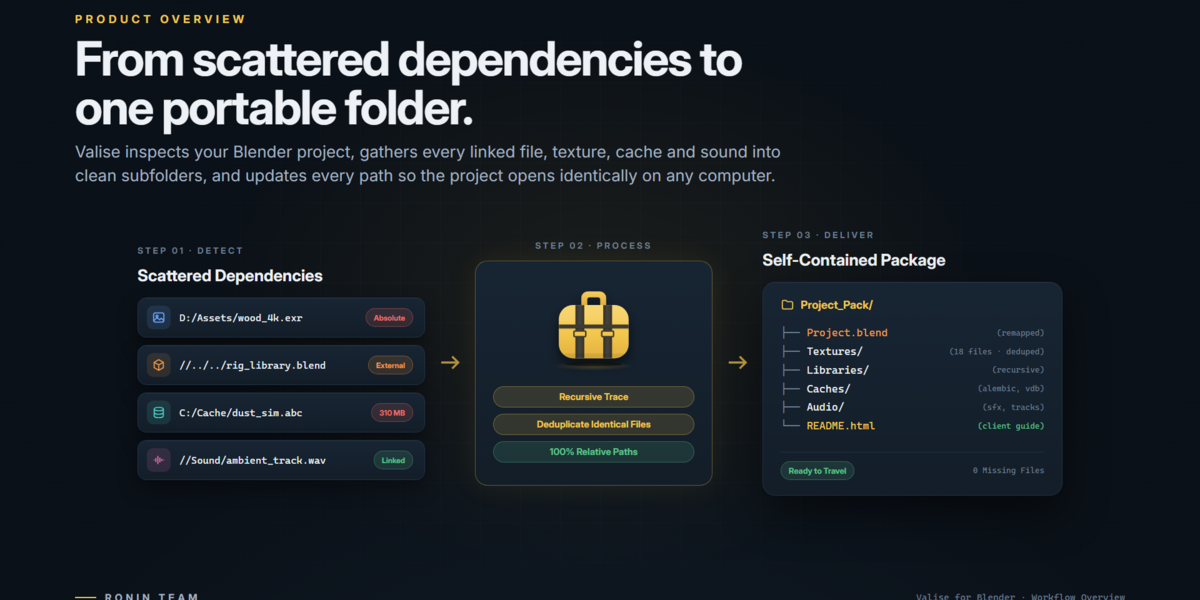
👋 Welcome to Valise! Valise is a project packaging and delivery toolkit for Blender. It helps you collect your .blend projects and supported external dependencies into organized, portable packages.
Whether you are archiving your work, moving projects between computers, collaborating with other artists, or preparing client deliveries, Valise helps keep the resources your projects need together.
Valise is available in two editions:
- 🆓 Valise Lite: Free edition with essential project collection tools.
- 🚀 Valise Studio: Advanced edition with project analysis, customizable collection workflows, documentation, and delivery tools.
⚙️ 1. Requirements
- Blender 5.2 or later.
- Windows, macOS, or Linux.
📦 2. Installation
- Download the ZIP package for your Valise edition.
- Open Blender.
- Navigate to Blender's extension or add-on installation options.
- Select the downloaded ZIP package.
- Install Valise.
- Enable the extension or add-on if required.
- Locate Valise in the Blender interface.
💡 The exact installation steps may vary depending on your Blender version and installation environment.
🔄 3. Updating Valise
Valise includes an integrated update option that allows you to install a newer version directly from a ZIP package.
📥 Update from File…
- Download the latest Valise ZIP package for your edition.
- Open Blender and access the Valise interface.
- Select Update from File….
- Choose the downloaded ZIP package.
- Follow the instructions and wait for the update process to finish.
🔒 The update process preserves your existing preferences and saved presets.
🛡️ Valise checks the selected package before applying the update. If the package is invalid or corrupted, the update is rejected and your current installation is left unchanged.
🚀 Upgrading from Lite to Studio
You can also use Update from File… to upgrade from Valise Lite to Valise Studio. Select the Studio ZIP package and follow the update process. Lite is removed only after the Studio installation has been successfully verified.
💡 Always download the package corresponding to the edition you want to install.
🧭 4. Basic Workflow
The basic Valise workflow is designed to be straightforward:
- Open the Blender project you want to collect.
- Save your project.
- Open the Valise interface.
- Select a destination folder.
- Start the collection process.
- Monitor the progress while Valise gathers supported external resources.
- Review the resulting project package in the destination folder.
🔒 Valise performs its collection workflow using a copy of the project. Your original .blend file is not modified by the collection process.
🆓 5. Valise Lite
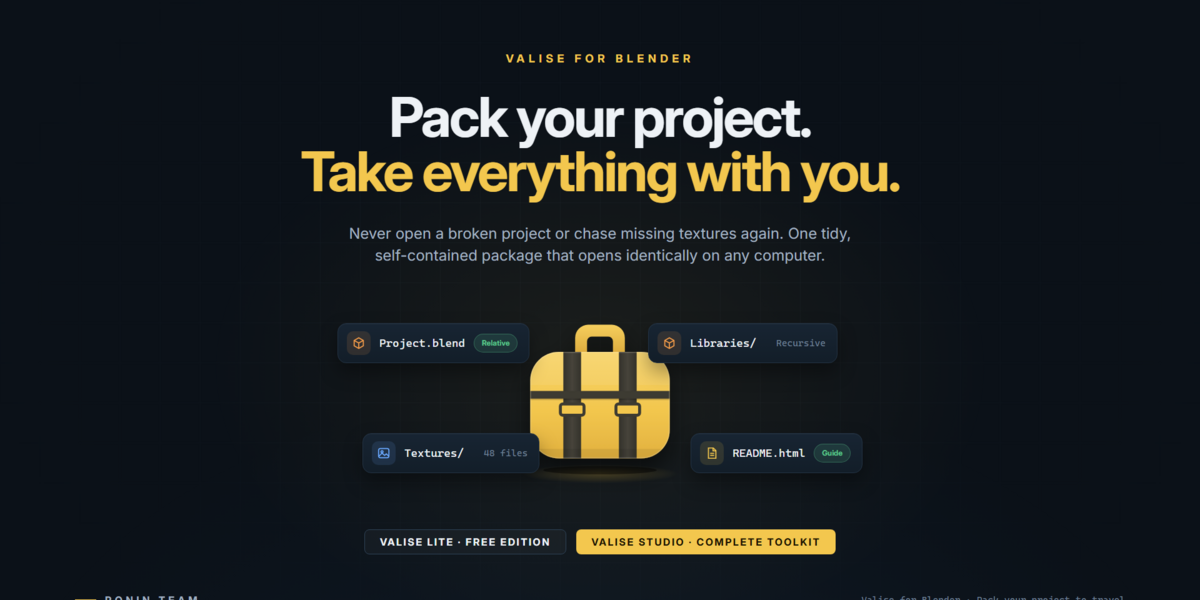
Valise Lite provides the essential project collection workflow. It collects your Blender project and supported external dependencies into one organized folder.
✨ Included Features
- 📁 Collect the current
.blendproject and supported external dependencies. - 🖼️ Copy supported textures, images, audio, video, fonts, volumes, caches, and scripts.
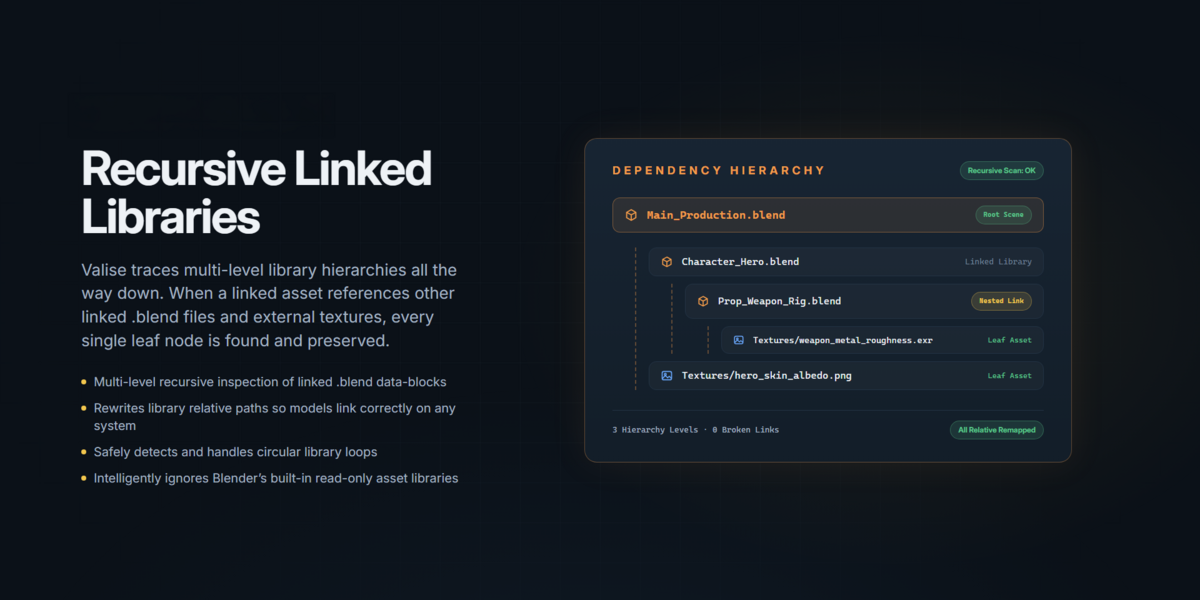
- 🔗 Collect linked Blender libraries (
.blend) and their dependencies. - 🧭 Convert paths to relative paths for portability.
- 📦 Unpack packed resources when needed.
- ♻️ Avoid collecting duplicate files multiple times.
- ⚡ Run collection tasks in the background with progress feedback.
- ⏹️ Cancel collection using the Esc key.
- 📂 Select a destination folder.
- 🪟 Support long Windows file paths.
- 🎨 Export Looks as standalone Python scripts.
🎨 Export Looks
Both editions allow you to export selected Blender settings as Python scripts.
Supported categories:
- 🎥 Render settings.
- 🧩 Compositor settings.
- 🌍 World settings.
The exported scripts can be executed through Blender's Text Editor.
🚀 6. Valise Studio
Valise Studio includes all Lite features and adds advanced tools for project inspection, customization, documentation, and delivery.
🗂️ 6.1 Collection Presets
Studio provides three collection workflows.
🗄️ Full Archive
Designed for comprehensive project archiving and long-term preservation.
- Collects a comprehensive set of supported project dependencies.
- Includes supported fluid caches and external scripts.
- Preserves original file paths in the project manifest.
- Creates an organized project archive.
📤 Client Delivery
Designed for preparing cleaner packages for clients and collaborators.
- Hides private machine-specific paths.
- Excludes fluid caches and external scripts by default.
- Generates a ZIP package.
- Creates an HTML project guide.
- Supports a cover, credits, and project notes.
🎛️ Custom Collection
Provides additional control over the collection process.
- Choose which resource types to include.
- Customize collection settings.
- Inspect collection contents.
- Adapt the package to your project requirements.
🔍 6.2 Custom File Selection
Choose which supported resource types should be included in your collection. You can review the available file types and collection contents before starting the process.
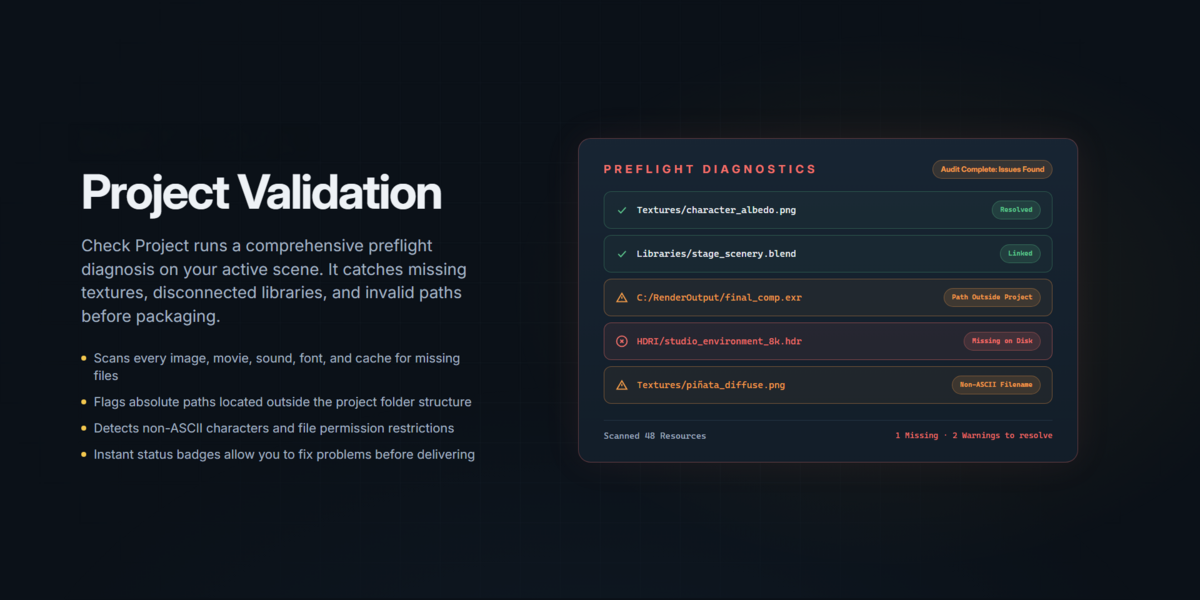
🩺 6.3 Check Project
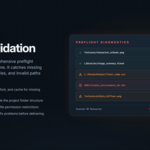
Check Project helps identify potential dependency and organization issues before collection.
Depending on the project, it can identify:
- ❌ Missing external files.
- 🔗 File paths that are not relative.
- 🖼️ Unsaved images.
- 📄 Files with missing extensions.
- 🔤 Non-ASCII filenames.
- 📏 Potentially problematic long paths.
- ☁️ Files located in cloud-synchronized folders.
Review detected issues and use the available actions to locate, fix, or skip them.
🔒 6.4 Privacy Protection
When preparing projects for external delivery, Valise Studio can hide private machine-specific paths. This helps prevent unnecessary information about your local file structure from being exposed in the delivered package.
📝 6.5 Project Documentation
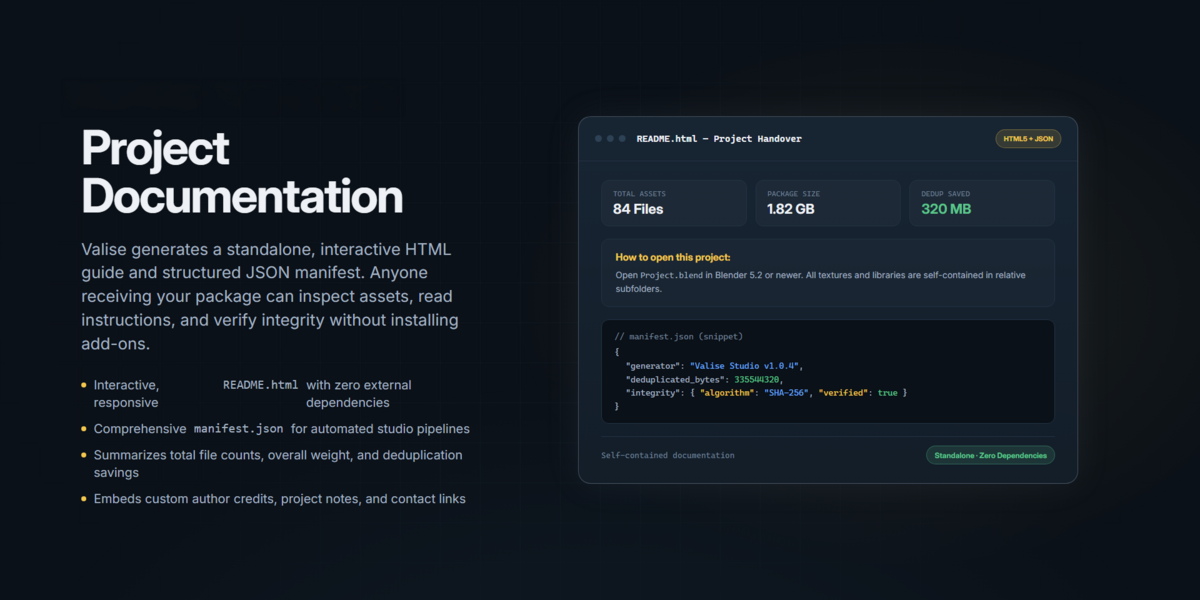
Studio can generate an HTML project guide named README.html.
The guide can include:
- 🖼️ Project cover.
- 👥 Credits.
- 📋 Project notes.
This gives clients and collaborators a more organized introduction to the delivered project.
📊 6.6 Collection Reports and Manifest
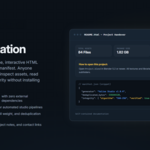
Studio can generate additional files describing the collection:
- 📄
collect_report.txt— readable collection report. - 🗂️
manifest.json— structured information about collected resources and relevant paths.
🔐 6.7 File Integrity Verification
Studio can generate a checksums.sha256 file containing SHA-256 checksums for collected files. These checksums can be used later to verify file integrity.
🗜️ 6.8 ZIP Export
Compress your collected project into a ZIP archive for convenient transfer and delivery.
🎨 6.9 Custom OCIO Configuration
Studio supports collecting custom OpenColorIO configurations when they are part of your workflow.
📥 6.10 Check Received Project
Use Check Received Project to inspect a collected package.
It can help verify:
- 🔐 File integrity through SHA-256 checksums.
- 📁 Required project resources.
- 🎨 Custom color configuration.
- 🧩 Blender version compatibility.
- 🔌 Required third-party add-ons.
💡 Valise can identify required third-party add-ons, but it does not bundle or install them.
🎨 7. Materials
Valise includes a dedicated Materials workflow, separate from the project collection tools.
This section allows you to analyze materials in your Blender project and export individual materials together with their associated textures.
- 🔍 Analyze materials in the current project.
- 📦 Export individual materials as separate ZIP packages.
- 🖼️ Include the associated textures with each material.
- ♻️ Reload exported materials into Blender.
This provides a convenient way to organize, transfer, and reuse materials across projects.
🎨 8. Applying Looks in Valise Studio
In addition to exporting Looks, Studio allows you to apply exported Render, Compositor, and World settings directly from the Valise panel.
Machine-specific settings are excluded, and settings unavailable in another Blender version are skipped when necessary.
⚡ 9. Background Collection and Cancellation
Valise runs collection tasks in the background to help keep Blender responsive.
During collection:
- 📊 Progress feedback is displayed.
- 👀 You can monitor the operation.
- ⏹️ Press Esc to cancel the collection process.
⚠️ If a collection is cancelled, review the destination folder before using its contents.
⚠️ 10. Important Notes and Limitations
- Valise collects supported external resources referenced by your project.
- Missing external files cannot be collected until they are located or restored.
- Collection results depend on the resources referenced by the project and the selected edition, preset, and settings.
- Blender version differences may affect how certain project settings or resources behave.
- Third-party add-ons may be required to open or reproduce certain projects.
- Valise identifies required third-party add-ons but does not include or install them.
- Differences in color management configurations may affect project appearance on another computer.
- Valise cannot guarantee identical project behavior across different systems.
💡 For best results, save your project and check its dependencies before collecting it.
📋 11. Edition Comparison
| Feature | Lite | Studio |
|---|---|---|
| 📁 Project collection | ✓ | ✓ |
| 🖼️ External dependencies | ✓ | ✓ |
| 🔗 Linked Blender libraries | ✓ | ✓ |
| 🧭 Relative paths | ✓ | ✓ |
| 📦 Unpack packed resources | ✓ | ✓ |
| ♻️ Duplicate avoidance | ✓ | ✓ |
| ⚡ Background collection | ✓ | ✓ |
| 🎨 Export Looks | ✓ | ✓ |
| 🎨 Apply Looks | — | ✓ |
| 🗂️ Collection presets | — | ✓ |
| 🎛️ Custom file selection | — | ✓ |
| 🩺 Check Project | — | ✓ |
| 🔒 Hide private paths | — | ✓ |
| 📝 HTML project documentation | — | ✓ |
| 📊 Reports and manifest | — | ✓ |
| 🔐 SHA-256 verification | — | ✓ |
| 🗜️ ZIP export | — | ✓ |
| 🎨 Custom OCIO configuration | — | ✓ |
| 📥 Check Received Project | — | ✓ |
💬 12. Support and Feedback
Thank you for using Valise and supporting Ronin Team! ❤️
For Valise Studio support, questions, or feedback, contact:
We appreciate your feedback and suggestions. They help us improve Valise and build better tools for the Blender community.
🚀 Ronin Team
🧳 Pack your project. Take everything with you.
📅 13. Version History
🚀 Version 1.6.2 — November 5, 2026
- ✨ New Materials workflow.
- 🔄 Improved update and installation experience.
- 📦 Improvements to project packaging and organization.
- ⚡ Enhanced collection and verification workflows.
- 🎨 Improvements to Looks and Render Farm workflows.
- 🌍 Interface and localization improvements.
- 🐛 Various bug fixes and stability improvements.
📦 Version 1.0.4 — Initial Public Release
First approved public release of Valise on Blender Market.
❤️ Thank you for supporting Valise and Ronin Team. More improvements are on the way!
```
Have questions about this product?
Login to message
Discover more products like this
client-delivery file management project-management File Collection backup asset management project packaging 3D workflow Workflow studio tools utility blender